Tiny E-Readers Are Everywhere: The Boox Picco Is the One I’m Carrying With Me.

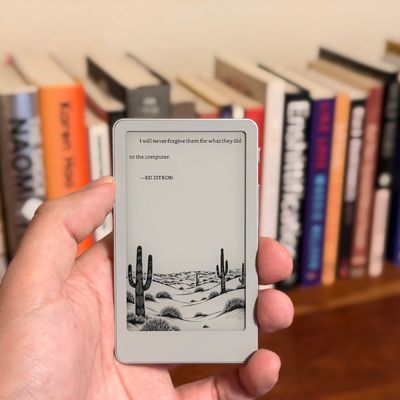
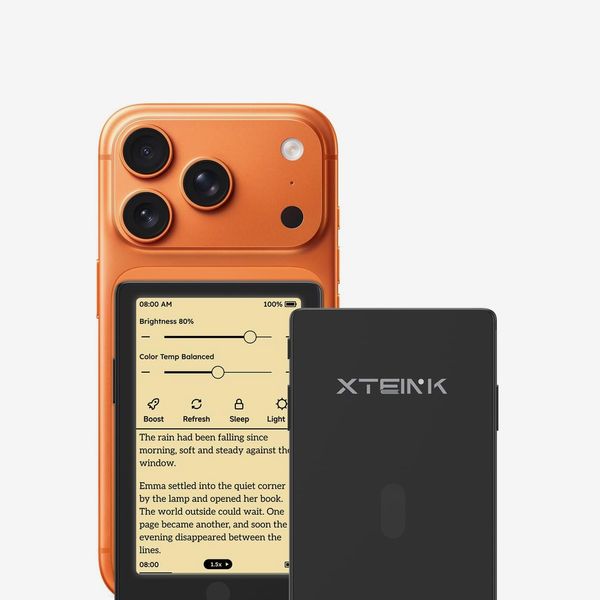
Tiny e-readers took BookTok by storm earlier this year. Gadgets like the XTeink X3 and X4 — which have magnets so you can attach them to the back of your phone — became a cheap way for people to carry all their books in their pocket without having to open an app on their phone and risk turning back to doomscrolling. But as popular as those models have been, their clunky software and (in some cases) reliance on proprietary charging and data cables and dongles made them less accessible to non-techy folks, and their basic software, clunky industrial design, and lack of bookstore access meant their overall reading experience just lacked the polish that made e-readers from more established brands attractive in the first place. So, when I heard Boox — maker of countless Android-powered e-readers and digital notebooks — was making its own card-size gadget, I had to try it out.
New! You can now save this product for later.
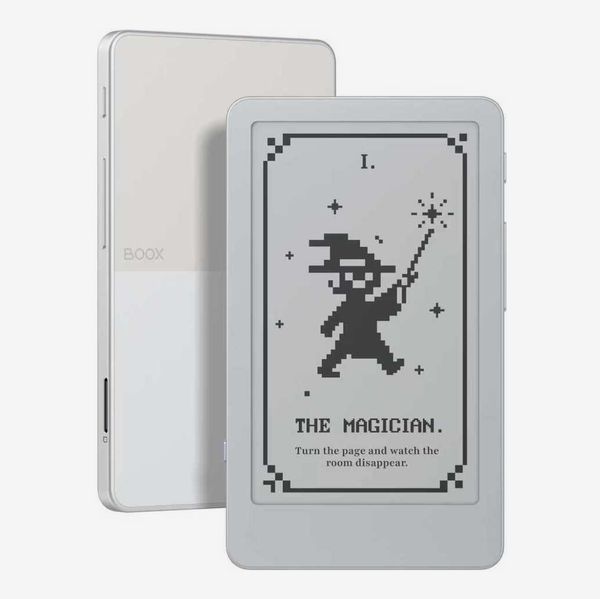
Boox Picco
Tiny e-readers aren’t just a gimmick
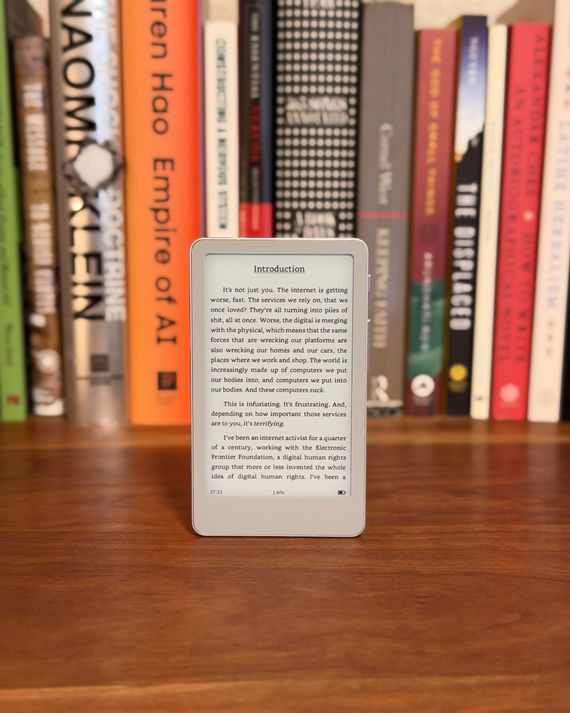
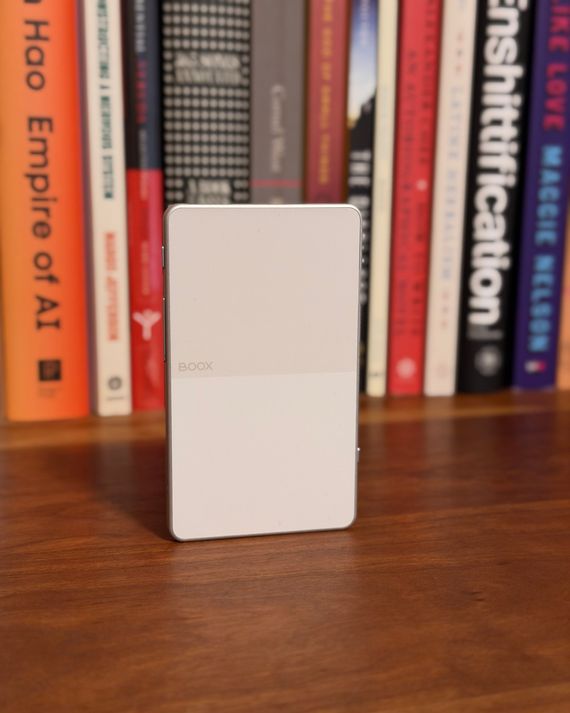
The aptly-named Picco — it’s just a tad larger than a credit card — is so small you don’t have any excuse not to take it with you and always be ready to get some reading done. It’s so light you barely notice it in your hand. But impressively small form factor aside, the Picco functions much like most other modern e-readers. The 3.97-inch display touchscreen is easy to navigate, it has a front light for easy reading in the dark, and you can load it with more books than you could read in a year.
While Boox isn’t the first company to pack all that into such a small form factor (that honor goes to XTeink with the X4 Pro), it’s the first to do so with so much style. The edges of the Picco are made of a soft-texture aluminum, while the plastic back features a nice dual-tone design. On the right side of the Picco, there’s a display/power button, as well as two buttons for turning the page. On the bottom-left corner is a single switch that lets you toggle the device’s front light without diving through menus as you must on most other e-readers.
Despite its small display, the Picco can fit enough text onscreen to provide a few minutes’ worth of reading — precisely what Boox says the reader is designed for — and with some fine-tuning, text can look just as good as on a Kindle or Kobo — albeit on a much smaller display.
But its software makes it more than an e-reader
Great as the Picco is as an e-reader, though, that’s not all Boox wants it to be known for. It’s the first in Boox’s new Tiles line of e-ink devices, which the company says are meant to be “lifestyle companions” with more capabilities than a typical reader. These devices don’t aspire to be full-service tablets, but in the Picco’s case, that means adding some light task-management abilities. There’s a barebones to-do app that lets you tick off tasks on the go, though you can’t create new tasks on the Picco. To do that, you’ll need to connect the device to your computer or use the company’s app while the Picco is connected to Wi-Fi. It’s a hassle compared to syncing your tasks across a phone, tablet, and computer, but I’ve enjoyed taking a few minutes every morning to input my most pressing tasks into the Picco and carrying it with me while I work. There’s also a Pomodoro timer app to help you stay on task for bursts of time, plus a countdown app. That’s a far cry from the functionality you can get out of Boox’s Android-powered devices that let you install third-party apps, but it’s also more than you can do with most tiny e-readers.
You can’t pack everything into such a tiny package
The Picco’s most noticeable exclusion is the lack of an e-book store. To get books onto the device, you’ll need to use DRM-free files in the EPUB format (though the Picco will convert them to a proprietary format), which is increasingly difficult as Amazon has made it impossible to download copies of the books you’ve purchased through its Kindle store. You can legally obtain free e-books through sources like Standard Ebooks, but that limits you to public-domain books. There’s also the option of buying e-books directly from publishers that offer them (I like Verso Books), but that’s not an option for every publisher so you may not be able to legally obtain a digital copy of the book you want.
It’s also worth knowing that while Boox advertises the Picco as supporting microSD cards up to two terabytes — enough space for more books than you could read in several lifetimes — it struggles with handling large libraries. I tested this by loading around 800 e-books onto the included 16 GB microSD card. They all transferred just fine, but the Picco’s software lets you see only 100 pages of e-books in the library view, and each page has room for only six books. That won’t be a problem if you have a library of under 600 books but may be important if you intend to make this your primary reading device.
And while the Picco’s display is quite readable, the preinstalled system font has some oddball kerning (in particular extra spacing between any apostrophe and letter, so words like “it’s” looked like “it’ s” and so on). That’s easily fixed by installing a custom font, but doing that requires finding a font that’s pleasant to your eyes, then jumping through some hoops. Once you have the font file you’d like to use on the Picco, you can install it using either Boox’s app or the company’s website. In either case, you’ll need an account. Both the app and the site have a page where you can import fonts, and it takes only a few taps (or clicks). Once that’s done, you can change the font in all your e-books. Beyond that, you can also customize the spacing of the lines and margins on each page, as well as the font’s weight, and a few other options.
You won’t find a nicer, more portable e-reader for on-the-go reading
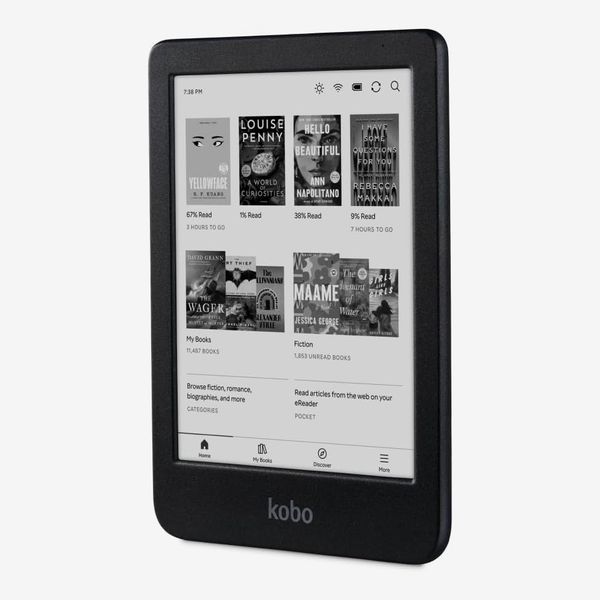
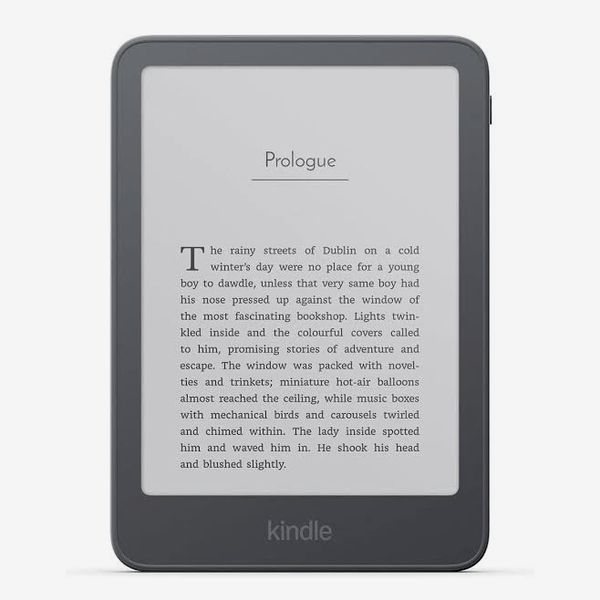
I prefer compact e-readers like the XTeink X4 Pro or the phone-size Boox Palma to larger-screened readers like a Kindle or Kobo, as they’re easier to carry in your pocket so you can always have a book (or your whole to-be-read stack) with you. The Picco delivers beautifully on that front. Its hardware has the polish of much more expensive devices, its screen — with a little doing — makes text look great, and the custom software gives this tiny e-reader more functionality than its peers. It’s so lightweight I can carry it in my pocket everywhere and pull it out while I’m waiting for a friend to meet me at the bar. That alone has helped me get more reading done than if I just carried a Kindle in my bag — that’s well worth the Picco’s $100 price tag in my book.
Other e-readers we like
More From The Strategist
- The Best Things Strategist Editors Have Bought This Year (So Far)
- Hark, the Advent Calendars Arrived (Very) Early This Year
- 63 Things You Should Never Buy Full Price
- The Strategist Fall 100
The Strategist is designed to surface useful, expert recommendations for things to buy across the vast e-commerce landscape. Every product is independently selected by our team of editors, whom you can read about here. We update links when possible, but note that deals can expire and all prices are subject to change.