A Digital Notebook for Every Type of Notetaker

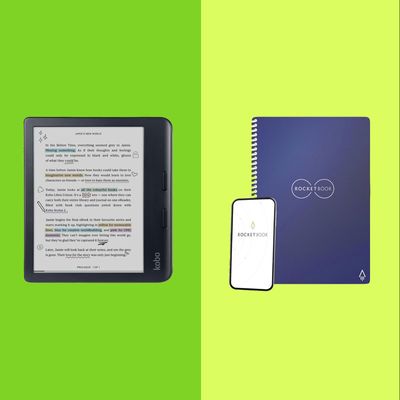
Over the past several months, notebooks have slowly chipped away at my reliance on note-taking apps to log my ideas. My memory has started to improve since I remember more of what I write down, and somehow I feel more accomplished when I cross off a task in my planner than I did tapping a checkbox on a screen. But as I’ve piled more notebooks onto my desk — two for logging the books I read, one for journaling, and a few for different writing projects — I’ve started to miss digital life a bit.
Still, I didn’t want to just go back to typing my thoughts; they tend to disappear into the ether of my notes folder until I finally organize them. So I started looking into digital notebooks.
As is the case with paper journals, there are many kinds of digital notebooks. Some feature reusable paper that allows you to wipe away pen ink and have a page that’s good as new. Others use fancy pens that give you the satisfaction of gliding the instrument across paper while transferring your writing straight to your phone or tablet in real time. You can also get an e-ink tablet that’ll let you create a seemingly infinite number of notebooks, sans paper. They all make it easy to transfer whatever you’ve written to your computer.
So whether you want a slightly more techy way approach to a traditional notebook that syncs your notes to the computer or are looking for a tablet that’ll let you go totally paperless, there’s a digital notebook for you. Here are a few of my favorites.
Updated on September 12, 2025
I added the reMarkable Paper Pro Move as a smaller all-digital notebook and made the Kobo Libra Colour a better option for people who want a notebook that’s also an e-reader.
An affordable digital notebook
New! You can now save this product for later.
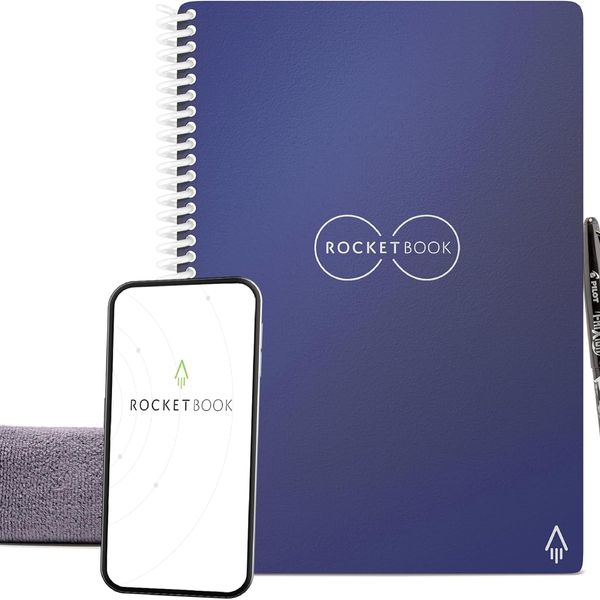
Rocketbook’s system of reusable notebooks is the most affordable of any digital option I tried, but it’s also one of the most impressive. The company’s notebooks all feature reusable paper, to get your notebooks onto your computer, you just scan the pages with your phone’s camera and decide where you want to send them. You can email them to yourself or export them to an app of your choice using the iOS or the Android share feature.
Once you’ve gotten your notes onto your computer or synced them to the cloud, you can clear the page using the included microfiber cloth and a little bit of water. Admittedly, putting water on the notebook felt risky at first, but it works. You do have to wait a few seconds to let the leftover water evaporate, but after that, you’d never be able to tell you’d just written on the page. I wrote over the same part of a page in the Rocketbook five times, and even after all that, a little bit of water made it look just like new.
The Core isn’t the only tool in Rocketbook’s lineup; you can also get reusable sticky notes, as well as planners and smaller notebooks. I’ve been using the sticky notes to keep track of my weekly tasks by sticking them onto my monitor.
A digital notebook for paper lovers
New! You can now save this product for later.
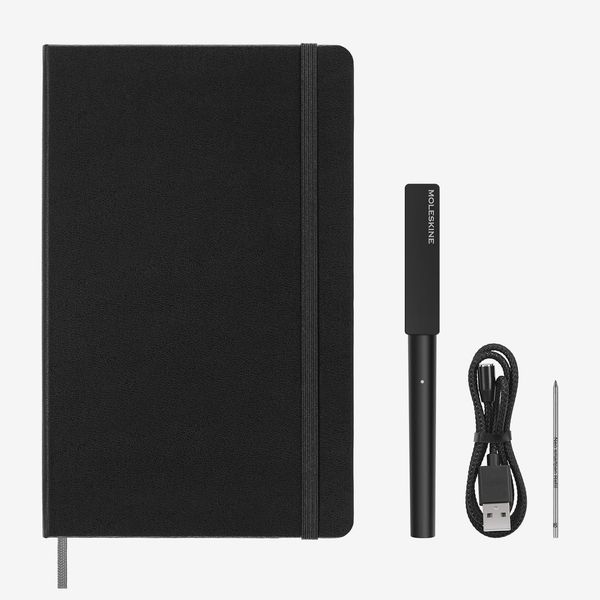
While Rocketbook’s system requires your phone’s camera to transfer your notes, Moleskine’s Smart Writing Set logs your pen strokes in real time with a fancy pen. Once you’ve charged the pen — my least favorite part of this setup, as it’s just another thing to worry about keeping charged — you just pair the instrument to your phone in Moleskine’s dedicated app and start writing.
Once you’ve finished whatever you’re writing, you can export every page to your computer or a cloud service of your choice. The notes can be exported as JPG, PDF, or vector files; Word or PowerPoint documents; and a kind of time-lapse video of your note-taking.
Like Rocketbook’s, the system relies on proprietary notebooks. Replacement notebooks are only $24, which is about the same price as the company’s medium-size Classic Notebook. Unfortunately, the pen doesn’t work with notebooks other than Moleskine’s, either. Price-wise, that’s not a huge issue, as the smart versions aren’t more expensive than the non-smart ones, but be sure you like Moleskine notebooks before splurging on this system.
A digital notebook for the truly paperless
New! You can now save this product for later.
reMarkable 2 Tablet
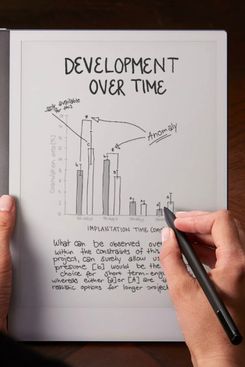
If you want a full-blown digital notebook without any ink or paper, get the reMarkable 2. It has a 10.3-inch screen, which is plenty of blank space to work with. ReMarkable includes its standard Marker stylus in the box, but you can also get the company’s newer Marker Plus, which has a built-in eraser function. The standard Marker, on the other hand, requires you to select the eraser tool from the software’s toolbar. Either way, the reMarkable’s screen feels the closest to paper of any tablet I’ve tried. It’s truly a delight to use.
It’s not just the hardware that makes using it such a pleasure. You can create a seemingly unlimited number of notebooks, with 44 templates to choose from. There’s the standard grid and dotted pages, lined pages, planner pages, and storyboard templates, plus a few more. There’s even a couple of options for musical staves. You can also purchase templates from places like Etsy — I got myself a planner for the year and used it before going back to paper — and side-load them onto the reMarkable.
If you want to sync your notes to your computer, you have two options: Plug in your reMarkable and use the proprietary software, or pay $3 per month (or $30 per year) for its sync service. The former is pretty quick and the software’s free, so I chose that. But in my testing, reMarkable’s sync service is quick and reliable — well worth the money if you prefer a more seamless experience.
If you want to type your notes, you can buy the keyboard case too. At $200, that’s $100 less than Apple’s Magic Keyboard for the iPad Pro. Tally all that up and the reMarkable gets shockingly close to iPad prices despite being less functional. That’s not necessarily a bad thing, though, as it allows you to focus on what you’re doing in a way that an iPad may not.
Because it’s an e-ink device, the reMarkable can open e-books, and it also works with PDFs, which you can write on directly. It’s not nearly as pleasant to use for reading e-books as a Kindle or Kobo; its bare-bones reading software doesn’t have as many reading-centric features. But it’s nice to consolidate everything.
A smaller all-digital notebook
New! You can now save this product for later.
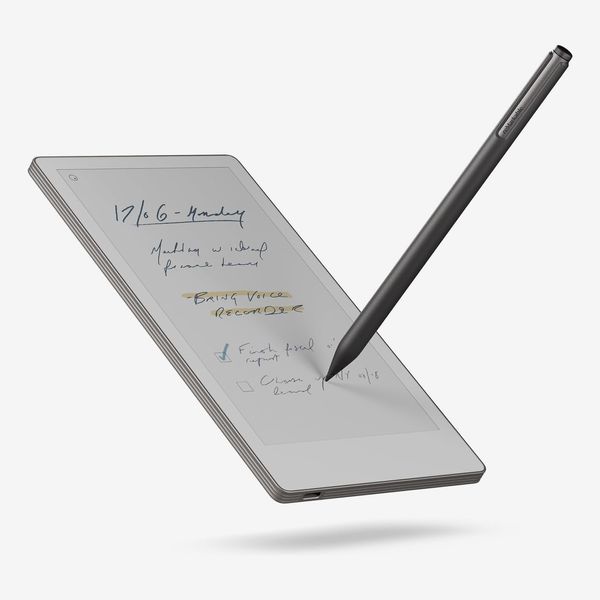
For a more portable digital notebook, I like reMarkable’s new Paper Pro Move. It has all the features that make the reMarkable 2 a great digital notebook but in a smaller body with a 7.3-inch screen that can easily fit into a jacket pocket or small purse.
Like the reMarkable 2, the Paper Pro Move’s display has a matte finish that feels closer to paper than any other screen I’ve tried. But while the reMarkable 2’s display is black-and-white, the Paper Pro Move has a color e-ink display that lets you write text in nine shades. Compared with the Libra Colour’s display, which is shorter and wider, the Paper Pro Move’s is more pleasant to write on due to its textured finish.
While I love this tablet, at $450 it’s quite expensive, and I wish reMarkable had released a black-and-white version at a lower price. But if you like to write your notes in different hues and highlights for more details, the color display helps a lot.
An all-digital notebook that’s also an e-reader
New! You can now save this product for later.
Kobo Libra Colour
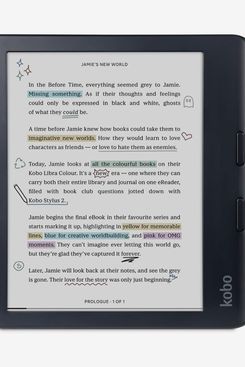
Kobo’s Libra Colour is an e-reader first but also a features-packed notebook. There are 36 templates, just a tad under the reMarkable’s 44 options but plenty for you to find what you need. Notes can be taken directly within e-books to mimic writing in the margins, and as noted above, this is a better e-reader than any reMarkable device. You can buy e-books directly from Kobo, and the company’s software lets you check out e-books from your local library and read news articles you’ve saved to Instapaper. Kobo’s software also has more reader-focused features such as highlights and audiobook support that reMarkable doesn’t offer.
The Kobo doesn’t feel as close to paper as the reMarkable, but it’s quite nice. Its wider body makes it not quite as good for single-handed use as the Paper Pro Move, yet it still works. Because it’s an e-reader first, though, it takes a bit longer to access the notebook section than on the reMarkable, where waking the device will take you right to the last note you opened. Instead, you have to wake up the device, tap the notebooks section in the menu bar at the bottom, then select the notebook you wish to open.
Unlike reMarkable’s styli, Kobo’s needs to be recharged with a USB-C cable. It’s pretty annoying, but it’s also a good stylus; it has an eraser, which reMarkable charges extra for. As long as you remember to charge it once a month, you should be fine.
More From The Strategist
- Hark, the Advent Calendars Arrived (Very) Early This Year
- The Best Things Strategist Editors Have Bought This Year (So Far)
- 63 Things You Should Never Buy Full Price
- The Strategist Fall 100
The Strategist is designed to surface useful, expert recommendations for things to buy across the vast e-commerce landscape. Every product is independently selected by our team of editors, whom you can read about here. We update links when possible, but note that deals can expire and all prices are subject to change.