Amazon Came for the iPad With the New Alexa Tablet 12 Pro — How Close Did It Get?
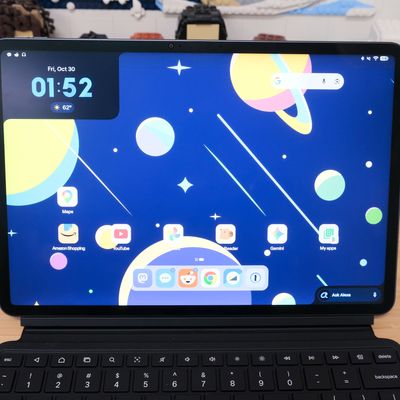
One of the biggest negatives for Amazon’s Fire Tablet lineup has always been the fact that though they were based on Android, they didn’t use Google Play services, meaning Fire users had no access to the Play Store and the millions of apps listed there, including Google’s core Android apps. Instead, you had to use Amazon’s Appstore and hope your favorites were available.
In early October, however, that all changed. Amazon announced its brand-new Alexa Tablet lineup and with it a full embrace of Google’s apps and services. The new Alexa Tablets are Android devices, and despite their heavy Amazon tweaks and customization, right out of the box, they’re fully compatible with the whole Google universe of apps. You’ll find the Play Store right there on your home screen, along with a folder of Google apps. Maps, Gmail, even YouTube, they’re all there — huzzah!
I never thought I’d see the day. It’s a new era for Amazon’s tablet, and I’m so here for it.
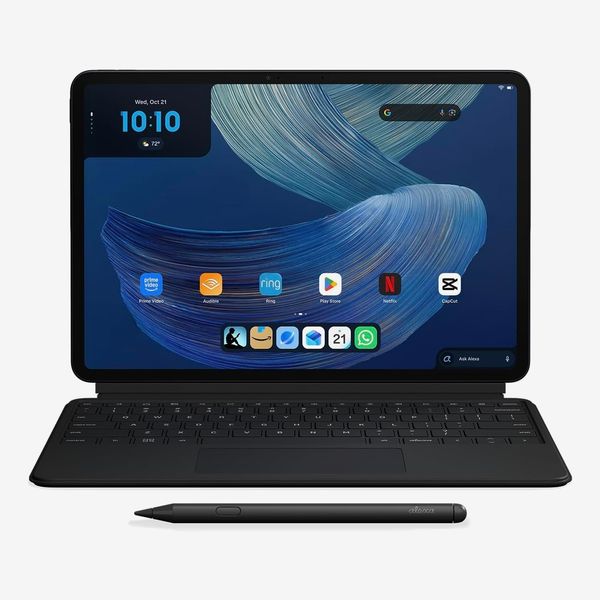
I’ve been using the $790 Productivity Bundle (which includes the Alexa Tablet 12 Pro with a Nanomatte display, the Pro Keyboard, and Pro Pen) for just shy of two weeks now, and it’s everything I ever wanted in an Amazon tablet — but that may not be enough for everyone. While it’s a great start to a new era of Amazon tablets, there’s still some work to be done. Let’s dig in.
New! You can now save this product for later.
What is an Alexa Tablet, exactly?
On top of the lack of Google services, the old Fire Tablet lineup was known for its affordability — and its mediocre performance. Amazon is taking the opposite approach with the Alexa Tablet, ditching the plastic housing for aluminum, including brighter high-resolution displays, and using beefier processors.
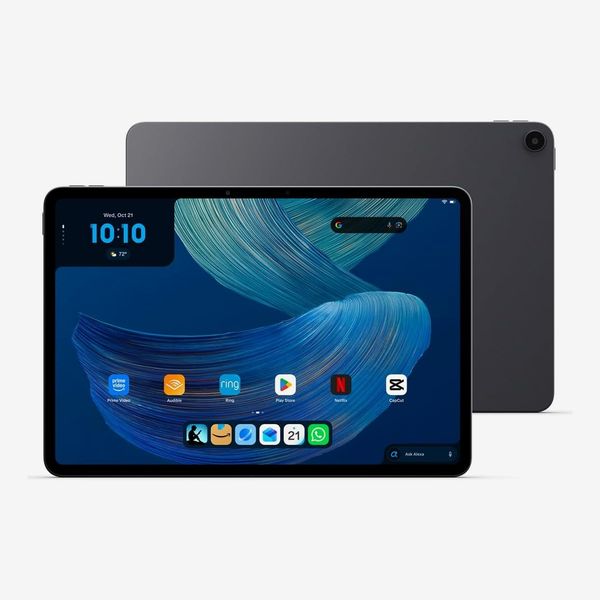
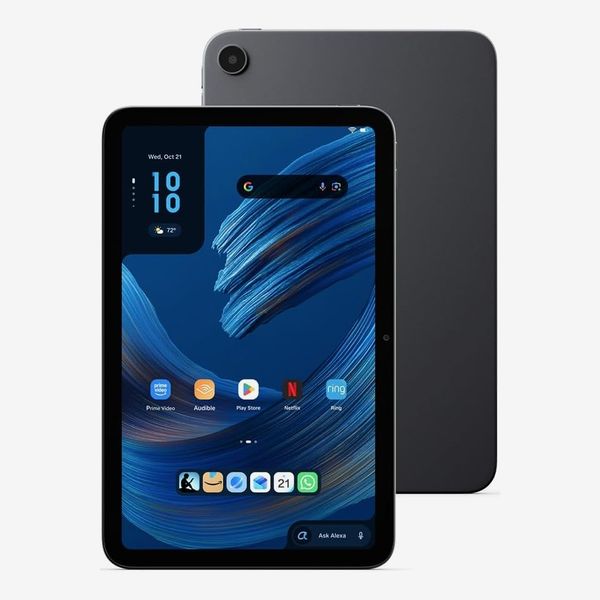
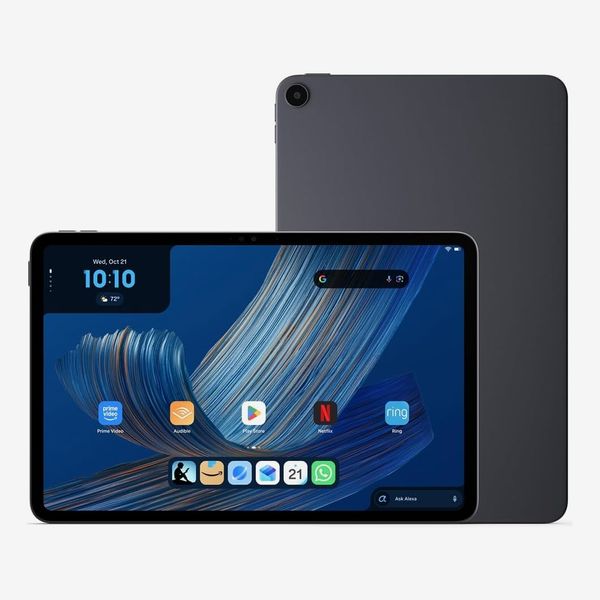
Amazon isn’t testing the waters by only offering a single model in its new Alexa Tablet line — the company went all in. There are three core models available with eight-, 11- and 12-inch displays. Pricing starts at $229, $329, and $499, respectively.
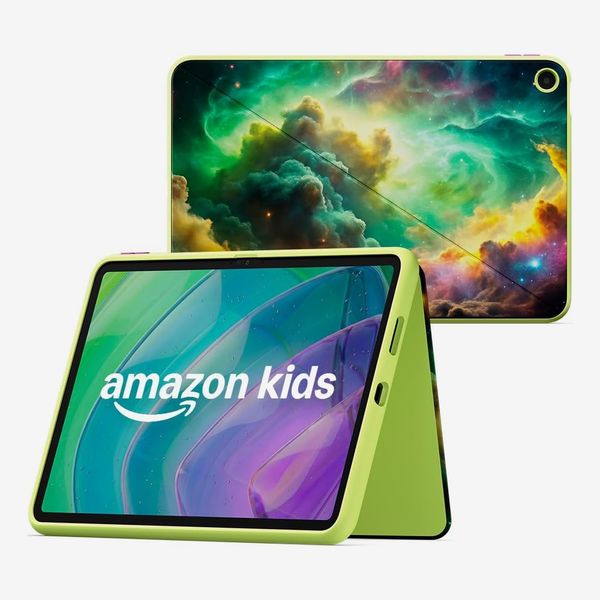
There’s also a 12-inch model with a Nanomatte glare-free display for $549 (that’s what I’ve been testing) and a pair of Amazon Kids Tablets in versions for 3-to-5-year-olds (for $239) and 6-to-12-year-olds (for $329) that come with a case, plus parental controls and one year of Amazon’s Kids+ content.
In other words, Amazon has effectively replaced the Fire tablet lineup with Alexa Tablets. For now, you can purchase a Fire tablet from Amazon at a heavy discount.
These are still clearly Amazon tablets. Even with the abundance of Google apps and services available, Amazon’s Alexa Tablets come loaded with the company’s own apps and services. Amazon’s Silk browser, for instance, is the default browser out of the box. The Kindle app has been optimized for Alexa Tablets, automatically pausing alerts, adjusting blue-light levels and triggering battery-life optimization for long reading sessions (and you can use the Pro Pen to jot notes and highlight text in the books you’re reading, just like you can on a Kindle Scribe).
Alexa+ is always at the ready, easily accessed via a tap on the “Ask Alexa” button in the bottom-right corner of the screen or by using the standard “Alexa” wake phrase. In addition to the standard tasks you can have Alexa complete for you, the virtual assistant can now use whatever’s on your screen — like adding your kid’s basketball schedule to your calendar when viewing your email or providing more information about restaurant suggestions for an upcoming trip — similar to what Apple’s Siri AI and Google Gemini can do on iOS and Android, respectively. Thankfully, Alexa’s ability to see what’s on your screen is optional; you can easily enable or disable it in the tablet’s settings.
A premium look and feel
My first thought while unboxing the Alexa Tablet 12 Pro was that it couldn’t be a tablet from Amazon. With a 6.5-mm. aluminum housing, it looks and feels like something Samsung would make.
On top is a magnetic spot to store and charge the Pro Pen, similar to how the Apple Pencil attaches to an iPad. To the left of the Pro Pen are the volume up and down keys with a wake/sleep button that pulls double duty as a fingerprint reader on the top-left corner of the housing. Along the bottom edge of the tablet is a pogo-pin connector used to communicate with the optional keyboard accessory. In landscape orientation, such as when you’re connected to Amazon’s Alexa Tablet Pro Keyboard, you can use a single USB-C port on the right edge of the housing for data transfers or to connect to an external monitor to mirror the display.
The display measures 12 inches with a resolution of 2,800 x 1,840 and a 120-hertz refresh rate and is bright and sharp. With the Nanomatte coating on top, there’s almost zero glare when under overhead lights or outside in the sun. It’s a similar finish to what Apple’s using on the internal display of the iPhone Duo. However, instead of being an extra layer you can peel off, as is the case with the Duo, the 12 Pro’s texture feels like it’s part of the glass. I can’t peel it off — I’ve tried.
I wish more devices had a matte screen option. You do lose some color saturation, but it’s a fair trade for the lack of glare. I’ve installed Paperlike’s matte screen protectors on my iPads for years. Not only do I prefer the look, but the texture provides a small amount of friction when using a stylus that makes it feel like writing on paper.
There’s an eight-megapixel, 1080p front-facing camera that’s centered along the top horizontal edge for video calls and conferencing, and on the rear of the 12 Pro is a 13-megapixel camera.
Amazon didn’t try to reinvent the basic tablet design here — it stuck to what works for others, and that makes for a good overall design that not only feels good to hold but looks great too.
Accessorizing
New! You can now save this product for later.
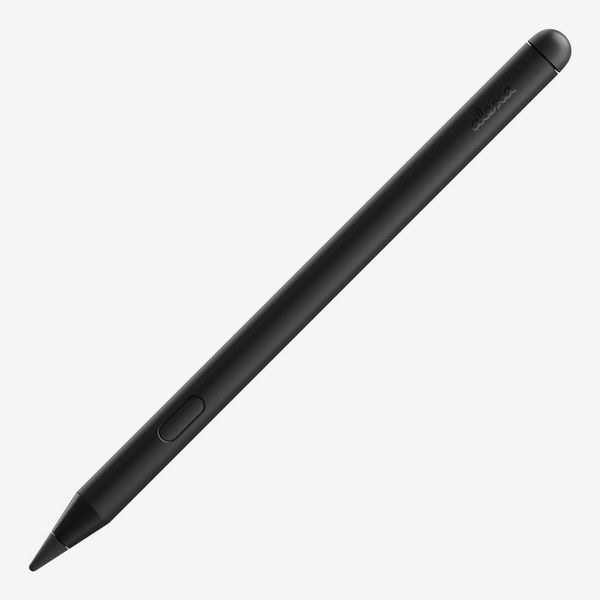
The Pro Pen looks and feels just like the Kindle Scribe’s stylus. A single button is used to highlight text as you move the tip of the pen across the display, and you can flip the pen over to erase text or lines, just like with an old-fashioned pencil.
New! You can now save this product for later.
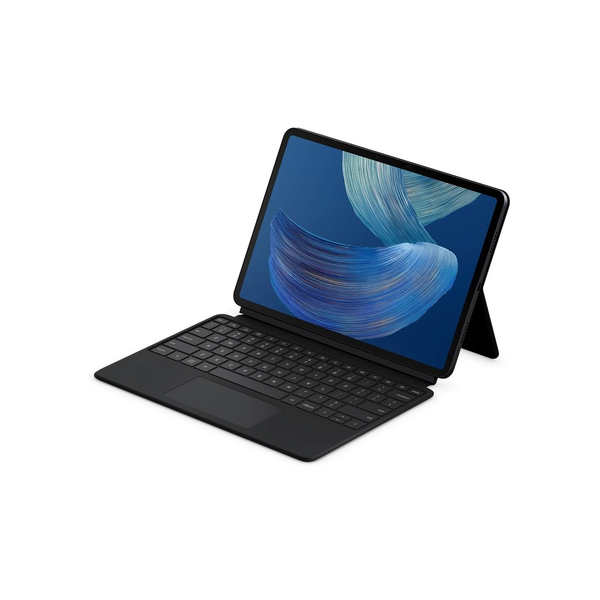
The Pro Keyboard is spacious, and not once has it felt cramped, even while I used it to write this very review. There’s a small trackpad centered below the keyboard that’s been smooth and responsive.
New! You can now save this product for later.
Both the Pro Pen and the Pro Keyboard are included in Amazon’s Productivity Bundle, along with the Alexa Tablet 12 Pro with Nanomatte display; buying them together saves you around $90. The downside is that you can only get the 128GB version of the 12 Pro in the bundle; if you want the fully expanded 256GB version, you’ll have to buy everything separately.
Performance and overall experience
Inside the 12 Pro I’ve been testing is an eight-core MediaTek Dimensity 8400 processor, 8 gigabytes of memory, and 128 gigabytes of storage. You can double the memory and storage to 16 gigabytes and 256 gigabytes, respectively, for $680, but that configuration is not available as part of the productivity bundle. Unlike the Fire tablets before it, the 12 Pro (and the rest of the Alexa Tablet lineup, for that matter) lacks microSD card support, so as is the case with Apple’s iPad, you’re stuck with whatever storage amount you purchase.
The new premium design is nice, but if the Alexa Tablets were still powered by Amazon’s Fire OS platform, it wouldn’t mean that much. Digging into the settings app, I can see it’s running Android version 16 with Alexa Tablet UI 16.1.10. And with that comes all the standard benefits and frustration points you get from nearly all Android tablets — because there isn’t really a standard, every manufacturer implements Android differently.
When you first power on the Alexa Tablet, you’ll see the standard Android tablet layout with app icons on the Home Screen and a dock at the bottom. Tap an app icon and it opens in full-screen mode (though I found that not all apps have been optimized to take advantage of the larger display).
There’s a small line centered at the top of the app’s window that you can tap to view various option, including expanding the app to full screen, opening a second app side by side in split-screen mode, or viewing the app in desktop mode.
The desktop-windowing feature allows you to arrange and resize app windows, much like you would on a full-fledged computer. In this mode, the look and feel of the interface changes: The app dock shrinks into a task-bar-like bar along the bottom of the screen. There are three icons on each app window to minimize, enlarge, or close an app.
It’s very similar to how the multitasking interfaces in Samsung and Apple tablets look and work, but where it gets most confusing is you can easily (and accidentally) leave the desktop view and go back to the standard layout by swiping up with four fingers across the trackpad. I frequently found myself inadvertently moving between the two modes while trying to use gestures on the trackpad to switch windows. It’s a subtle but jarring change when you’re not expecting it.
Samsung and Apple both have a dedicated multitasking setting you have to toggle to move between similar modes — I’d love to see Amazon adopt that approach. For now, this isn’t a tablet for multitaskers.
As far as overall performance goes, well, it’s good when you’re doing a single task or using just a couple of apps. If you start opening a lot of apps (I had ten open at one point), you’re going to start seeing some lag when pressing Alt-Tab to switch between apps or a long delay after pressing the “Search” button on the keyboard before you can actually start typing in the “Search” box. In fact, most of the time, I’d have to manually click on the “Search” field before I could type.
That said, if you’re going to stick to using a tablet with full-screen apps to read, stream shows, or jot notes with the pen, there’s plenty of power. Just have some patience if you’re going to test its limits.
The verdict? A welcome reboot with room for improvement
Performance and multitasking complaints aside, I’m smitten with Amazon’s new approach to tablets — though the Fire tablets were, and still are, fantastic for basic use cases and to keep your kids entertained.
The Alexa Tablet line is more expensive but still more affordable than Samsung’s Galaxy Tab S11 or Apple’s 11-inch iPad Air. The devices are also more capable than ever — thanks to the added Google support, of all things. And the integrated Kindle experience is really nice to have, especially with the glare-free Nanomatte screen.
If you are heavily invested in Amazon’s suite of products and services and have been longing for a better tablet experience from the online retail giant, this is the tablet for you.
More Alexa Tablets
More From The Strategist
- Ask a Picky Guy: Stain-Hiding Duds for Dads
- The Best Things Strategist Editors Have Bought This Year (So Far)
- Hark, the Advent Calendars Arrived (Very) Early This Year
- 63 Things You Should Never Buy Full Price
The Strategist is designed to surface useful, expert recommendations for things to buy across the vast e-commerce landscape. Every product is independently selected by our team of editors, whom you can read about here. We update links when possible, but note that deals can expire and all prices are subject to change.