This Reusable Notebook Is Like a Physical Notes App

After years of committing to an all-digital writing system, I’m coming back around to physical notebooks. I can recall more of what I write by hand than what I type into the Notes app, and I like being able to flip through notebooks to see what old me was thinking. As fun as it is combing through my old notes, though, I can’t easily retrieve potentially relevant thoughts from them when I’m writing without having to grab those notebooks. That’s nowhere near as quick as opening my Notes app and doing a quick search, so I spent some time this year looking into digital notebooks to get the best of both worlds. I’ve tried a few, including some fancy e-ink tablets, but Rocketbook caught my eye as an affordable option that still feels like a paper notebook.
New! You can now save this product for later.
It’s just like writing in a notebook
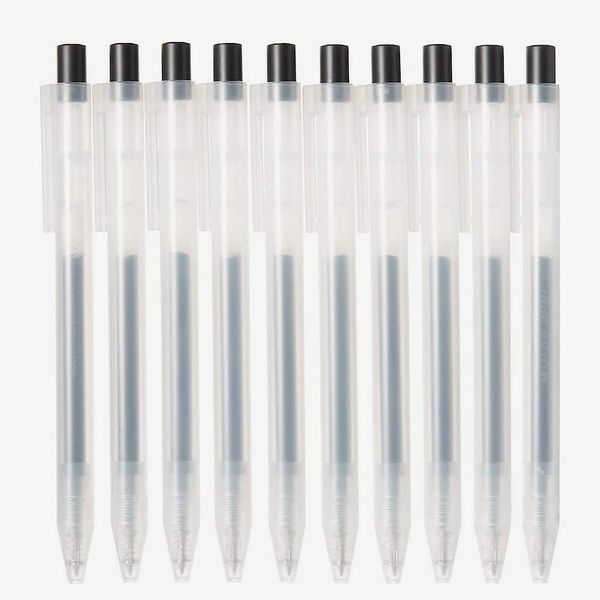
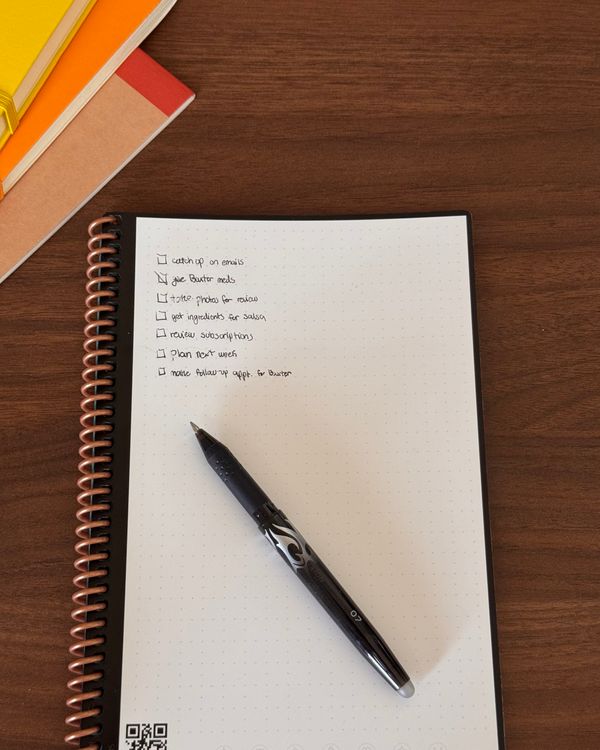
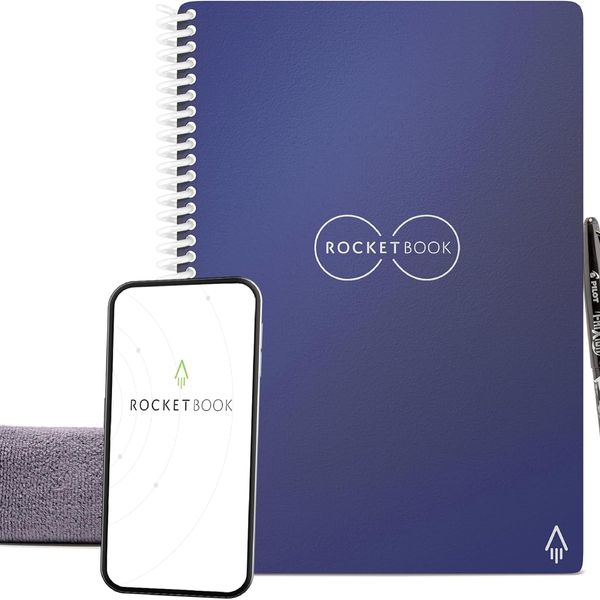
Rocketbook sells eight reusable notebooks, including pocket-size notepads, legal pads, planners, and a set of reusable sticky notes. The company’s spiral-bound Core is a plain notebook with reusable paper (it comes in either lined or dot grid pages) that you can scan with your phone’s camera into Rocketbook’s app for transcribing and sending to other destinations like a cloud storage service or your email. The paper, which isn’t replaceable, doesn’t feel exactly like what you’d get in a composition notebook, though. Instead, it feels like a less slippery whiteboard. To write on it, you can use only Pilot’s FriXion pens, one of which comes in the box. It does take the ink a bit longer to dry than it would on traditional paper, so be careful of your hand placement to avoid smudging (this may be particularly challenging for left-handed folks).
When you’re done writing and want to clear the page, all you have to do is put a little water on the included microfiber cloth, wipe away your ink, and wait for it to dry before using the sheet again. You can also use the FriXion pen’s built-in eraser, but it leaves some residue behind (microfiber and water do not). Even after ten uses (filling and erasing the page), Rocketbook’s pages continue to feel new without any remnants from previous writings. Depending on how much pressure you apply when writing, the text may start to become imprinted a bit, which will make the pages less usable going forward.
Rocketbook recently updated the Core to include a spot for you to give your note a title so that when it’s saved, it has a more unique file name than Rocketbook’s default one. There’s also a spot for you to write in tags that the software will automatically recognize.
It’s also more than just a notebook
The key to Rocketbook is its app, which allows you to scan each page of your physical notebook and send it to destinations like iCloud Drive, Google Drive, OneDrive, Todoist, and Slack. All you have to do is initiate a new scan from the app’s bottom toolbar and get the page within your camera’s frame and then the app will automatically scan the page — it even has optical character recognition so it can transcribe your handwriting to make editable and searchable text. As with OCR in many commonly used apps, it mostly works, but I did notice one error when it took my task “Get more dog food” and turned it into “Get more dog fetch.” It definitely works better if you have neater handwriting.
To optimize your workflow, you can set up the app with seven custom destinations to send your notes. Each one of those presets has its own icon, and they’re all located at the bottom of each page in the Core. If you set the diamond icon to upload to iCloud Drive, for example, you can circle that icon with the pen and the Rocketbook app will send it to the proper destination without any further input. Uploading is nearly instantaneous, as is sending notes to yourself via email.
If you like to write your to-do and grocery lists by hand, you may enjoy Rocketbook’s Smart Lists feature. Whenever you scan a page in your notebook, the software will recognize any bullet points or checkboxes, then convert them into an actionable list with checkboxes you can tick or untick. It works like a charm, but you have to enable the feature in Rocketbook’s settings — it’s not on by default.
Get it if you want the benefits of both physical writing and digitized text
Of all the digital-notebook systems I’ve tested, Rocketbook’s is the most affordable and convenient. Its quick sharing features, like the on-page sharing icons, make digitizing your notes a breeze, and the fact that the paper is reusable means you’ll probably save some money on paper. If you can get past the slightly off feeling of Rocketbook’s paper, I haven’t found a better way to keep my handwritten notes synced with my computer.
More From The Strategist
- Hark, the Advent Calendars Arrived (Very) Early This Year
- The Best Things Strategist Editors Have Bought This Year (So Far)
- 63 Things You Should Never Buy Full Price
- The Strategist Fall 100
The Strategist is designed to surface useful, expert recommendations for things to buy across the vast e-commerce landscape. Every product is independently selected by our team of editors, whom you can read about here. We update links when possible, but note that deals can expire and all prices are subject to change.