I Know Which iPad You Should Get

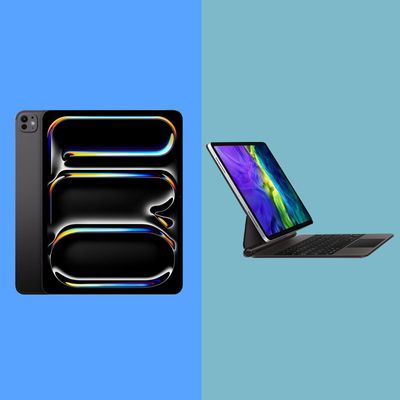
Since the first iPad was released in 2010, Apple has come out with 45 models of its tablet, including versions of the iPad Air, Mini, and Pro. At least one product in the lineup changes every year, and it can be hard to figure out which one works best for your needs. Apple currently sells four iPad models, two of which come in two sizes. iPads with faster processors will be better for heavy tasks like video editing and will have better longevity than those with slower or older chips. But if you don’t plan on using an iPad as your main work device, you might consider a cheaper model with a screen that’s almost as good as the one on pricier models.
I’ve been using iPads since 2012 for taking notes in school, serving as my primary nonwork computer, and doing illustrations for my newsletter, among many other tasks. I’ve chosen different models depending on my changing needs and in that time have learned what the best-use cases for each iPad in Apple’s lineup are. Whether you’re an illustrator, photographer, or just a casual reader who likes a big, bright screen, there’s an iPad for you.
Update on October 21, 2026
Updated to the most recent models; updated prices and checked stock for all products.
An iPad for just about everyone
New! You can now save this product for later.
New! You can now save this product for later.
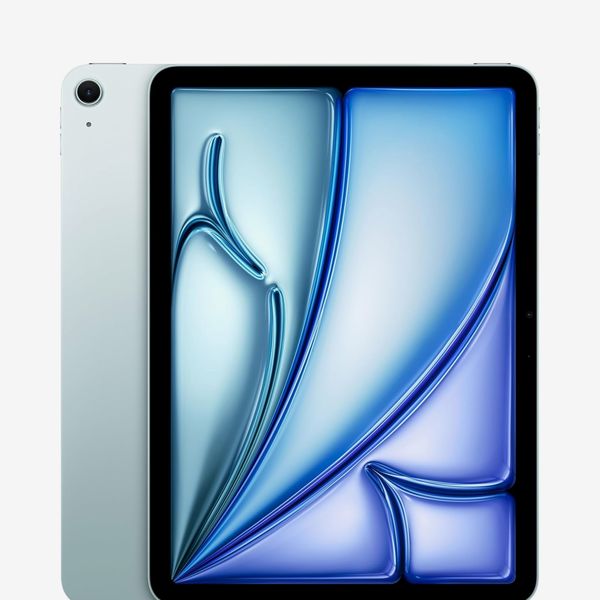
The iPad Air, Apple’s mid-range tablet, has a powerful chip that can run all the apps most people use to get work done, plus its display and thin design make it an excellent tablet for watching videos and reading. It also has support for Apple’s Pencil, Pencil Pro, and Magic Keyboard, all of which expand the tablet’s capabilities to more robust illustration work and writing (Apple’s keyboard case is good enough for replying to all your emails, too).
The Air has a 10.9-inch display that’s just a tad smaller than the (smaller) 11-inch iPad Pro, but the difference is barely noticeable. Its display doesn’t have quite as fast a refresh rate, which is what makes things like video playback and scrolling look significantly better on the Pro, but you’ll only miss the feature if you’ve spent a lot of time with it. For everyday use, the iPad Air still makes videos look good.
On the other hand, the maximum storage for the Air is 1TB, while the Pro goes up to 2TB. Additionally, because it uses the previous-generation M4 chip, the Air isn’t quite as powerful as the Pro, with its M5 processor, but the difference likely won’t be noticeable unless you do a lot of resource-intensive work on your tablet (things like working on video projects with a lot of clips will take longer on a less powerful chip). Having an older processor does mean that the Air will probably stop being supported before the Pro, but Apple has a good track record of keeping older devices updated for at least a few years.
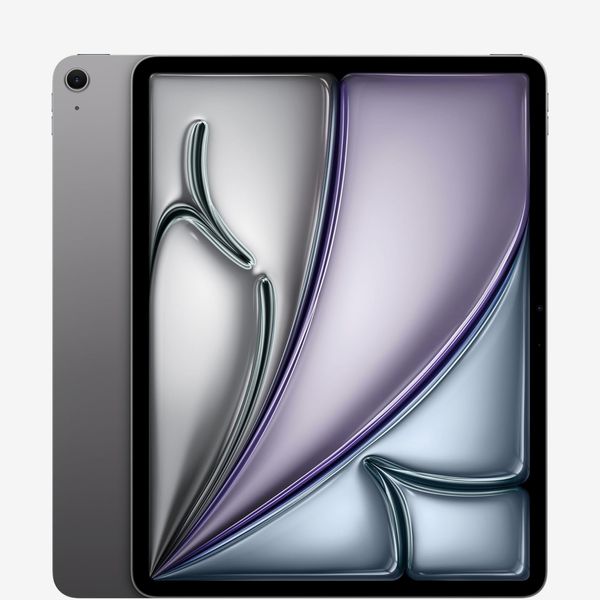
Apple also sells a 13-inch version of the Air that’s identical in all but size. Given its extra weight and larger footprint, it doesn’t work quite as well for in-hand usage, but the larger screen is better for taking notes, drawing, and editing photos.
My biggest gripe with the Air is that it doesn’t use FaceID for unlocking and security (only the high-end iPad Pro supports FaceID). Instead, it uses an older TouchID sensor, which works well but is not as convenient or as fast since you have to hold your finger on the unlock button for a second for it to work.
An iPad for getting work done

New! You can now save this product for later.
Apple iPad Pro - M5, 11-inch
The top-of-the-line iPad is great as a laptop replacement or as a more powerful tool for heavy video and image work. The latest model is equipped with Apple’s M5 chip, and the company’s most powerful tablet to date. That won’t make a difference for things like checking email or working in Google Docs, but the extra power will come in handy if you’re using this as your daily driver, and the Pro will get updates for longer than the Air given its newer processor.
The 11-inch model is slightly larger and wider than the Air, but it’s not enough of a difference to be a dealbreaker, and both weigh about a pound. Compared to the Air, the Pro’s display has slightly higher resolution, double the brightness, and double the refresh rate (and on the top-end models, you get the option of a nano-texture surface). That makes the Pro superior for editing videos and doing illustration work: the screen feels more responsive when you’re drawing with a stylus, but even just for watching movies and browsing the web, this display looks better.
Like the Air, the Pro supports both the Apple Pencil and the Pencil Pro and the Magic Keyboard, though the latest Pro models have an updated keyboard with an aluminum palm rest. These accessories are quite pricey, and these iPads start at well over $1,000 already, at which point you could also consider buying a MacBook. The newer M5 processor will provide more longevity than the Air’s M4 chip, but even so, there are similarly priced MacBooks that can do more simply because the professional app ecosystem is more mature, and Mac apps can access more system utilities than iOS permits. You can also connect more external displays to a MacBook than an iPad, which may make a difference depending on your office setup.
If none of that matters and you want the most powerful iPad that’ll work for years to come, get the iPad Pro. The 11-inch model’s screen is a bit small for illustration work, though I’ve been able to make it work just fine. On the other hand, it’s portable and light, so it’s easy to hold when you just want to read or play a game, and even with the Magic Keyboard attached, your bag won’t feel too heavy with it in tow.
An iPad for illustrators
New! You can now save this product for later.
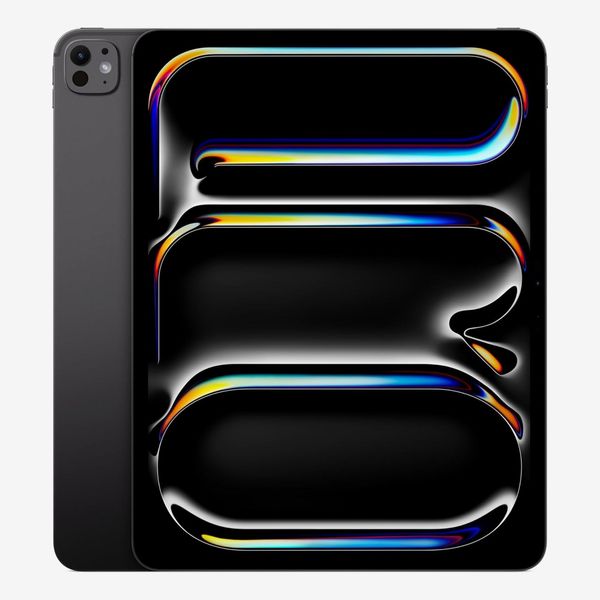
If you take a lot of notes or doodle a lot on your iPad, get the 13-inch iPad Pro. It gives you significantly more real estate for using the Apple Pencil (plus about a quarter pound more weight). I had an older version of this size Pro, and I still miss the extra space when I’m drawing in ProCreate, even though its extra heft is significant. My hands got tired much faster when I held the 12.9-inch model for more than 20 or 30 minutes, and with the Magic Keyboard attached, it’s heavy enough to make you question whether you should just have a laptop instead. Paired with a lightweight case, though, this iPad can’t be beat for artists and students who like to take notes by hand.
An iPad for readers

New! You can now save this product for later.
Apple iPad Mini (A17 Pro) - 128 GB
No iPad is more portable than the iPad Mini. It has an 8.3-inch screen that’s packed into a body you can hold with one hand. It’s not quite compact enough to compete with a Kindle, but it’s still small enough to work as a travel reader and has many more capabilities beyond that. It’s by far the lightest iPad, and feels nice to hold — it’s my favorite tablet to use on the couch.
Like all other current iPads, the Mini works with the Apple Pencil, including the Pencil Pro. Unfortunately, it’s one of the only iPads Apple sells that doesn’t have an M-series chip, so it’s significantly slower than most other models. That won’t matter for things like reading and web browsing, which is really what this tablet is best for, but since Apple only refreshes this line every few years, you’ll have to compromise on processing power for portability. And like the Air, this tablet uses TouchID for security instead of FaceID.
A kid-friendly iPad
New! You can now save this product for later.
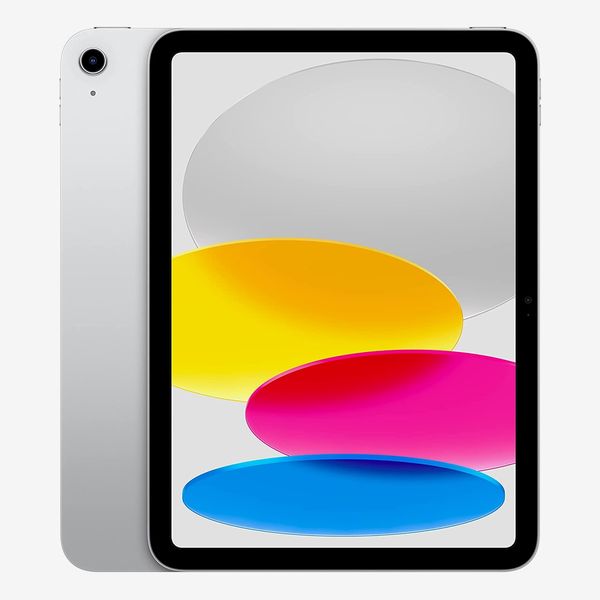
According to Strategist senior editor Winnie Yang, “the best iPad to get a kid is a hand-me-down.” But if you don’t have an extra tablet laying around, Apple’s entry-level iPad is a perfectly fine tablet that’s notably cheaper than the other models. That’s mostly because it runs on a much slower chip, in this case the A16, and Apple’s A-series processors aren’t anywhere near as powerful as the M-series — it’s really best for light tasks like watching YouTube videos and playing games like Minecraft.
There are a few other compromises. Its screen doesn’t have an anti-reflective coating like all of the other iPads, for one thing. And the keyboard case for this iPad just isn’t as good as the one for the Air or Pro. Unlike the Magic Keyboard, which uses a laptop-like hinge to adjust the iPad’s viewing angle, the Magic Keyboard Folio for the iPad uses an adjustable stand on the back of the case. You can’t use it on your lap as easily as you can the Magic Keyboard, since it doesn’t have one solid base, but it works fine on a flat surface.
Some iPad accessories that we like
The Strategist is designed to surface useful, expert recommendations for things to buy across the vast e-commerce landscape. Every product is independently selected by our team of editors, whom you can read about here. We update links when possible, but note that deals can expire and all prices are subject to change.