I’ve Tried Every Single Kindle Since 2013: Here’s the One You Should Buy

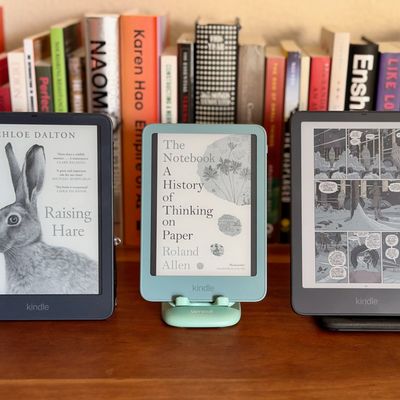
I picked up my first Kindle in college more than 15 years ago. By then, Amazon’s e-reader had already been the gold standard for a few years thanks to its well-engineered hardware and access to more e-books than any competing platform. I’ve remained a devout e-reader user, and since then I’ve bought, gifted, or tested nearly every Kindle that’s come out. I’ve learned that while the Paperwhite’s fancy features are worth the premium, the standard Kindle is good enough for most people (especially if you get the aluminum version). Having spent so much time with these e-readers, I’ve also learned to notice the subtle details that make a big difference in new models, such as the movement of the power button from the bottom of the devices to the top-right side on the newest Kindles. So to save you the trouble of trying out each Kindle for yourself, I’ve leaned on my years of testing to figure out what the best Kindle for each sort of person is, depending on your budget, reading habits, and where you plan on taking your trusty e-reader.
It’s worth noting that although Kindle is still the dominant e-reader brand, Amazon has made some changes that make its ecosystem more restrictive than that of some competitors. For example, the company has removed the ability to download copies of e-books purchased through the Kindle Store. If you download books to your Kindle over Wi-Fi and don’t archive your media, this probably won’t be an issue for you, but if you like to keep local copies of your purchases (you did buy them, after all) on your computer, we recommend several e-readers with more open ecosystems in our guide to the best e-readers.
Updated on October 29, 2026
I’ve updated this guide with several new picks, including the aluminum version of the six-inch Kindle as the best Kindle for everyone, the Kindle Paperwhite Signature Edition as an upgrade pick, the Kindle Colorsoft for viewing color media, and the Kindle Scribe for taking notes.
A Kindle for everyone
New! You can now save this product for later.
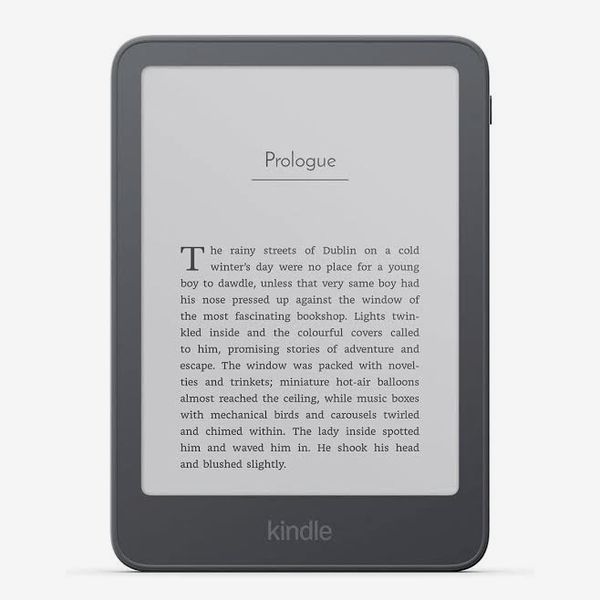
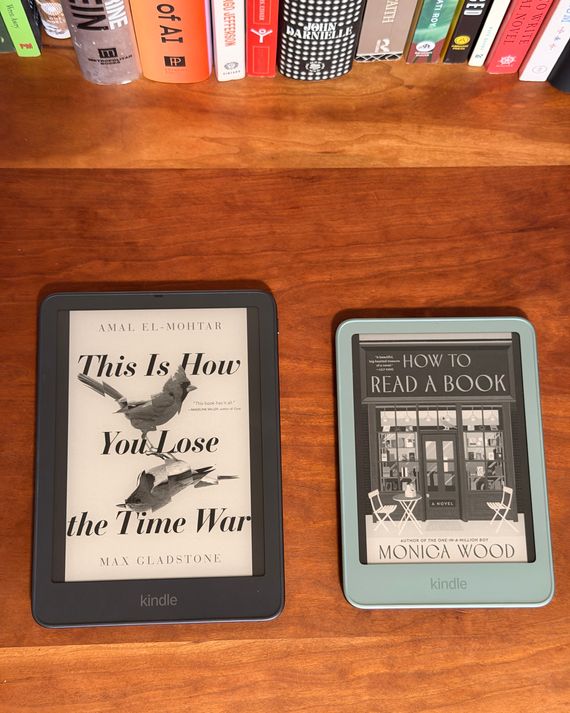
The aluminum version of Amazon’s standard Kindle covers all the bases: It’s easy to use and looks great, and the new luxurious design is thin, lightweight, and feels great in the hand. With a six-inch display, there’s plenty of room to show a page’s worth of text, and the 300-pixels-per-inch-pixel density means the display looks like paper —you can’t discern individual pixels. It’s pricier than the plastic version of the latest Kindle, but in my testing, that model’s back came off when trying to remove it from a case — this one stayed completely together even after an accidental drop. And for the extra $40, you also get 32 GB of storage instead of 16, giving you ample space for all your books and audiobooks.
Though the six-inch display is large enough to show a full page of text, it’s not so big that you can’t slip it in your back or jacket pocket. I recently brought one with me on a long trip and it easily fit into a small pocket on the front of my bag without any trouble. It sits comfortably in the hand, too. There’s enough space to grip it with two hands, but it’s light enough to hold with one as well.
The new Kindle has a few key omissions that may make it a nonstarter for some folks: It’s not waterproof (so you’ll want to be careful where you use it — no reading in the bath) and you can’t adjust the color temperature of its display, which makes it less pleasant to look at in the dark or to adjust to different lighting conditions. If you do a lot of reading before bed or poolside, the Paperwhite will be worth the extra money. But if you just want something you can stuff a bunch of books on and read on the go, the aluminum Kindle fits the bill.
A Kindle with all the bells and whistles
New! You can now save this product for later.
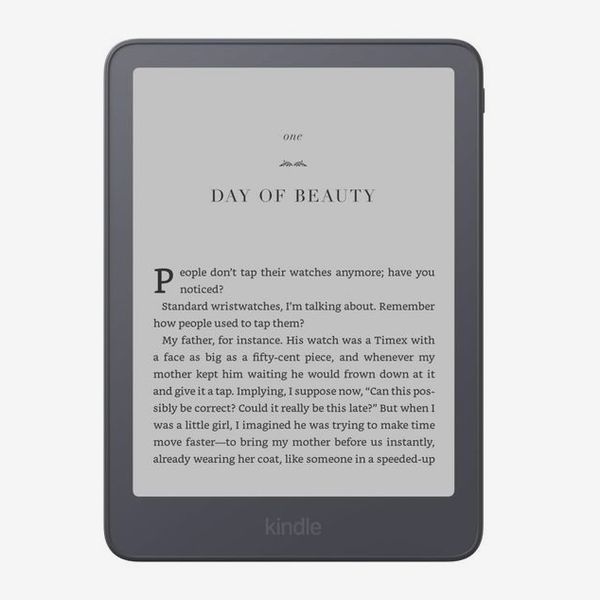
If you want the best reading experience you can get on a Kindle, get the Signature Edition of the latest Paperwhite. Its larger seven-inch display can show more text than the six-inch model, and you can adjust its color temperature so it’s nicer on your eyes while reading in the dark. There’s even a sensor that allows the Kindle to automatically adjust its own brightness, just like your phone can. Unlike the standard Kindle, the Paperwhite Signature Edition is also waterproof, so it’s safe to take it to the beach. Additionally, it has double the battery life, lasting up to 12 weeks on a single charge.
The key to the Signature Edition, though, is its accessory support. There are four magnetic connectors on the back that allow you to attach the Paperwhite to either a wireless charging stand or a case with built-in page turn button on either side of the screen, bringing back one of the most beloved features of the now-discontinued Kindle Oasis, allowing you to move backward and forward in a book without having to tap the screen at all.
Amazon sells a cheaper version of the Signature Edition (just called the Paperwhite) that has a plastic shell instead of an aluminum one and that doesn’t support Amazon’s new accessories, though it is only $10 more than the aluminum version of the six-inch mode.
A Kindle for viewing color media
New! You can now save this product for later.
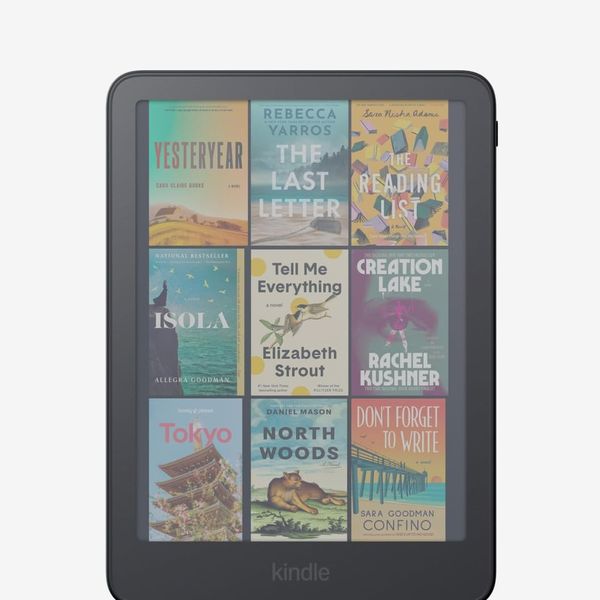
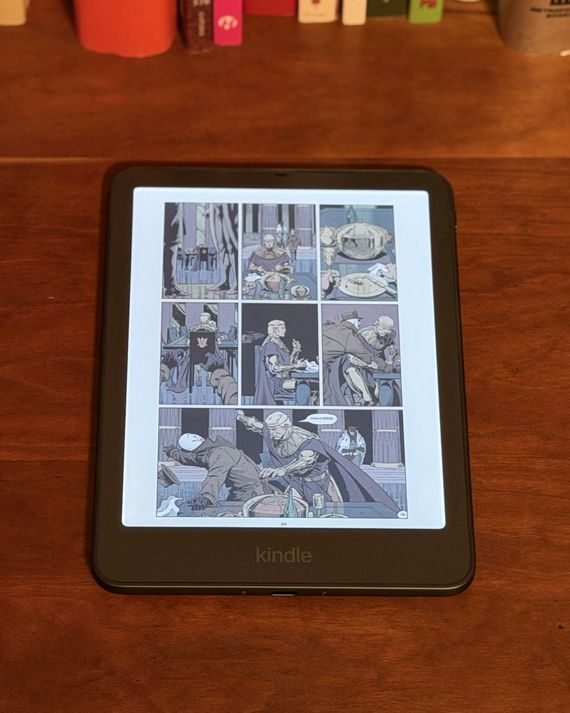
Think of this as a color version of the Kindle Paperwhite. It has a similar seven-inch screen, but the color display works better for viewing graphic novels and comic books, as well as any other books that happen to feature a lot of pictures. Don’t expect colors to look as vibrant as those of your iPad’s Retina Display — it’s closer to that of a Sunday newspaper page — but the pages of graphic novels like Watchmen look truly excellent on the Colorsoft’s screen.
And even if you don’t read any of those, it’s nice to see your book covers in all their colorful glory on your Kindle’s lock screen. Plus, if you like to take notes, you can also color-code your highlights in any of five colors, rather than just one as on a black-and-white Kindle. If you’re just looking to showcase your favorite books’ cover art, the standard Colorsoft’s 16 GB should be sufficient. That said, graphic novels and comic books can eat into your device’s storage faster than text-based e-books, so it may be worth the extra $30 for the Signature Edition, which comes with 32 GB of storage. Additionally, the Signature Edition of the Colorsoft supports the page-turn cover and charging stand accessories that work with the Signature Paperwhite.
A Kindle for notetakers
New! You can now save this product for later.
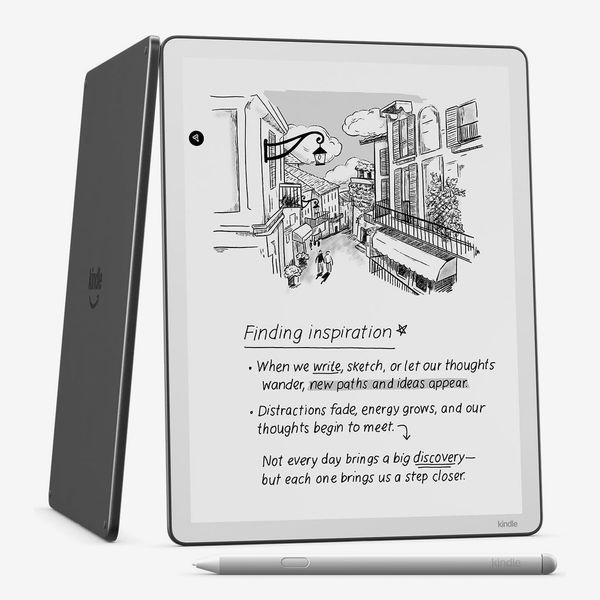
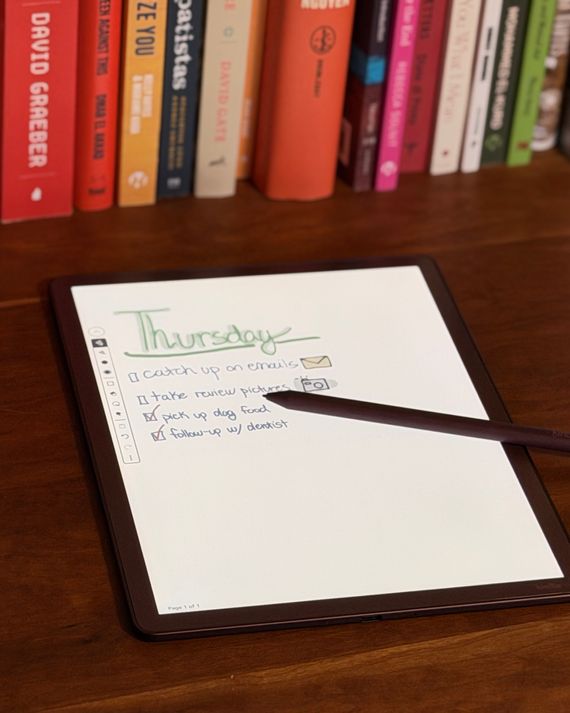
For those who like to take notes as often as they read, there’s the Kindle Scribe. Unlike other Kindles, this one supports stylus input, so you can jot your notes alongside the text of your e-books, or scribble to your heart’s content in a dedicated notebook (you can create a near unlimited number of them). And because it has a 10.2-inch display, there’s plenty of room for brainstorming, making lists, or scribbling notes as you try to keep up with your professor.
To take notes while you’re reading, simply start writing in the margins of any e-book’s page and the Kindle will automatically reposition the book’s text around your writing so it doesn’t obfuscate any text. That is, of course, as long as the book you’re reading was bought through Amazon’s Kindle store. Books obtained elsewhere don’t support this feature — in fact, you can’t write inside them at all. Even so, the stylus is handy for books bought outside the Kindle ecosystem, as you can use it to highlight text with a bit more precision than using your finger.
If you just want to use the Kindle Scribe to take notes, you can also use the dedicated notebook feature. Amazon has provided 30 preinstalled templates you can use to format the pages of your notebook, including various lined pages, dot grids, and graph paper, as well as checklists, storyboards, and even sheet music. Amazon has also included some nifty software tricks, like being able to convert your handwritten notes into typed text, so you can easily transfer them to your notes app of choice on a computer or tablet. And if you want to send yourself a PDF to mark up, that’s as simple as sending an email with the attached file to your Kindle’s designated email address; perfect for signing documents or editing a draft if you want to feel like an old-school newspaper editor.
Amazon also makes a color version of this digital notebook called the Scribe Colorsoft. It’s $180 more expensive than the regular Scribe but is worth the extra money if you like to color-code your notes. In addition to being able to highlight in different colors, you can change the color, thickness, and style of your pen to make each note your own.
A kid-friendly Kindle
New! You can now save this product for later.
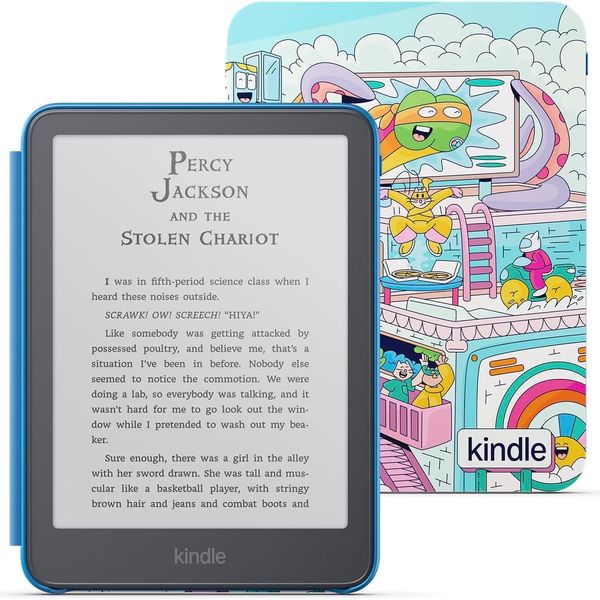
For the family’s budding bookworm, Amazon makes kid-friendly versions of all its Kindles aside from the Scribe. Of them, I’d recommend you get your kid the Paperwhite, as its waterproof design is the most likely to survive the rough and tumble of a day in the life of a kid. It comes with a free case — you can choose from two kid-friendly designs — plus a year of Amazon’s Kids+ subscription, which will give them access to thousands of books written for kids ages 6 to 12. That’s plenty of content to keep them reading for years to come, and if they run out of books that appeal to them, the Kindle supports books checked out from the library through Libby as well.
Other e-readers we like

The Strategist is designed to surface the most useful, expert recommendations for things to buy across the vast e-commerce landscape. Some of our latest conquests include the best acne treatments, rolling luggage, pillows for side sleepers, natural anxiety remedies, and bath towels. We update links when possible, but note that deals can expire and all prices are subject to change.