Does an Art TV Belong on Your Wall?
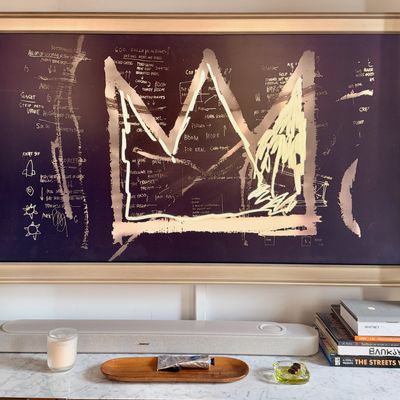
Samsung pioneered the idea of the art TV in 2017 with its The Frame: a large-format television you could hide in plain sight as a framed piece of art. And after nine years and 10 generations, the art TV is having a moment, with competition heating up as companies like LG, TCL and even Amazon have released their own versions in the hopes of ending Samsung’s near monopoly in the category.
Each one comes with a flush style mount specially crafted to help the TV sit closer to the wall — and look more like a picture frame. The trade-off, however, is that you won’t be able to adjust it up and down or side to side. I admit to going out of the box, so to speak. I skip the included mount and instead use the Sanus VLL5 mount, which still sits flush to the wall yet allows me to easily hook and unhook the TV without tools (it’s much easier for testing).
As one of the original reviewers of The Frame, I can attest to its near-foolproof ability to fool guests into thinking it was indeed a painting, and that has become even easier as Samsung’s subsequent Frames added a matte screen and access to hundreds of fancy, bespoke frames from DecoTV Frames.
Can any of the newcomers match The Frame’s ability to double as art? Are any of them worth your time and money? I tested them all against the most recent The Frame Pro to see how each one compares as an art TV, concentrating on design and art store offerings, rather than picture quality or tech specs.
The best art TVs
New! You can now save this product for later.
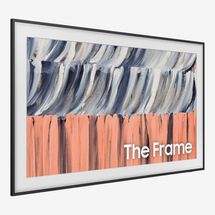
The OG art TV has the best library and presents it most accurately, but it’s the most expensive.
New! You can now save this product for later.
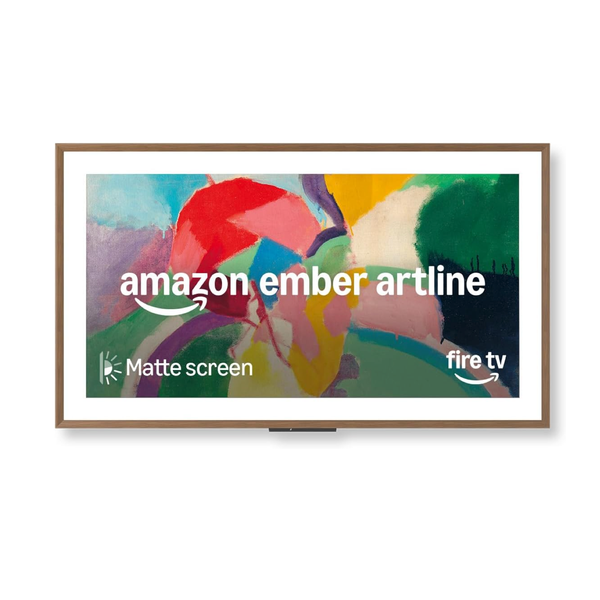
Amazon’s art TV gives you a large, subscription-free library and is a solid budget choice.
New! You can now save this product for later.
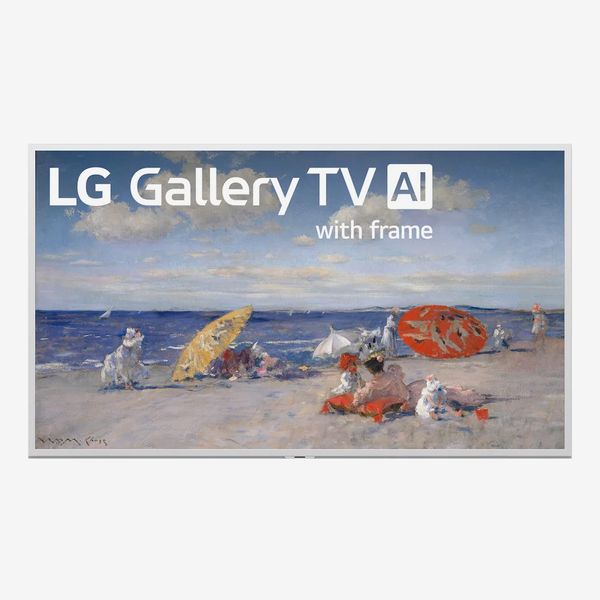
LG’s art TV has a library almost on par with Samsung’s, but the interface is a work in progress.
The original (and still champion) art TV
New! You can now save this product for later.
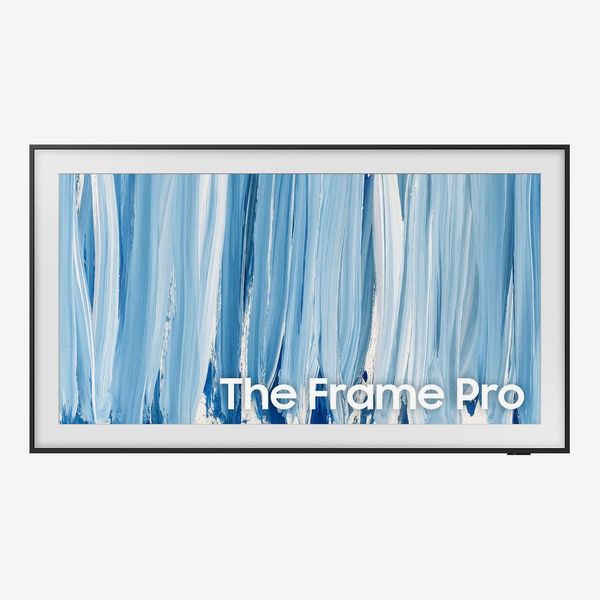
Samsung The Frame Pro LS03HW Art TV - 55-inch
Art Store: $5/month or $50/year for access to 5,000 plus works from museum collections; “Streams” Free Tier | Sizes: 55-, 65-, or 75-inches | Smart TV OS: Tizen | Frame options: Modern Brown, Modern Teak, Modern White, or Sand Gold; third party frames available.
The OG art TV, Samsung’s The Frame has had a big head start. Not only has it had time to incorporate feedback from users over the last nine years, but it was also the first to employ a full-time curator. Daria Greene, head of content and curation for the Samsung Art Store, is a former VP of the SCOPE contemporary art fair and consulting curator at Hulu; she and her team license new work to help its art store feel more like a gallery, and less like a digital content library. For me, that means using her curated feeds to find art I may never have looked at before — which adds value to what’s still the best overall art TV experience.
In 2022, Samsung replaced The Frame’s glossy screen with an anti-glare, matte display, and it makes a huge difference for a more realistic look (all the competing art TVs have followed suit with glare-free displays). The Frame also comes with a certification from Pantone that it realistically matches colors as seen under gallery-style lighting. But most importantly, once the TV is in Art Mode, the display uses a built-in sensor to adjust brightness based on ambient light to help artwork look as close to its original as possible. And though Amazon and LG both claim to use the same sensors, Samsung has the most realistic display out of the bunch. For me, this is the biggest difference versus a standard TV, especially in the evening when your surroundings are darker than the screen.
When you purchase The Frame, you can pick one of four different-colored magnetic bezels at additional cost; if you want something specific to match your decor or just a more ornate design, you can choose from the hundreds of frames on DecoTV Frames. The latter are not cheap, but they do lend a much more realistic look when you display your art (and a Black Friday sale is on now if you want to give them a try). I have a thick, brushed gold frame which seriously helps to create the illusion of real art. Samsung also offers a stripped-down version, the standard The Frame (which has wired connections only and a dimmer display), in a wide array of sizes 32 inches to 98 inches; the Frame Pro only comes in 55, 65 and 75-inch sizes.
The Frame Pro also comes with the Wireless One Connect Box. This onepiece of hardware houses all its connections and ports, so the only wire that connects to the TV is the power cord. If you want to go for the full framed painting look, you can talk to a professional installer about running cables inside the wall (I live in an older NYC building with masonry walls I can’t drill into, so I bought a cord cover to camouflage mine).
You purchase an art TV for the art, and that’s where Samsung’s long experience with this format shows, with a broader, deeper, and better-organized collection than the competition.
Though I’d like to think I have good taste in art, a collection of over 5000 works can be daunting, so the subscription paired with a Netflix-style interface feels worth the $50 to help me browse and discover new work. (If you don’t subscribe, you only get access to Art Store Streams, Samsung’s free tier that offers 30 pieces of art from the collection every month or lets you display your own photos. You can’t choose your own selections, and each piece will only be displayed for 5 minutes before rotating out.)
I like Samsung’s simple, editorial approach, which features Greene’s curated collections up top, followed by options like museum or gallery, artist, style, period, medium, color, and even mood. You can also upload your own photos to live in the My Art Store section, which also acts as a repository for art you want to save as favorites.
Samsung’s artwork comes from museum partners including MoMA (NYC and San Francisco), Whitney Museum, Art Institute of Chicago, Centre Pompidou, Tate Modern, MFA Boston, Louvre and the British Museum, and offers exclusive art TV access to paintings like Jean-Michel Basquiat’s “Untitled (Two Heads on Gold)” and Keith Haring’s iconic 1982 “Radiant Baby.” Once you scroll the rows of content and decide on a collection, just click to browse the thumbnails of art and click again to preview it on the screen. This month’s curations include MoMA’s collection, along with one spotlighting photographer Cody Cobb and a Happy Thanksgiving slideshow.
Once you’ve chosen your image you can then personalize it. I’m a huge fan of the Manual Art Mode settings, which let you add a mat in different sizes and colors as well as customize the brightness on each piece of art, past what the sensor decides.
Don’t need wireless connection and can live with a little less brightness? The Frame is a little less expensive in the standard version and gives you access to the same art collection.
New! You can now save this product for later.
A work-in-progress with a competitive art gallery
New! You can now save this product for later.
LG LX7B Gallery TV - 55-inch
Art Store: $5/month for access to 5,000 plus works from museum collections; free tier with limited selections | Sizes: 55- or 65-inches | Smart TV OS: LGwebOS | Frame options: white or walnut.
In terms of art library scope, the LG Gallery is the closest competitor to Samsung out of the new art TVs, and at $600 for the 55-inch I received, its pricing is also on par with The Frame (the standard version, not the Frame Pro). LG’s Gallery+ store pricing is comparable to the Samsung Art Store, and also offers about the same amount of art. However, LG’s default settings are not as accurate, and the software is a lot clunkier, which makes adjusting anything a lot of work: picture settings are not intuitive, and unless you go through a tedious series of clicks on the remote, it does not offer realistic color and contrast for the actual art. I am a huge fan of LG’s excellent OLED TVs, but was disappointed in the general picture quality of its mini LED display.
LG also touts a matte display and uses an ambient light sensor to adjust the picture. This worked in line with Samsung’s display, but I found problems with the default intensity of the lighting, which tended to overcompensate for my space and gave images an artificial look. LG’s Gallery+ includes Claude Monet’s “Garden at Sainte-Adresse” so I was able to make a direct comparison, and when set next to The Frame, the LG set’s colors were significantly more luminous, showing an almost green ocean and glowing whites. I did the same with Monet’s “Water Lilies” and got the same result. It wasn’t unpleasant to look at and it didn’t have the same screensaver effect as the TCL and the Amazon TVs, it just didn’t look authentic (for what it’s worth, my 20-year-old son actually liked it better). There is plenty of detail, however, and I was impressed with the rendition of the texture of the Monet paintings, which matched The Frame’s display.
The Gallery comes with a white magnetic frame, but if you’d prefer the walnut brown wood color, you can purchase one for an extra $150. The company’s Magic Remote acts more like a pointer, but felt fiddly for me to use, though the TV does come with a stand. It is available in 55-and-65-inches.
Gallery+ is the company’s paid art store and it nearly matches the Samsung Art Store in scope with over 5,000 pieces of art, though instead of a single curator, LG allows its partners to choose what content is included. A free version is included, which lets you choose from a much smaller library of images ranging from fine art like Vasily Kandinsky’s “Pastorale” to photographs of cities, beaches, forests and more to videos of landscapes and animated paintings.
The larger store is organized by categories, with your Recent Views up top, followed by a row of Today’s Recommendations and a gallery called Discover What’s New. Below that, you can choose from specific collections like The Korean Heritage Collection, Warm Thanksgiving Vibes and The Color of Fall. The rest of the store has no particular rhyme or reason but you can search through compilations sorted by museums like The Met and The National Gallery, and modern artists like Martin Parr and Lauren Karp.
Other categories include Sports, Travel, Space and Nature. My favorite was the High-Definition Videos category, which has several iterations of yule logs and bonfires that should come in handy for the winter holidays, as well as scenes like waterfalls at sunset and gorgeous Northern Lights. You can also upload your own images using the LG ThinQ app or through the Photo area in your Gallery+ account. To create a slide show, you can either download the entire collection and hit play, or create your own by adding to My Page and then playing them.
But it’s important to know that LG’s integration of art features into its TV OS needs some work. I am giving them some leeway since this is the company’s first attempt at an art TV, but it does feel something like a work in progress: every time you choose a piece of art to display, you have to navigate through two extra steps compared to other art stores where you click only once. First you click on the thumbnail, then you hit a button to download the content, and then it plays. And then you have to click again to choose whether you want the image in Gallery Mode (which keeps it on the screen when the TV is off) or as a Screensaver (which will turn the image off after a short period of time). Additionally, finding and using the set’s other display settings, like brightness, color temperature and mat (which seems to only allow a grey mat with no other options and then leaves it on for all your other choices unless you go into those specific settings and turn it off) takes so many clicks of the remote, with unclear instructions, that I refused to bother after my first try.
A less-expensive contender
New! You can now save this product for later.
Amazon Ember Artline with Fire TV - 55-inch
Art Store: Free | Sizes: 55-, or 65-inches | Smart TV OS: Fire TV | Frame options: ten woodgrain, metallic, and painted finishes.
Amazon got into the art TV market this year with the Ember Artline, and I have been pleasantly surprised at how varied and well-organized the more than 2,000 free pieces of art are and how many settings are included to personalize each piece — it’s a substantially heartier collection that budget contender TCL offers, though still severely lacking compared to Samsung’s and LG’s libraries.
The display has a matte finish to deal with glare, and though Amazon insists the Ember Artline does have ambient light sensors, it still struggles to make any of the art look real. Amazon does not include “Garden at Sainte-Adresse” in its catalog, so I chose one of Monet’s “Water Lilies” to compare with The Frame Pro (they didn’t have the same Monets since Samsung has exclusive rights to the works in the MoMA collection). I cannot express how much more like a painting the Samsung looks. Even when I toggled down the brightness and contrast, the Ember ended up looking like a giant screensaver while Samsung could well be a print reproduction.
The Ember Artline does not come with a stand (it is an art TV, after all, and is meant to be hung on the wall), so you will have to plan to get it up on the wall immediately unless you order the legs for $20 extra. It comes with your choice of one of 10 different color magnetic frames, including a deep red Fig, Matte White, Midnight Blue and the Pale Gold I received. You can get extra frames for $75 each.
Amazon touts its curation by Natalia Peschiera, a photo researcher with a background in sourcing images, who leads the curation of Amazon’s Ambient Art Gallery. While it doesn’t stack up to Samsung’s, its mid-sized library of more than 2,000 pieces of art is quite generous, and, you know, free — there’s no paid tier.
The art is sorted into categories such as Modern, Hudson River School and Impressionism, with works like Paul Cézanne’s “Mont Sainte-Victoire with Large Pine,” but you can also browse featured collections like Fine Art, Regional, Motion, Art Movements, Photography, and Film and TV, or by Artist Spotlight, with emerging artists like Joe Horner and Natalie Christensen or a few masters like Degas and Renoir. I was also tickled by regional curations like England and Mexico and the seasonal galleries, among others.
Like TCL, Amazon leans into animated tableaux, with features like Motion Art, Dynamic Art and Interactive Art. And because the settings are not optimized to make the display look like real art, this is an excellent alternative. Here you can find things like koi fish swimming on a blue screen, pristine beaches in French Polynesia, and my favorite fireplace video under Seasonal Motion. Like TCL, it also offers AI Art, which uses Alexa to help you create personalized images by speaking into the remote’s microphone. You can also use Alexa to request a slideshow of a certain collection.
You can only load your own photos through Amazon Photos; if you haven’t used it before, Amazon Prime membership gets you free unlimited full-resolution photo storage, while non-Prime members get 5 GB. Once you set up an account, just link it to the TV, choose the photos you want to display, and the album will automatically show up in your library.
Amazon’s “Match the Room” feature can also be fun to explore. Just scan the QR code on the screen, upload up to 4 photos of your room and it will give you suggestions of personalized art to match your style and decor. I was testing this TV in my son’s room, so the suggestions didn’t quite fit my taste, but it is an interesting feature.
A budget newcomer with a small gallery
New! You can now save this product for later.
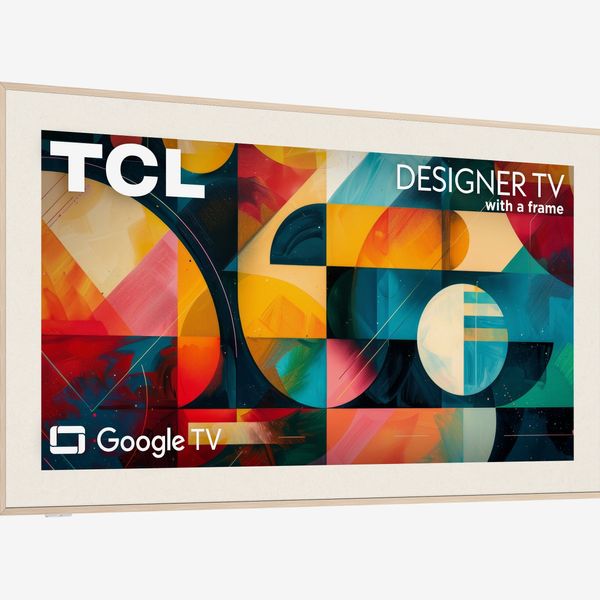
TCL A300L Designer Series Picture Frame TV - 55-inch
Art Store: Free | Sizes: 55-, 65-, 75 -, or 85-inches | TV Platform: Google TV |Frame options: Off-white and wood-finish frames included; Laredo Factory Frames options available.
TCL is known for offering good value for money, and its new Designer Series art TVs are clearly meant as an affordable luxury alternative, with the bare minimum of bells and whistles. But given the strong competition at the low end of the price scale from Amazon’s Ember Artline, despite its nice design and interesting ambient lighting, the TCL isn’t as compelling an “art TV” as the competition given its limited library and bare-bones presentation of artworks.
The first thing I noticed was that the bezel of the TV is a pleasing, shiny off-white, so you can ostensibly not bother with a different frame if this suits your needs. Great idea, TCL. But if you are interested, a light wood colored frame is included in the box and, as with the bezels that fit The Frame, it simply clicks onto the TV magnetically. Alternative frames are available from Laredo Frame Factory. No stand is included, but you can purchase one separately, and the A300L is available in sizes range from 55 inches to 85 inches.
The TCL has what the brand calls an Ultra-Matte screen that helps control glare to allow the art to look more realistic. However, when compared to the Samsung, its colors did not measure up, and the set does not include sensors to help adjust brightness to the room. I displayed Monet’s “Garden at Sainte-Adresse” on both screens, and the difference in brightness, contrast and saturation was striking. I also noticed that the painting was cut off by about a half-inch on the TCL when compared to The Frame.
TCL only offers a free art store called the Gallery. This includes six categories with 181 pictures in all — though with only 80 pieces of artwork culled from museums and galleries, highlighting artists like Mondrian, Seurat and Monet. Though it is woefully undernourished compared with The Frame, you will get a much larger selection than the free version of the Samsung Art Store. There is also a category called Masterpieces Alive, which animates 13 classic paintings. I guess it could be fun, but for me, seeing the water move and fireworks light up in Van Gogh’s “Starry Night Over the Rhone” was no less than creepy. Art can be displayed as a single piece, or you can highlight your favorites in a collection, then press Play on the remote to create a slideshow, though I couldn’t find an exact scroll rate. Want to display your own pictures? Photos uploaded through the TCL app will live in Ambient Mode.
You can also explore the three other digital modules: AI Art, Relax and Moment. AI Art is exactly what you might think, letting you create your own pictures by mixing words like Dream and Ocean. I still haven’t found one I’d want to save, but it can be engaging. Moment lets you show off personal photos from Google Photos (it uses Google TV OS) to turn your TV into a giant picture frame, and it also offers a folder with seven iterations of a digital clock. Relax is my favorite, with over 20 animated scenes accompanied by matching soundscapes, like a sunset beach or twilight on a lake.
More TVs we like

New! You can now save this product for later.
New! You can now save this product for later.
New! You can now save this product for later.
More From The Strategist
- The Best Advent Calendars This Year
- Every Holiday Gift Guide From the Strategist (So Far)
- The Best Things Strategist Editors Have Bought This Year (So Far)
- 63 Things You Should Never Buy Full Price
The Strategist is designed to surface useful, expert recommendations for things to buy across the vast e-commerce landscape. Every product is independently selected by our team of editors, whom you can read about here. We update links when possible, but note that deals can expire and all prices are subject to change.