The $40 Apple TV Remote Replacement My Entire Family Swears By

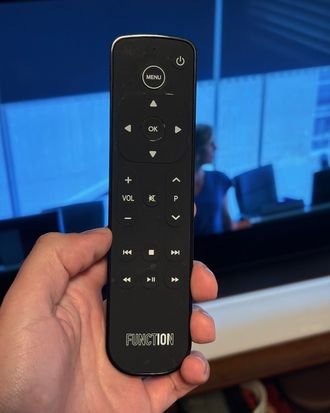
While Apple’s made some strides in improving its notoriously frustrating Siri Remote for the Apple TV, the main complaint remains: It sacrifices practicality for an elegant look (but still charges a premium price). When my dad had to replace his Siri remote a second time thanks to an unruly pup, he nearly switched to a cheap Roku instead. He stuck with his $60 Siri but complained about its too sensitive touchpad every time he picked it up.
I’ve always liked the Siri remote touchpad, as it makes using the Apple TV feel more like using an iPhone. And I spent a lot of time standing up for it. That all stopped last month when the power button on my personal unit mysteriously fell out. I was ready to move on.
New! You can now save this product for later.
A few weeks later, my uncle, dad and I were trying to watch Slow Horses together. But as my dad swiped to the show, the cursor whizzed right by. My dad’s impending rant about the remote’s sensitivity was interrupted by my uncle. He’d just started using the $40 Function101 remote.
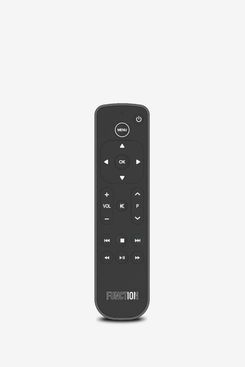
This remote is all about ease of use. It’s longer and chunkier than Apple’s remote, which makes it less likely to slip between your couch cushions than Apple’s, but also easier to pick up and hold, and provides more space for buttons. That means I don’t have to actually look at the remote to use it.
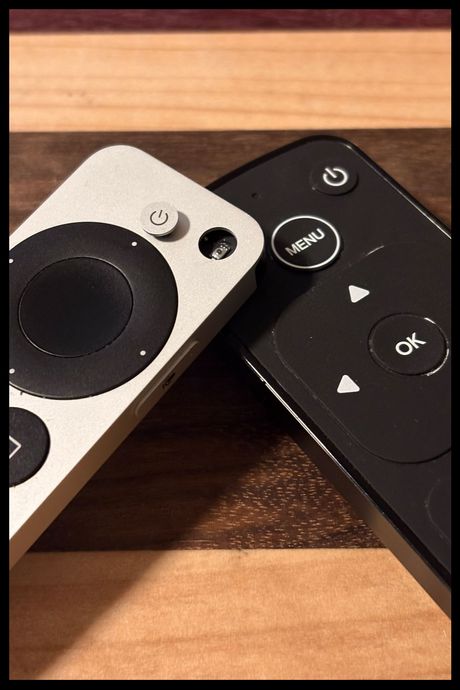
As for what those buttons do, many of them work quite similar to those on the Siri remote. There’s a menu button that replaces the Siri remote’s back button. I wish it were in the same place, as Apple’s placement is more intuitive, but it didn’t take long to get used to. There’s also the standard volume controls, plus some media shortcuts for things like play/pause and skipping or rewinding 15 seconds. My favorite thing, though, is the up and down arrows next to the volume controls that trigger shortcuts like returning to the home screen or killing unresponsive apps.
But none of that is what got my dad and uncle to order the Function. That honor goes to the directional pad. It replaces the Siri remote’s touchpad — you can disable the touchpad and use the tiny directional arrows, but they’re hard to hit —and makes navigating Apple’s tvOS feel much smoother. It has four arrows to move the cursor around, and because it’s made of the same rubbery material as the other buttons, your fingers won’t slip too far and cause you to move past the item you want to click on. That’ll be particularly useful for those with mobility issues who struggle with the touch-sensitive Siri remote.
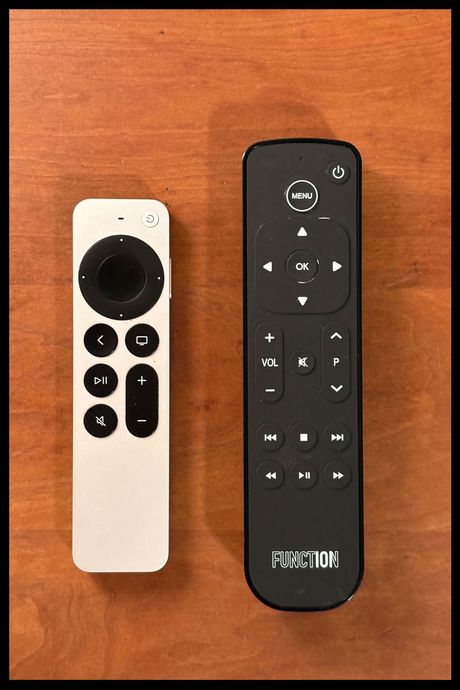
A couple caveats: The Function doesn’t have a microphone and it uses AAA batteries instead of a rechargeable Lithium-ion battery. The batteries aren’t a huge problem since you’ll only have to replace them once a year at most, but I do miss being able to use some of the handy Siri commands that allow you to use the Apple TV hands-free. That won’t be an issue if you don’t like using Siri for asking things like, “What did she just say?” and having your TV rewind 15 seconds and turn subtitles on so you can catch the dialogue, though.
Even so, I don’t miss those enough to give up the more practical Function. It’s easier to hold and use, harder to lose, and at $40, it won’t sting as much if the pup gets a hold of another one.
More From The Strategist
- Hark, the Advent Calendars Arrived (Very) Early This Year
- The Best Things Strategist Editors Have Bought This Year (So Far)
- 63 Things You Should Never Buy Full Price
- The Strategist Fall 100
The Strategist is designed to surface useful, expert recommendations for things to buy across the vast e-commerce landscape. Every product is independently selected by our team of editors, whom you can read about here. We update links when possible, but note that deals can expire and all prices are subject to change.