WiiM Made a Smart Speaker for Hi-Fi Nerds

I’ve been using Sonos gear to carry tunes throughout my house for several years, but despite the convenience, I always go back to my bookshelf speakers. They’re louder, they sound better, and I can expand them with additional speakers or subwoofers if I so choose. While you can do that with a Sonos system, it’s pricier than many analog setups.
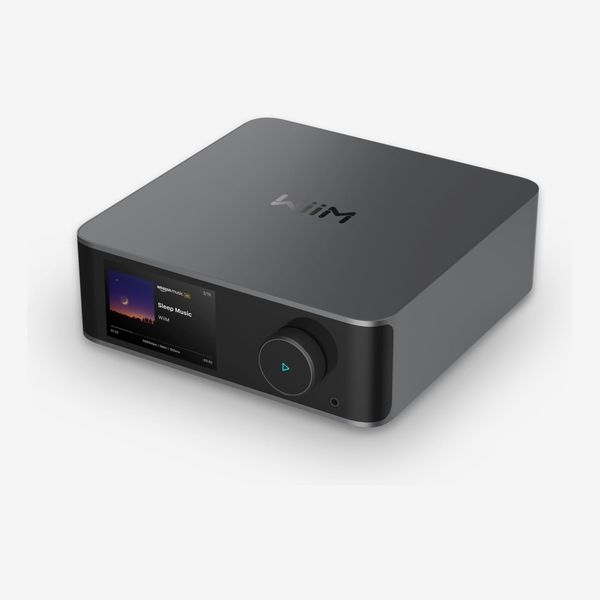
Defaulting to my bookshelf stereo meant I couldn’t cast my music to multiple rooms at once, which I miss whenever I put my Sonos away. Then I got the WiiM Ultra, a streaming box that plugs into analog speakers and connects them to nearly any streaming service available, including some niche audiophile-friendly options. (Sonos makes a similar device, the Port, but it costs significantly more.) And similar to Sonos’s platform, you can link multiple WiiM devices together. Now, with the WiiM Sound, the company’s ready to take on standalone speakers like the HomePod and the Sonos Era 100. It’s my new favorite way to blast my music.
New! You can now save this product for later.
WiiM Sound
It’s like a HomePod with a screen
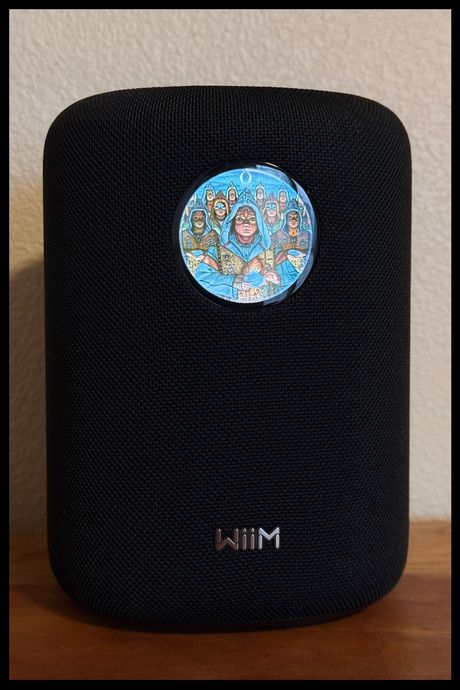
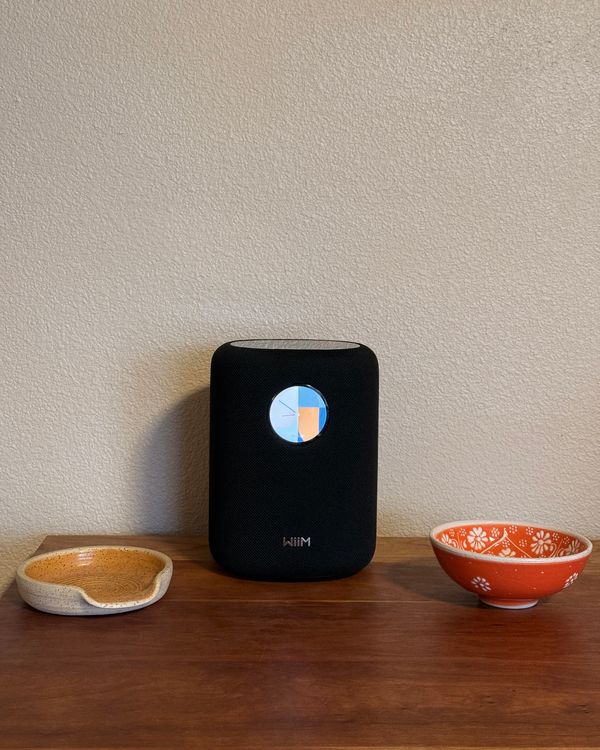
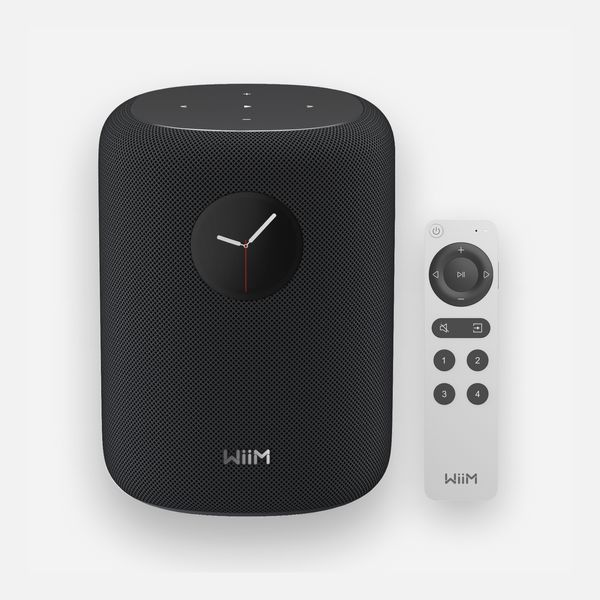
The WiiM Sound looks like a slightly taller, more square version of the HomePod with a circular display on the front. The body of the speaker is wrapped in a woven fabric — black or white — that’s understated and perfectly at home on a well-decorated shelf.
Atop the Sound is a touch panel with buttons for playback controls. They all light up, so it’s easy to see them even in the dark. That’s pretty standard for a smart speaker that costs $300, but the WiiM is the only one to feature a screen on the front (you can also get a display-free version of the Sound for $70 less). By default, the display shows a clock, but once music starts playing, it’ll show the cover art for whatever album you’re listening to (but note that because the screen is circular, it cuts off the corners of those covers). You can also use the screen to browse shortcuts in your music-streaming app, adjust the speaker’s equalizer settings, and switch inputs. If you’d prefer to keep the display off altogether, you can do that, or just set it to go to sleep when nothing is playing.
This speaker also has smart capabilities. It only works with Alexa, but you can do pretty much anything on it that you can with an Echo. Because of its price point and better sound quality, however, I think it’s more comparable to a HomePod than any of Amazon’s smart speakers. You can say things like, “Hey Alexa, play AC/DC on my office speakers,” and it’ll start right away. WiiM also added support for Google and Alexa’s respective cast features, so you can pair the Sound with third-party speakers like an Echo. That gives you a lot more flexibility than Apple, which limits you to linking only HomePods and HomePod Minis together.
The sound is crisp and vibrant
The Sound is more audiophile-friendly thanks to its support for higher-resolution audio (24-bit/192 kHz like the HomePod, versus the Era’s 24-bit/48 kHz). By default, the highs on the WiiM are clear and warm, allowing the texture of guitar-forward songs like José Feliciano’s cover of “California Dreamin’” to shine without overpowering the vocals. The lows are quite impressive, too. Bass-heavy tracks like Magic Sword’s “The Way Home” had significant oomph for a speaker this size. The WiiM Sound won’t rattle your shelves, but it’s powerful and loud enough to keep a party going.
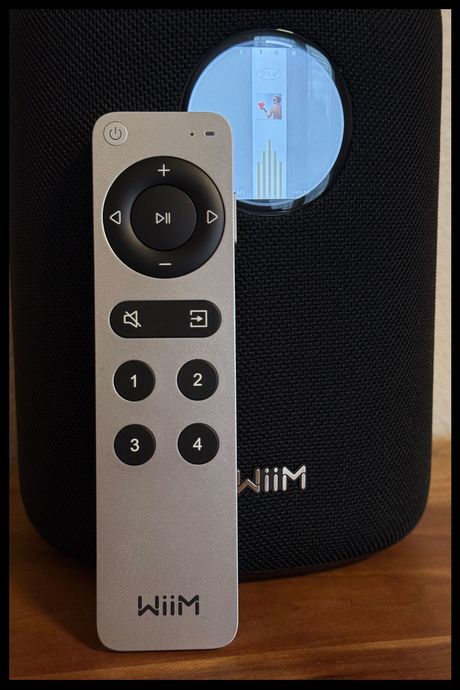
It sounds great out of the box, but if you’d like to fine-tune things, you can use WiiM’s RoomFit feature to analyze your room and automatically tweak its sound settings accordingly. While this didn’t make a huge difference to me, there was a noticeable shift that made the sound a tad richer, and it only takes a few minutes, so it’s worth doing. The app also has an equalizer to let you customize the sound profile of your speaker.
Just like with the Sonos and HomePod speakers, you can pair two WiiM Sounds together to create a stereo system. It’s all done inside WiiM’s app — available for iOS and Android — and only takes a few seconds. You can also connect it with other WiiM devices, like a WiiM Sub subwoofer or an Ultra with two bookshelf speakers, to create a more robust stereo setup. That requires additional gear if you don’t want to use WiiM speakers, but that’s part of the fun of custom setups.
You can use it with almost any streaming service
Despite being a relatively new company, WiiM’s platform is compatible with an impressive number of services. You can connect it to almost all the major players, including Spotify, Tidal, YouTube Music, Amazon Music, Soundcloud, and high-resolution options like Qobuz. The only noteworthy omission is Apple Music.
For Android users, there’s also Google Cast, which works sort of like AirPlay. Unfortunately, there’s no support for AirPlay 2. So if you want to play audio from somewhere other than the supported sources, such as Apple Music, that lack of AirPlay means you’ll have to turn to Bluetooth, which requires more steps to connect and doesn’t work as well across the home as AirPlay — a dealbreaker for some.
For analog listeners, the Sound also has a 3.5 millimeter headphone jack.
There are better smart speakers out there
If you want to get the most out of your pricey internet-connected speakers, the WiiM’s clunky smart assistant integration will quickly get frustrating. Unlike every other smart speaker I’ve tested, this one doesn’t have an on-device microphone, so you can only trigger Alexa by using the remote, which does have a microphone. It’s a confusing omission, but will be of comfort to privacy-conscious folks who don’t like the idea of having a speaker always listening — even if nothing gets logged until the trigger phrase is used. I’ve been using the Sound for a few weeks and haven’t missed having the ability to bark my commands at my speaker, but just know going in that it can’t do everything a Sonos can.
You should get this if you want multi-room audio without a Sonos
WiiM has quickly cemented itself as a viable alternative to Sonos’s proprietary system of high-quality speakers. WiiM’s platform will get you a cheaper setup than you could get with Sonos, and some people find its app interface much more user-friendly. But the WiiM Sound shows that the company is devoted to making its platform available to more than just audio buffs with finely tuned speakers and booming subwoofers. It’s an excellent speaker that makes streaming at home a breeze, and it can tie a bunch of speakers together without having you go all-in on one company’s equipment.
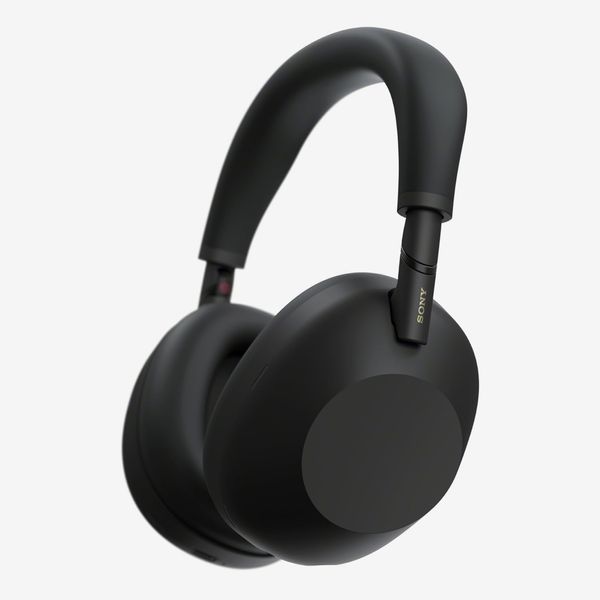
Other audio gear we like
More From The Strategist
- Hark, the Advent Calendars Arrived (Very) Early This Year
- The Best Things Strategist Editors Have Bought This Year (So Far)
- 63 Things You Should Never Buy Full Price
- The Strategist Fall 100
The Strategist is designed to surface useful, expert recommendations for things to buy across the vast e-commerce landscape. Every product is independently selected by our team of editors, whom you can read about here. We update links when possible, but note that deals can expire and all prices are subject to change.