We’ve Found the Best Way to Get Your Family Into 3-D Printing — and It’s on Sale Right Now
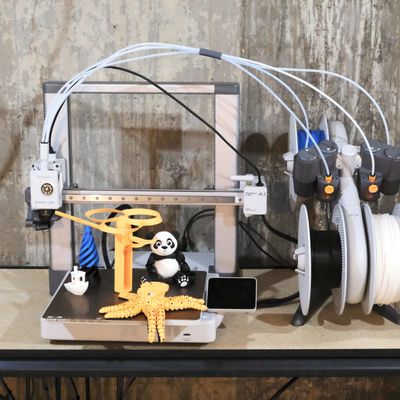
Over the last few months, I’ve been asked repeatedly by friends and random strangers alike what 3-D printer I’d recommend for kids and how their families can get started making things. They’ve all been looking for something affordable, easy to use, yet capable enough to do fancy multicolor prints.
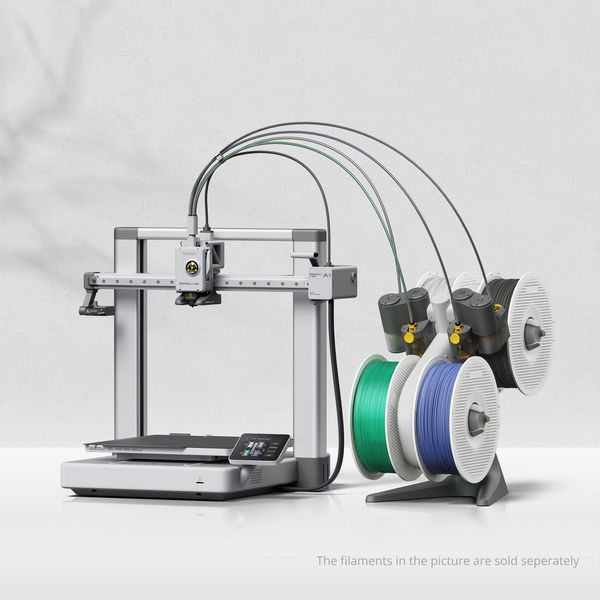
Each time, without hesitation, I’ve suggested the Bambu Lab A1 with AMS Combo, which combines the printer with the AMS Lite, a device that lets you use multiple materials in a single printed object. At its standard price of $399, the Combo is a fantastic deal, but it’s often on sale — like it is right now for Black Friday at $359.
Despite its low price, it’s loaded with features and it’s part of the bigger Bambu Lab ecosystem, with a model library and software that makes completing projects simple and fun. My kids are teenagers now, but I’ve had fun letting them loose on the A1 and laughing at all of the weird and crazy stuff they’ve printed — most of it directly from their phones.
New! You can now save this product for later.
There’s some assembly required
The Bambu Lab A1 doesn’t come fully assembled, but it’s 90 percent of the way there. Inside the box you’ll find the printer itself in two parts. There’s an instruction book included in the box, along with all of the parts and tools needed to put it together. If a book with step-by-step instructions isn’t your speed, you can watch the assembly video on YouTube or scroll through the Wiki.
Instead of going it alone, I encourage you to ask your kids for help to let them see how it goes together and teach them more about how it works. The gist of the process requires you to install the printer base on the printer frame and attach the two with nearly a dozen screws. Once that’s done, you’ll need to plug in a few cables, remove some zip ties, and remove a few protective pieces of plastic used during shipping.
Putting together the AMS Lite involves attaching the main unit to the included base then color matching and sliding the rotating spool holders onto the unit, followed by connecting it to the printer via a data/power cable and the four PTFE tubes that feed the various filaments to the single print head. In total, the process takes about 20 minutes. Maybe a little longer depending on how helpful (and interested) your kids are.
Following setup, you’ll need to connect the printer to Wi-Fi, then make an account and add the device to it using the Bambu Handy app, and let the printer run through its self-calibration. The calibration process takes longer than assembly and can be a bit noisy as it goes through various vibration tests. Stick around, though: If nothing else, the sound it makes as it vibrates provides for a good laugh.
Just one small piece of advice — before completing the calibration process, make sure you’re content with where the printer and AMS Lite are placed. The recommended space you’ll need for the A1 and AMS Lite is roughly 30 inches wide by 28 inches deep, and it weighs just under 22 pounds, so it isn’t trivial to move (plus you’ll want to recalibrate if you move it).
The printer can be noisy while in use, and you’ll also want to avoid placing it directly under (or above) any sort of vent that could blow hot or cold air on the build plate.
But it’s the best option for beginners
The Bambu Lab A1 is what’s called a “bed slinger” printer. That just means that the build plate, the flat surface on which the model you’re printing is placed and takes shape, moves forward and backward on the Y-axis during a print, while the print head, where the filament is dispensed, moves left to right (X-axis) and vertically on the Z-axis. Since the bed moves back and forth, these types of devices are typically open in construction.
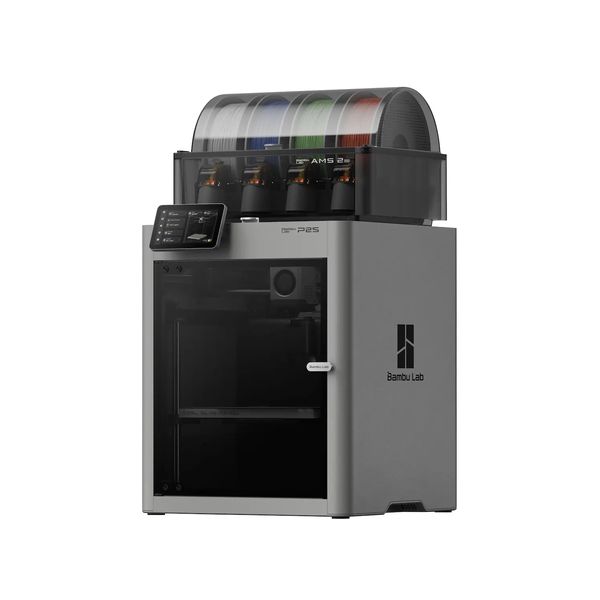
The alternative system (used on higher-end printers like the Bambu Lab P2S), is the “CoreXY” design, where the print tool moves across the X- and Y-axes, while the bed moves along the vertical Z-axis. Since the bed doesn’t move as much, you’ll see these printers fully housed in enclosures.
A bed slinger design has its quirks. The lack of an enclosure means there’s potential for hot and cold air to cause print defects, and they aren’t typically as accurate or fast as CoreXY models — but there’s nothing inherently bad about printing with a bed slinger, and there’s good reason to get started with this design. You likely won’t be printing with materials that require absolutely stable temperatures, and more importantly the open framework means you and your kids get complete visibility of the print in progress and a great sense of just how 3-D printing works.
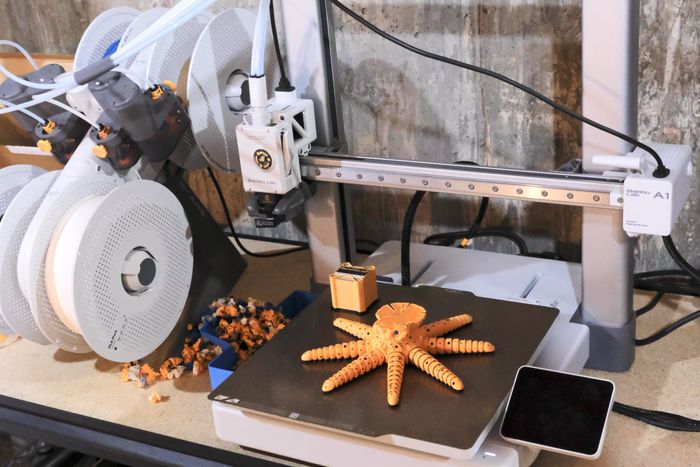
When my household was first starting out in the hobby, I used to love sitting with one or more of my kids and watching the first layer of the print be put down, marveling at how precise it needs to be — and is!
The A1’s overall print volume is 256 x 256 x 256-mm., more than enough space to print the always popular articulating dragon that kids love — and most other items you might want to try as a newcomer to 3-D printing.
It has a deep library of fun, easy projects
Our first print on the A1 was the obligatory Benchy test file that’s included in the print files on the microSD card. We carefully installed a spool of filament, fed it into the AMS Lite, and started to print the little boat model that’s been the accuracy test for countless 3-D printers. A little while later, we had a Benchy to prove the printer was working.
After that, we installed a second spool of filament, and we printed an articulating panda, a file that’s also included with the printer, to show off its multicolor capabilities. A few hours later, we had a black and white panda with arms and legs that moved.
Printing the default files included with the printer is fun and all, but browsing through the countless models on MakerWorld is where the entire Bambu ecosystem really shines.
Bambu Lab is known for its deep library of items and projects, combined with its apps and services being designed in a way that complete novices and experts feel right at home. For my kids and me, that meant we could browse for new prints and send them directly to the A1 directly from the mobile app. We didn’t need to get on a computer, open the more complicated Bambu Studio, and worry about adjusting every fine detail before pressing print.
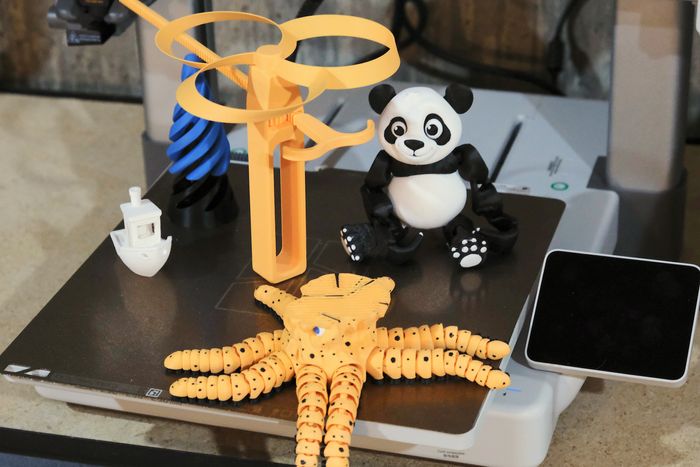
Instead, we’d find a model in the app, ensure we had the proper colors installed on the AMS Lite (or if we wanted to call an audible, we’d switch them up), and then press print. We didn’t have to worry about layer height, infill pattern and percentage, or what kind of supports to use. We just printed.
Granted, as you learn and grow with the hobby those settings, along with many others available in the Bambu Studio app, are absolutely stuff you should care about and take the time to learn and adjust. But that’s the beauty of the A1 and Bambu’s ecosystem: It’s as easy or complex as you want it to be, underscoring its appeal for the whole family.
Another aspect of Bambu’s ecosystem I’ve found incredibly appealing so far and want to get deeper into (and part of what makes it great for families getting started in 3-D printing) is its Maker Supply store. There you’ll find various parts and pieces of hardware to take an all-plastic print to the next level. For example, there’s a $20 kit you can purchase that gives you all of the necessary hardware to build an automatic water gun — all you need to do is print the body, which Bambu provides the files for. And you’ll also find their CyberBrick platform, a series of modules you can combine and program to create remote control cars, trucks and other items — perfect for curious kids taking the next step beyond LEGO.
You can print with four different colors (but be prepared to clean up some “poop”)
Beyond being downright simple to use, our favorite feature of the A1 is its ability to print with four different colors (which you can expand up to 16 when you add an AMS hub). It turns all-right-looking prints into downright cool-looking prints and opens your world to more models and projects than if you were printing with a single color.
I started to print an articulating octopus because it’s a hit in my home, but also because I wanted to show off the A1’s multicolor capabilities. Unfortunately, I misjudged how much filament I had left on a roll and the print didn’t finish. But even running into issues like this is still useful, because it does a great job to show just how much wasted filament is created every time it changes colors. All single-nozzle printers use the same technique for changing colors, and in the process creating small balls of wound-up filament (lovingly referred to as “poop”).
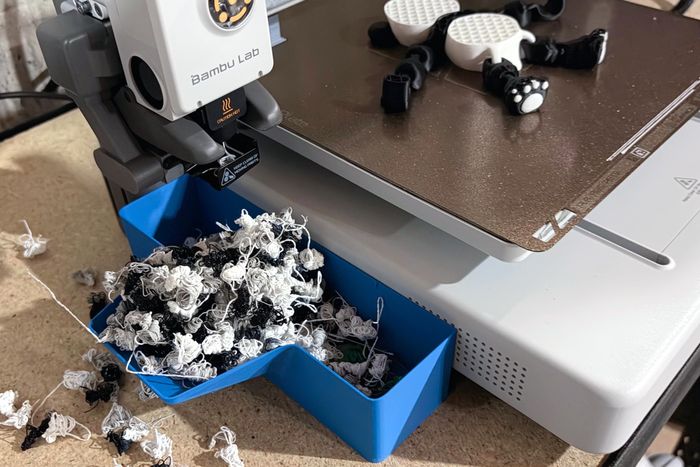
Let’s say one layer of your print has four different colors in it. Every single time the printer needs to start using a different color, the filament is pulled back from the nozzle, and then the new color is fed to it. Once there, the printer needs to clear the leftover filament from the previous color out of the nozzle. It does that by purging material, and then purging more material as it feeds the new color in to ensure there’s none of the old color leftover and the new color is flowing properly. And unfortunately, there’s nothing you can really do with the wasted filament other than throw it away. The only way around the problem is a printer with multiple print nozzles — and that’s a much bigger investment.
The cost difference between the A1 and a printer with multiple printheads — like the X2D, H2C or H3C) is vast — we’re talking going from $400 up to $2,500, and that’s a wide enough gap that having to buy a few extra $20 rolls of filament is likely the better choice while you’re still figuring out if 3-D printing is for you and your family.
You’ll love it as much as the kids
The best feature of the Bambu Lab A1 is that you’ll end up liking it as much as your kids do. I’d imagine you’ll find yourself printing from it more than them — or at the very least trying to squeeze a print in between their latest project.
The A1 is reliable and capable enough that it’ll grow with your kids well beyond their younger years and into high school or beyond. School projects, gifts for friends, or even running a business selling custom fidget spinners — all on the table and possible with the Bambu Lab A1.
Excellent 3-D printers for more advanced users
New! You can now save this product for later.
Build with more materials and tackle complex projects with Bambu Lab’s full-featured CoreXY printer.
New! You can now save this product for later.
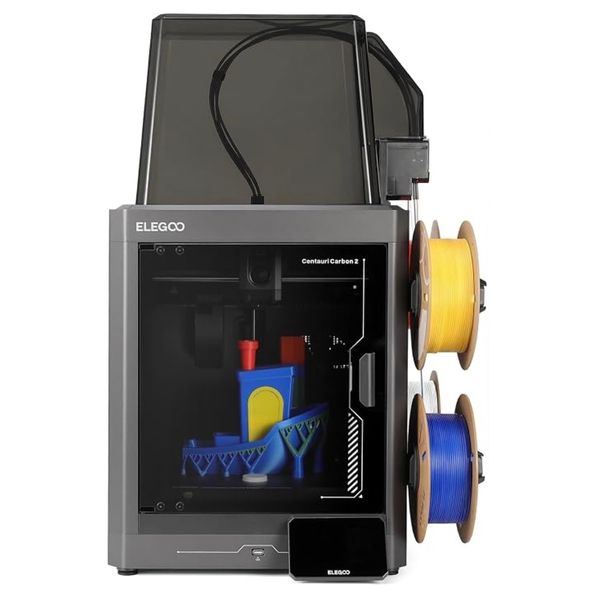
Step up to CoreXY on a budget and get surprisingly solid performance for the money.
New! You can now save this product for later.
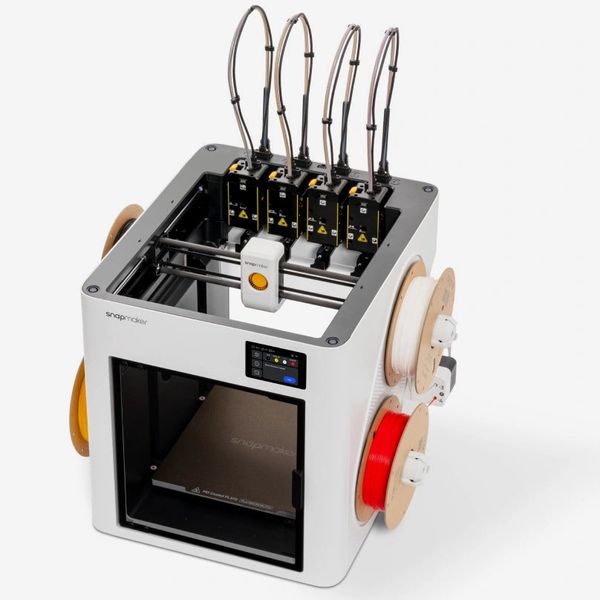
Building lots of multicolored models? This multi-nozzle printer lets you do it with less waste.
More From The Strategist
- The Best Advent Calendars This Year
- Every Holiday Gift Guide From the Strategist (So Far)
- The Best Things Strategist Editors Have Bought This Year (So Far)
- 63 Things You Should Never Buy Full Price
The Strategist is designed to surface useful, expert recommendations for things to buy across the vast e-commerce landscape. Every product is independently selected by our team of editors, whom you can read about here. We update links when possible, but note that deals can expire and all prices are subject to change.