The Best Gaming Mice, According to Gamers

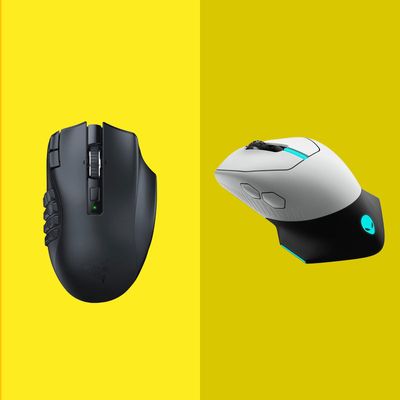
While you can technically play PC games with any mouse, gaming mice offer better flexibility with additional buttons, which you can customize to access in-game shortcuts that you’d typically have to press a few keys on your keyboard to activate. In fact, some come with as many as 19 programmable buttons — perfect for online gaming — whereas most standard mice have less than ten. Additionally, while weight isn’t a huge consideration when it comes to a standard office mouse, many games that require quick reaction times (first-person shooters, for example) benefit from a lighter mouse.
Like most mice these days, gaming mice work best when paired with the company’s proprietary software, which often allows for more customization of all the mouse’s buttons. The added functionality is typically worth it — especially if your games use a lot of keyboard shortcuts — but worth noting if your computer’s resources are particularly limited. Twitch streamer elisaprey says that if you’re streaming, it’s important to consider how many apps you have running in the background while you game. The more products with proprietary software you use, the higher the risk of lag. “If I bought a SteelSeries mouse and a Logitech headset and a keyboard from Alienware, I would need three different apps from three different companies,” she says. “It would be so over I would have no RAM left.” In those cases, it may pay off to stick with one company’s gear (or beef up your computer’s specs when RAM prices drop).
Everything else that matters with a regular mouse applies with a gaming-specific one. It should be comfortable to hold, even — and especially — if you’re using it for a long period of time, with accurate controls that you can fine-tune to suit your needs. You’ll get the most consistency out of a wired mouse — important if you play games that depend on accuracy — but companies like Logitech, Razer, and Alienware have made strides in producing reliable wireless connections that are suitable for gaming. Many work over Bluetooth, while others come with USB dongles.
To find the best gaming mice for a variety of setups, I spoke with five Twitch streamers and YouTubers about their favorite mice.
Best wired and wireless gaming mouse
New! You can now save this product for later.
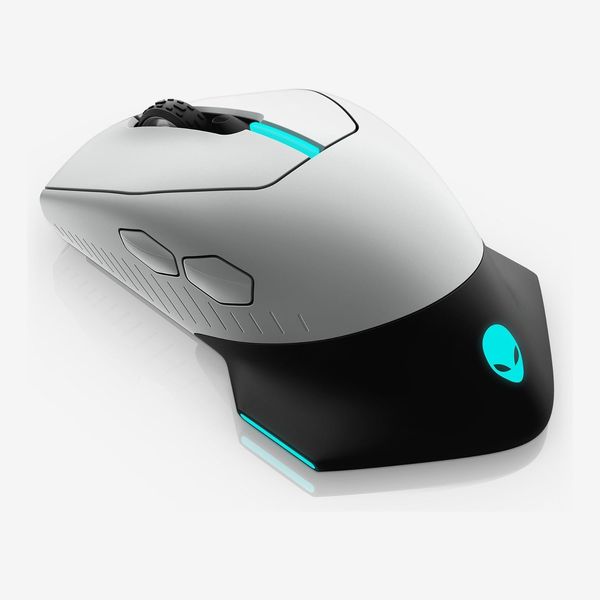
Twitch streamer Jenna Stoeber, who also produces video essays about video games, says this is her go-to mouse for any games that require a lot of accuracy and aiming, such as Fallout 76. “It’s fast, tactile, and has a handy reprogrammable side button,” she says, adding that its slightly wing-shaped thumb rest is particularly comfortable. Most important, though, it can switch between wired and wireless connections: wired for lower latency and faster response times, wireless for easier movement. When used in wireless mode, Alienware says it should last up to 350 hours.
It has seven programmable buttons, but as with all gaming mice, you’ll need to use the company’s software to access those customizations. Stoeber also notes that this mouse has some light-up points — such as the Alienware logo — with customizable colors that can be changed from within the app.
Best gaming mouse for comfort
New! You can now save this product for later.
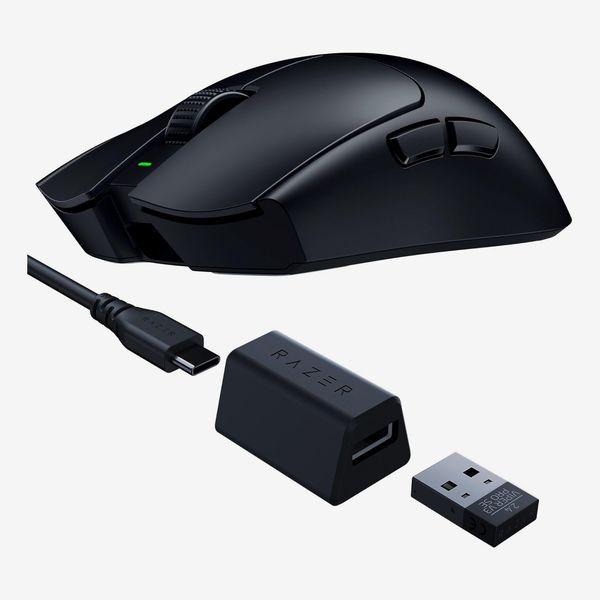
Streamer joshseki says this ultracomfortable and lightweight mouse is his go-to for everything. He uses it when playing Overwatch, Valorant, and even cozy games like MapleStory. “The weight is the biggest thing for me,” he says. “It’s superlight and feels like an extension of my hand.” Even during eight-hour streams, he says it remains comfortable throughout, and its aim is always precise. It’s also quite customizable with eight programmable buttons. “I have specific profiles set up so that my side buttons do different things depending on whether I’m casting spells in an MMO (massively multiplayer online role-playing games) or using abilities in Deadlock,” he says.
Best gaming mouse for customization
New! You can now save this product for later.
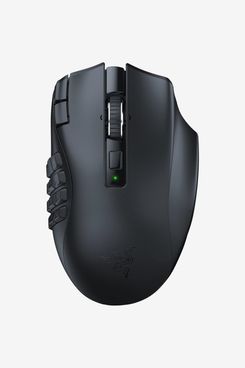
If you need a mouse that has a button for every in-game function imaginable, the Razer Naga — which has 19 programmable buttons — is the mouse to get. It’s so good that streamer DontRachQuit has one for her gaming PC and one for her laptop. While her older model has only 12 customizable buttons, that’s still more than enough to be handy for heavy gameplay. “Being able to have quick access to immediately press 12 buttons with my mouse is such a game changer for me,” she says. “I struggle to reach past the 5 on the keyboard when my fingers rest on [the keys] W, A, S, D.”
Unlike the Viper, which requires a USB dongle to connect to your computer, the Naga also works over Bluetooth. When using the USB connector, Razer says the mouse can work for up to 250 hours on a single charge. Switching to Bluetooth brings that limit up to 400 hours, but the connection may not be as reliable.
Best gaming mouse for granular controls
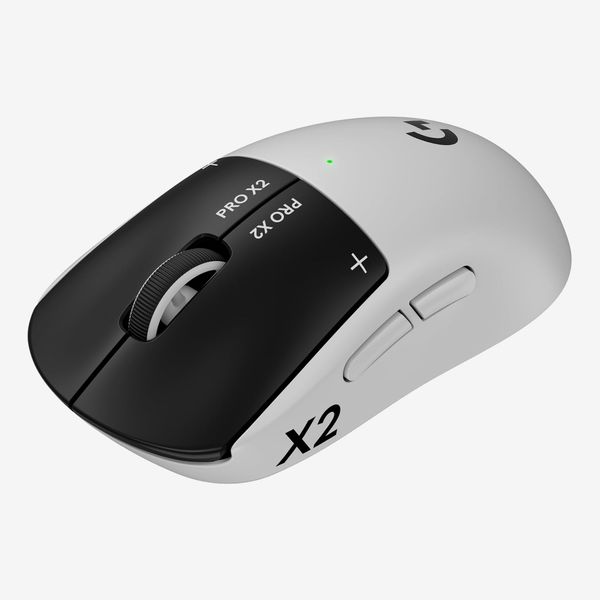
New! You can now save this product for later.
YouTuber Gab Smolders, who often streams on Twitch, says she has always used Logitech mice because of their light weight and comfortable designs. She’s particularly fond of this mouse thanks to its noiseless clicks and because it handles her powerful clicking without issue. “With my ADHD, I tend to get a bit impatient sometimes and click many times in quick succession, to the point where my microphone would pick it up,” she says. “This mouse saved the day because the clicks are absolutely silent — I can click aggressively to my heart’s content.” Additionally, she notes, you can adjust how much resistance the mouse’s main click buttons provide; hers is set to maximum. “To match the aggression,” she says.
Best wired gaming mouse
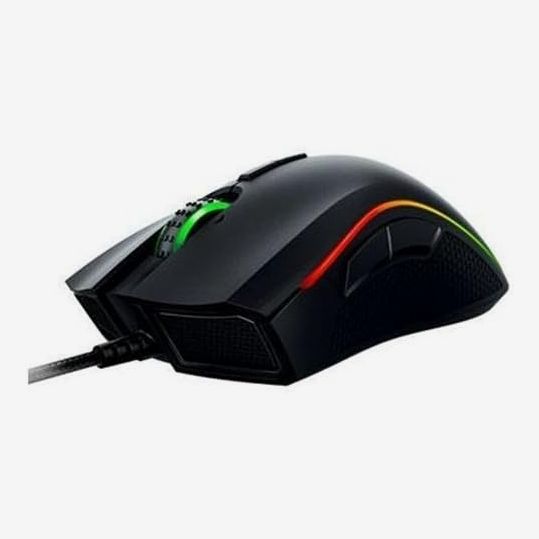
New! You can now save this product for later.
For those who want a wired mouse that’s durable and doesn’t have too many buttons, there’s Razer’s Mamba Tournament Edition. Elisaprey has been using her older version of this mouse for over eight years as its hefty weight (over double that of some wireless mice on this list) is more satisfying to move around. “It’s so important that I have accuracy when I shoot things or when I try to hit things,” she says, “I’m afraid a mouse that’s much lighter is just going to make my hands completely slip.”
Best ergonomic gaming mouse for slow-paced games
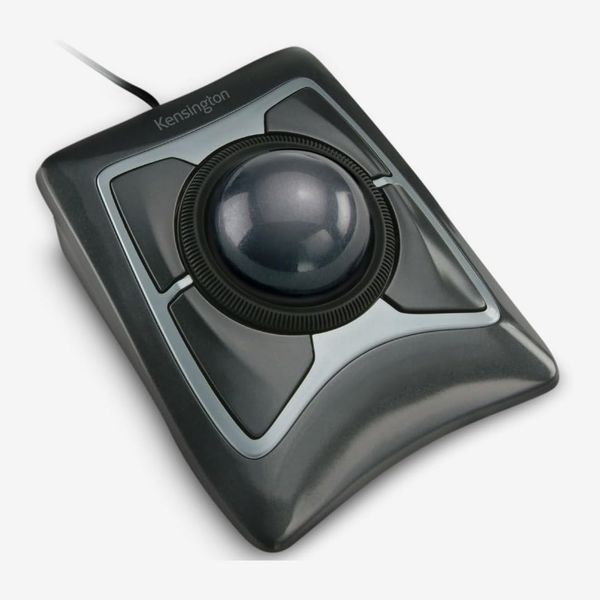
New! You can now save this product for later.
“After Shadow of the Erdtree came out, I experienced basically a clawlike paralyzation in my grip,” Stoeber says. “I went to a doctor and they said, ‘You need to be doing something different.’” She landed on getting this trackball mouse for times when her wrist is feeling particularly strained. Rather than requiring you to move your wrist to control the mouse, you use your fingers to push a large ball around in place, putting less stress on your wrist. While they don’t work for shooters and other games that require precise aim and quick reactions, trackballs can work for puzzlers and other turn-based games.
Stoeber uses the Kensington Expert Mouse for any games that are click and drag based. It has four programmable buttons plus a large wheel around the trackball that she says is satisfying to use for scrolling web pages and documents. “Because a mouse’s scroll wheel is so short, you can’t spin on it quite as much,” she says. “This one I can really just let fly.”
More From The Strategist
- Hark, the Advent Calendars Arrived (Very) Early This Year
- The Best Things Strategist Editors Have Bought This Year (So Far)
- 63 Things You Should Never Buy Full Price
- The Strategist Fall 100
The Strategist is designed to surface useful, expert recommendations for things to buy across the vast e-commerce landscape. Every product is independently selected by our team of editors, whom you can read about here. We update links when possible, but note that deals can expire and all prices are subject to change.