The Best Gaming Monitors, According to the Experts
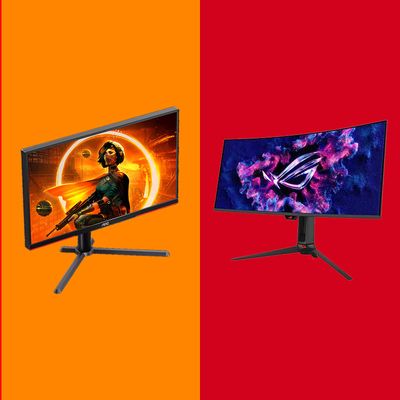
Being a PC gamer isn’t cheap nowadays, given the price of storage and graphics cards, but once you’ve poured your blood, sweat, tears, and paychecks into a souped-up gaming PC, your task isn’t done. You’re going to want to dig a little bit deeper to supplement your sweet setup with a gaming monitor that’s worthy of all the time you’ll spend staring at it. After all, you’re only hamstringing yourself if your GeForce RTX 5090-based powerhouse is stuck using a tiny 1,080p display from seven years ago. And you’ve got plenty of choices to match your rig and how you game.
In this article
If role-playing adventure is your thing (say you spend most of the week pugging Mythic+ dungeon runs in World of Warcraft), a sprawling ultrawide display might be just what you need. Conversely, if you’re all about tactical action (say you’ve been playing Counter-Strike since the earliest days of de_dust), a smaller monitor with a superfast refresh rate and minimal input lag might make more sense. And if you’ve spent top dollar for a gaming rig that can play anything you toss its way at the highest quality settings, it might be worth it to splurge for a big OLED gaming monitor that gives you a huge amount of space and the best contrast and colors you can get.
I’ve thought about all these trade-offs when reviewing gaming monitors over the past two decades and recently posed the same scenarios to a handful of expert reviewers (and fellow gamers). There’s not a true one-size-fits-all monitor for everyone, but there are plenty of great monitors to pick from that should give you the best experience for your specific setup.
Our top picks
What to shop for in a gaming monitor
Size and resolution
How much space do you have on your desk? What’s your budget? What feels right to you? How high of a resolution can your GPU handle before it starts to sweat? These questions, and more, all play into the first big choice that’ll help you narrow your field of gaming monitor candidates: How much monitor do you need?
“I’d try to focus on getting to PC gaming’s sweet spot: 27 inches, 1,440p resolution, 144Hz refresh rate, and a good IPS, OLED, or (more budget) VA panel,” says PCWorldexecutive editor Brad Chacos, adding, “If you want to start adding juicy extras like ultrawide ratios, OLED panels, sky-high refresh rates, and so on, they’ll cost you more. If you’re trying to get a great gaming panel on a budget, that ‘sweet spot’ is a great place to start; you can strip features out as long as those key central specs are strong.”
I wouldn’t recommend going smaller unless you’re a big e-sports enthusiast and you absolutely need to keep your entire screen in your field of vision at all times — more for first-person shooter fans than, say, late-night Civilization VII gamers. But if you have the budget, room, or desire, you can aim your ambitions higher than a 27-inch display.
“For budget-friendly options and a small home-office space, I think 27 inches is a nice size, but if you’re gaming more — using the screen with a game pad from a more distant viewing position, using it for videos and movies, or just have a bigger desk space — then upgrading to something larger is a great choice,” says Simon Baker, lead editor and owner of technical monitor review specialists TFTCentral.
Though it’ll eat up even more space on your desk, an ultrawide display can be an ideal combination of size and resolution: big enough to make your games feel immersive by filling a larger field of vision than you’d normally get, and less GPU dependent than a 4K display at their typical 1,440p resolution. (We’re slowly starting to see 5K ultrawide gaming monitors hit the market, but that’s a big ask for anything but the most tricked-out gaming desktops.)
“I still default to a flat panel between my reviews, but I won’t lie: that’s mostly a budgetary issue on my end,” says Max Freeman-Mills, staff writer at T3.com. “I think there’s a good chance that if I had the money, I’d now plump for a high-end ultrawide if I were buying a new monitor.”
That said, a 4K display (or higher) can look and feel absolutely amazing to use. You’ll get the most amount of pixels packed onto a screen as possible, and that extra density does a lot to improve the clarity of your spreadsheets and Steam gaming alike. You also get a taller picture on a traditional 16:9 display, which you might like a lot more than an ultrawide’s extra horizontal space.
“Everything will look sharper, and you have the option to fit more desktop windows and other content onscreen,” says Ed Chester, former hardware editor at PCGamesN and creator of TechyTalk. “However, if you’re a gamer, trying to run games at 4K can be very demanding, so you might be better off with a 1,440p panel — a 240Hz 1,440p monitor will feel smoother and look crisper than trying to play at 1,440p on a 120Hz 4K screen, for instance.”
If you’re ready to make the jump to 4K, make sure you take a little time to drop your gaming system’s specs into websites like HowManyFPS or DropReference, which can give you an idea of the frame rates you’re likely to achieve across many different resolutions. If that shiny 4K display means you’ll drop to 30 frames per second in World of Warcraft, you might want to opt for something smaller so you don’t have to sacrifice image quality for smooth gameplay.
Panel technology
Gaming monitors use different combinations of backlighting and panel types: If you’ve been shopping, you’ve seen TN, VA, IPS, OLED, QD-OLED, and Mini-LED in the specs. But when you’re looking at panel technologies, the simplest way to think about it is to keep in mind that TN < VA < IPS < OLED < QD-OLEDin terms of overall image quality, color reproduction, and viewing angles. This isn’t a hard science, as you can absolutely find terrible-looking OLEDs, but in general a QD-OLED monitor achieves better colors and brightness than a traditional OLED display, and so on, and it’s generally the technology you should shoot for if you want the best-looking display possible.
“Panel technology is definitely important, and I’d say OLED is an excellent option for multimedia, gaming, and HDR content. It surpasses the vast majority of LCD panels easily in terms of panel response times, refresh rates, motion clarity and HDR experience,” Baker says. “There’s a huge choice, including expensive top-end flagship models and more affordable budget-friendly options.”
Beyond (or behind) the panel, lighting matters. Monitors that use a Mini-LED backlight — typically paired with an LCD IPS panel or VA panel — can be a decent and more reasonably priced alternative to a comparably spec’d OLED display, but they won’t get the gorgeous “infinite contrast” look or near-instant pixel response times.
“OLED has LCD beaten hands down for contrast, color vibrancy, and deep, inky blacks. LCD is a whole lot cheaper, though, and still your best bet if brightness is the goal — say your desk is next to a big window and you don’t feel like drawing the blinds every time you want to play a game/get some work done,” says Tom Morgan-Freelander, deputy editor at Stuff.
Refresh rate
A gaming monitor’s refresh rate is an important figure to consider. It’s a measurement of how many times the display can update each second, and that directly affects the quality of the experience you’ll have — assuming your gaming PC can deliver high frame rates to match. Your monitor should, at minimum, meet or exceed the highest frame rates your games can get, which will give you a smoother-feeling experience across your gaming library.
“Do believe the hype. If you play competitive first-person shooters in particular, but also a handful of other competitive game types, a high-refresh-rate monitor is essential, and an ultra-high-refresh rate one is a nice to have,” Chester says. “120Hz is a minimum, 240Hz is a nice sweet spot for most gamers — especially given you can get 4k 240Hz displays — but above this is diminishing returns for performance, and you’ll be limited to 1,440p or lower.”
He adds: “360Hz 1,440p displays can be great all-rounders for those that like a range of competitive games. 1,080p displays that can hit 500Hz+ provide such a tiny advantage that most gamers won’t see the benefit, but 120Hz 1,080p displays are a great budget choice for kids or those just starting out with PC gaming.”
As always, your computer’s capabilities will help you narrow in on the ideal gaming monitor setup. If you’re topping out at around 120 to 150 frames per second in your typical games (at the quality settings you prefer), you probably don’t need a 240Hz display; a 144Hz gaming monitor should be more than sufficient (and save you a few bucks), if that’s an option for you.
“Higher isn’t necessarily better when it comes to resolution and refresh rate,” Morgan-Freelander says. “You need to balance both with what your computer’s graphics card can manage. A mid-tier GPU like an Nvidia RTX 5060 won’t be able to play new titles at 4K and 240Hz, but will be much happier at 1,440p and 160Hz.”
Connectivity, calibration, and everything else worth (maybe) worrying about
Every OLED gaming monitor I’ve come across supports HDR. You don’t need to push that capability to its maximum to benefit, though: I actually use my gaming monitor in its HDR 400 True Black mode rather than HDR Peak 1,000, as I prefer a more balanced image than the more noticeable differences you’ll get between onscreen elements as the overall brightness of a scene shifts. As long as your gaming monitor gives you options to pick from, you’ll be able to dial in to whatever image style you most enjoy.
Color accuracy is another feature that might tip the scales toward one gaming monitor or the other. It’s less relevant for gamers, though, and a monitor’s accuracy can vary wildly across its presets. (For example, I’ve found that a display’s “game” mode, when present, typically looks terrible compared to others.)
Ideally, a great monitor comes precalibrated from the factory, or is at least good enough in its default display mode that you’ll never have to fiddle with settings to get a quality picture. But as long as at least one of the monitor’s display modes has a measured DeltaE (the degree to which a monitor’s presented color differs from the intended color) of 3 or lower , you’ll be fine.
A monitor that comes with a built-in KVM switch can be handy if you’re juggling multiple computers at your desk (say, a work laptop and a gaming desktop). While it’s convenient to be able to use the same mouse and keyboard to control either, the feature isn’t a must-have for your typical gamer, just a nice addition. The same is true for Power Delivery over USB-C. If you have a souped-up gaming laptop, you’ll likely still need the bulky power brick and standard connection; otherwise, it’s convenient to only have to use one cable to power it and connect your display.
The best gaming monitor overall
New! You can now save this product for later.
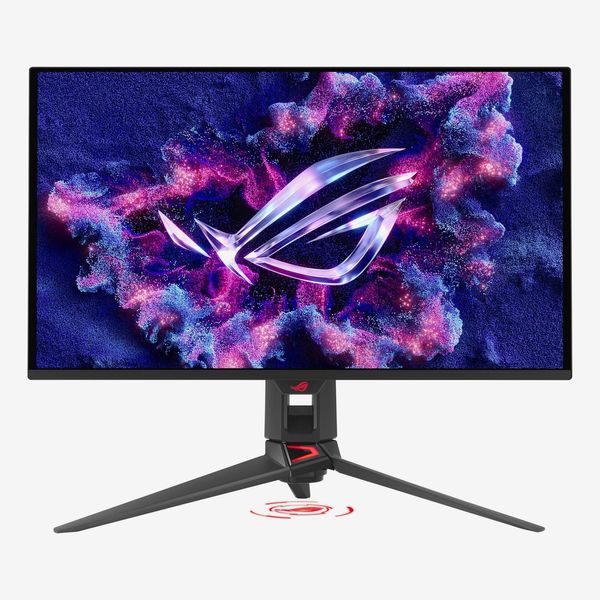
Display size: 27 inches, 3840-by-2160 pixels | Panel Technology: Tandem QD-OLED | Refresh rate: 240Hz | Adjustability: Tilt, pivot, height, swivel | Ports: 1x DisplayPort 2.1, 2x HDMI 2.1, 1x USB-C, 3x USB 3.2 Gen 1 Type-A | Power delivery: 90W
Asus’s Rog Swift PG27UCDM is a solid all-around gaming monitor that delivers plenty of power and useful features, backed by a beautiful fourth-generation QD-OLED display.
“It’s got pretty much everything you might want. It offers a great combination of panel performance and a top-tier feature set that sets it apart from many other models in this size and resolution combination,” Baker says.
The monitor’s 4K resolution will demand a lot from your gaming desktop if you’re playing the latest titles at top quality settings, but it’s a fantastic display that should last you years, and you’ll appreciate that extra screen real estate when you have to say good-bye to Azeroth for the evening and head back to spreadsheets (or YouTube). And you’ll appreciate that, unlike many previous-generation OLEDs, text looks clear and free of fringing. The PG27UCDM also ships with incredibly accurate presets across both SDR and HDR. Out of the box, it’s great by default. Switch to its sRGB mode, which clamps the display’s wide color gamut to that space, and it’s just as accurate.
Your graphics card may never push this many frames per second, but the PG27UCDM’s 240Hz refresh rate is reasonable for gamers of all kinds and fairly future-proofed, in case you decide to make a big graphical upgrade down the road. Built-in support for both Nvidia’s “G-Sync Compatible” and AMD’s FreeSync Premium ensures you’ll have smooth gameplay regardless of whether you’re using that refresh rate to its fullest or not. And the QD-OLED panel gives you incredibly low response times, or how long it takes an individual pixel to change from one color to another: lower times, more clarity.
The display comes with one DisplayPort 2.1 connection, two HDMI 2.1 ports, and a single USB-C port. You can use the latter to supply up to 90 watts of power to your laptop on a single cable (which it also uses for the display connection), and a built-in USB 3.2 hub gives you one upstream and three downstream connections — perfect for using one keyboard and mouse combination to control multiple connected computers.
“The Asus ROG Swift PG27UCDM is absolutely gorgeous and packed with features,” Chacos says. “It’s a fantastic monitor that nobody would be disappointed by.”
The best less-expensive gaming monitor
New! You can now save this product for later.
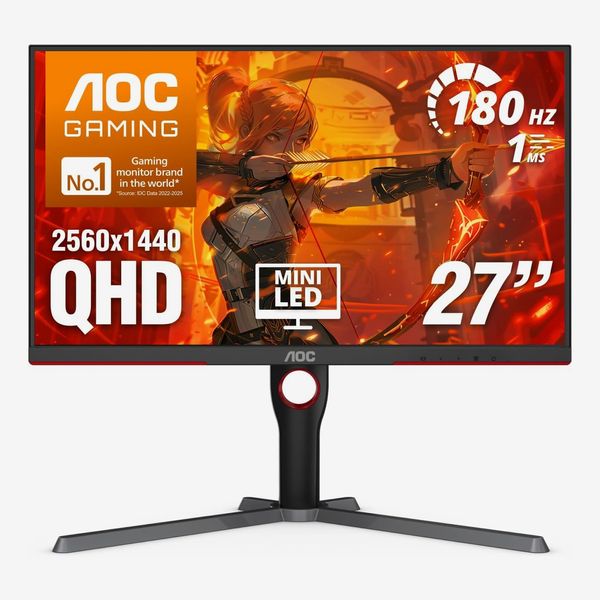
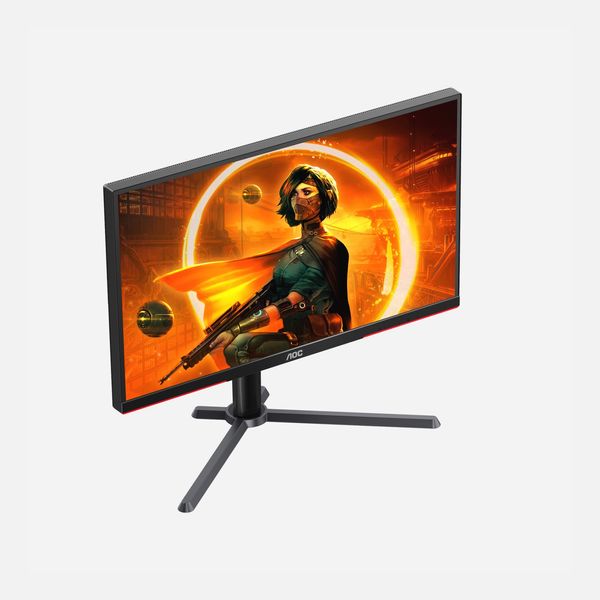
Display size: 27 inches, 2560-by-1440 pixels; | Panel technology: Mini-LED VA | Refresh rate: 165Hz | Adjustability: Tilt, pivot, height, swivel | Ports: 1x DisplayPort 1.4, 2x HDMI 2.0
At sub-$300, AOC’s Q27G3XMN is the perfect gaming monitor if you’re not looking to spend a lot but you want your games to look as good and play as well as they possibly can.
“That monitor is still really popular, and I believe it’s because of the very attractive price point for a Mini-LED monitor of that spec,” Baker says, adding that its overall brightness and HDR performance is greatly boosted by its Mini-LED backlight with 336 local dimming zones, which is a huge improvement over a traditional budget IPS monitor’s edge-based lighting. It gives the monitor finer control over contrast throughout the image and enhanced brightness. Your darker movies and games still won’t look as lush as a pricier OLED panel, but it’s a lot better than other monitors in this price range. Plus the display’s sRGB mode is incredibly color-accurate, which can be hard to find in a monitor priced so low. Its viewing angles aren’t as strong, so make sure you’re sitting directly in front of the display for best results.
With a refresh rate of 165Hz (overclockable to 180Hz), you can achieve incredibly smooth gameplay at high frame rates. While you don’t get a hardware module for Nvidia’s G-Sync on the monitor itself to help you out when there’s misalignment, you should still be able to make use of VRR, or Variable Refresh Rate, via Nvidia’s “G-Sync Compatible” functionality. For AMD gamers, the display supports FreeSync Premium Pro by default. Though the monitor lacks connectivity — there are no USB ports and no KVM switch — that’s to be expected for its price point.
The best ultrawide gaming monitor
New! You can now save this product for later.
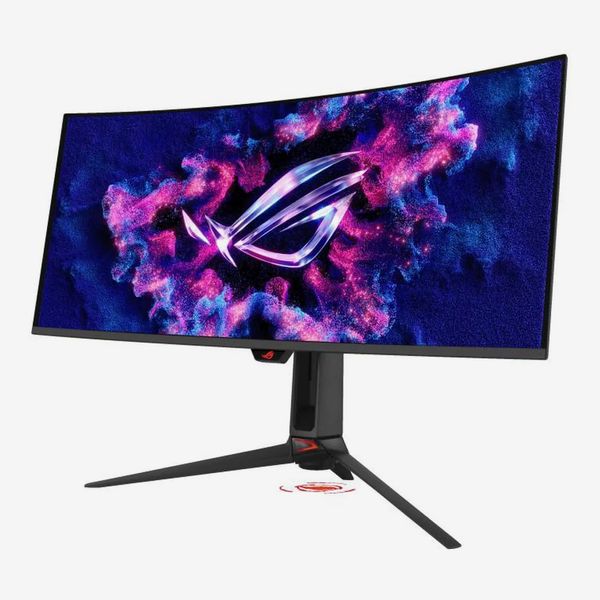
Display size: 34 inches, 3440-by-1440 pixels | Panel technology: Penta Tandem QD-OLED | Refresh rate: 360Hz | Adjustability: Tilt, height, swivel | Ports: 1x DisplayPort 2.1a, 2x HDMI 2.1, 1x USB-C, 3x USB 3.2 Gen 1 Type-A | Power delivery: 90W
If you’ve got the room for it on your desk, an ultrawide gaming monitor like Asus’s ROG Swift PG34WCDN can be a perfect compromise if you want a larger display but worry about whether your system can fully handle a 4K resolution. This is “one of my current top picks for 34 ultrawide OLED monitors,” Baker says.
Packing 3,440-by-1,440 pixels across a 1,800 mm-radius curved display, Asus’s monitor makes your games feel incredibly immersive. From lush landscapes of World of Warcraft to The Elder Scrolls IV: Oblivion Remastered, it’s hard to go back to a “traditional” display once you’ve been sucked into the ultrawide world.
“If you absolutely need at least two windows open side by side to feel productive for work, you love to watch entire wide-screen movies on your monitor, or you’re obsessed with racing or flight Sim games, an ultrawide display is your best bet,” Chester says.
The PG34WCDN uses a brand-new, fifth-generation QD-OLED panel, which allows it to max out at a higher refresh rate than most other ultrawides (360Hz). It’s also one of the very few OLED displays to use a new striped subpixel layout, which means you’re going to have absolutely no issues with text rendering at all (unlike some previous-generation OLEDs). It’s a lot nicer to have perfect clarity out of the box than to have to fiddle with your operating system’s settings, or find some third-party app workaround, to make it better.
The annoying effect of ambient light hitting your display and turning your otherwise-black screen into a murky gray has also been improved as a result of the PG34WCDN’s new panel technology. It’s brighter, too, maxing out at an advertised peak brightness of 1,300 nits (accompanied by HDR True Black 500 certification, which is slightly better than most ultrawide gaming monitors that only have HDR True Black 400).
Out of the box, the monitor’s default settings (using a wide gamut color space) deliver incredible color and grayscale accuracy, and you’ll get the same experience if you decide to clamp the monitor to the sRGB color space. Its connectivity covers all the expected basics: two HDMI 2.1 ports, one DisplayPort 2.1 port, one USB-C port (with 90W Power Delivery), and three USB-A ports that let you use the same keyboard and mouse when switching between two connected computers.
The best less-expensive ultrawide gaming monitor
New! You can now save this product for later.
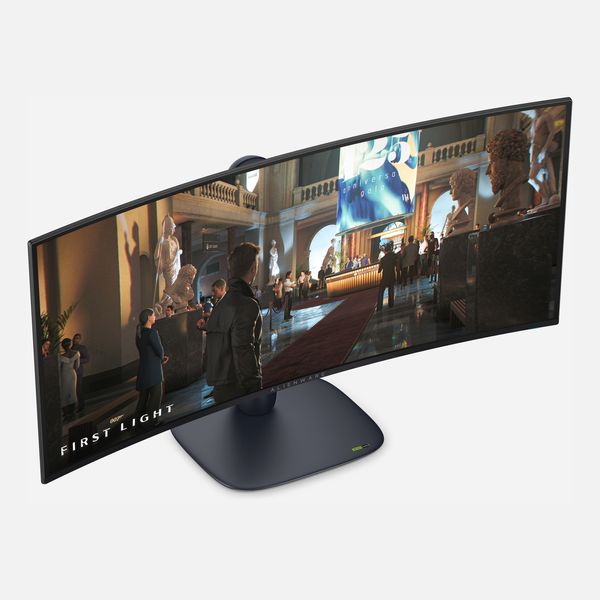
Display size: 34 inches, 3440-by-1440 pixels | Panel technology: Penta Tandem QD-OLED | Refresh rate: 280Hz | Adjustability: Tilt, height, swivel | Ports: 1x DisplayPort 1.4, 2x HDMI 2.1, 1x USB-C, 1x USB 3.2 Gen 1 Type-A | Power delivery: 15W
As Chacos describes it, Dell has an incredible history of delivering “killer OLED ultrawides with solid value,” and its AW3426DW is no exception. It comes with a fifth-generation QD-OLED panel, offering all the general advantages you’d otherwise find in our top ultrawide pick. The monitor’s refresh rate is slower, just 280Hz, but that shouldn’t be an issue for all but the most competitive of first-person shooter gamers.
The monitor has the same advertised peak brightness (1,300 nits) and HDR True Black 500 certification as Asus’s PG34WCDN, and its color accuracy is every bit as good out of the box or when using its sRGB or DCI-P3 clamps to restrict yourself to a particular color space. You get the same striped subpixel layout, too, for perfect-looking text.
What’s missing, however, is the connectivity. You get one DisplayPort 1.4 connection, two HDMI 2.1 ports, a USB-C port (with a paltry 15W Power Delivery), and only a single USB Type-A port (no KVM switch). And that USB-C port can’t be used to both charge a laptop and transmit a video signal, alas.
But if these scenarios don’t matter to you, the AW3426DW is an excellent alternative where it counts: incredible graphical quality for as low of a price as you’re likely to find it.
The best 32-inch gaming monitor
New! You can now save this product for later.
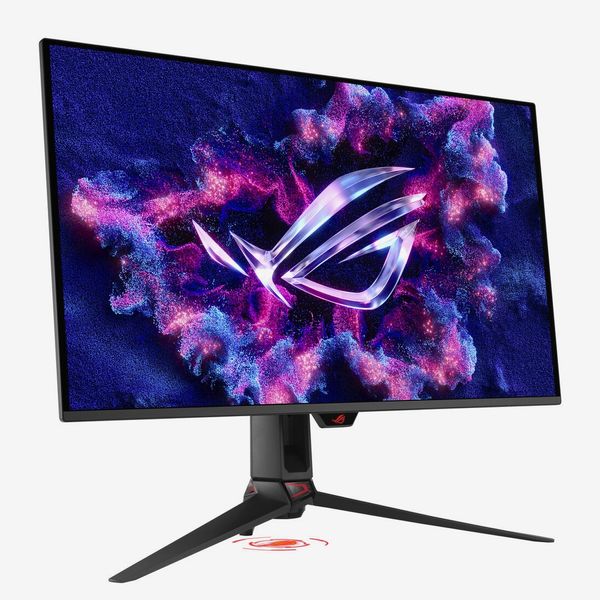
Display size: 32 inches, 3840-by-2160 pixels | Panel technology: Tandem QD-OLED | Refresh rate: 240Hz | Adjustability: Tilt, height, swivel | Ports: 1x DisplayPort 2.1, 2x HDMI 2.1, 1x USB-C, 3x USB 3.2 Gen 1 Type-A | Power delivery: 90W
If you want an even bigger image for your desk, but you just can’t handle the funky dimensions of an ultrawide display — they’re not for everyone — then you’ll want to grab Asus’s ROG Swift PG32UCDM3. It’s incredibly similar to our overall pick, just larger.
“I’d generally recommend people aim for 32-inch displays for 4K to better take advantage of all those extra pixels. Such displays are what I’d consider the ultimate all-rounder at the moment,” Chester says, adding that “larger displays are more expensive, though, so sticking to 27-inch will save you money and desk space”
Both displays use a 4K fourth-generation QD-OLED panel that tops out at a refresh rate of 240Hz. The PG32UCDM3 has DisplayHDR 500 True Black certification, not 400, which is slightly improved, and both monitors are rated with an advertised peak brightness of 1,000 nits (if you haven’t enabled the DisplayHDR 500 True Black mode in your monitor settings, that is).
Out of the box, the color accuracy of this wide-gamut display is practically indistinguishable from the PG27UCDM. You can use it in its default state, or you can clamp it to the sRGB color space if you want more realistic-looking colors in SDR mode, or you can switch to DCI-P3 if you like more saturation (or are planning to use HDR mode a ton for your games).
The display’s OLED panel gives you those eye-catching, rich contrasts in darker scenes with no blooming or the dreaded “halo effect” you get in dark scenes with super-bright elements like, say, the entire last season of Game of Thrones. Though the monitor doesn’t come with a dedicated G-Sync module, it’s certified for both AMD FreeSync Premium and NVIDIA’s “G-sync Compatible” format, which smoothes out your gameplay within its variable refresh rate range of 48-240Hz.
You get the exact same connectivity and KVM functionality on this larger display as our top pick: one DisplayPort 2.1 port, two HDMI 2.1 ports, one USB-C port (with 90 watts of Power Delivery), and three USB Type-A ports as part of the hub.
The best 1440p gaming monitor
New! You can now save this product for later.
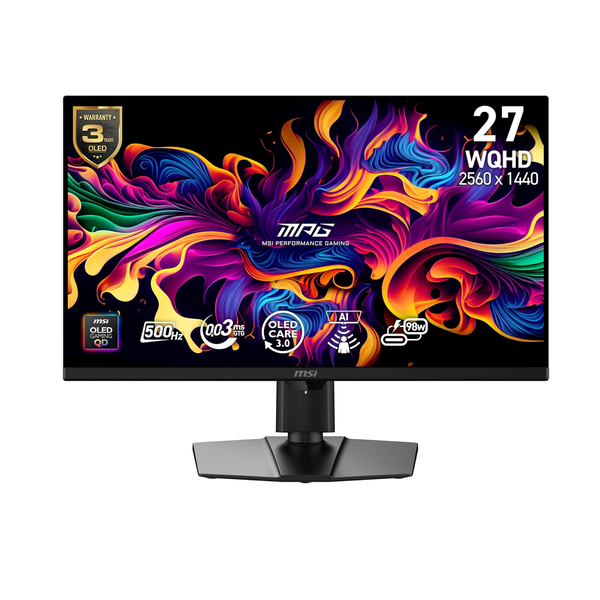
MSI MPG 271QR X50 Gaming Monitor - 27-inch
Display size: 27 inches, 2560-by-1440 pixels | Panel technology: QD-OLED | Refresh rate: 500Hz; | Adjustability: Tilt, pivot, height, swivel | Ports: 1x DisplayPort 2.1a, 2x HDMI 2.1, 1x USB-C, 2x USB 3.2 Gen 1 Type-A | Power delivery: 98W
If a 4K display is too demanding for your gaming desktop — you’d rather max out your game’s quality settings or frame rates instead of worrying about pushing so many pixels — and you don’t have space for an ultrawide, consider MSI’s MPG 271QR X50. But, first, we’ll address the elephant in the room: Its refresh rate of 500Hz is absolutely overkill for everything “unless you’re the sweatiest e-sports gamer around,” as Chacos says.
Don’t worry about it. MSI has priced the monitor competitively for everything else it offers: a big, gorgeous QD-OLED panel that supports both HDR True Black 500 and HDR Peak 1000; a wonderfully color-accurate display across SDR and HDR, with more options to fine-tune your picture than you’d find on most MSI displays; and both DisplayPort 2.1 and HDMI 2.1 connections (with a bonus 98 watts of Power Delivery over USB-C). A built-in KVM switch lets you connect two computers and up to two USB-A devices (a keyboard and mouse, for example) for when you’re switching between your gaming desktop and your laptop.
The monitor is Baker’s alternative pick for the best 27-inch 1,440p OLED gaming monitor you can get. We think it’s a better fit than his top pick, Asus’s ROG Swift PG27AQWP-W, which uses a tandem WOLED panel instead of QD-OLED. That display costs nearly $400 more, and it’ll give you better peak brightness than MSI’s QD271QR X50, but I think the richer colors and stronger color performance from MSI’s QD-OLED panel would be more impactful in your gaming and movies. Still, the two technologies are so similar in performance, it’s not a make-or-break kind of a comparison — MSI’s monitor has a few more useful features, anyway, like USB-C connectivity and that KVM switch.
Our experts
More From The Strategist
- Hark, the Advent Calendars Arrived (Very) Early This Year
- The Best Things Strategist Editors Have Bought This Year (So Far)
- 63 Things You Should Never Buy Full Price
- The Strategist Fall 100
The Strategist is designed to surface useful, expert recommendations for things to buy across the vast e-commerce landscape. Every product is independently selected by our team of editors, whom you can read about here. We update links when possible, but note that deals can expire and all prices are subject to change.