The Best Laptops, According to Experts
If you’ve looked for a new laptop computer lately, you’ve probably noticed that they’re a lot pricier than last time you shopped. Computer manufacturers have been bumping their devices’ prices a lot recently (Apple took its turn while I was in the middle of writing this very piece) in response to skyrocketing prices for critical chips and components, in high demand by the booming AI and data-center industries. With the memory that makes it possible for you to have 81 open tabs in your favorite web browser without fuss or store countless 4K movies on a speedy SSD in short supply, upgrading to that next, best laptop feels like a real investment — and shopping for one feels like navigating the Wild West.
But that doesn’t change the fact that you need a new computer (you still can’t do everything on a phone). So I talked to experts, scoured reviews, and cross-referenced all the latest and greatest advice for navigating the semiconductor pricing “RAMageddon” to help find the best laptop for you — whether you’re looking for a powerful workhorse, a portable gaming rig, or an affordable everyday companion for browsing, shopping, and everything else you still depend on a computer for.
How to choose the best laptop
Aside from getting a second job (or taking out a second mortgage, if you want a maxed-out gaming laptop), how can you buy the latest, greatest laptop when it feels like they’re getting more expensive by the month?
You can expect to spend around $750 or so for a cheap laptop with reasonable performance for basic tasks, but few manufacturers make Windows laptops at this price point that don’t require some kind of sacrifice: “An older chip and subpar quality on the screen, speakers, trackpad, or keyboard — hopefully not too many of them,” says Antonio G. Di Benedetto, laptop reviewer at The Verge. Double that, and you’re hitting the sweet spot of performance, quality, and price.
And if you’re a gamer, start saving now: “You’ll want to be looking more at the graphics card (GPU) to make sure it can handle the types of games you play. Right now, gaming laptops are incredibly expensive, but typically, a higher-end GPU will last you longer if you play a lot of new games and want to play them at the best settings for years to come,” says Andrew Freedman, senior editor at Tom’s Hardware.
Finally, self-assess: Do you really need a new laptop? If you’re low on storage, cheaper solutions include moving your swaths of photos, videos, or other huge archives to an external drive you connect to your laptop, or even throwing them on a cloud-storage service like Google One or Apple’s iCloud+. If your laptop’s battery life has gone from plural hours to singular, you may be able to purchase a replacement and swap it out yourself (or pay someone else). Broken key? You can get that repaired too, or if your laptop mainly sits at your office desk, you could just connect a new keyboard. Compromising a little bit could save you a lot of cash.
But if you do really do need a new machine, you’ll want to shop even more strategically than usual. There are a ton of factors that go into a laptop’s final price. It can be tricky to figure out what components are critical versus convenient, so below we’ll narrow down exactly what you need to look for.
One thing to keep in mind: With no real relief on prices expected anytime soon, it may make sense to spend a little more now to avoid spending more on a premature replacement. As Freedman recommends, “Buy the best you can, because that often lets you keep it longer. I know that’s easier said than done when people are worrying about gas and groceries. But I’d rather buy one expensive laptop that lasts seven or eight years than get something that won’t fulfill my needs and require me to look for another one in three years because I didn’t get what I needed for the long run.”
What we’re looking for
Processor
“The highest priority comes down to what chip is inside. The latest and last-gen offerings from Intel, AMD, and Qualcomm perform well and are typically efficient enough to offer good-to-great battery life,” Di Benedetto says. Newer chips are more futureproof — buying the most recent processor gives you as much runway as you can get for future OS updates, which means your investment will last longer.
“I typically recommend going for the most recent generation of chips if you can, just because that means more support the longer you keep your laptop. But if you find one that’s a year old on a great sale, you’ll still be safe,” Freedman says.
That all said, more powerful processors can come with a premium price. And you may not even notice their benefits if you spend most of your time in, say, Google Docs instead of Adobe Premiere. You’re futureproofing more than anything else, but it’s a reasonable investment to make if you’re planning to hold on to your laptop for years.
On the Windows side of things, that means you should be looking at the recent offerings from the three big chip manufacturers: Intel, AMD, and Qualcomm. For Intel, the Core Ultra (Panther Lake) is the company’s latest and greatest architecture; for AMD, you’re looking for Zen 5 CPUs. And for Qualcomm, Snapdragon X2 is its most recent and powerful ARM-driven design (but remember to first check ARM compatibility for the apps and games you typically use — not all Windows apps will run).
For Macs, with one notable exception (the A18 chip in the new MacBook Neo) you’ll want to stick with an M4 chip at minimum. But as of this writing, Apple’s latest M5 chip is the best option for most Mac users. You won’t notice much of a difference with older Apple Silicon chips if you hang out in Safari all day long, but M5 MacBooks are absolutely speedier for graphics-heavy tasks (like video editing or gaming) and the latest AI workloads, and even everyday activities like reading and writing files to your MacBook’s SSD.
Memory
Here we go. When customizing a laptop’s specs, or comparing the one version of a laptop against another, different configurations of memory and storage — especially given today’s supply issues — can have a big impact on the final price.
The experts I talked to were consistent in their advice: Get at least 8GB of memory, and if you depend on a computer for more than browsing and word processing or do a lot of multitasking, target 16GB of memory at minimum. If you’re looking for top-quality gaming, or plan to hit your laptop with heavier workloads like high-resolution photo-video editing or local AI models, bump that up to 32GB.
“Don’t go below 8GB of RAM (16GB is better). And don’t go below 256GB of storage (512GB is better). Yes, those laptops exist, and no, you won’t be happy,” Freedman says.
Storage
Second verse, same as the first. As long as your laptop has a solid-state drive in it, and any decent laptop does nowadays, you’re doing fine for performance. How much space you may need is up to you and your habits. Consider saving your laptop for the content you regularly access. Though tempting, buying a laptop with the largest SSD you can get is a convenience that comes with a high cost.
“Maximizing value through limiting memory and storage is huge at the moment, with costs as high as they are,” says Jon Martindale, a freelance technology journalist and reviewer for ExtremeTech, PCWorld, Micro Center, and plenty of other publications. “Storage expandability through secondary SSDs or external USB4/Thunderbolt 4 support is really useful there too.”
He adds: “Stick to 256GB or 512GB storage and be smart about what you install to keep 10 percent free.” (Stuff your system’s storage to its limits and it could start affecting your laptop’s overall performance.)
Display
You’re most likely to find laptops using an IPS LCD panel for their displays. If you spend a bit more, you’ll find laptops that offer mini-LED backlighting will typically reach a higher maximum brightness, useful for when you’re fighting screen glare while working outside on a lovely summer day. An OLED display can look gorgeous for movies and gaming, but you’ll pay for the privilege — and they’re less relevant for spreadsheets, websites, and other, duller tasks.
Most laptops stick with a 60Hz refresh rate, or the number of times the screen updates itself each second. Bump up to 120Hz or higher for a smoother experience, everything from scrolling websites in your browser to moving your mouse around the screen. A high refresh rate is also great for gaming (if your laptop’s GPU can push frame rates that high), but it’s more of a nice-to-have than an essential feature for everyday use.
Finally, you may be tempted by a laptop with a 4K display, but that’s “wasted under 18 inches, in my opinion,” Martindale says. Instead, aim for at least 2,560-by-1,600 pixels; that’s a reasonable resolution and pixel density for a 13- to 15-inch laptop.
Adds Freedman: “If you’re not familiar with the modern laptop market, or just haven’t bought one in a while, going to a store to see some isn’t a bad idea! It may not be as serious as test-driving a car, but you can get a feel for what you like in your budget and ask questions of employees who may be able to help you understand spec sheets.”
Graphics
Unlike a typical desktop PC, you can’t upgrade your laptop’s GPU to something better later on, so getting the right graphics card for your gaming laptop is a buy-once, use-forever deal. Don’t shortchange yourself, as you may regret it when a game comes out two years from now and you can’t get playable frame rates running it at its highest-quality settings.
Nvidia GPUs are the highest-performing option for gaming laptops, and you’ll want to target a 50-series GPU — with the caveat that higher-performing chips like the RTX 5090 may give you a system that’s as loud and hot as it is expensive. A decent setup to shoot for is the RTX 5070 Ti, which comes with 12GB of dedicated memory for the GPU. That should give you a reasonable amount of overhead to hit higher frames rates in today’s most punishing titles, especially if you’re not pushing pixels to a 4K display, whether the laptop’s own or an external monitor.
Battery life
If you have to charge your laptop multiple times throughout the day, that almost defeats the appeal of its portability. Look for something that can handle a full workday’s worth of typical tasks at minimum: “Fifteen-plus hours is very doable even on cheaper models,” Martindale says.
However, you can’t necessarily trust a manufacturer for accurate battery-life estimates, as you have no way of knowing how they came up with that figure. “If you’re able to find battery-life testing on review sites for the model you’re looking for, try to find something that lasts most of the day,” advises Freedman. “Some of the latest chips are really efficient, and it’s great not to have to worry about charging all the time.”
Weight
For most people, the perk of buying a laptop is to be able to move it from place to place. Though it’s reasonable to assume that a regular 13- to 15-inch laptop isn’t going to break your backpack (or back), that’s not the case as you start going higher up in size — especially if you’re looking to buy a gaming laptop, which tends to run bulkier due to its components, cooling, and chassis design. A powerhouse laptop might deliver killer frame rates, but I bet you won’t want to take your ten-pound gaming-desktop replacement on your next vacation.
Even tiny differences can have an impact. A half-pound here or there feels like a much larger difference than it sounds on paper when you factor in all the repetitive tasks you do with a laptop: one-handing it in and out of bags, lugging it around on your five-day-a-week commute, carrying it up and down the floors of your house, etc. “Watch the weight,” Martindale says. “Anything under four pounds is fine for carrying around, but I wouldn’t want to haul 5-plus pounds with me all day.”
The best laptop overall

New! You can now save this product for later.
Apple 2026 MacBook Air 13-inch Laptop With M5 Chip
Display: 13 or 15 inches, IPS, 2800-by-1864 pixels | Processor: M5 chip (10-core CPU; 8- or 10-core GPU) | Memory: 16- to 32-gigabytes | Storage: 512GB to 4TB | Ports: 2x Thunderbolt 4 (USB-C)
Apple’s MacBook Air (M5) is a powerhouse, consistently taking the crown among reviewers as the best laptop for anyone — even you, Windows fans. It’s slightly less appealing at its new price ($200 higher than its launch price), but it’s still a great deal for what you get. Its thin design packs a lovely looking display into a lightweight package, but you’re not sacrificing speed for style.
“The MacBook Air is one of the best overall laptops around because nothing else balances performance, portability, and battery life quite like it. It’s impressively thin and well made, but it’s powerful enough for most average users (and without even needing a fan) while easily lasting all day on battery,” Di Benedetto says. “Other laptops accomplish much of this, but really no others achieve all of it.”
If Apple’s mid-tier laptop came with a 120Hz display for its price, it would be perfect. But even without, “the MacBook Air is effectively my go-to recommendation,” Freedman says.
The best less-expensive Mac laptop
New! You can now save this product for later.
Display: 13 inches, IPS, 2408-by-1506 pixels | Processor: A18 Pro (6-core CPU; 5-core GPU) | Memory: 8GB | Storage: 256GB or 512GB | Ports: 1x USB 3, 1x USB 2 (both USB-C)
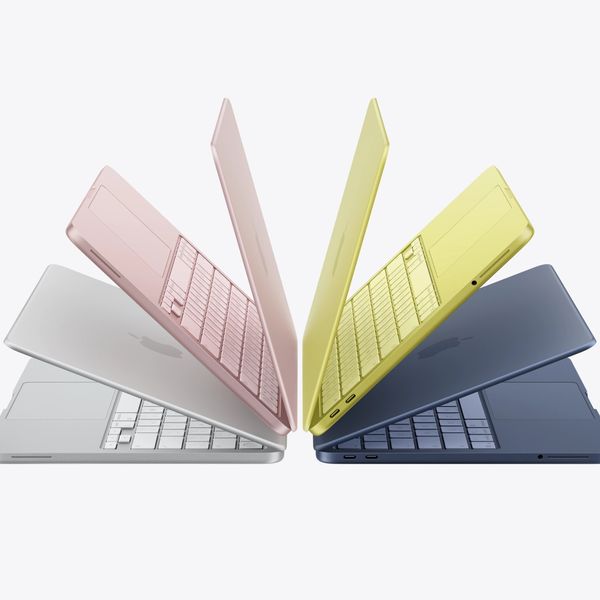
What’s budget today might not be budget tomorrow, but Apple’s MacBook Neo is the budget laptop to beat. While the MacBook Air is better for general-purpose performance, the MacBook Neo is great for lighter workloads: browser-based tasks, movie-watching, talking to your friends, et cetera.
You can even edit 4K movies on a MacBook Neo, though if you’re really pushing your limits by layering in advanced effects — or if you’re a real tab hoarder in Safari — you’re going to feel the effects of the laptop’s (locked) 8GB of memory real quick. That’s the only big drawback of Apple’s least expensive laptop (though we don’t love the paltry 20W charger Apple throws in the box either, since the Neo can charge at 30W).
Otherwise, the build quality of the MacBook Neo looks great for its price, and it’s speedy enough to handle all but the most processor-pushing activities. Ample battery life and support for (simpler) gaming, like the addictive Stardew Valley, is a killer combination for commuting.
“The MacBook Neo wowed because Apple made a laptop at $699 that didn’t feel like you were getting something less than. For people largely browsing the web or using word processors, you get something nice and fast that feels like a real Mac,” Freedman says. “Considering that many budget PCs until now used old components, poor screens, or cheap plastic bodies to get to that price, it felt like a revelation to many.”
The best Windows laptop
New! You can now save this product for later.
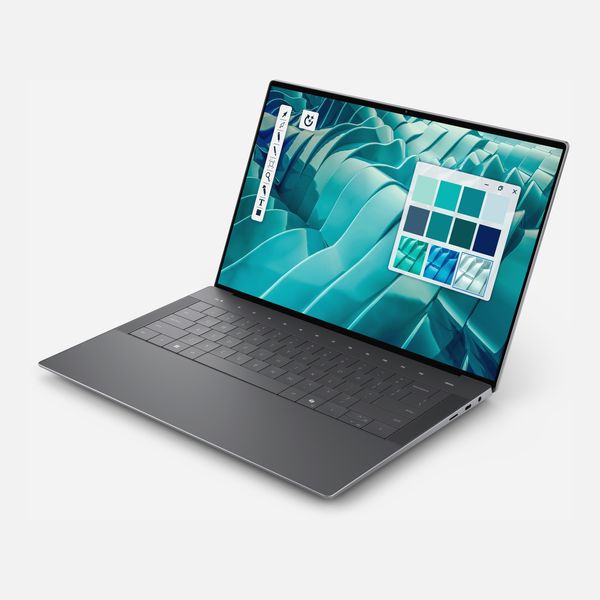
Display: 14 inches, IPS or OLED, 1920-by-1200 or 2880-by-1800 pixels | Processor: Intel Core Ultra 7 Processor 355 or Ultra X7 Processor 358H (default configurations) | Memory: 16- to 32-gigabytes (default configurations) | Storage: 512GB to 1TB (default configurations) | Ports: 3x Thunderbolt 4 (USB-C)
Dell’s XPS 14, but the latter is the closest you’re going to get to Apple’s killer combination of performance and speed. Its svelte design looks as good as it feels to use (even though its keyboard isn’t as well built as a MacBook’s), and it comes with a secret weapon: a display that can drop its refresh rate to 1Hz if you aren’t using fancy graphics. This allows the laptop’s battery life to reach anywhere from 20 to 40 hours in everyday use, which the MacBook Air simply can’t touch.
So if you prefer Windows or depend on that platform’s apps, or just want the freedom to upgrade your laptop’s storage at some future point — not possible on a MacBook — a Windows laptop makes the most sense, and the Dell XPS 14 has the best combination of looks, performance, and battery life for most people.
“The newest version of the XPS 14 fixes most of the issues its recent predecessors had. The biggest of those were a touch-based function row (very Apple in 2018) and a touchpad without a defined border,” Freedman says. “The thin design makes it a great MacBook Air competitor, and the model with the lower-resolution screen has long battery life.”
The downside? “The price was high when it launched,” says Freedman, “and it has gone higher. I’d definitely wait for a sale on almost any premium Windows laptop if you can afford to.”
Need more screen real estate? Dell’s XPS 16 is the exact same laptop, just bigger. You’ll pay an additional $150 for that extra 1.5 inches of screen, assuming all other specs are the same. If you’re looking to customize your laptop’s memory, storage, or display technology, compare the prices of both laptops, as upgrades can vary by hundreds of dollars between the two.
The best less-expensive Windows laptop
New! You can now save this product for later.
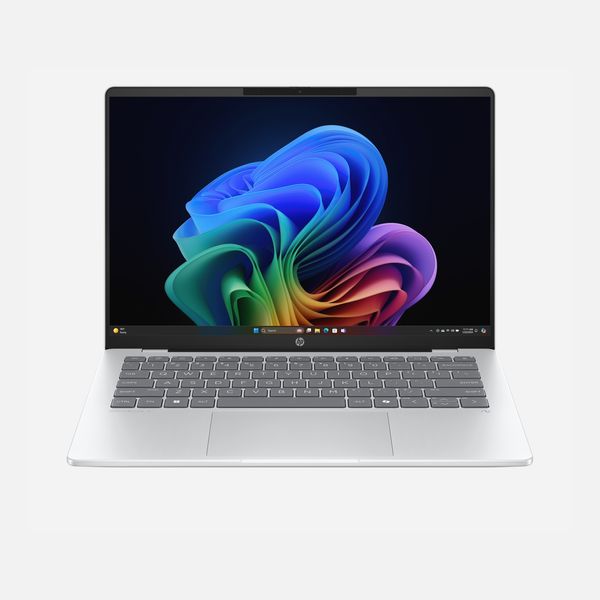
Display: 14 inches, OLED, 1920-by-1200 pixels | Processor: Snapdragon X Plus X1P-42-100 | Memory: 16GB } Storage: 512GB | Ports: 3x Thunderbolt 4 (USB-C)
For those wedded to Windows, consider the HP Omnibook 5 14 — a 14-inch laptop that can be found for as low as $600 if you catch the right sale. That’s a great deal for its great battery life (around 25-plus hours, depending on what you’re doing with it), strong overall performance, and lovely OLED display.
For a similar price, you get double the memory of the MacBook Neo (16GB rather than 8GB), which means you’ll be able to hit the laptop with more memory-intensive tasks, take on a lot more multitasking, or just fire up more browser tabs without hitting the virtual wall. And the OLED display will make the darker scenes of your favorite movies look great, even if the laptop’s resolution is lower than the MacBook Neo’s crisper, higher-resolution display (and its overall brightness isn’t as high).
Don’t forget to check that your favorite apps are compatible with the laptop’s ARM processor. It shouldn’t be an issue for most people, but you won’t want an unfortunate surprise.
The best gaming laptop
New! You can now save this product for later.
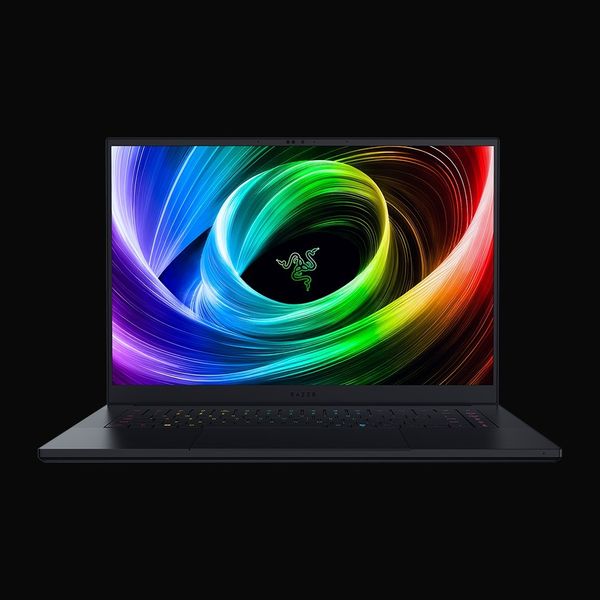
Display: 16 inches, OLED, 2560-by-1600 pixels | Processor: Intel Core Ultra 9 Processor 386H or AMD Ryzen AI 9 365 | Graphics: Nvidia GeForce RTX 5060, 5080, or 5090 | Memory: 16- to 64-gigabytes; Storage | 1TB or 2TB; Ports: 3x USB 3.2 (Type-A), 2x USB4 (Type-C), 1x microSD, 1x HDMI 2.1
There are plenty of gaming laptops that can give you incredible frame rates at the highest quality settings in everything from Baldur’s Gate 3 to Cyberpunk 2077. The problem? They lack elegance. Portability, too; nobody wants to lug around a ten-pound laptop on their daily commute, only to piss off everyone around them when the laptop’s jet-engine-style cooling kicks on.
The Razer Blade 16 is the diamond in the rough: It’s a gorgeous-looking laptop that packs the very best performance and a beautiful OLED display into a tight, 4.7-pound format, something you actually could slap into a backpack and carry around without needing a stretching routine at the end of the day.
The laptop’s bottom-tier configuration gets you an AMD Ryzen AI 9 365 paired with a GeForce RTX 5060 GPU, which is good enough for playable frame rates in a game like Cyberpunk 2077 if you’re using DLSS (AI-powered frame generation) and are a little reasonable with the game’s most GPU-punishing features (like ray tracing).
If money is no object, a better option is the laptop’s second-from-the-top spec: The $4,000 package that bumps up your CPU to an Intel Core Ultra 9 386H and your GPU to a GeForce RTX 5080. You’ll be able to reach nearly triple-digit frame rates in Cyberpunk 2077 at the highest-quality settings without using DLSS at all. More important, you’ll get extra futureproofing for any other graphically demanding games for years to come.
It’s a better value than the laptop’s very top spec, which gives you a GeForce RTX 5090 for $4,900. It’s the very best laptop GPU you can buy as of when this article was published, but as Di Benedetto recommends, “I would imagine the 5070 Ti or 5080 versions are more of a sweet spot that make a lot more sense to justify.”
With the Razer Blade 16, you’re not just paying top dollar for power; Razer’s design for the Blade 16 is, in a word, gorgeous. You’re still going to have fan noise, especially as you go up that list of more powerful GPUs, but that’s unavoidable for similarly configured gaming laptops. The eye-catching and bright OLED display does a lot to smooth out any annoyances, and everything else about the laptop — from its keyboard’s travel to the laptop’s connectivity — is top-tier.
“The Blade 16 is great. It’s one of the closest realizations of that coveted ‘MacBook Pro but also for games’ dream,” Di Benedetto says.
The best less-expensive gaming laptop
New! You can now save this product for later.
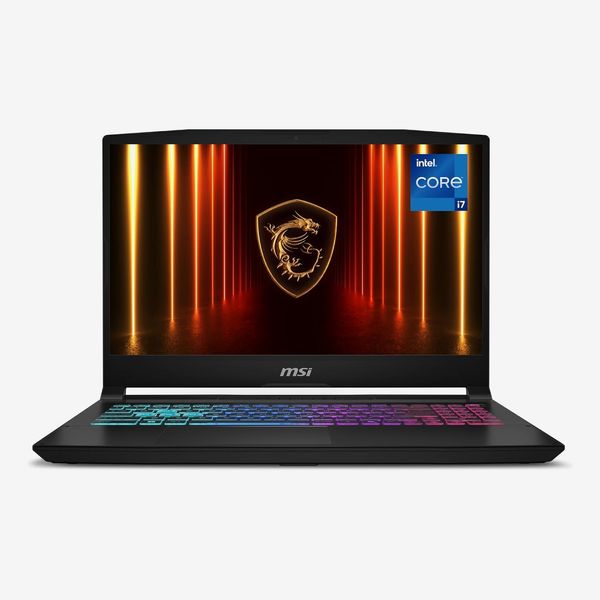
Display: 15.6 inches, IPS, 2560-by-1440 pixels; Processor: Intel Core i7-14650HX; Graphics: Nvidia GeForce RTX 5060; Memory: 16GB; Storage: 1TB; Ports: 1x USB 3.2 (Type-C), 3x USB 3.2 Gen2 (Type-A), 1x HDMI 2.1
There are many different variations of the MSI Katana 15 HX, which can pop in and out of availability. The model we’ve picked gets you a decent GeForce RTX 5060 GPU outputting to a 15.6-inch, 2560-by-1440 pixel display (other iterations of the laptop drop the display to 1080p, which feels rough even for a budget laptop). The processor is a little older, and the memory is fine at 16GB, but these are the kinds of compromises one typically has to make for a cheap gaming experience.
“The Katana is a good, largely affordable option, but like everything else, sadly, it’s pricier than it used to be,” Freedman says.
Our experts
• Antonio G. Di Benedetto, laptop reviewer at The Verge
• Andrew Freedman, senior editor at Tom’s Hardware
• Jon Martindale, freelance technology journalist.
The Strategist is designed to surface the most useful, expert recommendations for things to buy across the vast e-commerce landscape. Some of our latest conquests include the best acne treatments, rolling luggage, pillows for side sleepers, natural anxiety remedies, and bath towels. We update links when possible, but note that deals can expire and all prices are subject to change.