The Best Keyboards We’ve Tested
As a writer pumping out a quarter-million words a year at 120 words per minute, I demand a lot of my keyboard. And whether you’re writing up that first morning email, yammering away in Slack or Teams, shopping until you drop, dunking on other players in open comms after a 360-no-scope, or anything else you do in our digital age, you probably do too.
With so many options out there offering wildly different feels and designed for any typing situation at your desk or on the go, there’s no single keyboard that’s going to be the best for everyone. So with all that in mind, I gathered up a bunch of top models and put them through their paces to find the best ones to suit your needs, whether you’re bound to a desk or on the road, want something that works out of the box in any situation, or demand something you can customize to your exact specifications.
How to find the best keyboard for you
Make the connection
Most keyboards we tested connect over Bluetooth and offer controls for switching between several different Bluetooth devices so you can set them up to work with your computer, your phone, and your tablet at the flip of a switch or the press of a key. And since Bluetooth is standard on so many devices, you can (depending on what you use) even use them to control your streaming-media device or smart TV. But some go further, offering extra connectivity options like a wired connection or a dedicated USB wireless dongle. Having a wired option can be helpful on computers, where Bluetooth sometimes isn’t available or can be spotty. Dedicated wireless dongles support lower latency (great if you’re gaming) and a more reliable connection since they avoid interference with your other Bluetooth devices.
Consider battery life
For wireless keyboards — which most of these are — battery life used to be a big problem. You don’t want to struggle with barely making it through the day before you have to go find a charging cable or swap out a pair of AAAs. Today’s rechargeable batteries mean this is typically less of an issue, but we’ve aimed for models that offer either long enough battery lives that you won’t often have to think about it in practice, or use easily available battery types. Theoretically, our favorites can go months before requiring a charge — but that depends on how you use them. Actual battery life is affected by how you use the keyboard (backlighting severely cuts down on runtime), but all of the recommended keyboards here should easily get through work week, if not a work year.
Choose your switch
The majority of keyboards you’ll come across as you shop (as well as the one that came with your computer) use what are called “membrane” switches — basically, there’s a single sheet of circuits under the keys and keybed mechanism, topped by a plastic sheet that makes contact with the layer below when you press down a key. There are a lot of different ways to set a key atop a membrane, from a simple plunger to an elaborate hinged switch with stabilizers, and this can make a world of difference. When done right, they have a soft, cushioned typing feel, but when done wrong, they can be mushy and inconsistent.
Many super-slim keyboards (like the one on your laptop and manufacturer-supplied keyboards like the Apple Magic Keyboard and the Microsoft Surface Keyboard) use what’s called a “scissor switch” (a little mechanism that looks a bit like a micro-miniature car jack) that stabilizes each key individually atop a membrane switch layer below. Like other membrane switches, these can vary wildly in quality from a snappy or poppy feel to wiggly and mushy.
Finally, you’ll see a lot of mechanical keyboards these days, which have an individual complete switch beneath each key that uses a little plunger that closes a contact within the switch itself when you press down a key. They’re popular because they allow you to customize your keyboard to your taste: You can choose the switches that offer exactly the feel you like, in both standard typewriter or slim depths, from featherlight to heavy and firm in feel, or pick optical or magnetic switches that let you adjust the feel. Mechanical keyboards can offer a more consistent feel and response, and they’re less prone to wear than a membrane, so long-term durability is generally better (and if you do wear out a single switch, you can replace it — no need to toss the entire unit). The downside is that keyboards using mechanical switches can be very loud compared to other types of keyboards (though optical and magnetic versions are reasonably quiet).
Are you compatible?
You’ll of course want to make sure that the keyboard you choose works with your devices. It used to be far more difficult to fine keyboards that would work with both Apple and iOS devices and Windows and Android, but it’s more and more common to find support for all platforms, even in mechanical and gaming-oriented keyboards, which used to be Windows specific. All of the models we considered support both major computing and mobile platforms.
I’ve looked at third-party keyboards in this round of testing, not keyboards like Apple’s Magic Keyboard or Microsoft’s Surface Keyboard, because these models are upgrades in typing feel, Bluetooth and wireless connectivity, portability, or customizability over the original manufacturers’ devices. That said, you won’t find native biometric features like Apple’s Touch ID or Windows Hello fingerprint readers on any of these keyboards. If you depend on biometric sign-in, you’ll want to stick with the supplied keyboard.
Think about typing feel
What feels best to one person may not to another, but there are some characteristics that should have more broad appeal. Mushy feeling keys tend not to be the best whether you’re dealing with high-profile, low-profile, or chiclet keyboards. Another key quality is stabilization. If keycaps wiggle and tilt when you type on them, they’ll likely lead to more errors in typing. Since the primary role of a keyboard is to let you type, it had better be great at that role. To that end, I hammered out test after test in Monkeytype to see which let me achieve solid speed with at 98 percent accuracy.
Weigh the build quality
Keyboards can see a lot of abuse, especially portable ones. We’re not just selecting keyboards that look good — they’ve got to feel like they’ll hold up for a while, even if we’re not always careful with them, or just subject them to millions of keystrokes. There’s of course a balance to keep in mind if you’re looking for something portable, but even in lightweight models that are meant for on-the-go use, the recommendations here don’t feel toylike under your fingers.
My favorite keyboard overall
New! You can now save this product for later.
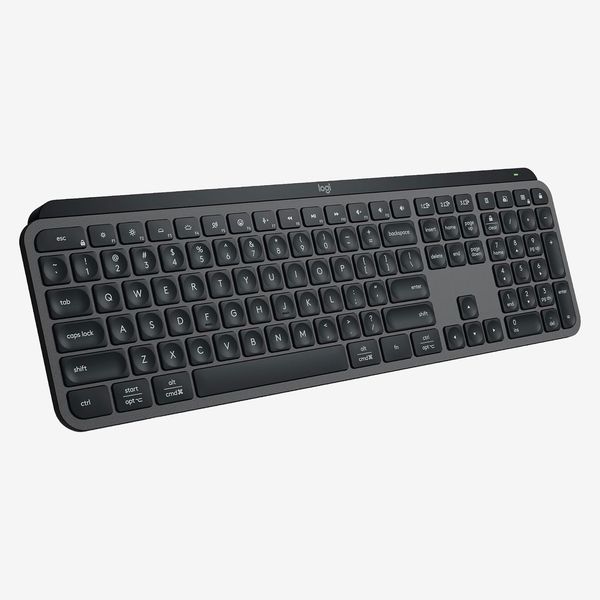
Logitech MX Keys S Wireless Keyboard
Connections: Bluetooth, USB-A wireless receive | Switch type: Membrane; scissor switch | Battery life: Five months (1,500mAh)
If Logitech puts an “MX” in the name, odds are good it’s a decent product. Even then, I was surprised to find that the Logitech MX Keys S, the latest iteration of the company’s top-of-line keyboard, was simply brilliant. It’s scissor-switch key mechanisms feel thoroughly polished, with an excellent typing feel. The keys are stable and have a quick, tight, poppy travel that makes fast and precise typing easy. It took me no time to get up to speed, reaching 116WPM with 99 percent accuracy.
The 100 percent keyboard has full-size arrow keys and a number pad, so it’s great for navigation and data entry. The key legends are fully illuminated, so you can work in the dark. And the USB-C rechargeable battery can last for ten days with the lighting on — or five months with it off. Bluetooth connectivity is convenient, but the MX Keys S also supports a Logitech Bolt receiver for a dedicated wireless connection that can also support a Logitech mouse for convenience. That USB-C port is only for charging, by the way. You can’t use this as a wired keyboard.
The stylish, slim design looks great on a desk and can be portable if you have a backpack or bag deep enough to hold a full-size keyboard. And out of the box it supports Windows and Mac layouts (the keys are printed with both sets of legends). The MX Keys S only disappointed me in minor ways. It doesn’t have a slot to stow away the USB receiver, and it doesn’t include adjustable feet to adjust the keyboard’s tilt. And like all third-party keyboards, while it’s an improvement in feel and features over manufacturer-supplied keyboards, it lacks any sort of biometric reader.
But those minor issues aside, it’s so good that if you told me I’d never get to use another keyboard again, I wouldn’t mind sticking with the MX Keys S.
A great mechanical keyboard
New! You can now save this product for later.
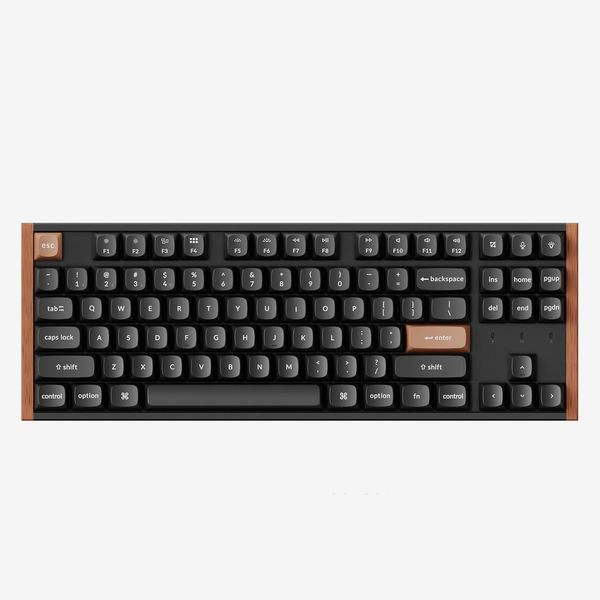
Connections: USB-C, Bluetooth, USB-A wireless receiver | Switch type: Mechanical, Gateron Double-Rail Magnetic Switch | Battery life: 110 hours (4,000mAh)
Keychron makes some wonderful keyboards with all sorts of options to let you find (or customize) one that fits your liking. The K8 HE is set up for flexibility, however, so should your preferences change or you want to experiment with a different keyboard feel, you won’t have to swap out your switches or get another keyboard (unless you enjoy that sort of thing, which a lot of mechanical-keyboard enthusiasts do).
The K8 HE uses the latest in mechanical switches: magnetic switches (they rely on a principle called the Hall Effect, thus the “HE”) with adjustable response. You can set the actuation point (the depth at which pressing a key registers to your computer) precisely on a per-key basis. This way, if you like tiny light taps for lighting fast typing or heavy, full keypresses for firm and resolute typing, you can set it how you want. It also opens the door for some extra features, like rapid back-and-forth tapping that can provide advantages in gaming.
That feature isn’t just a gimmick. I found while gaming I’d want to favor sensitivity, while I stuck to a deeper actuation for controlled and consistent response while typing. The Keychron K8 HE let me dial it in just how I wanted, when I wanted. On top of that, the keys are nicely balanced and sound great, with a firm feel that’s very comfortable to type on.
On top of all the typing chops, the K8 HE supports multiple connection modes (Bluetooth, wireless dongle, or wired USB-C), has full Mac and Windows support including all function keys (and you can select between them at the flick of a switch), has a relatively long-lasting battery (magnetic switches use power, so Keychron compensates with a large battery — even so, battery life isn’t as long as with traditional mechanical switches or membrane-switch keyboards), looks simply gorgeous, and offers customization through a web app (no downloads necessary). I do wish it had a dongle holder to keep track of the dedicated wireless receiver and that the colorful backlighting actually illuminated the keycap legends. But those are minor issues.
If the K8 HE sounds good to you but you’d prefer a bigger or smaller model, the K2 HE drops the full-size navigation keys to slim things down while the K10 HE adds on a number pad.
A less-expensive mechanical keyboard
New! You can now save this product for later.
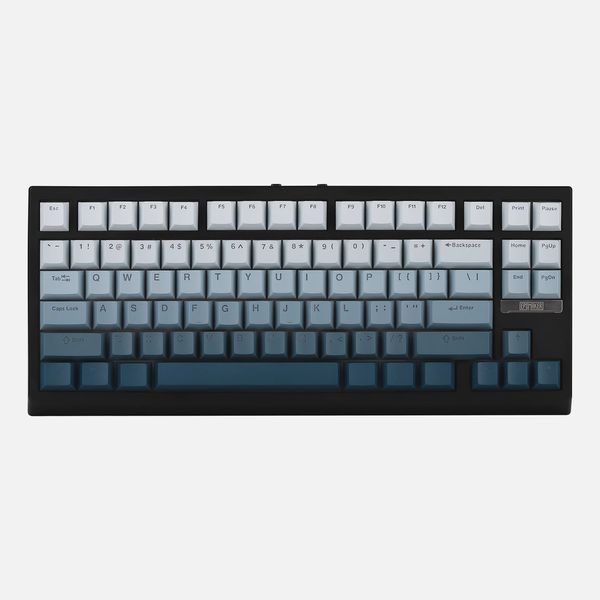
Epomaker G84 HE Magnetic Switch Mechanical Keyboard
Connections: USB-C, Bluetooth, USB-A wireless receiver | Switch type: Mechanical, Epomaker Duskrise Magnetic Switch | Battery life: 30 hours with backlight on; 160 hours with backlight off (8,000mAh)
The Keychron K8 HE may have a more luxurious fit and finish than most mechanical keyboards, but its capabilities aren’t unique. If you’re on a tighter budget, the Epomaker G84 HE will get you most of the way there for a lot less money. It has a fun design, magnetic switches that let you customize the actuation, and a solid typing feel with great stability from the keycaps and a crisp typing sound.
As something of a big bonus, the G84 HE actually does two things I wish Keychron had done. It uses shine-through keycaps, so the RGB lighting actually illuminates the keycap legends, and it includes a little holder on the back for the dongle. The G84 HE supports wired connections, a USB wireless dongle, and Bluetooth.
There are a few downsides given the low price: The base is all plastic. While it supports Windows and Mac out of the box like the Keychron, the keycap legends only show the basic functions, so you’ll have to memorize what the function row does whether or not you customize it, and you’ll have to apply the supplied Mac function labels if you want reminders of Mac functions. As with the Keychron HE, a large battery is used to maximize battery life, since magnetic switches use power. But if you want a high-performing mechanical keyboard for less, this is a solid option.
My favorite ergonomic keyboard for serious typing
New! You can now save this product for later.
Connections: Bluetooth, USB-A wireless receiver | Switch type: Membrane | Battery life: 36 months (2x AAA batteries)
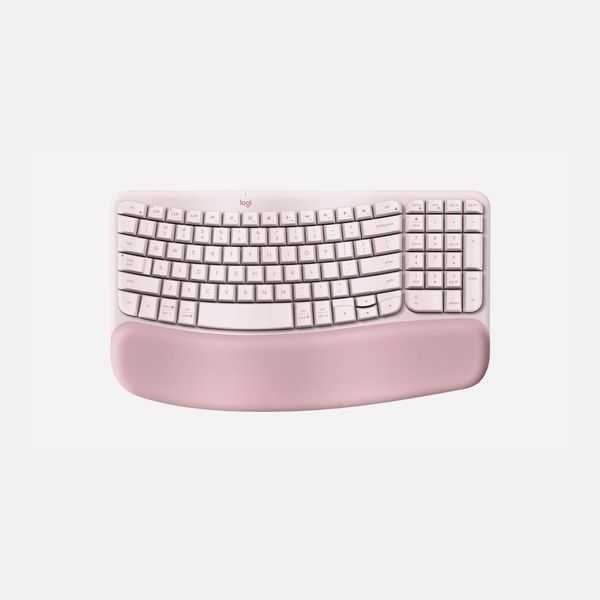
I didn’t even have to call in a sample of the Logitech Wave Keys for this project. After testing this keyboard a few years ago, I promptly went out and bought one for myself. The Wave Keys is simply too comfortable to ignore. It has an integrated wrist rest that feels as soft and supportive years on as it did on day one. The keyboard might look a little dirtier now, but it works just as well as when it was new
The Wave’s keycaps are arranged in a curve that is meant to keep your hands in a more comfortable typing position, and the keybed is depressed slightly around the rest position, giving the surface a wavy appearance (and lending the keyboard its name). The alignment will likely take a little getting used to, but it’s fairly subtle compared to many off the wavy keyboards I’ve encountered. Adjusting to the Wave will certainly be a lot easier than trying to adapt to an Alice keyboard or other more extreme ergonomic keyboard. That all said, I’ve worked with my hands resting on this keyboard for hours on end, and I stay far more comfortable on it than anything else I’ve tested. A lot of the quarter-million words I wrote last year were on the Wave Keys, and I don’t have severe carpal tunnel syndrome keeping me from playing guitar or rock climbing.
The Wave Keys has membrane switches, but well-implemented here as with the other Logitech keyboards I’ve tested. I’ve found it reliable for fast and consistent typing. I can readily keep up my 120WPM pace with 98 percent accuracy. Heck, I even play competitive games online with the keyboard since its dedicated wireless connection (using the supplied dongle) keeps latency low enough for me. It also supports Bluetooth so you can connect not just to computers but phones, TVs, and media streamers. And thanks to its relatively slim design, it can slip into backpacks for travel a lot more easily than bulkier ergonomic keyboards.
While I heap praise on the Logitech Wave Keys, I won’t call it perfect. Some of the keys are a little cramped, like the miniature left-control key and arrow keys. The key legends are also printed on rather than embossed, so they’re susceptible to wearing off over time. There’s no backlighting either. And as much as I love the wrist rest always being there, it would be nice to have the option of detaching it for a deep clean or to swap in a new one every a few years.
A great portable keyboard
New! You can now save this product for later.
Connections: Bluetooth | Switch type: Membrane | Battery life: 36 months (2 x CR2032 batteries)
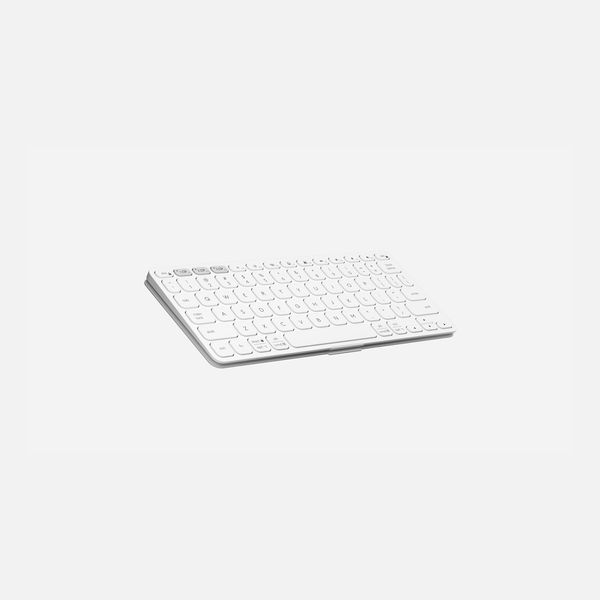
The Logitech Keys-To-Go 2 looks like a toy keyboard. It’s that thin and small. But it doesn’t feel like a toy. In fact, it may be the perfect little keyboard to avoid needing to use the onscreen keyboard of your phone, tablet, or even TV.
The keys have a very shallow travel and firm feel, giving them a super-snappy feel that’s actually great for typing. I got up to 113WPM on the first typing test I took. I might not want to pound out a million words on the firm little keys, but they feel good for the on-the-go needs this keyboard is built for. The keyboard is super slim and shallow, with miniature function keys. This makes it a little cramped compared to a standard keyboard, but not egregiously. I’m a big guy and still felt comfortable with it. The keyboard has a little folio cover that cleverly flips back to become a stand to tilt the keyboard ever so slightly. Plus, the Keys-to-Go 2 comes in a delightful purple if you’re inclined to skip the office-worthy black-and-white color options.
You won’t get backlighting on the Keys-to-Go 2. That would kill its coin-cell batteries too quickly, and you don’t want to have to replace them often since they’re tucked behind some torx screws. Fortunately, the batteries are rated to last three years. The keyboard also doesn’t support any of Logitech’s dedicated wireless receivers, but this isn’t really aimed at low-latency performance, and with memory for three different Bluetooth connections, it’s very versatile.
Other keyboards I tested
New! You can now save this product for later.
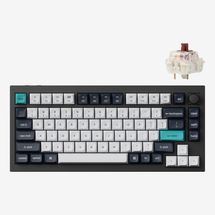
This keyboard was gorgeous, especially in the purple colorway (and it even ships with a grape candy scent). But I had a hard time adjusting to the highly contoured keycaps it comes with. The traditional mechanical switches also lacked the customizability on offer from Keychron’s cheaper K8 HE (it supports a huge variety of mechanical switches, but can’t use the newer magnetic versions). With an all-metal frame, it is also heavy, which makes for a solid typing feel, but it isn’t suited for carrying around. It’s a good platform for keyboard enthusiasts looking to customize, but for most people, it doesn’t offer much beyond the K8 HE and costs considerably more.
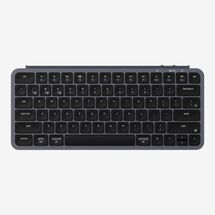
New! You can now save this product for later.
Keychron’s take on the small and portable keyboard sadly isn’t as successful as the brand’s mechanical keyboards. The B1 Pro was fine, but not exceptional. The keys are a little mushy compared to those on the Logitech MX Keys S or Keys-to-Go 2. I was surprised to find an issue with rollover (the number of keys you can press at the same time and still have them all registered correctly) that prevented me from using an everyday navigation shortcut (CTRL+Shift+Tab). I might have expected that from a Bluetooth-only model, but the B1 Pro also has a dedicated dongle. While I was annoyed at Keychron not having a holder for its dongle on its other keyboards, it’s less excusable on this model since it’s made for portability and a tiny dongle is that much easier to lose on the move. If you really just need a cheap keyboard for light use, the B1 Pro fits the bill, but it doesn’t feel remarkable or special.
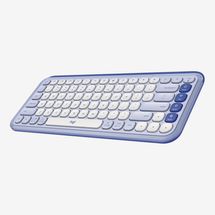
New! You can now save this product for later.
The Logitech Pop Icon is a lot like the Keychron B1 Pro in layout and features. Its keys feel a little snappier than the B1 Pro’s, but they aren’t as good as the Keys-To-Go 2, plus it’s larger, heavier, and less portable. It’s cheaper, however, and makes a good travel keyboard if you’re on a tight budget.
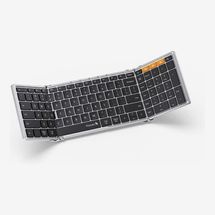
New! You can now save this product for later.
A foldable keyboard sounds like a great idea, but when folded the ProtoArc XK01 is bulkier and less portable than the Logitech Keys-to-Go 2. Even folded, it’s thicker, heavier, and taller than the Logitech; unfolded, it’s bigger in every dimension, and because of the folding mechanism, it can be awkward or difficult to use on your lap. The typing feel was okay, with a poppy feel but poor stabilization and a rough, tacky surface texture that preventing smooth gliding across the surface. I’m also never a big fan of plastic that’s all gussied up in silver paint to look like metal. It’s not all bad, though. The XK01 has convenient Bluetooth connectivity and unusually for portables, it’s a full-size keyboard with a number pad. So if you need to do data entry on the move, it may be the portable keyboard for you.
The Strategist is designed to surface the most useful, expert recommendations for things to buy across the vast e-commerce landscape. Some of our latest conquests include the best acne treatments, rolling luggage, pillows for side sleepers, natural anxiety remedies, and bath towels. We update links when possible, but note that deals can expire and all prices are subject to change.