The Gadgets We Use to Stay Organized

I’ve spent years trying a variety of productivity and organizational systems to combat the chaos that ADHD brings to my life, and even if that isn’t an issue for you, getting organized always takes more than simply deciding it’s time to get things in order.
After finally landing on a system that works for me — my life is mostly managed through my trusty Traveler’s Notebook, with an assist from Apple Reminders — I can get through the day without panicking or forgetting anything. But as a caregiver who shares responsibilities with a couple other family members, I have more than just myself to manage. So I’ve recruited a few extra tools to make sure everyone’s on the same page and nothing gets missed. For instance, we all use a Skylight Calendar 2 to mark important appointments and crucial tasks like administering meds; it has worked like a charm.
But not everyone’s lives look quite like mine. Kids, extracurriculars, multiple jobs, or even just an unpredictable schedule can all make things difficult to manage. And with so much on your plate, finding where to get started is a chore on its own. So to help you develop a game plan for getting organized, I spoke with Britt Frank, a therapist and author of The Science of Stuck and Align Your Mind, about how to reframe your approach to organization and make things stick, as well as the things that help her manage her busy life while she finishes up a doctorate degree.
Before anything else, she says, you should drop the expectation that you can do this all overnight and instead think small. “The biggest mistake people make is they think that this is a feelings problem or an insight problem,” she says, “It’s not; it’s an action problem, so start with the smallest step.” That means rather than overhauling everything in your home all at once, start with one thing you’re struggling with, find the best remedy, and build your way up. And, she notes, don’t be afraid to ditch something when it isn’t working and move onto something else. “There are enough organizational tools on the market,” she says. “You don’t need to try to make yourself like it.”
To save you some time, I’ve rounded up all the organizational gadgets Strategist staffers use to keep our lives on track.
Our top picks for staying organized
If you have a family’s worth of to-dos …
New! You can now save this product for later.
For keeping track of all your calendars — whether just for you or your entire family — it’s best to stick with your platform of choice’s calendar service. For Apple devices, that’s iCloud, while Android and Windows devices work with Google’s ecosystem. Once you share a calendar with others (typically using their associated email address), everyone can see events put on that calendar. You can even put a calendar widget on your phone’s home screen so your calendar is always front and center.
New! You can now save this product for later.
Skylight Calendar 2
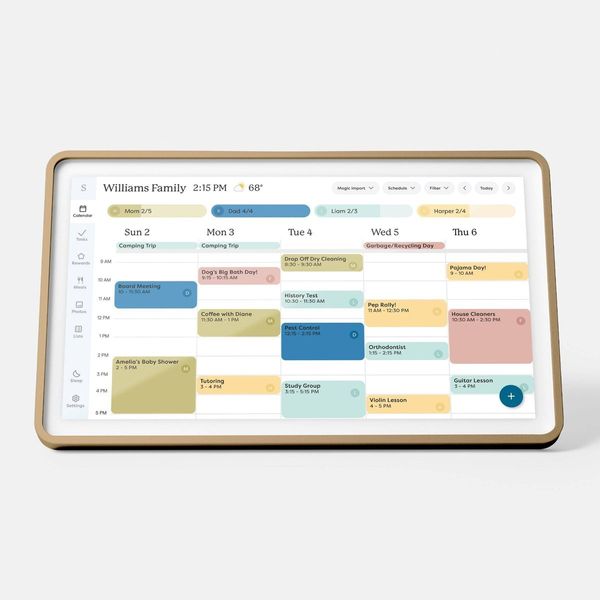
If you need an even more persistent reminder of everything on your family’s plate, get the Skylight Calendar 2. It’s a stand-alone digital calendar with a big screen (think a supersize iPad) that works with iCloud, Google Calendar, Outlook, and even Yahoo. So you can set it up at a central location in your home where everyone can see everything on their personal calendars, as well as your family’s shared calendars, all in one place. The Skylight provides three different calendar views: day, week, and month. There’s also a list feature, which allows you to create grocery or to-do lists that anyone can see from Skylight’s app.
You can create grocery lists manually, but because the Calendar 2 also functions as a recipe manager, you can turn a recipe into a list of groceries with just a few taps. If you have recipes from cookbooks or handwritten ones from relatives, you can use the Skylight app to scan them as individual recipes. The scanning exceeds expectations; it transcribed my grandmother’s atrocious handwriting in a matter of seconds.
For households with kids, there’s a chores feature (which you can sync with a Skylight Buddy to let them keep up on their own if you have one) that allows you to assign rewards to things like cleaning up after dinner or brushing their teeth. You’ll have to come up with actual rewards to associate with the chores, but Frank says it can be worthwhile; she’s even implemented a similar system in her own life. “I literally had gold stars on my refrigerator with a chart,” she says. “Once I started my streak, I didn’t want to stop.”
If your to-dos keep piling up …
New! You can now save this product for later.
“I have found that to keep all of my to-dos and deadlines and obligations on track, I have to use one system, not seven,” Frank says. She has one long-term list of things she’d like to do, as well as a short list of things she has to do every day. She likes to write hers by hand in a notebook, but if you’d rather go the digital route, a good to-do app will do the trick.
For those whose households are all in on the Apple ecosystem, the Reminders app is quite powerful. You can sync your tasks across every Apple device and even share lists with others who have iCloud accounts. My sister and I have one to manage anything related to our mother’s care, while my dad and I share one for groceries. Developer Marco Arment recently released Unforgetful, an app that utilizes the Reminders backend but has better notification management — it’s already replaced the official app on my home screen.
Key to Unforgetful is that it lets you set the interval at which the app will keep pinging you with tasks you haven’t gotten to yet. I have it set to repeat tasks every two hours, with 30 minutes in between reminders. And, in an effort to reduce the shame associated with falling behind, nothing ever gets labeled as overdue. They’re simply snoozed for later — you’ll get to them when you get to them.
If you have a hard time staying on task …
New! You can now save this product for later.
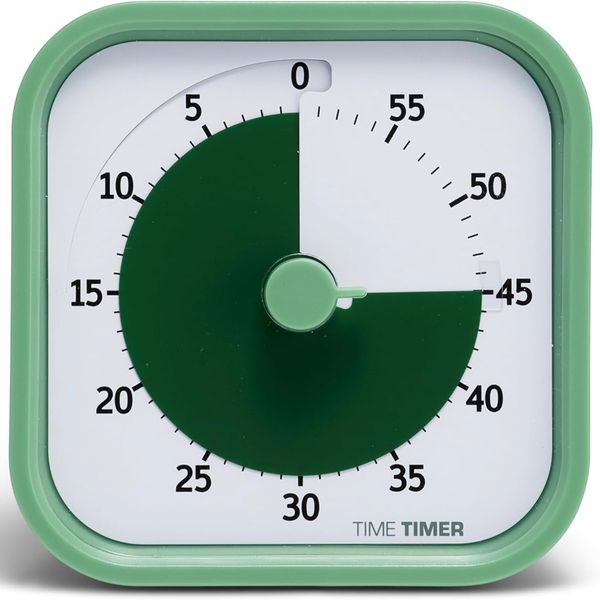
This simple but useful timer does one thing: break up an hour into five minute increments, allowing you to work on a task for a designated amount of time. Then, if you’re practicing the Pomodoro method, you can set the timer for a shorter period to give yourself a break before moving to the next task. For instance, I set it to 45 minutes when I need to get some writing done, then reward myself with a ten-minute break. It even changes the portion of the clock that’s still remaining on the timer to a more noticeble color — much easier to track than just staring at numbers on a clock.
Former Strategist contributor Sean O’Neil has a unique use for it: getting his kids to finish breakfast on time. “With the Time Timer, time is no longer just some abstraction that’s arbitrarily measured out by adults and robots and safely ignored,” he says. “They can see it now.” More than that, he says it’s useful to manage kids’ free playtime or how much longer they can stay in the bathtub.
If you have notebooks galore …
New! You can now save this product for later.
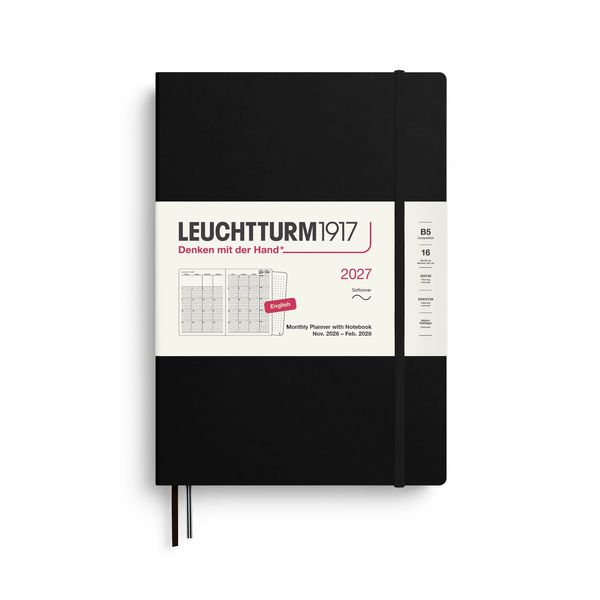
“There’s a reason that therapists recommend people journal with an actual pen and paper,” Frank says. “You can type a lot faster than your brain is used to processing, but when you write with a pen on paper, it slows your brain down.” And that means you’re more likely to commit them to memory. To that end, she writes all her tasks down in a paper planner, broken into long-term and short-term tasks. She’s also a big fan of color-coding things for better organization. “If it’s not handwritten and in color, somehow it doesn’t exist,” she says.
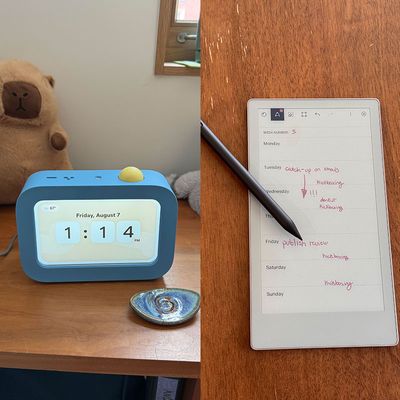
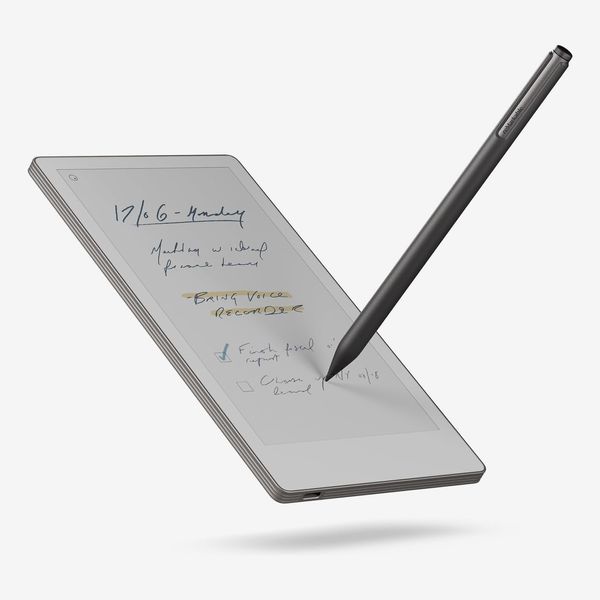
You can do all that with paper and some markers or pens, but that requires carrying a lot of items with you. The reMarkable Paper Pro Move’s matte screen replicates the feeling of writing on paper while offering more versatility than a single notebook. You can create nearly unlimited notebooks and color-code them all thanks to the color e-ink screen, and it’s portable enough to fit in a small bag or fanny pack. In addition to providing over 50 preinstalled templates — planners, gridded and lined sheets, music sheets — you can also install your own to structure your notes however you’d like. There are even templates designed specifically for reMarkable tablets on Etsy, so you can create your own custom planner without using a single sheet of paper.
If you struggle with waking up on time …
New! You can now save this product for later.
Hatch Restore 3
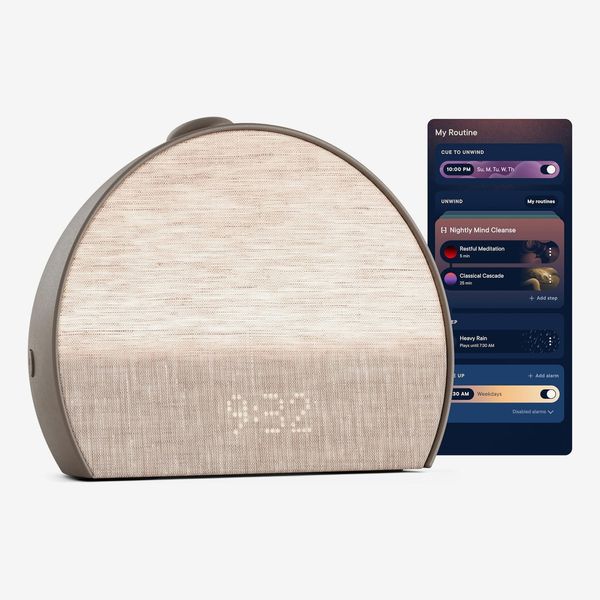
Perhaps your problem is getting out of bed on time. I’ve found Hatch’s sunrise alarm clock, the Restore 3, to be an effective alarm that takes the pain out of waking up. It has a built-in light that emits a soft glow — slowly increasing in brightness until your wake-up time — that simulates the sunrise and supports your circadian rhythm. You can set that light to custom colors as well as create routines that play music or podcasts to help you wind down at the end of the day. All of the alarm sounds are distinct enough to actually wake you up, yet gentle enough to not jolt you awake.
Routines are managed through Hatch’s app — available for iOS and Android — but the Restore has some useful on-device buttons as well. One lets you switch between two routines, which is handy if you like to sleep in on your days off, while another pauses routines entirely. There’s also a button on the right side that allows you to manually turn on the clock’s light and use it as a reading light or nightlight.
If your kids need an extra nudge …
New! You can now save this product for later.
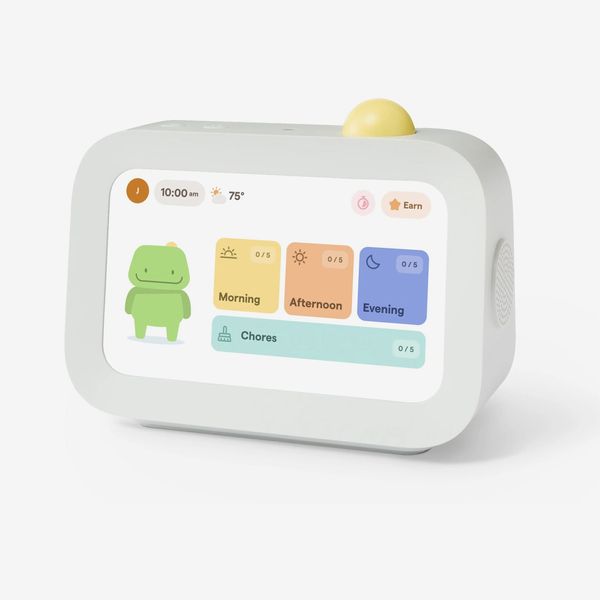
Skylight Buddy
For those whose kiddos struggle with getting their chores or other tasks done, the Skylight Buddy can help. In addition to being a great alarm clock for kids, it can serve as a way to keep your kids on task. Using a built-in reminders feature, you can ping your kid’s Buddy and remind them to do things like brush their teeth or grab their backpack before heading out the door. Strategist senior editor Winnie Yang likes to use it to remind her daughter to start her piano practice without having to walk to her room. “This actually makes the nagging less frustrating for both of us,” she says.
While the Buddy can work as a stand-alone device, it also pairs well with the Calendar 2. Because both support tasks and chores, your kids can see what’s on their plate no matter what part of the house they’re in.
New! You can now save this product for later.
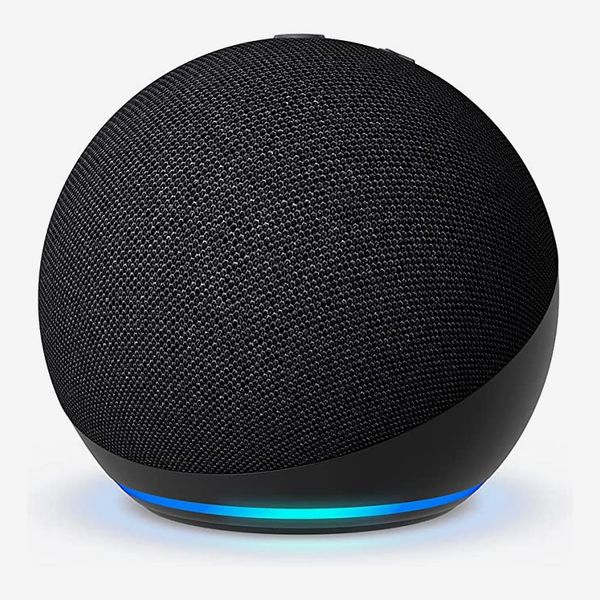
If you’d prefer a less kid-oriented option for nudging others in the house, Amazon’s Echo speakers feature an intercom function that allows you to speak through any Echos you have in your house. In addition to reminders to start music practice or get ready to leave, it can also be used to notify everyone that dinner’s ready or that guests will be arriving soon.
You can also use Amazon’s Alexa — controlled through Echo speakers using your voice — to add things to your grocery list or create reminders for later. There’s even an option to assign reminders to specific people, so you could ensure the message reaches the right person (and no one else). And, using recurring reminders, you can get notified every week when it’s time to take out the trash if you’re prone to forgetting.
New! You can now save this product for later.
New! You can now save this product for later.
Google Home Speaker
Both Google’s and Apple’s smart speakers work similarly. You control them with your voice to do things like create reminders or set timers, ask questions, or play music. And both, like the Echo, can function as intercoms so you can reach family members from across the house. The HomePod Mini works best when everyone has Apple devices, but the Google Home 360 will work even in households with both Apple and Android devices.
More From The Strategist
- Hark, the Advent Calendars Arrived (Very) Early This Year
- The Best Things Strategist Editors Have Bought This Year (So Far)
- 63 Things You Should Never Buy Full Price
- The Strategist Fall 100
The Strategist is designed to surface useful, expert recommendations for things to buy across the vast e-commerce landscape. Every product is independently selected by our team of editors, whom you can read about here. We update links when possible, but note that deals can expire and all prices are subject to change.