The Best External Hard Drives and SSDs You Can Get Right Now
If you’ve been shopping for an external drive (or any other computing or mobile device lately), you may have noticed that prices have skyrocketed. Why? As the AI industry explodes, it’s been buying up RAM (the memory chips that everything from mobile phones to data centers rely on), driving up pricing on everything in tech that uses memory — which is more or less everything. But since storage devices use lots of it, drive shoppers are really feeling the pinch: SSDs in the popular 1 TB size are going for nearly double what they cost back in 2024.
It’s not clear when the price pressure might let up. When our team talked to cloud storage and backup provider Backblaze’s CEO and co-founder Gleb Budman, he mentioned that some hard-drive manufacturers are bringing more production capacity online to meet demand, but their current stock is spoken for well into 2027 — and indeed, big brands like Sandisk are already telling customers to wait on their latest drives until next year.
But none of that changes the fact that you still need storage now, whether you’re looking to store your media collection, keep copies of important data, make transferring files between machines easier, stick to a backup strategy, or anything else.
Fortunately, you’re not entirely out of options. You’re not exactly going to find any great deals right now. Even older, outdated components are expensive given how hard everything is to come by: I saw a slow 2 TB SATA SSD selling for nearly as much as a 2 TB NVMe SSD that’s more than ten times faster, for instance.
So to find options that are a better value than the alternatives while still providing respectable performance and capacity right now, I’ve gone hands-on with a few of the most compelling options I could find on the market and got some expert recommendations from freelance photographer Michael Hession and cinematographer Camrin Petramale. Our team has also spoken with Budman about why drives — SSDs and spinning hard drives both — are so hard to come by and about why just having a drive on hand is only the beginning of your backup strategy.
What we’re looking for
Size
How much space you need depends entirely on how you’re going to use your external drive.
If you’re planning to use the drive as part of a regular backup strategy, you’ll need at least as much storage as you have in the system being backed up (or even more if you want to hang onto multiple backup versions, as you might if you’re using Apple’s Time Machine service or want to keep a local copy of what you’d otherwise keep in cloud storage).
If you’re using a drive to transfer a handful of files between machines from time to time, you can probably get by with a smaller drive and prioritize speed instead. A single terabyte (TB) is a fairly common size for an external drive and will often be enough to back up a personal computer, as many come with between 128 GB and 1 TB of storage inside.
There are cases where you may opt for larger drives, like storing a big video collection, video projects if you’re a content creator, or a game library. You’ll want to assess how much storage you need before buying so you don’t get too little and wind up juggling drives (a great way to lose track of files) or buying more than you need while prices are so steep.
SSD or HDD?
While we tend to refer to all external storage devices as “hard drives,” you’ll find two types of external drives: hard drives (“HDDs,” the older technology that uses spinning magnetic disks) and solid-state drives (SSDs) that use solid-state memory chips with no moving parts.
For bulk storage, hard drives are far cheaper, often letting you get several times as much storage as an SSD for an equivalent price. Hard drives are not nearly as fast as SSDs, but that’s fine for the applications they’re best at — they’re still good for regular backups since you can just plug in at the end of the day and let it go to work overnight. They’re also good for large media libraries since their data-transfer speeds are often sufficient for things like 4K video playback. Beyond being slower, a downside of hard drives is that they have moving parts. This makes them more susceptible to damage in the long term if you don’t treat them gently.
SSDs win for speed. They can access data all over the drive quickly without needing to wait for the disk and reading head to line up. Whether you have tons of small files or massive ones, you’ll be able to access and transfer them a lot faster. If you’re moving files often for work, all the time you’ll save not having to wait for lengthy transfers can really add up. The lack of moving parts also makes SSDs a little tougher, generally, and they’re much smaller and easier to carry around. The glaring downside, especially right now: the price.
Speed
If you’re going for an external drive, it’s likely because you need to organize, maintain, or move a tidy pile of data, whether it be a lifetime’s worth of photos or a full system backup you update regularly. While not every task requires the absolute fastest drive, speed does matter, as nobody wants to wait out a slowly creeping progress bar while they’re waiting to get on with their day.
I tested drives for their speed in receiving a massive 72 GB Blu-ray file (akin to backing up a video project), receiving a 5.2 GB folder with hundreds of music files (akin to backing up a pile of photos from a long vacation), and observing peak read speeds of that same 72 GB file heading back into the host PC (assessing how quickly you may be able to access your files when needed). This is to give you a sense of how quickly they can handle real-world workloads.
Backblaze’s Budman noted that just having a big drive isn’t enough to secure your data. You actually need to make sure you’re using it: making regular backups, either on a consistent schedule manually or automatically, that keep track of the changes in your system and new files you’ve added so you can restore everything if you need it. Having a fast drive helps make backing up less of a chore, because it will finish that much more quickly every time. Budman also suggests having off-site backups for redundant protection — something photographer Hession also noted he does with his data.
Protection
More protection is simply better to have. You won’t always find long warranties, drop protection, or dust and water resistance on drives, but I’ve looked for these elements in considering drives and noted when they’re included. If there are two similar drives and one has better physical or warranty protection, I’ve given it an edge.
Convenience
Your external drive should be easy to use. Size is one factor, but cable choice can also matter, especially with some older and larger hard drives, which can require both a data connection and a power connection. Keeping track of special cables can be enough of a nuisance to stand in the way of performing regular backups, so we’ve looked for drives that use a single standard USB-C connection. But we’ve also looked for other convenience features, like magnetic connectors that make it easy to use drives with a mobile device, carrying straps, and more.
Price and availability
There’s just no getting around the price problem in 2026. A drive like the popular 4 TB Samsung T9, which had been priced well below $400 and as low as $250, is, according to the price-tracking service CamelCamelCamel, now selling for three times that price. Recently popular drives like the Beetle X31 from SK Hynix are very hard to find new at all.
So as I browsed the market looking for fairer pricing on available drives, I kept an eye on the cost per terabyte to determine overall value. I also chose drives that were readily on sale at large retailers — no one-offs from third-party sellers on Walmart or eBay. Budman told us that data centers are mostly buying up larger drives, so it’s possible there could still be deals (or at least fairer prices) on smaller drive sizes, such as 256 GB or 512 GB. If you know your data-storage needs aren’t massive, you may have some luck considering these models.
The best external hard drive overall
New! You can now save this product for later.
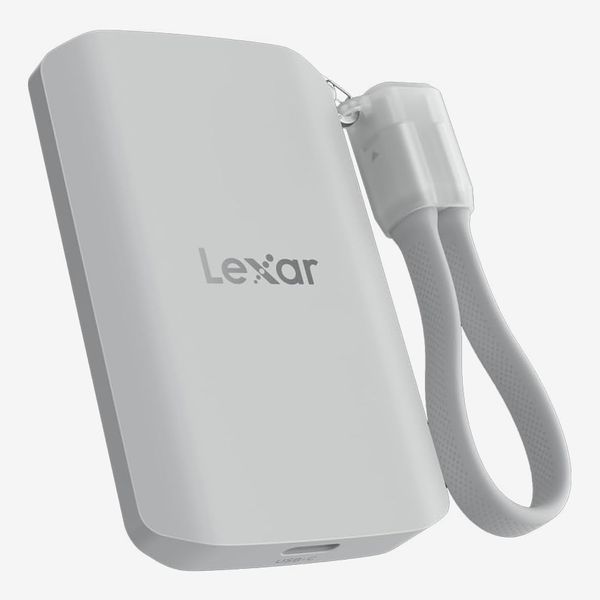
Lexar ES5 Magnetic External SSD
Drive warranty: 5 years | Protection: IP65, 3-meter drop protection, 256-bit AES encryption | Speed: Observed read speed: 1.15 GB/s; 5.2GB multi-file write test time: 8 seconds; 70.3GB single-file write test time: 1 minute 21 seconds
The Lexar ES5 is one of the better bargains for an external drive at time of testing, but it’s also an excellent performer and comes in the most convenient package we’ve seen. Of the drives we tested, the ES5 performed the multi-file and single-file transfer tests fastest of all. It was aided by rock-solid performance that held steady from the beginning straight to the large-file transfer, which can slow down on drives that fill their cache or hit thermal limits. Read speeds were also exceptionally fast over the USB 3.2 Gen 2x2 connection. I saw a peak of 1.15 GB/s, which makes the Lexar ES5 five to ten times as fast as the spinning hard drives I tested. If you were to transfer a large photo collection from an external hard drive to your computer, you might have time for a coffee break while it moved over, while on the Lexar ES5, you’ll just have time to stand up and stretch.
All that performance is packed into a tiny little case that’s one of the smallest in the bunch. In spite of that, Lexar found a way to secure the drive with IP65 ingress protection that can keep dust and water out in even harsh conditions. It’s also rated to survive falls from almost ten feet. Plus the case has a MagSafe connector on the back, so it can mount to magnetic surfaces or latch right onto the back of recent iPhones or the latest Pixel devices for on-the-go storage. As a finishing touch, Lexar includes a little holder for the cable that turns it into a carrying loop.
Performance, convenience, security, and value are all bundled up so neatly in this drive that it was easy to crown as the best overall. Here’s hoping the price stays firm.
The best external drive, according to experts
New! You can now save this product for later.
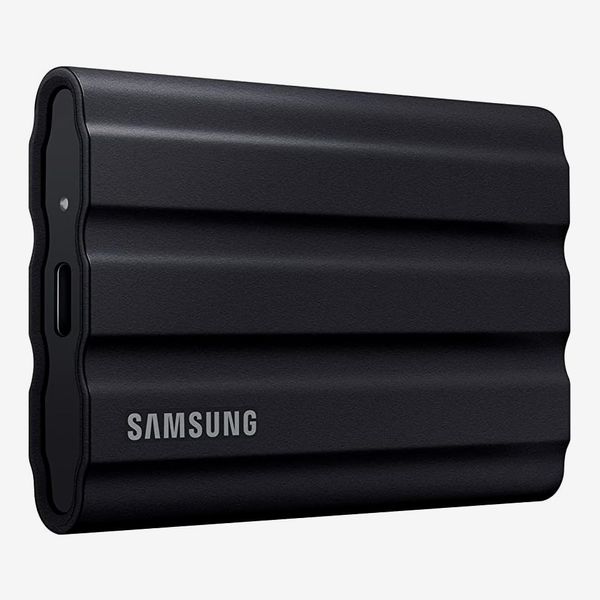
Samsung T7 Shield
Drive warranty: 3-year | Protection: IP65, 3-meter drop protection, 256-bit AES encryption | Rated read speed: 1,050 MB/s
Samsung is one of the biggest in the business and has the reputation to match — unfortunately, its drives can be hard to come by right now. But we did get two similar recommendations for Samsung’s drives. Photographer Michael Hession swears by his 4 TB Samsung T7 Shield, which he uses to hold his entire photo library. That consists of sizable RAW image files, so storage space and speed are a big deal. Cinematographer Camrin Petramale uses both the Samsung T7 and T9 drives, opting for the latter in cases where speed is the priority. With durability being an important consideration for Petramale and other professionals depending heavily on the safety of their data, the T7 Shield makes sense as it brings the speed and capabilities of the standard T7 and packs them into a more robust housing.
The Samsung T7 Shield is designed to handle three-meter drops and has IP65 ingress protection much like the Lexar ES5. It’s a slightly older drive and doesn’t offer quite as much speed, though. It’s only rated up to 1,050 MB/s. Thankfully, that’s still plenty quick for media transfer and system backups.
New! You can now save this product for later.
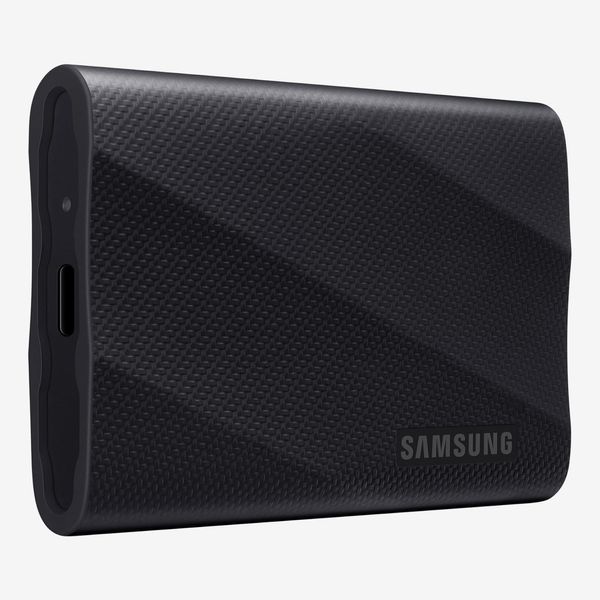
Samsung T9 Portable SSD
Drive warranty: 5-year | Protection: 3-meter drop protection, 256-bit AES encryption | Rated read speed: up to 2,000 MB/s
One side effect of the wild storage pricing right now is that you can actually find the newer Samsung T9 at about the same price as the T7 Shield, or even lower in some cases. With this in mind, the T9 will also be a good option. If you don’t think you need the water-resistant housing of the T7 Shield, the T9 can get you double the speeds (and you can simply put it in a cheap waterproof bag when transporting it).
The best hard drive for mass storage
New! You can now save this product for later.
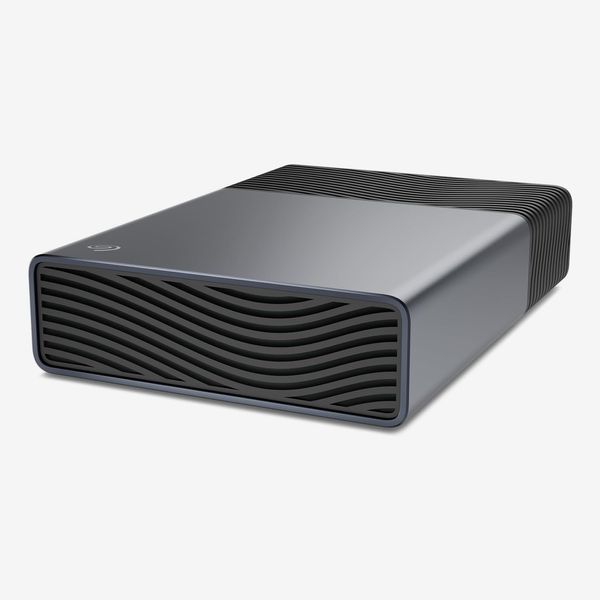
Drive warranty: 2 years | Protection: 2-year data recovery | Speed: Observed read speed: 205 MB/s; 5.2GB multi-file write test time: 38 seconds; 70.3GB single-file write test time: 6 minutes, 19 seconds
SSDs are great for speed, but at today’s prices, they’re too expensive for large-volume storage. Spinning hard disks are more susceptible to issues when moved about and there are moving parts to worry about if you throw one into a backpack, so even at the price premium, an SSD make more sense these days than a compact hard drive. But if you have a lot of data to manage, hard drives are still a sensible way to go, especially for at-home use. And so it is that the Seagate One Touch 8 TB proved itself worthy.
It offers a ton of storage and has exceptional value at just $32.30 per terabyte, beating every other drive I even considered. While it’s nowhere near as fast as an SSD, it’s actually surprisingly brisk and delivers consistency. It finished the file-transfer tests faster than the other hard drives I tested (which were smaller), cutting roughly a third of the time off of the transfers. It makes a bit of whirring with the disk spinning inside, but once it’s running, it proved up to the task of keeping it pretty steady. In the video file-transfer test it maintained about 200 MB/s for most of the run before settling down to about 175 MB/s for the last bit. It also held a steady read speed of about 200 MB/s.
One big convenience of the Seagate One Touch as compared to other large desktop drives is that it uses just a single USB-C connection for power and data. This delivers all the power it needs to spin up the drive and handles data transfer. Having used an older drive with a flimsy and hard-to-come-by USB 3.0 micro-B connector and external power adapter, I was happy to see neither of those things rear their heads here.
A do-it-yourself alternative: Build your own drive

New! You can now save this product for later.
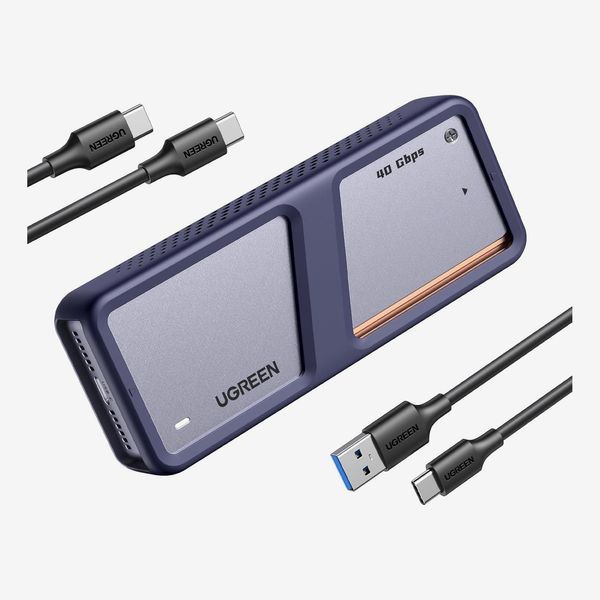
Ugreen 40Gbps M.2 NVMe Enclosure
Drive warranty: Drive-dependent | Protection: n/a | Speed: Observed read speed: 1.12GB/s; 5.2GB multi-file write test time: 12 seconds; 70.3GB single-file write test time: 2 minutes 54 seconds
When the market gets as chaotic as it is, sometimes the best move is to find a way to make do. If you happen to have an internal drive kicking around (perhaps in a PC you are no longer using), you can convert it into an external drive quite easily. I’ve used several external-drive enclosures to get extra mileage out of old SSDs, and was never mad at the extra storage. Ugreen’s enclosure is a capable option with a sturdy construction, active cooling, great speeds, and decent value. It supports Thunderbolt 4 and USB4 for serious throughput with the right SSD. I even put in the wrong SSD and still got great results.
I tested this enclosure with an old Corsair MP400, a PCIe 3.0 x4 drive with speeds that top out in the 3,000–3,500 MB/s ballpark. For reference, newer PCIe 4.0 x4 models double that speed. Still, with the MP400 drive installed, I measured 1.12 GB/s read speeds, and the multi-file test took just 12 seconds while the massive file test took just under three minutes. The drive was cruising for the first two-thirds of the test, but then its speeds took a nosedive, likely as heat built up.
All this is to say, if you have an SSD drive handy and don’t need more storage than it offers, grabbing an enclosure is an affordable way to get by. The Ugreen one above is a great option for getting the most out of a higher-end SSD, but I used a cheap Orico TCM2 for years just fine as well. There are also even more powerful enclosures like the Terramaster D1 Pro, which I neither had an SSD nor Thunderbolt 5 port handy to see just how much it could do. I did test it paired with a Silicon Power UD90, and it hit the highest read speed at 2.31 GB/s, but its write speeds were held back by the drive inside.
Other drives we’ve tested
New! You can now save this product for later.
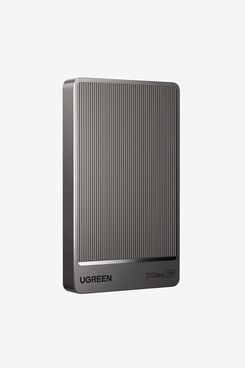
The Ugreen CM766 offers very competitive speeds, beating the Lexar and my DIY drive in read speeds, beating my DIY drive in the large-file test, and lagging behind the Lexar by just a second in the multi-file test. And it comes in a small case that’s easy to carry around. But it costs more, warranty information is hard to find as Ugreen is a less established brand, and it has none of the physical protection that make the Lexar so promising.
New! You can now save this product for later.
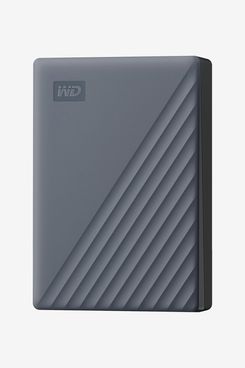
This was a commendable enough little drive. It puts a lot of storage into a small footprint without costing too much. It’s a lot more portable than the Seagate One Touch 8 TB HDD, but it’s also much slower. Some versions use an outdated USB micro-B connector, so you’ll always have to make sure you have it handy — or make sure the version you order uses a USB-C connector.
New! You can now save this product for later.
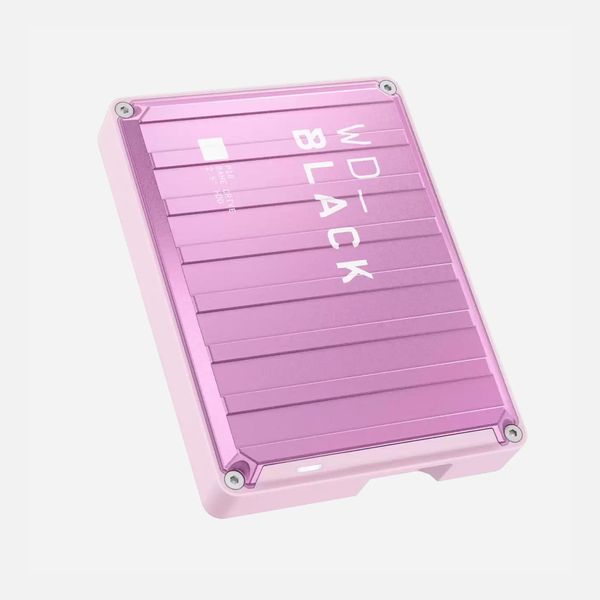
WD_BLACK P10 Game Drive - 2TB
Like the My Passport, the WD_Black P10 has fast reads, slower performance in the multi-file test, and slightly faster performance in the large-file test. As a result, it also lagged way behind Seagate’s drive. Like other compact portable spinning hard drives, it’s more expensive per gigabyte than desktop versions, so its price per gigabyte is also higher than the Seagate One Touch, and it uses the same outdated USB micro-B connector as the My Passport.
Our experts
• Michael Hession, freelance photographer and journalist
• Camrin Petramale, cinematographer
• Gleb Budman, co-founder and CEO of Backblaze
The Strategist is designed to surface useful, expert recommendations for things to buy across the vast e-commerce landscape. Every product is independently selected by our team of editors, whom you can read about here. We update links when possible, but note that deals can expire and all prices are subject to change.