These Mobile Word Processors Let Me Write Without Any Distractions

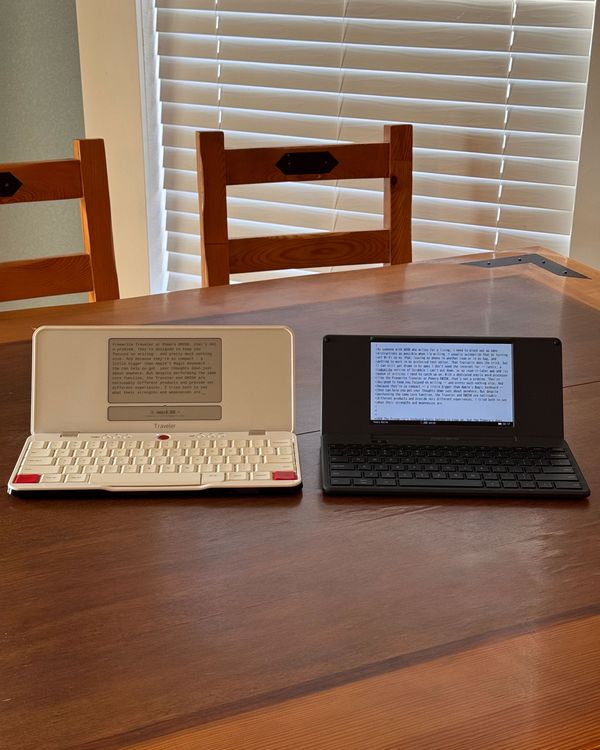
As someone with ADHD who writes for a living, I need to block out as many distractions as possible when I’m writing. I usually accomplish that by turning off Wi-Fi on my iPad, leaving my phone in another room or in my bag, and getting to work in my preferred text editor. That typically does the trick, but I can still get drawn in by apps I don’t need the internet for — lately, a roguelike version of Scrabble I can’t put down and my read-it-later app and its queue of articles I need to catch up on. With a dedicated mobile word processor like the Freewrite Traveler or Pomera DM250, that’s not a problem. They’re designed to keep you focused on writing — and pretty much nothing else. And because they’re so compact — a little bigger than Apple’s Magic Keyboard — that they can help you get your thoughts down just about anywhere. But despite performing the same core function, the Traveler and DM250 are noticeably different products and provide very different experiences. I tried both to see what their strengths and weaknesses are.
New! You can now save this product for later.
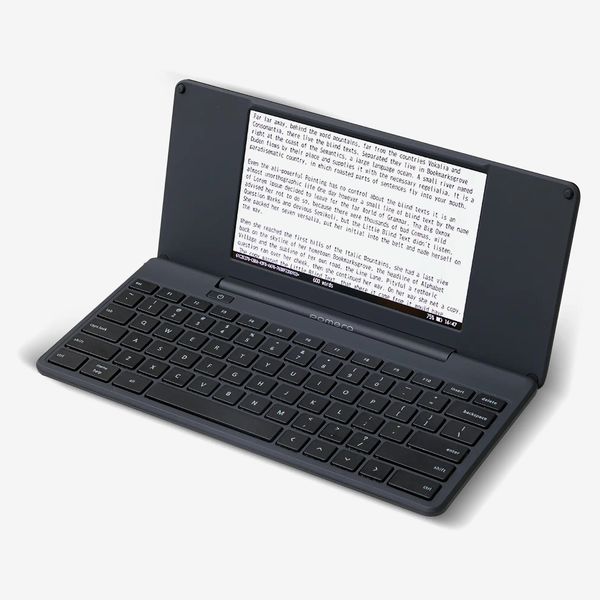
Pomera DM250
New! You can now save this product for later.
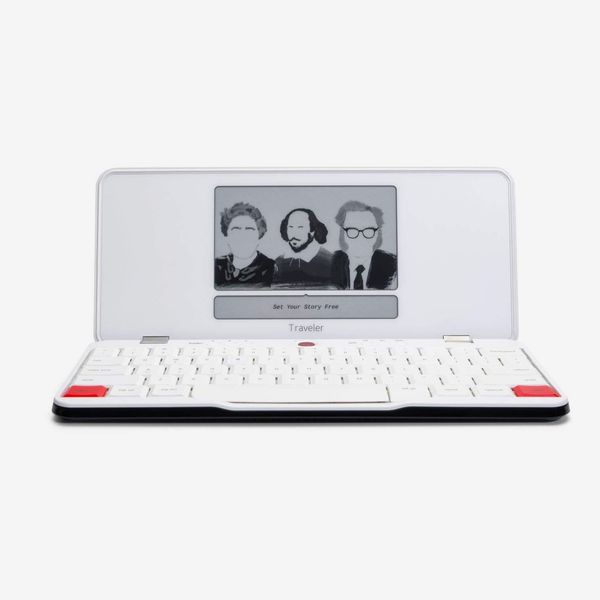
The Freewrite’s keyboard feels better to type on, but the Pomera’s does more
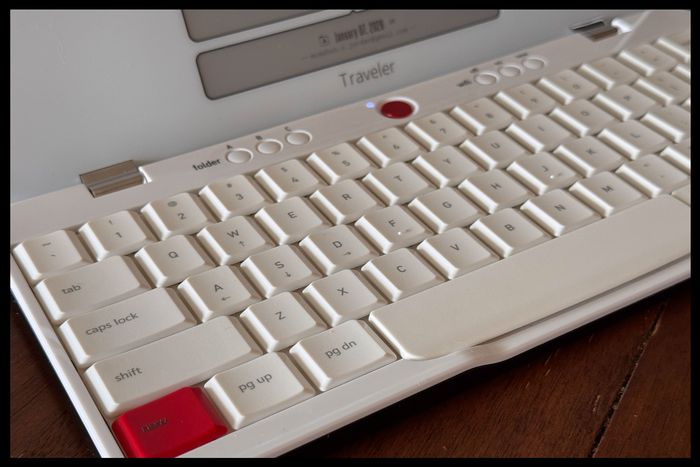
Nearly everything about typing on the Freewrite makes writing more enjoyable than it has ever been on my MacBook or iPad with a Magic Keyboard attached. Its raised keys are more tactile than the Pomera’s Chiclet keys, and they’re larger so my fingers don’t feel cramped when I’m typing. I do wish that it had dedicated arrow keys like the Pomera, though, to make it easier to move the cursor around. Instead, you have to press three keys to do this, which is clunky. But if you memorize keyboard shortcuts easily, it may not be a huge problem.
The Pomera’s keyboard may not feel as good as the Freewrite’s, but it helps you get more done. Because its keys are smaller than the Traveler’s, it has room for a row of function keys that let you quickly adjust the font size, search the document, and do enough other tasks to warrant a dedicated section in the device’s extensive manual. It’s worth noting, though, that because its keys are smaller than the Freewrite’s, it’s easier to hit the wrong keys. (People with smaller hands may not have this issue.) I also wish that the arrow keys were arranged like the ones on a laptop or desktop keyboard. Instead, they’re all in one horizontal line, which takes some getting used to.
The Pomera is better for editing
While it’s decidedly a minimalist, distraction-free device, the Pomera’s software makes it work similar to the average person’s computer and also makes it as useful for editing as it is for writing. Navigating the Pomera’s system feels a bit like trying to get around an old Windows 95 computer without a mouse. There’s a toolbar at the top that lets you perform all the basic functions of a word processor (copy, paste, find keywords), jump to specific lines in a draft, and open a character palette for things you can’t summon from keyboard shortcuts. There’s also an outline view, which I’ve found useful, as I don’t write linearly, so I can jump around and add in my thoughts as they come to me. Do note, though, that the Pomera’s auto-save feature has to be enabled in settings; it’s turned off by default.
The Freewrite, on the other hand, is quite bare bones — more like using a word processor from the 1980s. All of your documents get saved in one of three folders (each one has a designated button above the keyboard) and you can shuffle through them using a combination of keyboard shortcuts. Beyond that, there isn’t much you can do beyond writing and altering text. In fact, you can’t even change most settings on the Freewrite itself. To adjust things like the device’s font size or its lock screen, you’ll need an account on Postbox, Freewrite’s free cloud service. That does allow you to automatically sync changes to your drafts, but it’s still frustrating that such basic settings require a second device with a web browser. That means you should take some time and be sure you’ve got the settings just right while you’re using that other device. If you frequently need to adjust font sizes to accommodate your vision, this may quickly become burdensome.
When you’re ready to transfer your writing from the DM250 or the Traveler, both have solid options. You can plug them into a computer (it also worked on my iPad Pro) using a USB-C cable and copy the files directly over. I’ve found that to be the most reliable of all the available methods. The DM250 also has an SD card slot for external storage, plus some Wi-Fi syncing options that are a bit fiddly to set up. On the Traveler’s keyboard, there’s a “Send” button that will automatically forward a copy to your email address as long as the device is connected to Wi-Fi.
The Pomera’s screen has more settings, but the Freewrite’s is easier on the eyes
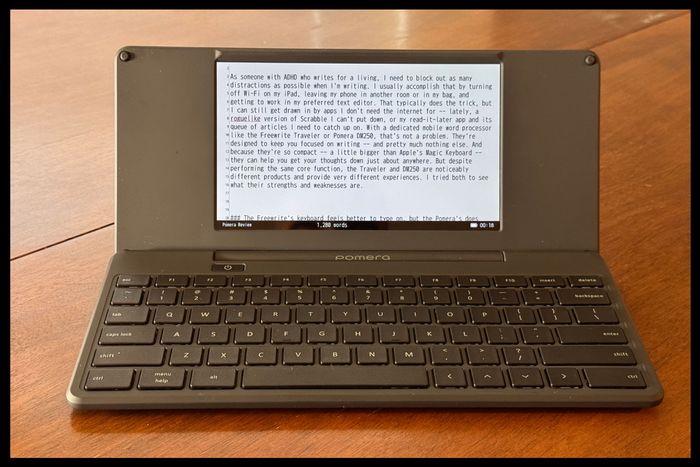
The Pomera’s LCD screen works in more places than the Freewrite’s because it’s backlit, so you can still see it in places without a lot of light, such as a dimly lit coffee shop or your porch after sunset. The screen is also much larger than the Freewrite’s — seven inches versus four — and displays more text at once, making it the better choice for those who want to edit on their device. I prefer the limitations of the Freewrite’s screen, as it allows me to focus on writing a few sentences at a time and curbs my impulse to edit as I write (I do that later once I’ve copied a draft onto my Mac or iPad).
Most noticeably, though, text actually updates in real time on the Pomera. Because the Traveler uses e-ink, there’s a lag between keystrokes and the respective characters showing up onscreen. Again, that plays into Freewrite’s take-it-slow approach to writing, but it can get frustrating if you’re trying to quickly write a sentence before it slips your mind. If you mostly touch type, though, this may not be an issue. And surprisingly, despite e-ink displays being more energy efficient than LCD displays, the Pomera seems to last longer by a few days and takes significantly less time to charge than the Freewrite.
For fewer distractions, get the Pomera; to just get the words out, get the Freewrite
I’ve spent quite a bit of time writing on both the Freewrite and the Pomera; both have helped me get more writing done in a single session than I usually accomplish with my iPad Pro. But while both are excellent tools for writing, your preference will likely hinge on what role editing plays in your creative process. If you like to fine-tune your work as you go, or want to be able to write your drafts and make revisions all on one device, the Pomera won’t disappoint. Its function-packed keyboard and large backlit display make it easy to see paragraphs, and the outline view helps you get a more macro view of your writing and also to work in whatever order you want.
For those who struggle with focusing on getting words on the page — guilty — the Freewrite’s devotion to stripping the writing process down to its basics forces you to keep putting words down. Though you’ll need another device to polish your writing later, the Freewrite is better at helping you maintain momentum as you write. And thanks to its satisfying keyboard, you’ll enjoy every second of typing on it.
Other gadgets we like for distraction-free typing
More From The Strategist
- Hark, the Advent Calendars Arrived (Very) Early This Year
- The Best Things Strategist Editors Have Bought This Year (So Far)
- 63 Things You Should Never Buy Full Price
- The Strategist Fall 100
The Strategist is designed to surface useful, expert recommendations for things to buy across the vast e-commerce landscape. Every product is independently selected by our team of editors, whom you can read about here. We update links when possible, but note that deals can expire and all prices are subject to change.