The 5 Very Best iPad Keyboards

In this article
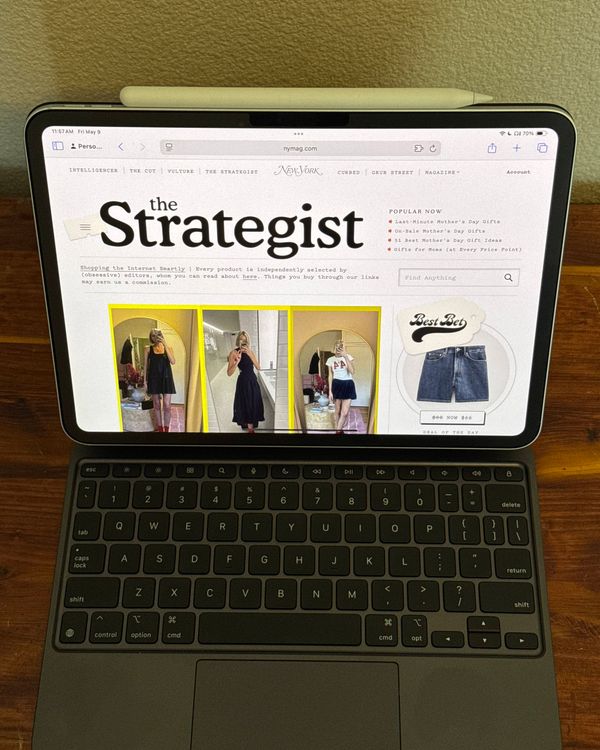
You can tackle most daily tasks with just an iPad — I recently ditched my MacBook for the latest iPad Pro. But I couldn’t have done it without my trusty keyboard case, which gives the tablet more functionality and makes it less frustrating to use for writing emails or taking notes.
If you only need to do some occasional typing, you could go with a stand-alone Bluetooth keyboard. If you want your iPad to serve as a laptop replacement or tend to take your iPad with you on your commute or when you travel, you may want a protective case with a keyboard (and often a trackpad) built right in. Keyboard cases come in a variety of designs, like kickstand-clad cases with detachable keyboards, more robust (and heavier) cases that make your iPad feel like a classic MacBook, or simple folio cases with an attached keyboard that’s ready to go at a moment’s notice. Since 2017, I’ve tried over a dozen Bluetooth keyboards and keyboard cases, looking for the best balance between portability and comfortable, responsive keys. I also talked to a YouTuber to find out what keyboards they use with their iPads. Here are the best ones I’ve found.
Updated on May 9, 2025
We named the Apple Magic Keyboard the best overall, the Logitech Combo Touch the best less-expensive keyboard, and the Logitech Keys-To-Go 2 the best standalone iPad keyboard.
What we’re looking for
Type
Our picks below include stand-alone keyboards and keyboard cases.Because the iPad doesn’t have a built-in way to prop itself up, I recommend a keyboard case that keeps it all in one package. But having a standalone keyboard (plus a stand) does allow for a keyboard that can pair with multiple devices like a laptop or desktop computer. For cases, we looked at how much protection they offered, as well as any additional features like a trackpad, extra ports, or multi-device pairing.
Connection
iPads connect to keyboards through either Bluetooth or Apple’s Smart Connector, which was introduced with the iPad Pro lineup — though that’s mostly exclusive to Apple’s own accessories. The latter allows keyboards to pair instantly when physically attached and powers the keyboard (and trackpad) via the iPad’s battery.
Power
Few things can bring your day to a halt like realizing you forgot to charge one of your gadgets. Keyboards that connect using Smart Connector run off the iPad’s battery and don’t require a separate power source to work. Keyboards that pair over Bluetooth, on the other hand, will need to stay charged, though their battery lives can usually be measured in months (up to six, depending on your usage).
Backlight
Unless you know you’ll only be working in places with good lighting, you should get a keyboard that has a backlight.
Weight
Stand-alone keyboards can weigh as much as two pounds, while the most portable cases might weigh a little more than a pound, and standalone keyboards are usually even lighter.
Model support
As of this writing, the current iPad models are the iPad Pro (2024), iPad Air (2024), standard iPad (2025), and iPad Mini (2024). Most keyboard cases are available in versions that fit at least the first two, but be sure to check which model you need to avoid the hassle of returning it. A Bluetooth keyboard should work with any iPad.
Best overall iPad keyboard
New! You can now save this product for later.
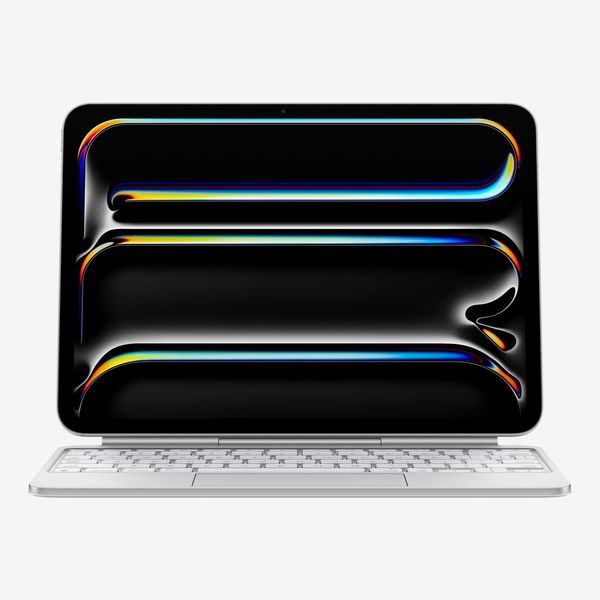
Type: Folio case with protection for front and back of iPad with keyboard and trackpad, adjustable hinge | Connection: Smart Connector | Power: Not required | Backlight: Yes | Weight: 1.3 lbs | Model support: iPad Pro, iPad Air
Apple’s Magic Keyboard is the closest you can get to turning your iPad into a MacBook. It has the best typing experience and trackpad of any keyboard case I’ve tried, and its adjustable hinge has a more laptop-like feel than the Combo Touch’s kickstand-supported case.
The Magic Keyboard has backlit keys, unlike the Combo Touch, and they’re a joy to type on — just like the ones on a MacBook. For the latest iteration of this case, Apple added a row of function keys that make it easy to adjust the volume or brightness of your iPad, plus a few other shortcuts. Its trackpad is the most responsive of any iPad keyboard and mouse combo I’ve tested. If you have a Mac, this trackpad supports all the trackpad gestures you’d find on a MacBook, like pinch to zoom. The only caveat is that because of the way iOS handles its cursor, it’s not quite as quick as it is on macOS, so it may take some getting used to.
While the case doesn’t protect the edges of the iPad like other cases on this list, it does protect the front and back of the iPad when the case is closed. If you want a more protective keyboard case, get the Logitech Combo Touch.
Best less-expensive iPad keyboard
New! You can now save this product for later.
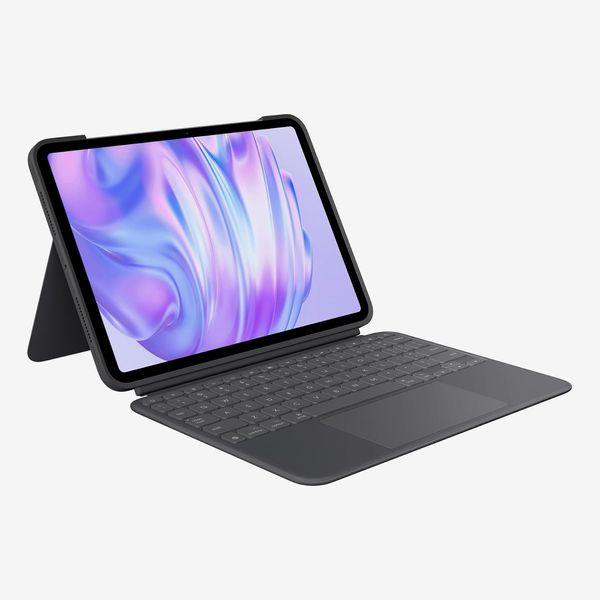
Type: Stand-alone keyboard | Connection: Smart Connector | Power: Not required | Backlight: Yes | Weight: 1.45 lbs | Model support: iPad, iPad Air, iPad Pro
While Apple’s Magic Keyboard offers the best typing experience, Logitech’s Combo Touch comes close, and its design is more protective than Apple’s case. It’s a two-part system: The case wraps around and protects the whole iPad, and a detachable keyboard connects via Apple’s Smart connector — it’s the only non-Apple product to do so — which means it’s powered by the iPad’s battery and doesn’t require any pairing. Having a removable keyboard makes it a breeze to switch from “laptop” mode to tablet mode when I want to draw, browse the web, or play a game, and the keyboard’s always nearby to tack back on when I’m done. When it’s not in use, the keyboard folds over the iPad’s screen, protecting it from dings and scratches when it’s in your bag.
The case has an adjustable kickstand built right into the back, and you can use it to prop the display up while you’re typing with the keyboard connected, or for a quick FaceTime call or Netflix binge session. Do note, however, that the kickstand system doesn’t work as well on your lap as a hinged keyboard case with a flat base. If you’re mostly working at desks and tables, this isn’t an issue, but if you tend to work on the couch you may be better off with Apple’s Magic Keyboard.
Since the Logitech Combo Touch uses Apple’s Smart Connector technology, it doesn’t require its own battery and doesn’t require charging. Its built-in backlight makes typing in the dark as easy as typing on a laptop. The case does add a slight bit of bulk to the iPad, but not as much as the Zagg keyboard case I tested, and it’s not heavy enough to notice while using the iPad in tablet mode. The convenience of being able to take the keyboard off and still have protection will be worth the trade-off for most people.
Best mechanical iPad keyboard
New! You can now save this product for later.
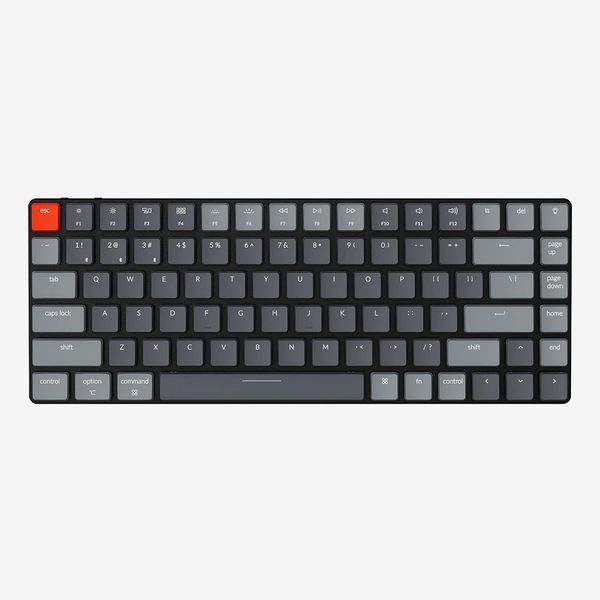
Type: Stand-alone keyboard | Connection: Bluetooth | Power: Rechargeable battery, up to 36 hours | Backlight: Yes | Weight: 1.06 pounds | Model support: iPad, iPad Air, iPad Pro
If you’re going to be using your iPad from a desk or table, Christopher Lawley, a YouTuber who works almost exclusively on an iPad Pro, recommends the Keychron K3 (from a brand we’ve written about several times). Unlike some more advanced mechanical keyboards, the K3 comes pre-built, and Lawley says it’s compact enough to toss in a bag and carry it to another location. (Just don’t be that guy and bring a clacky mechanical keyboard into a coffee shop.)
At a little less than an inch thick, it’s about as slim as you can get for a mechanical keyboard, and small enough to drop into a tote. Despite its compact design, the K3 still manages to fit a row of function keys and a set of arrow keys, but it doesn’t have a number pad.
Lawley uses the company’s Q1 keyboard, but that requires a wired connection to work. The K3, on the other hand, can pair over Bluetooth, so you can use it with your laptop or desktop as well.
Best standalone iPad keyboard
New! You can now save this product for later.
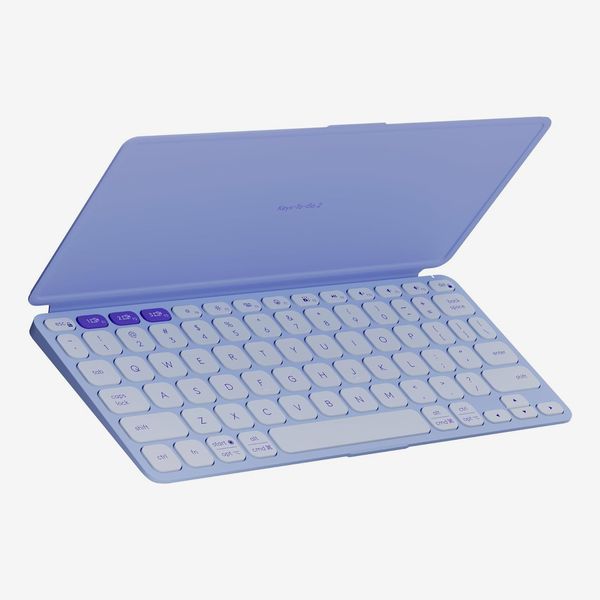
Type: Stand-alone keyboard | Connection: Bluetooth | Power: Coin cell batteries with three year battery of life | Backlight: No | Weight: 0.49 lbs | Model support: iPad, iPad Air, iPad Pro
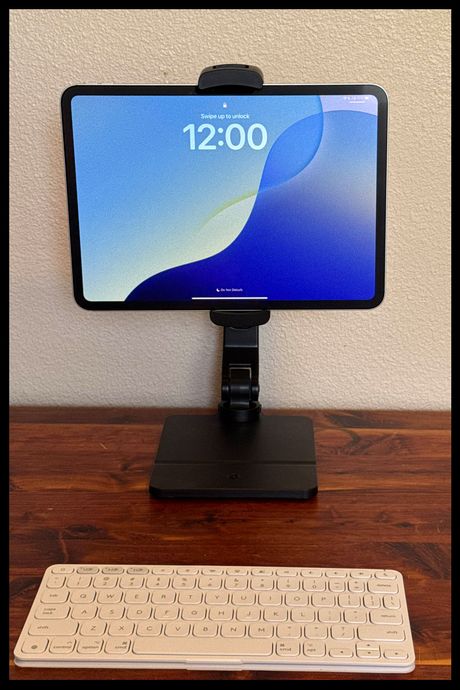
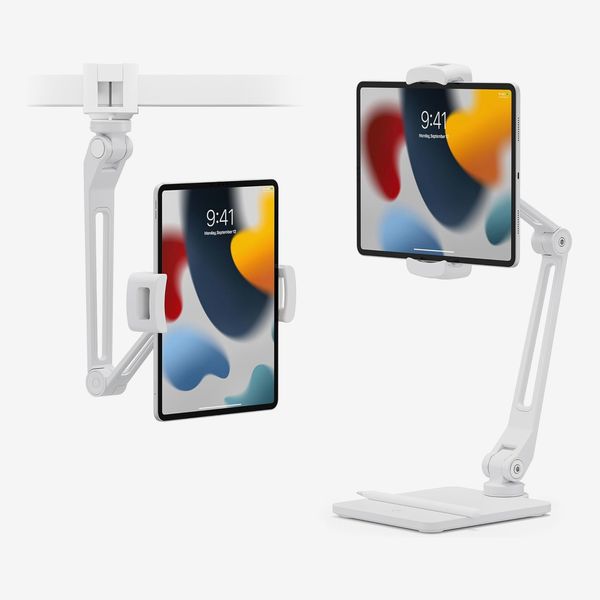
If you have an iPad case you simply can’t or don’t want to get rid of, a standalone Bluetooth keyboard may be a better option than a keyboard case. It isn’t quite as convenient, but unlike the Magic Keyboard or Combo Touch, it can be paired with multiple devices (three in this case) and may be better to type on from a desk if paired with a solid iPad stand — I like Twelve South’s HoverBar Duo.
At 0.49 pounds and a thickness of 0.35 inches, the Keys-To-Go 2 is barely noticeable when in your bag. It’s almost exactly the same size as the Magic Keyboard, but its keys are more rounded, and they aren’t backlit. Its key feature, though, is its foldable cover. Most other keyboards would leave the keys exposed while in a bag, which could lead to damaging the keys. If you’re going to take a keyboard along with you, having that protection will keep your keyboard safe from rattling around in your bag.
Best protective iPad keyboard case
New! You can now save this product for later.
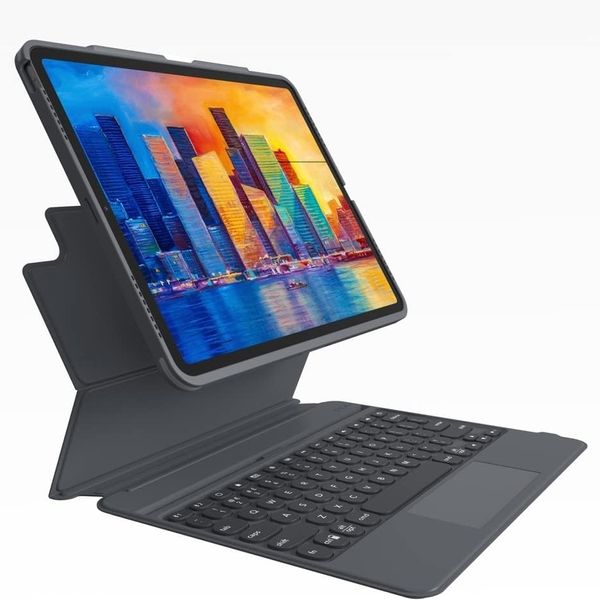
Type: Fully-protective case with detachable keyboard and trackpad | Connection: Bluetooth | Power: Rechargeable battery | Backlight: Yes | Weight: 2.04 lbs | Model support: iPad Pro
The Zagg Pro Keys with Trackpad, which works with both iPad Pro sizes, is sort of like Logitech’s Slim Folio Pro, but the iPad portion is detachable, and it has a trackpad. It lacks a kickstand, instead using a foldout design that props the iPad’s screen up at one of two viewing angles. That’s a bit limiting, but it’s fine for most use cases., and in my testing I never struggled to get a good view of the screen while working from my desk.
The case portion has openings for the speakers on the sides of the iPad, but there are raised bumpers around the corners to keep the whole thing more protected than Apple’s Magic Keyboard would. The trackpad is responsive and the keys are comfortable to type on, even for long periods of time.
The Zagg is a Bluetooth keyboard, though, so like the Slim Folio Pro, you’ll have to keep it charged, but I never had to worry about that over the couple months I tested this keyboard. On the plus side: The keyboard can pair with two devices, which can come in handy if you’re a multi-iPad household.
Our experts
• Christopher Lawley, a YouTuber who makes videos about getting work done on iPads
Other iPad accessories we’ve written about
The Strategist is designed to surface the most useful, expert recommendations for things to buy across the vast e-commerce landscape. Some of our latest conquests include the best women’s jeans, rolling luggage, pillows for side sleepers, ultra-flattering pants, and bath towels. We update links when possible, but note that deals can expire and all prices are subject to change.
Every editorial product is independently selected. If you buy something through our links, New York may earn an affiliate commission.