59 Actually Useful Tips for Using Your Phone (a Little) Less
Including customizing your Brick and getting the kids a souped-up walkie-talkie.

Save this article to read it later.
Find this story in your account’s ‘Saved for Later’ section.
This article was featured in New York’s One Great Story newsletter. Sign up here.
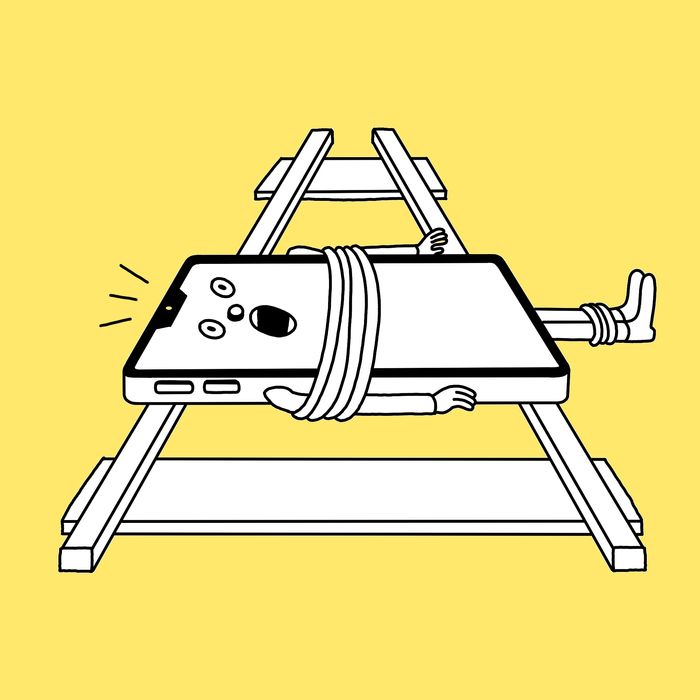
Amid keeping up with family group texts, friend-group texts, friend-group-going-on-vacation group texts, apartment-building WhatsApp groups, and Slacks and Teams chats; TikToking, Instagram Story–ing, and Substack-ing; and checking eBay alerts, weather alerts, and Gmail pings, all while walking the dog, putting your kids to bed, commuting to work, brushing your teeth, and watching TV, you might feel your phone is more like an appendage than a tool you can put down. But by polling those who are making a concerted effort to cut back — including a publicist who works with clients in three time zones, an anti-tech activist, and the Strategist’s own tech writer, who’s spent the last few years trying every screen-time-reducing gadget he can — we surfaced practical advice to limit scrolling, like doodling while watching TV, enforcing a “Whoever uses their phone at dinner pays” rule, and falling asleep to maritime weather reports for the British Isles. And for the truly committed, there’s always replacing your phone with a landline.
Level 1
If You’re Just Trying to Check Instagram Fewer Times a Day …
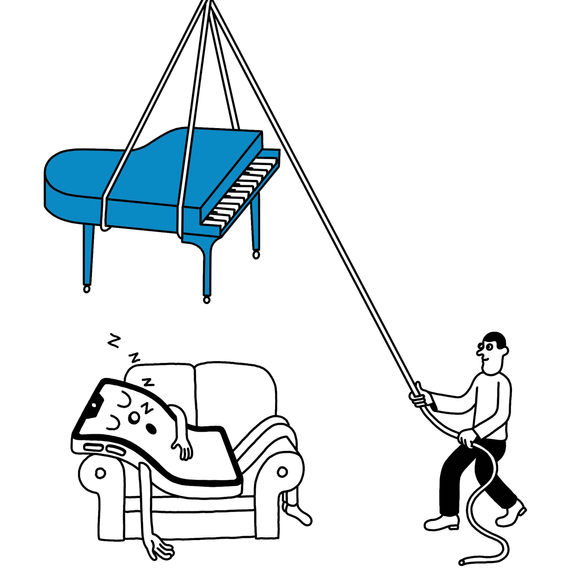
Make your phone boring by grayscaling it.
The bright colors on our screens turn our phones into adult picture books. Grayscaling curbs that appeal. Go to your iPhone’s accessibility settings, choose DISPLAY, then toggle to COLOR FILTERS. You can also create a shortcut so that three clicks of your lock button puts everything into grayscale.
Instead of scrolling while watching TV, do something with your hands.
Try doodling or knitting, which several of our colleagues say helps prevent second-screening.
Stop the flow of texts, emails, and app alerts by removing all home-screen notifications.
You’ll see them only when you check for them.
Use “Do not disturb” mode ruthlessly.
Turn it on — and don’t turn it off. You can add anyone really important to your bypass list, so if it’s urgent, they can still get through.
Start (and End) the Day Phone Free
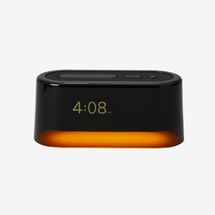
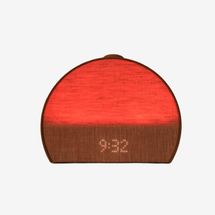
Wake up the old-fashioned way with an alarm clock. The dozens of sounds and alarms of the Loftie Clock ($200) include tropical birds chirping and calming strikes of a gong. It’s also Bluetooth compatible, which means you can fall asleep to an audiobook without headphones. A sunrise alarm clock like the Hatch Restore 3 ($170) wakes you up by steadily filling your room with light. “It makes sunless winter mornings as pleasant as the summer,” says Strategist tech writer Jordan McMahon.
New! You can now save this product for later.
New! You can now save this product for later.
Get your weather from the radio. “I don’t touch my phone until after I’ve consumed some other kind of media in the morning,” says Ryan McCarthy, an editor at Saveur. “I listen for the weather report via NYPR instead of the weather app.”
“The BBC Shipping Forecast” is like a tranquilizer dart for your brain. It was first broadcast in 1925 and still airs on BBC Radio 4 and BBC.com. A soothing British voice reading the maritime weather around the British Isles will help you drift off.
Keep your ringer on for calls only.
Having your device ring makes it feel more like an old-school phone you don’t have to constantly check.
Try some friendly peer pressure.
Fiona Jalinoos, a yoga instructor in Larchmont, says she and her friend compare their screen-time reports. “It’s embarrassing to share the reality of my own screen time, but my friend and I hold each other accountable.”
Get a separate email address for junk mail to cut down on notifications.
“I have an account for bills, credit-card info, and business sign-ups, then I have a grown-up email account for things that might be important to me,” says playwright Lynne Halliday.
Desktop TikTok is slightly less of a time suck.
New York senior social-media producer Zach Schiffman deleted TikTok from his phone and uses it only on a tablet. “It’s nice to scroll on my iPad every other day,” he says.
Move your social apps to the third slide of your home screen (or bury them deep in folders).
Publicist Olivia Lugarini builds in some digital distance from her social apps. “If I don’t see it on my home screen, then it’s not front of mind,” Lugarini says.
Trick yourself into reading instead of scrolling.
“I loaded my e-book library onto my phone and keep an e-reader app on my home screen, so whenever I want to doomscroll, I can just read a page or two of a gothic mystery instead,” says McMahon.
Make a “Whoever uses their phone pays for drinks” rule.
“When my friends and I are out to dinner, we often place our phones in the middle of the dining table,” says events coordinator Astrid Breggia. “The first person to touch their phone has to buy the next round.”
Replace your Notes app with a digital notebook …
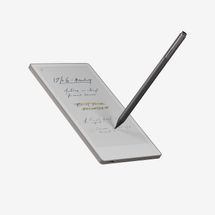
The reMarkable Paper Pro Move ($449) fits in your back pocket and lets you create a practically unlimited number of notebooks. “Having a space for all of your handwritten notes and thoughts all the time is a welcome respite from loud, distracting apps,” McMahon says.
New! You can now save this product for later.
… Or try a phone that functions more like a Kindle.
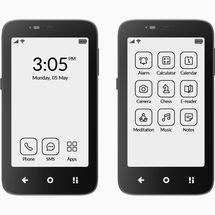
The Mudita Kompakt ($399) uses an e-ink display, so you can install the Kindle app and use it like an e-reader, but videos and busy interfaces don’t look great on it, so it’s far less distracting than a typical smartphone.
New! You can now save this product for later.
Mudita Kompakt
Get an App That Makes You Do Push-ups Before Checking Instagram
Each of these four popular screen-time-management apps employs its own form of torture.
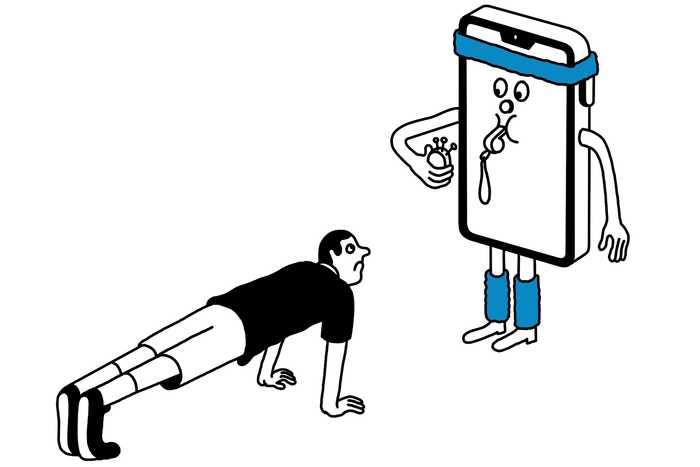
ScreenZen has you select which apps you want to use less (for example, by allowing you to open TikTok only five times in a day) and then locks you out of them for a certain length of time after you hit your limit.
One Sec works by offering somewhat annoying interruptions — like a pop-up reminder to pause and take a deep breath — to prevent you from scrolling endlessly.
Clearspace can be set up so that you have to walk a certain number of steps (or do squats or push-ups) to access an app.
Opal’s “waiting room” feature — which lets you set a custom time limit before opening apps — makes it harder to scroll. You can also use it to block specific apps on your phone and laptop (so no browser Instagram).
If you need to be on your phone in front of your child, say what you’re doing out loud.
“You can say ‘I’m answering a work email’ or ‘I’m purchasing the camp equipment that you need for this summer,’ so this way the kid sees you’re using it as a tool and not just randomly scrolling about,” says Tad Low, television producer and founder of the nonprofit SmarterPhone.
If you game a lot on your phone, consider a modern Game Boy.
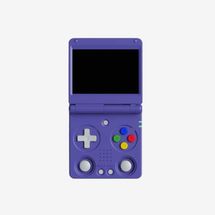
The Anbernic RG 34XXSP ($68), for instance, has better controls — plus you won’t get distracted by a message or news alert while you’re blasting through levels. It looks like the classic Game Boy Advance SP, but it can play lots of different ported games.
New! You can now save this product for later.
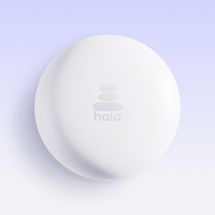
Try the Halo ($49), which is like an invisible fence.
It’s a physical device that blocks specific apps when you enter a customized radius.
New! You can now save this product for later.
Halo
Or make a DIY Brick system on the cheap.
You can buy NFC tags (20 for $7 online) that use the same tap technology as the Brick, then use the app Foqos to set up similar restrictions.
If You Haven’t Already, Get a Brick …
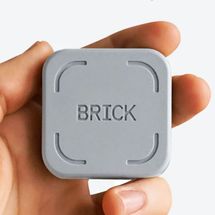
A gray, magnetic, tap-to-pay-like device, the Brick ($59) connects via Near Field Communication to your phone. Once you’ve tapped, you won’t be able to access all your most distracting apps until you tap the Brick again.
New! You can now save this product for later.
Brick
… And Customize It
Use it to make your phone dumber by programming it to allow only calling and texting.
Cut down on impulse buys by blocking in-app purchases during a Brick session.
Automate it using a Brick timer, so your phone becomes Bricked regardless of whether you physically tap it.
Turn your phone into an iPod by restricting the use of all except your music apps.
Level 2
If You Want Your Phone to Feel Less Like an Appendage …
Start with an hour or two each week of not having your phone with you.
“When I stopped taking it everywhere I went, I really rewired my brain,” says science-and-parenting journalist Michaeleen Doucleff. “My brain knew it wasn’t an option, so it started to relax.”
Look up where you need to go before you leave the house — or use an old-school physical map.
“Every person I’ve spoken to who does this has been amazed at their mental capacity for retaining directions and place names and remembering where they came from,” says writer and anti-tech activist August Lamm.
Create a no-phone zone in your home …
“The moment we walk through the door, our phones go into a designated ‘Do not disturb’ drawer,” says JeanLuc Constant, a private-wealth adviser. He and his wife have busy schedules and want to be off phones in front of their two kids. “Dinner time is completely device free.”
… Or designate a phone zone that is the only place you can use it.
Doucleff places it in a drawer near her living room. “The rest of the house becomes phone free the rest of the day,” she says. “The bedroom becomes the place to sleep, and you stop trying to multitask all your life.”
Give the Kids a (Somewhat) Analog Device
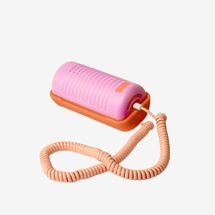
The Tin Can phone (from $100) offers a way to chat without a screen. It has the analog feel of a landline but modern features like parental controls and contact lists that eliminate robo- and spam calls. According to Low, over half of the third-graders at Spence, his daughter’s school, use one.
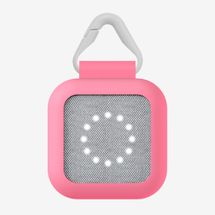
Check in with a modern walkie-talkie. The BoT Talk ($60) looks like a small speaker but functions like a walkie-talkie with GPS tracking. Low uses one with his fifth-grade son. “My wife and I will send him an audio message via the app,” Low says. “Then he listens to it, and he can send us a message back.”
New! You can now save this product for later.
New! You can now save this product for later.
Keep your phone in a locker during your workout class.
Jalinoos has a strict no-phones policy for the yoga classes she teaches. “You can’t possibly get into your own body and into the present moment if your attention’s being drawn somewhere else, which is what your phone is designed to do,” she says.
Print out recipes and write down grocery lists by hand.
The recipe app Paprika creates clean, printable versions of recipes and allows you to catalogue them for future reference.
Charge your phone far away from your bed.
“I plug my phone in in the kitchen, and I cannot hear it in my bedroom,” says Halliday. “That has only bitten me in the butt once, when my daughter went into labor and was trying to call me. She called the building, and the doorman came up and banged on the door until I woke up. It was two in the morning.”
Connect your cell phone to a landline …
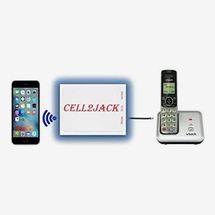
The Cell2Jack ($39) is a dongle that pairs to your smartphone over Bluetooth and plugs into a power outlet and a traditional landline phone to create a DIY landline setup. “I can leave my phone in my bedroom while I’m working in my office and still receive calls without needing an entirely new number,” says McMahon.
New! You can now save this product for later.
… Or just make it feel like one.
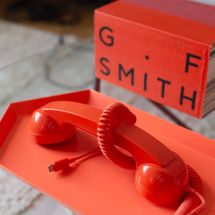
The Native Union Pop Phone ($40) is a retro handset that plugs into your device’s USB-C port and turns it into a landline-style phone. It feels just like catching up with a friend after getting home from school, McMahon says.
New! You can now save this product for later.
Use a smaller screen.
The TinyPod Lite ($29), a case that turns an Apple Watch screen into an iPod, has been surprisingly effective at reducing McMahon’s screen time. He can still make calls, send texts, and get turn-by-turn directions, but the screen is too small for any deeper scrolling. “It forces me to get in and get out rather than switch to another app and dive into another rabbit hole,” he says.
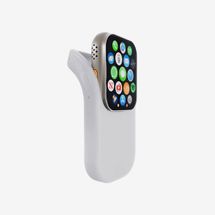
New! You can now save this product for later.
[Editor’s note: The TinyPod Lite is currently sold out. If it comes back in stock, we’ll update the post to reflect that.]
Take Pictures Without Your Phone (or at Least Make It Feel More Like a Camera)
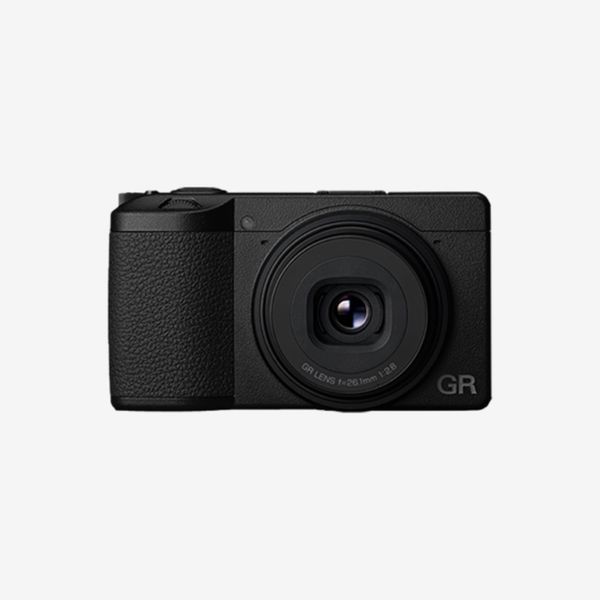
Use a digital camera instead of your phone’s camera. You’ll be able to take a picture without seeing all of your notifications and getting dragged back onto your phone. Some digital cameras, like the Ricoh GR III ($1,247), snap photos as quickly as an iPhone, so you can still take dozens of photos to sort through later, but the resolution will be much better.
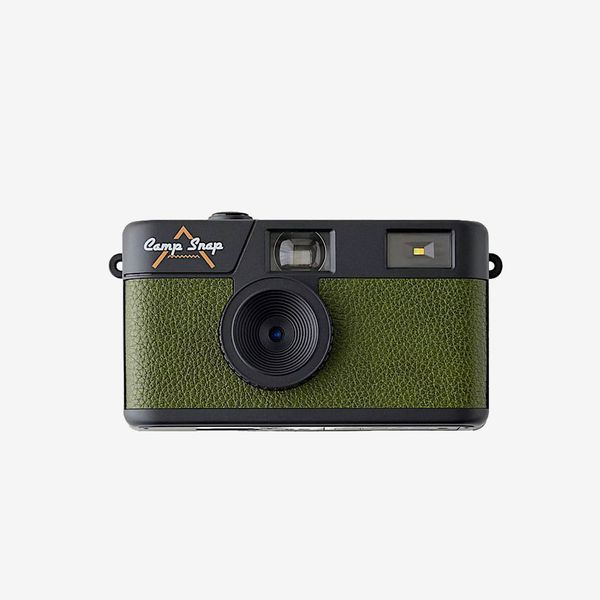
If you want a camera without a screen, try the CampSnap ($70), which shoots filmlike digital photos. Strategist senior editor Winnie Yang says it has helped her and her daughter be more present. “The pictures you make are a combination of intention and serendipity. Because you don’t get to see the result until later, you don’t bother taking a zillion versions of the same shot to get just the right one,” Yang says.
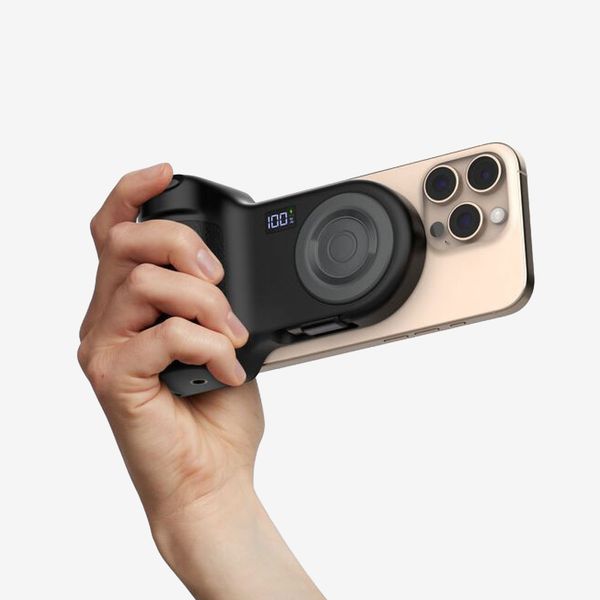
… But if you prefer the ease of your phone’s camera, try the Belkin Stage PowerGrip ($80). It’s a camera grip that magnetically attaches to your iPhone and has a built-in USB-C cable for charging. It adds bulk and makes your phone feel more like a DSLR when snapping photos so you’ll be less tempted to multitask and open other apps.
At the very least, get into the habit of accessing your phone’s camera directly through the lockscreen. That way, you won’t see all your other apps en route.
Leave your phone at home during errands.
Your dog will appreciate your full attention on his walk.
Switch to a fitness tracker without a screen.
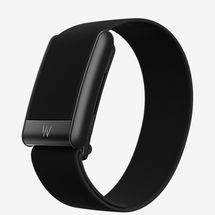
The Whoop 5.0 (from $200) lacks any sort of notification capabilities. Instead, you can access all the data — such as workout and caloric info — from the app.
New! You can now save this product for later.
Commute by bike to reduce idle phone time.
Schiffman and Breggia both do this: “It gives me a break from notifications and scrolling,” Breggia says.
Pay with cash (or a card, if you have to).
Make a point of carrying a wallet to avoid using tap to pay.
Set arbitrary — and strict — rules.
Try the 9:30 rule: No phone until 9:30 a.m. and no phone after 9:30 p.m. “My sleep timer begins at 11:15 p.m., my ‘wind down’ time,” marketing manager Leonita Gashi says. “At that point, the goal is to be in bed trying to sleep by 11:30 p.m. at the latest. The ‘rise time’ goal is 7:30 a.m.”
Plant some seeds.
Gardening is like “social-media methadone,”says Doucleff. “You create a huge amount of dopamine when you see progress, and social media gives us that with likes and engagement. It allows you to check something all the time. Gardening gives me that progress — the plants grow! There is no end to the progress on social media, but the end for gardening is when I eat the cucumber.”
Level 3
If You’re Ready to Throw Your Phone Into the Ocean …
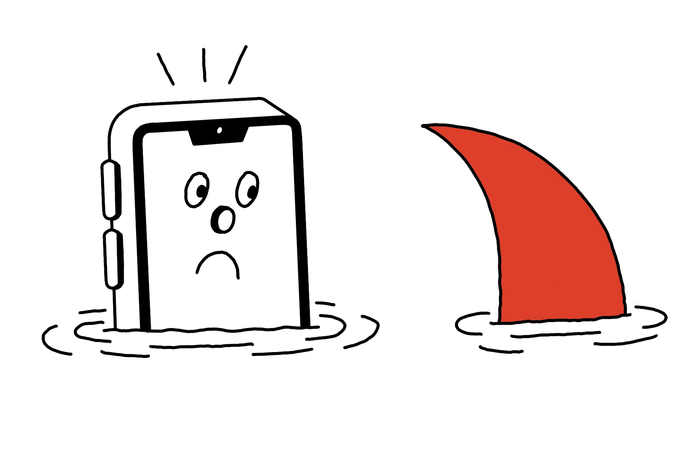
Get a dumbphone.
If you’re looking for something with specific capabilities, Dumbphone Finder (dumbphones.org) can help you pick the right model. “You can plug in your carrier and whether you want a camera, GPS tracking, or other features, and it will spit out a feature-light phone that fits your preferences,” says Low, who has never owned a smartphone (he uses a LightPhone III).
Try an old-school, Nokia-like phone …
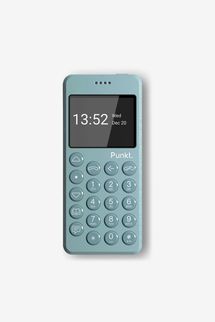
McMahon recommends the Punkt MP02 ($299), which has round, chunky buttons and limited functions. “It doesn’t have a camera, you can’t install any apps, and you can’t whip it out to do a quick Google search in the middle of a heated bar debate,” he says. The slower, T9-style texting, he adds, pushes him to be more deliberate with his messages.
New! You can now save this product for later.
Punkt MP02
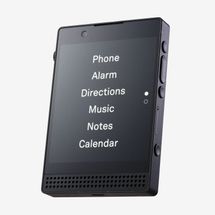
… Or the popular Light Phone III ($699).
It still has GPS, a notes app, and music — local only, no streaming — but you can’t install other apps. If you want to connect to the internet, there’s a hot-spot function, so you need to carry a secondary device like a laptop or tablet.
New! You can now save this product for later.
Put Your Phone in ‘Jail’
Poet Joshua Mehigan keeps his locked up 15 hours a day.
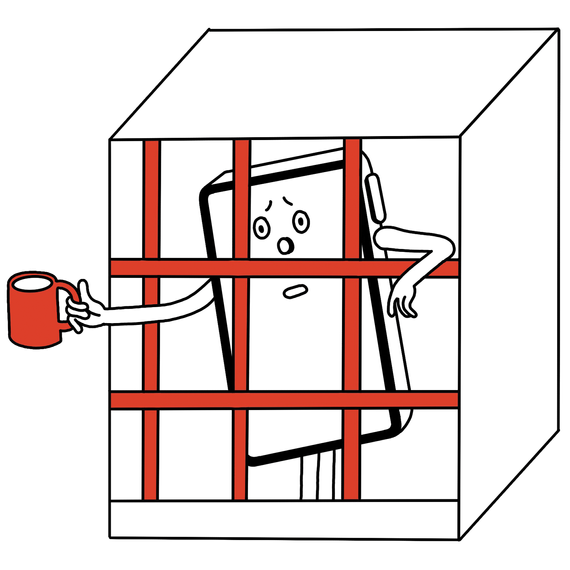
“To make the most of my writing time, I keep my phone inside a kitchen container that is sealed with a timer-controlled top from 10 p.m. to 6:30 p.m. the next day. I’ve been doing this for seven years. The container, the Kitchen Safe kSafe ($59), was originally meant for dieting or keeping sweets away from kids. But for me, that item is my phone. I previously used a tiny container that resembled an actual jail cell with plastic bars, but I stopped because I found that I could just stick my fingers through the bars and use the phone.”
Consider Taking a ‘Digital Sabbath’
Middlebrow podcast host and comedian Dan Rosen logs off Saturdays.
“My wife and I do this sundown Friday to sundown Saturday. The rule is to not use our devices or internet, but we still go out and see friends. The idea is just to be unplugged from the constant noise. If we want to meet friends for lunch, we plan in advance, and they know we can’t be reached. It’s a little sad that we can’t control ourselves and that adults need to put themselves in timeout. But the Jewish Sabbath is actually a gift you receive, where you’re given the ability and a reason to not work and to just be present with yourself, your family, and your friends. At first I found it quite difficult, but now I look forward to it.”
Trade your iPhone for a Razr.
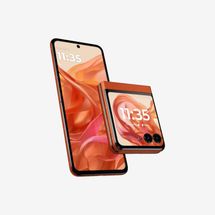
Vulturerecommendation editor Emily Heller uses the new Motorola Razr (from $700), which has a screen and flips open like the original. “I like that I can answer quick texts from the front screen,” Heller says. “The act of opening my phone to do anything else feels like a little bit of friction that keeps me from just pulling out my phone as a default time-waster.”
New! You can now save this product for later.
Make plans over email.
“I put my friends on a listserv where I periodically email a list of events (concerts, readings, etc.) that I want to attend over the next month,” says The Cut culture writer Cat Zhang. “If someone is interested in joining, they can just reply to the email. It saves so much time that I would have otherwise spent texting!”
Level 4
… Or Just Get a Landline
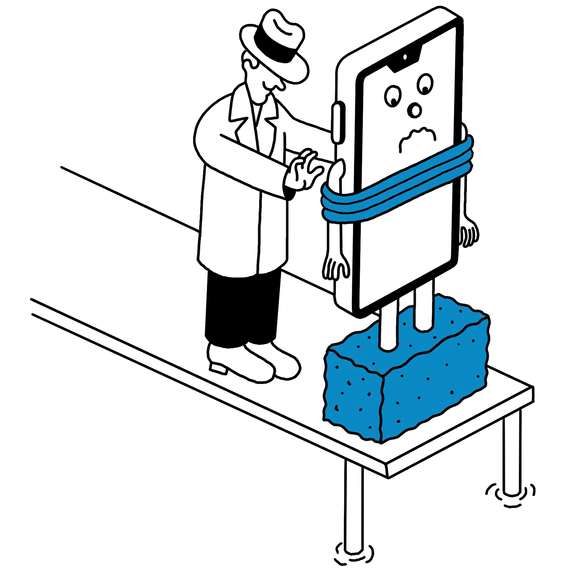
A few months ago, my phone started feeling like too much. Texts from group chats piled up like unread emails, my Instagram feed was mostly sports-betting ads, and even “Do not disturb” mode brought little respite. Then on January 14, there was a nationwide Verizon outage that knocked out cell service for many New Yorkers, including me. For about six hours, I had a taste of the analog life. The next day, I bought a landline and set out to use that for a few weeks — no texts, no FaceTime, no Instagram, no Slack, no nothing. Continue reading …
More From The Strategist
- Hark, the Advent Calendars Arrived (Very) Early This Year
- The Best Things Strategist Editors Have Bought This Year (So Far)
- 63 Things You Should Never Buy Full Price
- The Strategist Fall 100
The Strategist is designed to surface useful, expert recommendations for things to buy across the vast e-commerce landscape. Every product is independently selected by our team of editors, whom you can read about here. We update links when possible, but note that deals can expire and all prices are subject to change.