The Best Laptops for College Students, According to Experts
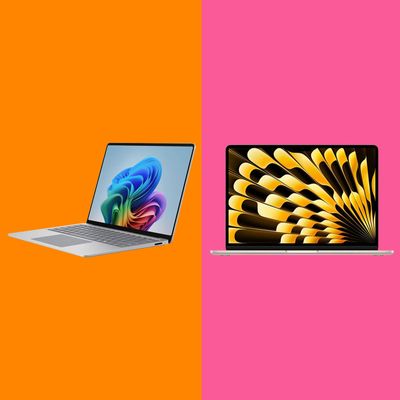
Whether you’re just getting used to life on campus or you’re already looking ahead to the greatest senior spring-break trip ever known, that leftover Chromebook won’t cut it. You need a new laptop. But with the continuing memory shortage and chaotic cost of components, laptop prices are still creeping upward — so much so that tomorrow’s student discount might only bring you to today’s sticker price. So don’t wait until the week before finals to go shopping.
In this article
Whether you’ve got it all planned out or you don’t have any idea what courses you’re taking this year, our experts say to focus on the basics: battery life, display, keyboard, and how easy it is to carry around. “Everyday users should push for long battery life,” says Jon Martindale, a freelance technology journalist and reviewer for Micro Center, PCMag, PCWorld, and others. “I put a high priority on screen quality, keyboard typing experience, and trackpad feel (speakers, too, but to a lesser extent),” says Antonio G. Di Benedetto, laptop reviewer at The Verge. “Unless you’re exclusively using an external monitor, keyboard, and mouse, you use these things all the time.
The good news is that there are plenty of laptops that will give you all the power you need for the best four years of your life (and carry over into super-senior status, too). And you won’t need to plunk down a tuition payment for something that can handle that big research paper and even some gaming when you don’t feel like going out on a Friday night.
If you’re looking for something even more portable than a Chromebook, Snell recommends the iPad. “Some students could probably do fine with an iPad Air and a good case, such as the Logitech Combo Touch and an Apple Pencil,” he says. Plus “Apple’s got some new iPad software coming this fall that improves pencil input, especially for note taking.” iPads are also able to run Google docs and other programs on Safari with relative ease nowadays.
Our top picks
New! You can now save this product for later.
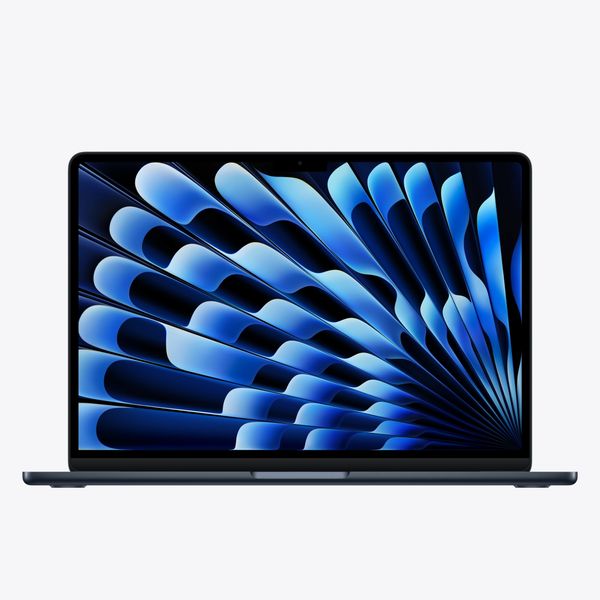
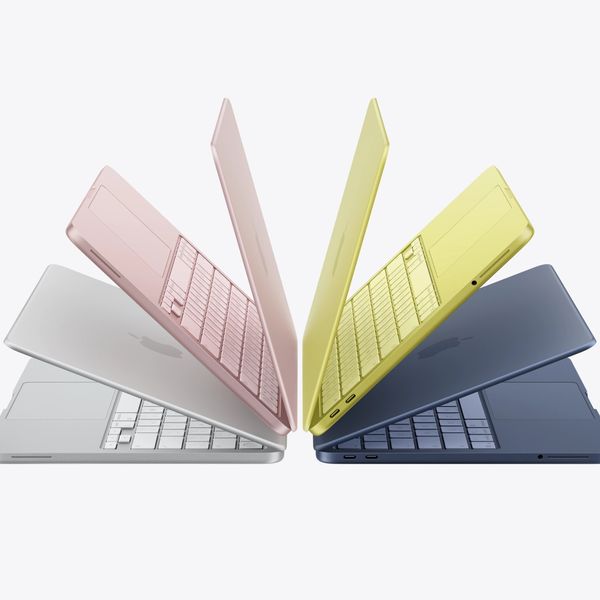
The best Mac laptop for college students, with plenty of power for all of your classes.
New! You can now save this product for later.
The ready-for-class MacBook Neo gives you real-computer flexibility at Chromebook prices.
New! You can now save this product for later.
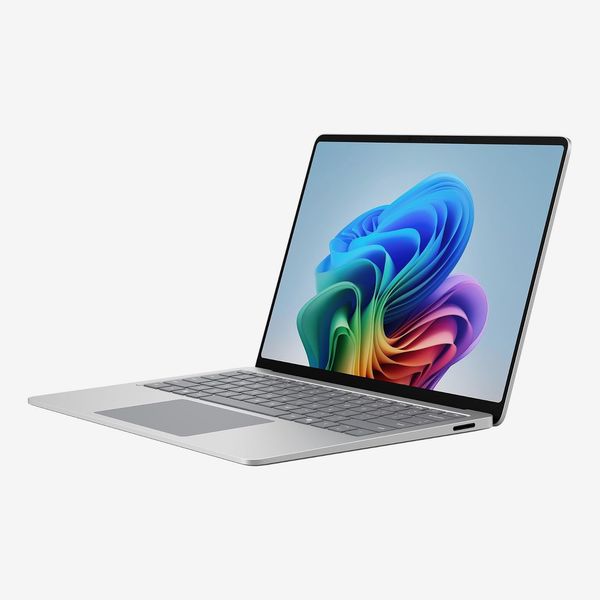
If you need a serious Windows machine for your coursework, the Surface Laptop has you covered.
How to choose the best student laptop
A fast, efficient processor
Unless you know you need a Windows machine, we think Apple laptops currently give you the best value for your money. And for Macs, Apple’s base model M5 chip should be more than enough for most student needs. It will be noticeably speedier than earlier processors for gaming and other graphics-intense tasks, and it can handle local AI workloads better than Apple’s previous processors. Unless you need a much more powerful machine for a specific reason, you shouldn’t need a MacBook Pro based on the much pricer M5 Pro or M5 Max chips.
You might be able to find older or refurbished Macs on sale, but it’s worth getting the latest and greatest processor Apple makes, if for nothing else than to give you the longest runway for Apple’s updates going forward (around six years, based on the currently supported laptops for the latest macOS 27 Golden Gate). “If you’re keeping a laptop for four to eight years or maybe even longer, it behooves you to plan for the long term if you can afford to,” says Andrew Freedman, senior editor at Tom’s Hardware.
Know you need Windows? We recommend laptops using Qualcomm’s ARM-based Snapdragon X2 chips (the budget-minded “Plus” variant), which split the difference nicely between performance and battery life. (And the pricier Snapdragon X2 Elite can compete on performance with mainstream x86 chips from Intel and AMD.) If you do go with an ARM machine, there’s one thing to be aware of: Some niche apps don’t run on ARM machines, so if you know you’ll be using those for part of your four-year-degree track, you’ll need to check to make sure they can run on ARM. If you’re not sure, you might not want to roll the dice versus a mainstream chip from Intel or AMD.
You don’t necessarily need a top x86 chip unless you’re looking for more power. (CS major? Getting serious about video editing?) The most recent Intel-based laptops will be using Series 3 chips based around the Panther Lake architecture. Within this, Core Ultra chips are built for performance, whereas normal “Core” chips are more budget oriented (and make a great choice for students on tighter budgets). If you need a powerful Windows machine, depending on how much you’re willing to spend, a Core Ultra (or an AMD Ryzen — look for Zen 5 chips) will give you the best combination of performance and battery life.
Prioritize memory
The minimum amount of memory you’ll want to get for your college laptop is 8GB, and that’ll come with some concessions. “If you mostly work in your browser and don’t have too many tabs, you can probably make it work,” Freedman says. It’s a good enough amount of memory for most people who have light-to-medium workloads, but if you can stretch your budget, you’ll want to go to 16GB (or even 32GB) if you’re going to be doing a bunch of heavy video editing or running local AI models for your CS projects.
The tricky part? Memory is incredibly expensive right now — one of the key components that is nudging laptop prices higher and higher. It’s also something that you might not be able to upgrade later on, if your laptop’s manufacturer has made that impossible through the laptop’s design. If your budget is forcing you to pick a laptop with more memory or more storage, opt for the former; it’s a lot easier to deal with a speedy external drive or USB key, or even cloud storage, than a laptop that’s constantly hitting its memory limits.
The right amount of storage
Drive space comes at a cost premium these days. You can get away with 256GB of storage if you’re smart about what you stuff on your laptop: just your favorite time-killing game, rather than your entire Steam library; only the most recent photos and videos you want to look at, not those 4K concert videos you took at last summer’s festival; keeping all of your coursework and research in the cloud instead of a desktop folder. Like memory, it never hurts to have more. But you can shuffle files to different storage locations — if you’re careful, running out of storage space won’t be as catastrophic as running out of memory when you open that 40th browser tab.
That all said, resist the urge to stuff your laptop to the very brink. You may find your laptop’s performance taking a hit when that happens, because it can’t use free storage on its speedy solid-state drive to act as temporary “swap memory” when necessary. Try to budget for a drive that lets you keep at least 10 percent or so of your laptop’s space available, if you can.
A big, bright display
A display of around 14 to 15 inches is the sweet spot for portability without feeling like you have to squint any time you’re typing out classroom notes. A 1,080p display with a 60Hz refresh rate is the basic offering at that size, but a reasonable compromise worth going after is a 2,560-by-1,600 pixels display (or thereabouts). You don’t need a 4K display, nor do most people likely need anything bigger than 16 inches. Sure, you’ll get a big, beautiful picture with lots of real estate, but your laptop may start to get annoying to lug from class to class or stuff in a backpack that’s already brimming with stuff.
A laptop with a bright screen is going to give a better experience for most students than a laptop with a larger screen, as it gives you more flexibility to work on your paper all around campus (especially the sunny quad). You aren’t likely to find a Mini-LED display for cheap, but it’s the upgrade you’ll want to splurge for if you want an incredibly bright, beautiful image.
“Screen size is a personal preference,” Freedman says. “Given that some companies charge an extra $100 or $200 difference in the starting price between two similar laptops with different screen sizes, that could be a way to save a bit. Features like OLED and Mini-LED are really nice, but if you’re on a budget, a standard LCD screen is cheaper and can also be better for battery life. Just make sure it’s not too dim, as some budget laptops have that problem.”
Minimize weight
Weight is the first of what PCWorld, associate editor Ashley Biancuzzo calls “the Ttrinity,” or the perfect storm of features that makes for a great college laptop.
“Portability, affordability, and long battery life,” she explains. “For me, it needs to hit those marks. Anything under three pounds is ideal, but a little over three pounds is okay if you don’t mind a tiny bit of heft.”
I’ve found that you can go as high as four pounds without feeling like you’re suffering when lugging a laptop around great distances. Once you get to five pounds, however, you really start to feel that in your backpack — that’s around two regular college textbooks’ worth of pain. And remember, you’re not just going to carry your laptop on your back. You’re going to one-hand it around your dorm room or library. You’ll pick it up and put it down more times than you can remember. A half-pound might sound like nothing on paper, but even the smallest differences can improve (or ruin) your comfort.
Maximize battery life
Odds are that you’ll occasionally have to go for long stretches without access to a charger — if your university is old, if you left your charger in your dorm room miles away from your classes, or if everyone else has already ganked all the available power outlets at the library or lecture hall. When you have a full day of activities, hitting the limit of a laptop’s battery life is going to be real annoying, real fast.
“Try to find something that lasts most of the day,” Freedman says. “Some of the latest chips are really efficient, and it’s great not to have to worry about charging all the time.”
And, yes, you should shoot for the moon, as it shouldn’t be too difficult to find a decently performing laptop that can go north of 12 to 15 hours (and then some). “I mean, we’ve seen 24-plus hours of battery life here at PCWorld, which is pretty darn good,” Biancuzzo says.
Make sure you’ve checked out real-world tests for any laptop you’re eyeballing, as manufacturers’ battery-life claims may be a bit exaggerated. (You also have no way of knowing how they tested their laptops; your real-world experience may differ greatly.)
Take advantage of student discounts
There’s one thing all college students can agree on: Those educational discounts rock. And believe me, you’ll want to take advantage of every deal you can get your hands on if you’re shopping for a new laptop for school, because it’s a rough time to buy.
One of the best parts of being a student is all the cash you can save thanks to an email address that ends with dot e-d-u. Some manufacturers will give you a flat discount: $100 off your MacBook Neo, for example. Other manufacturers may just give you a percentage off the MSRP, which might not feel so great if you’re eyeballing, say, a $600 laptop.
You can generally expect to save around 10 percent on your purchase, but some manufacturers — like HP (up to 40 percent) and Samsung (up to 20 percent for Galaxy Books) — can be more generous. If you’re lucky, you’ll be able to stack an educational discount with a secondary promo code, a bonus deal (Apple’s “free AirPods with a MacBook purchase” special comes to mind), or a cash-back offer on your credit card. Shop smart, and you’ll be able to save even more on top of your existing discount, which you can then toss in your spring-break savings account.
In other words, don’t buy a laptop until you’ve checked for student discounts. And if someone is giving you a ton of money off a laptop that’s not quite as good as the very best laptop you can get, having a few hundred extra dollars to spend at the cost of a little performance might be worth it to you.
The best student laptop overall
New! You can now save this product for later.
Apple 2026 MacBook Air 13-inch Laptop With M5 Chip
Display: 13 or 15 inches, IPS, 2,800-by-1,864 pixels; Processor: M5 chip (10-core CPU; 8- or 10-core GPU); Memory: 16- to 32-gigabytes; Storage: 512GB to 4TB; Ports: 2x Thunderbolt 4 (USB-C)
The best all-around laptop you can buy for college is Apple’s MacBook Air, with two caveats: If your major is going to require resource-intense work, like lots of effects-based video editing, a bunch of of virtual machines, 3D-rendering applications, or huge data sets, you might want to opt for Apple’s top-of-the-line MacBook Pro instead. And if you just need a computer for taking notes, research at the library, and scrolling the web, Apple’s MacBook Neo could be a better, less-expensive fit.
The MacBook Air sits right in the middle of these two extremes. It’s an incredibly well-designed system that feels great to type on and won’t burden your backpack as you lug it across campus all day. Its performance is exemplary and should be more than enough for everything most people will throw its way, and you can still use it for some heavier situations, like video editing in 4K or lots of multitasking, although the MacBook Air’s fanless design might slow down your performance a bit if you’re really hitting its processor hard. Still, the Air is speedy enough that it’ll likely still feel great to use four years from now, assuming your plan is to have one laptop throughout your entire undergraduate life.
“The MacBook Air is so particularly easy to recommend because It does so much well,” Freedman says. “It’s extremely well-built. The screen is solid (if not OLED or above 60 Hz). Performance is great, even without a fan. It has a long battery life.”
The best less-expensive student laptop
New! You can now save this product for later.
Display: 13 inches, IPS, 2,408-by-1,506 pixels | Processor: A18 Pro (6-core CPU; 5-core GPU) | Memory: 8GB | Storage: 256GB or 512GB | Ports: 1x USB 3, 1x USB 2 (both USB-C)
For a typical college student, Apple’s MacBook Neo is a well-designed laptop that’s light enough to lug around to your classes and feels great to use, whether you’re writing up your research papers or spending all day browsing social media instead of studying — all without having to worry about your battery one bit.
“It’s the perfect just-good-enough solution for people with pretty simple computing needs,” Di Benedetto says. “And like the MacBook Air, it strikes the right balance of being a nice experience all around with no major cut corners or shortcomings (though everything is nicer on the Air of course).”
While the MacBook Neo will start to sweat if you slam it full of browser tabs — thanks to that 8GB of non-upgradable memory — you can still multitask on this machine within reasonable limits. You can even edit 4K videos, too, but you’ll start to feel the weight of that memory limit if you start packing your projects full of heavy effects. Still, you’ll be surprised at just how much the MacBook Neo can accomplish given its price and specs. So much so, it begs the question Chromebook, who?
The best Windows student laptop
New! You can now save this product for later.
Microsoft Surface Laptop 8 - 13.8-inch
Display: 13.8 inches, IPS, 2,304-by-1,536 pixels; Processor: Snapdragon X2 Plus (10-Core) or Snapdragon X2 Elite (12-Core); Memory: 16- to 64-gigabytes; Storage: 512GB to 1TB; Ports: 2x USB-C, USB-A 3.2
While Apple’s MacBook Air is going to give you better overall performance, the Surface Laptop is no slouch. It’s faster (and cheaper) for single- and multi-core tasks than Intel Core Ultra models, plus you get a lot more battery life thanks to the Surface Laptop’s as efficient-as-it-is-speedy Snapdragon processor.
That Snapdragon processor is an ARM-based chip. That shouldn’t be an issue for most programs you’d want to run on the laptop, and there are plenty of ways to check for yourself before you buy. “Windows on ARM has come a long way, for sure, and most apps can now run natively,” Biancuzzo says. “But if your coursework depends on specialized software (like engineering programs), I’d check the compatibility before buying. But if you’re majoring in business or education, I’d feel pretty comfortable recommending an ARM laptop.”
The best less-expensive Windows laptop for students
New! You can now save this product for later.
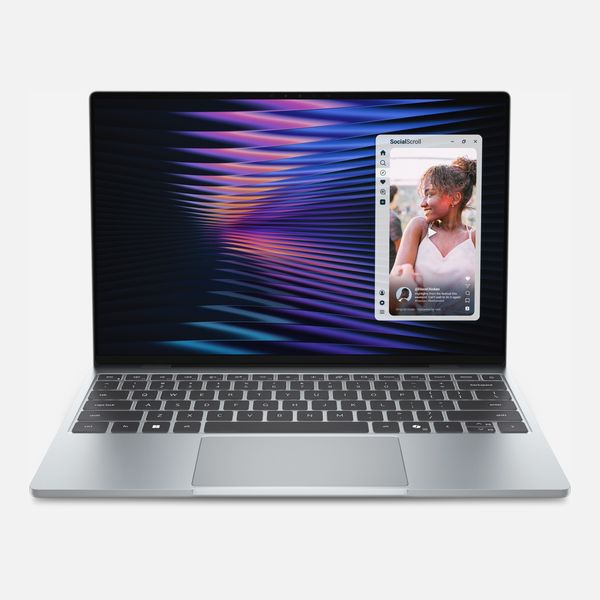
Display: 13.4 inches, 2,560-by-1,600 pixels; Processor: Intel Core 5 Processor 320; Memory: 8GB; Storage: 512GB; Ports: 2x USB 3.2 Gen 2 Type-C
We’ve recommended Dell’s XPS 14 as an excellent (albeit pricier) alternative to the MacBook Air, from its performance all the way down to its surprisingly stunning design and build quality. But students on a tighter budget should consider the XPS 13: It’s slightly smaller, and the CPU on its base configuration starts at a Series 3 Intel Core 5-320 processor. Nevertheless, it’s an excellent alternative to the MacBook Neo — performing at similar speeds on everyday tasks but boosted with a few upgrades of its own, including a keyboard backlight and a half-pound shaved off its overall weight.
If you’re at all concerned about ARM compatibility with our top Windows pick, Microsoft’s Surface Laptop, you can also upgrade Dell’s XPS 13 to a more-noteworthy Intel Core Ultra 7 Processor 355. That gets you within striking distance of (but still behind) Apple’s M5-based MacBook Air, but it bumps the price up to $1,499.
If you’re sticking with the standard processor configuration, you might at least want to consider upgrading the laptop’s memory to 16GB for an extra $200. It’s a great way to ensure that you experience far fewer slowdowns in Windows 11 when you’re opening tab after tab and hopping your way through multiple applications at once. This solves one of the few minor annoyances of Apple’s MacBook Neo for mega-multitaskers.
The best student laptop for all-day battery life
New! You can now save this product for later.
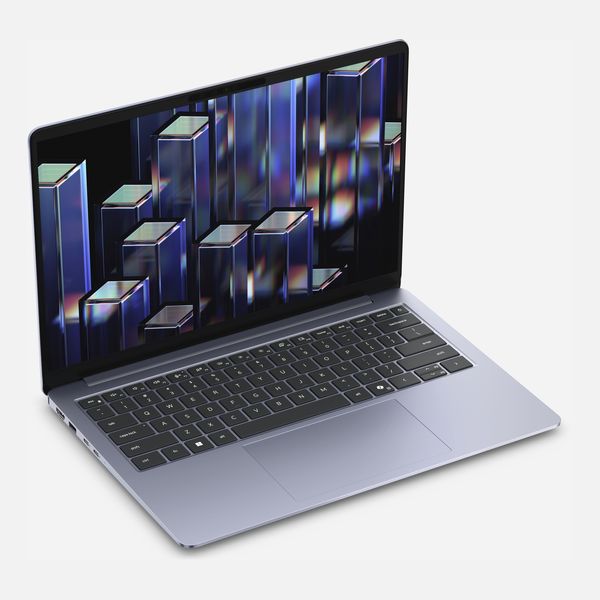
Display: 14-inch 1,920-by-1,200 pixels, OLED; Processor: Intel Core Ultra 5 322; Memory: 16GB; Storage: 512GB; Ports: 2x Thunderbolt 4; 1x HDMI 2.1; 2x USB 3.2 Gen 1
Dell’s 14S might not be as speedy as our top pick, Apple’s MacBook Air, but it has two tricks up its sleeve: an OLED display that’ll give you richer contrasts for your dorm-room movie nights and battery life that’s simply nuts. “I’d recommend the Dell 14S if you need a long-lasting machine,” Biancuzzo says. “Hard to argue with the 36-hour run time PCWorld recorded!”
It’s a perfect fit if you’re planning to use your laptop for simpler tasks — note taking, web browsing, a reasonable amount of multitasking, etc. — and you don’t want to ever worry about plugging it in for long periods of time. And it looks pretty good for movies, although its maximum brightness could be better (to combat its glossy panel’s glare, if nothing else).
The 14S borrows greatly from the incredible build quality of our top Windows laptop pick, Dell’s XPS 14. This isn’t a laptop you’ll want to use for 4K video editing, but if your needs are niche — you want something you can lug around everywhere and watch endless hours of content on a battery that won’t quit — Dell’s 14S does a good job, especially if you catch it on sale (with your student discount, too).
Best Chromebook for college students
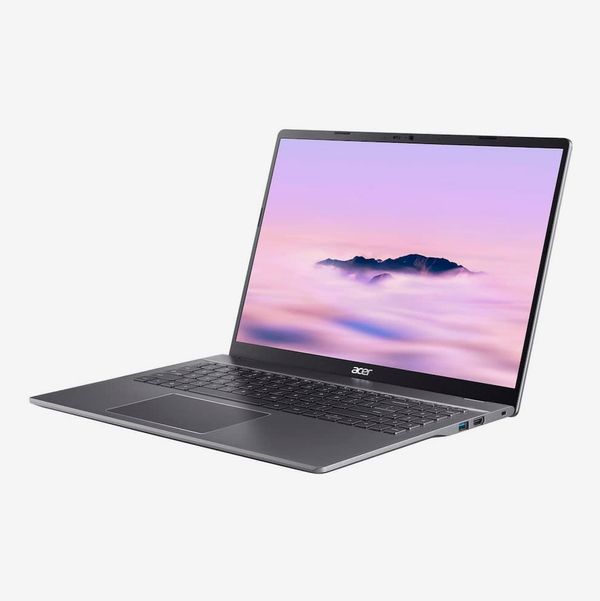
New! You can now save this product for later.
Display: 16-inch 1,920-by-1,200 pixels, IPS; Processor: Intel Core i3-1315U; Memory: 8GB; Storage: 128GB; Ports: 2x USB-C 3.2 Gen 2, 2x USB-A 3.2 Gen 1, HDMI 1.4
If all you need is a laptop for taking notes, checking email, and browsing the web, a Chromebook can do the trick, and Acer’s Chromebook Plus 516 gives you the basics, a big, bright display, and 10 to 15 hours of battery life. “It’s not the most gorgeous-looking machine, but it has a good port selection and a large 1,920 x 1,200 display,” Biancuzzo says.
That said, it makes more sense to wait for a sale on the Chromebook Plus (we’ve seen it marked down to as low as $399), because for just a bit more money than its sticker price you can get the MacBook Neo, which gives you better performance and the flexibility to run the full suite of macOS-supported apps compared to the more limiting Android and web-based experiences of ChromeOS. Or, as Di Benedetto puts it, “The Neo is eating the lunch of most of these laptops. And Google’s upcoming focus on Googlebooks further confuses things.”
Our experts
- Ashley Biancuzzo, associate editor at PCWorld
- Antonio G. Di Benedetto, laptop reviewer at The Verge
- Andrew Freedman, senior editor at Tom’s Hardware
- Jon Martindale, freelance technology journalist
The Strategist is designed to surface the most useful, expert recommendations for things to buy across the vast e-commerce landscape. Some of our latest conquests include the best acne treatments, rolling luggage, pillows for side sleepers, natural anxiety remedies, and bath towels. We update links when possible, but note that deals can expire and all prices are subject to change.