The Upgraded Chilipad Is Worth the Price

I first slept on the Chilipad back in 2024 when I tested a bunch of cooling sleep systems. At the time, I thought of it as a less-slick, more budget-friendly version of the Eight Sleep Pod. However, the Chilipad actually predates the Eight Sleep by quite a few years; it’s just that Eight Sleep has become one of the most well-known and innovative brands in the sleep-temperature-regulation space, so now it’s a Goliath for many smaller brands to take on. And with this year’s upgrade to the Chilipad system, the Chilipad 2.0, the brand is definitely a stronger competitor.
I’ve spent the last few months sleeping on the Chilipad 2.0 and I have to say I’m impressed. (I also visited the brand’s headquarters in Charlotte, North Carolina, over the summer to see the company’s in-house manufacturing and testing facilities in action.) While the new Chilipad is definitely more expensive than the original version, I think it’s well worth the money for anyone considering this type of sleep gear. The brand has emphasized that much of what’s different about the Chilipad 2.0 is based on customer feedback, and it has a few key features to set it apart, including phone-free controls and no subscription requirement.
New! You can now save this product for later.
Chilipad 2.0
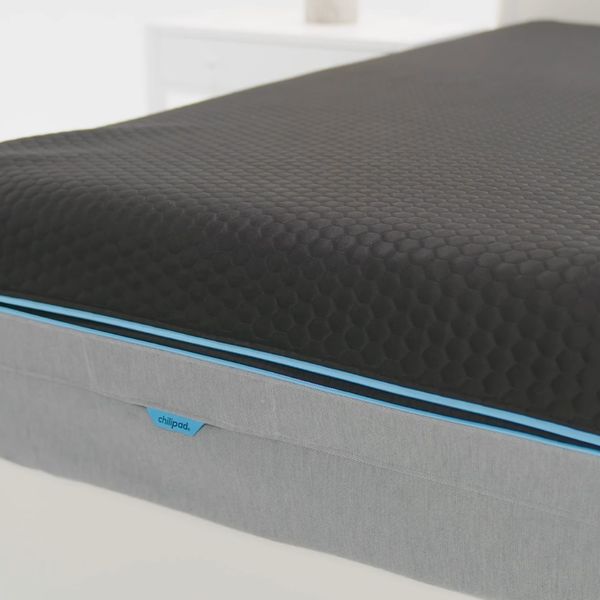
The new cover provides a more seamless and comfortable set-up
One of the distinguishing features of Chilipad’s temperature-control systems has been the option to buy a system for the whole bed or just half of the bed — that way, if you share a bed but only one partner wants temperature control, or if you sleep alone, you don’t have to spend as much money. If you purchased the half-bed version of the previous Chilipad, you would get a mattress cover designed to only cover half of the bed. The drawback was that the half-cover bunched up a little awkwardly and could be felt through the sheets. And if your partner ended up wanting their own temperature control later on, you would either have to put two half-covers together or buy a whole new Chilipad.
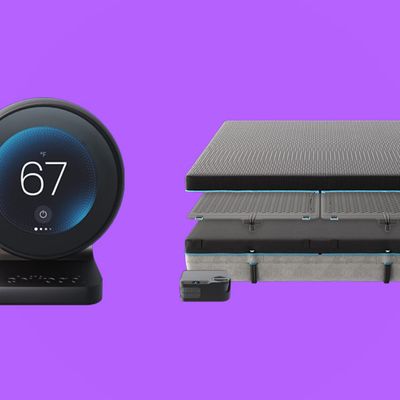
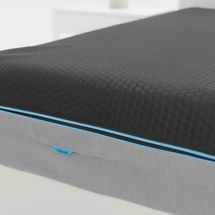
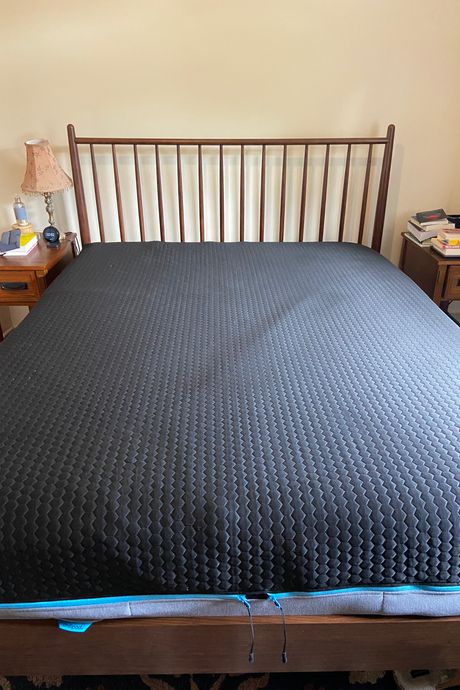
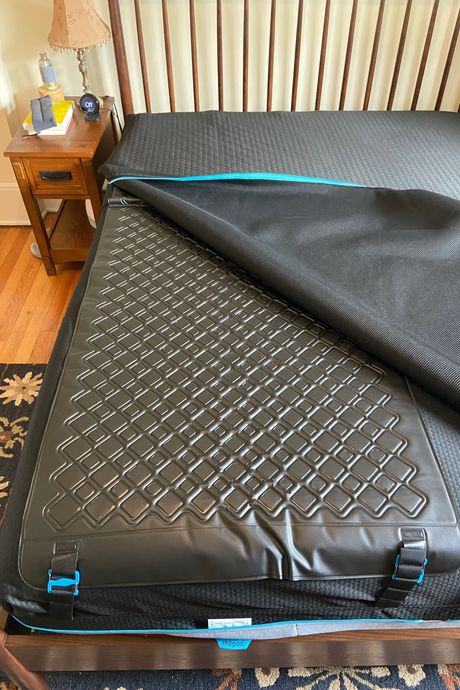
The new Chilipad addresses these issues with a modular cover that has two pieces: The bottom layer fits over your mattress like a mattress protector and the top layer zips onto the bottom one. Between these two cover components, you clip in a “hydrolayer” — basically the plastic membrane that water will flow through to control the system’s temperature. The cover fits over the entire mattress, no matter whether you buy a half-bed or whole-bed size; this reduces the bunching and scrunching issues I experienced with the original model and lets you add in second hydrolayer later, if you want. I tested a half-queen model of the Chilipad 2.0 and it was extremely simple to set up. I could easily see where and how I would add another half-queen hydrolayer (which costs $449 à la carte) if, say, my husband wanted one down the road. Worth noting though, if you sleep alone, is that the single sleeper version still requires you to choose a “side” of the bed — you can’t install the hydrolayer in the middle of your mattress. Starfishers beware!
The bedside remote control is a huge step up from app controls
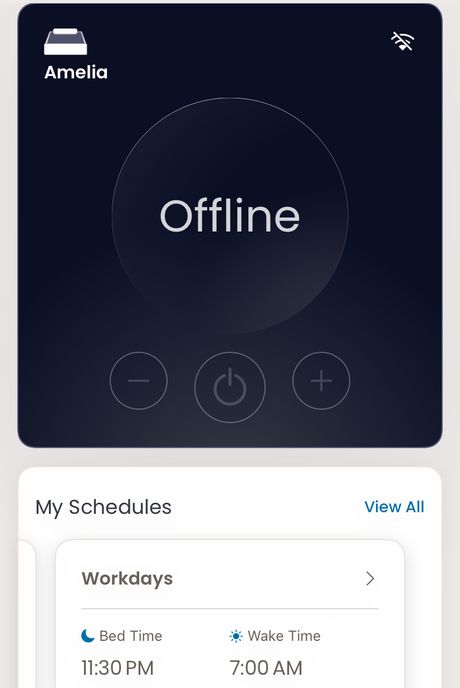
Every temperature-controlling sleep system I’ve tried to date has revolved around an app, with features that can vary from “set it and forget it” to receiving daily updates on how you slept last night. The Chilipad 2.0 does have an app, but I appreciate that it falls very much into the “set it and forget it” realm. If you prefer to use the app, you can use it to preset temperature changes based on your sleep schedule or to manually adjust the temperature. Once you’ve set up your sleep schedule, the Chilipad 2.0 will carry out your routine even if your phone is on airplane mode, the Wi-Fi goes out, or any other form of disconnection from the internet happens. But using the app is not required; if you don’t care about a scheduled program for temperature changes while you sleep, you never even need to download it.
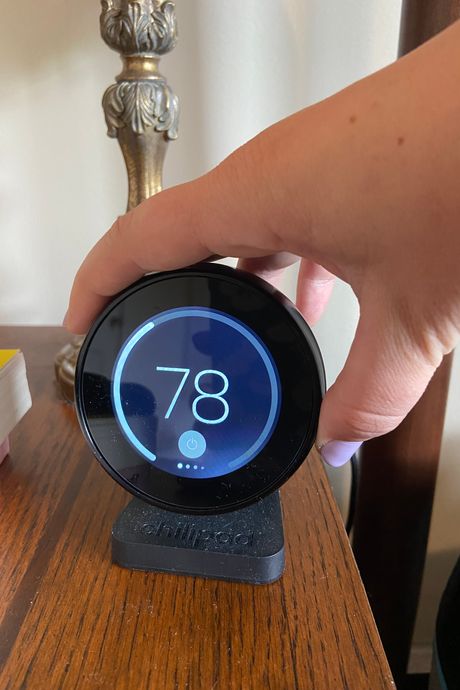
That’s where the Chilipad 2.0’s biggest improvement comes in: Given how many people want the option to stay off their phones before bed, the new system comes with a bedside remote control that looks like a miniature alarm clock and has a small touchscreen. The screen displays the Chilipad’s temperature, the time, and the temperature of your bedroom, and you can swipe between these displays. To change the temperature setting with the remote, you spin a metal ring around the edge of the screen — left for cooler, right for warmer. The simplicity of adjusting the temperature is hands-down one of my favorite features; if I wake up too cold or too hot in the middle of the night, I can reach over and twist the remote to tweak the temperature without even taking off my sleep mask, no phone necessary. The remote looks nice on my nightstand, too, though it may seem a little redundant if you have an actual alarm clock as well.
One pro tip: I’d recommend turning down the brightness on the remote’s display, to avoid shocking your unadjusted eyes in the dark. The screen turns off when not in use, but it lights up when you spin the metal ring to adjust the temperature, and it’s surprisingly bright at full blast.
The smaller control unit is much easier to hide
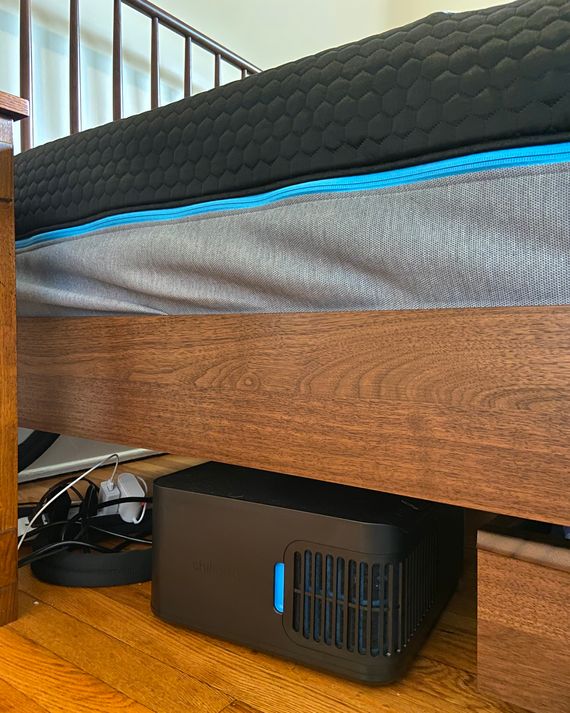
The control unit that powers the Chilipad 2.0 and houses the water that flows through the system is considerably smaller and less ugly than the previous version. It’s entirely black — the old one was white and gray — and small enough to tuck under my bed. Compared to the control units for the Eight Sleep and similar system called the Orion, the Chilipad 2.0’s is easily the smallest and easiest hide out of sight. (Though Eight Sleep just announced its new Pod 6, which is the “smallest, most powerful pod yet.”) On the whole, I appreciated this, as my bedroom is not very big and I don’t particularly like having a techy item on display. The only con I’ve noticed is that the Chilipad seems to require more frequent refills than the other water-based systems I’ve tried.
“No subscription” is a relief
When I tested the Orion, I noticed that the company takes great pains to emphasize how no subscription is required to use the system, in contrast to the Eight Sleep, which mandates that you pay for a subscription for at least the first year that you own it. (While Orion does offer a subscription, it’s an exclusively optional add-on for sleep tracking insights.) But Chilipad doesn’t have any subscriptions at all, at least for now, and the company guarantees that its products’ core features and functionality will never be paywalled. Subscription fatigue is very real, and it’s a relief to know there is no additional cost to owning the Chilipad. Currently, that means there are also no sleep tracking features, which is fine by me. I’m not really into sleep tracking, personally, and if you are, I can see the value in having it as part of your temperature-control system — but there are also plenty of other options, including many wearable devices (some of which have their own subscriptions, anyway).
The beauty of the Chilipad 2.0 is in its simplicity
With new features and a price increase, as well as more competitors, Chilipad is no longer simply the “budget-friendly” cooling sleep system. The queen-size Chilipad 2.0 for two sleepers costs $2,998, which is on par with the queen-size Eight Sleep, priced at $2,899 before mandatory subscription fees. (The queen-size Orion is about $600 cheaper, at $2,395, before any optional subscription fees; the air-based BedJet system is even less expensive, at $699, but lacks the precise fine-tuning of the three water-based systems.) But I think the modular system, phone-free remote, smaller control unit, and no subscription option whatsoever make the Chilipad a great choice if you’re willing to spend the money — particularly those who want the temperature control without much else and consider freedom from an app and subscriptions to be a feature, not a bug.
New! You can now save this product for later.
More From The Strategist
- Hark, the Advent Calendars Arrived (Very) Early This Year
- The Best Things Strategist Editors Have Bought This Year (So Far)
- 63 Things You Should Never Buy Full Price
- The Strategist Fall 100
The Strategist is designed to surface useful, expert recommendations for things to buy across the vast e-commerce landscape. Every product is independently selected by our team of editors, whom you can read about here. We update links when possible, but note that deals can expire and all prices are subject to change.