The Best Video Doorbells, According to Security and Tech Experts
Want to know more about what’s happening right outside your front door? The best video doorbells make it easier than ever to keep track of your visitors and packages, whether you’re home or away. Until about five years ago, buying a video doorbell meant deciding between Amazon’s Ring and Google’s Nest, resigning yourself to a monthly fee, and calling an electrician to hook your new device up to your home or apartment’s wiring. But today’s huge range of models offer higher-resolution video, smart alerts, rechargeable batteries, compatibility with the rest of your smart home devices, and more — and many don’t require a subscription.
In this article
To find the best video doorbell for your home, I interviewed five experts — a security-retail veteran, a professional installer, two product testers, and a retired SWAT commander-turned-security consultant — and did my own hands-on testing of two models, keeping in mind every kind of dwelling from apartments such as my East Village fifth-floor walk-up, where the front door isn’t even mine, to co-ops where drilling a pilot hole isn’t allowed, to brownstones and country houses with existing doorbell wiring.
New! You can now save this product for later.
Our experts' favorite video doorbell has the best hardware and the most complete software out there.
New! You can now save this product for later.
Advanced features without a subscription, plus local storage for the privacy-minded.
New! You can now save this product for later.
With high-end features, useful alerts, and great support, this is the best less-expensive doorbell.
How to shop for the best video doorbell
Subscription versus local storage
Mark Steinberg, senior technologist at B&H Photo, says the first question customers ask about a new doorbell camera is whether there’s a subscription required, and that non-subscription models are now what the store sells the most of. “They’re inundated with subscriptions for this, for that, for apps, for streaming services on their TVs,” he says.
Steinberg’s test for whether you need a camera that requires a subscription and uploads its recorded video to the cloud is simple. “If you’re someone who really wants to be able to call up and see archived footage,” paying makes sense, since cloud services usually let you access footage that’s 60 or more days old. Also, subscriptions get you access to the best AI features, since those are processed in the cloud.
The other option is a doorbell camera that records locally to a microSD card. So if you’d rather own your footage outright and keep it out of the cloud and any of big tech’s prying eyes or just the daily barrage of rogue AI hacker bots, Edwards’s short list is specific: “Reolink and Eufy are the top two in my book — they give you local storage options.” Meanwhile, Nest offers a compromise with a genuinely usable free tier (more below).
If you just want to know who’s at the door and whether or not they have a package in their hand in real time, and review recent events, local storage is probably good enough: Depending on its size, a microSD card can hold anywhere from two days to four months of clips for free, assuming nothing happens to the camera itself. And in some cases, you can purchase a separate local network-attached storage hub to access your local storage remotely — even if the camera itself is stolen or damaged.
Wired versus battery power
Worried about installation? Whereas just a few years ago most video doorbells needed to be connected to existing electrical wiring, today there are as many rechargeable battery options as wired ones. Barak Ron, CEO and owner of Vertex Security, a New York security-integration firm that has spent 22 years installing systems, particularly wired ones, across the five boroughs and suburbs, says that battery models are almost comically easy to set up: “You’re putting it on with a sticker … You hook it up to your Wi-Fi, and you have a working system.”
The tradeoff, in this case, Ron says, is that every few months “it’s going to stop working, you’re going to have to take it apart and charge it for eight to ten hours.” (To be fair, to “take it apart” usually just means sliding it out of its mount, opening a rubber lid, and connecting it to a USB-C charger, though some models can be permanently connected to a solar charger and never need to be disconnected.) Hardwired means tapping the wires from your existing doorbell (a method his installers use constantly): “It’s always going to work, it’s always going to be powered up,” Ron says.
One other advantage of battery-powered models is that they can be used by renters who can’t put screws into their apartment building’s doors or walls. I attached my Reolink test unit’s mounting plate inside next to my apartment’s front door with Command Strips; no drilling at all. While that might seem insecure, the doorbell itself just slides into the mounting plate, so it’s not particularly locked in whether the mounting plate is attached with screws or Command Strips. The ease with which I was able to attach the doorbell, combined with the relief of knowing I wouldn’t have to argue with my super about damaging the public hallway wall space, was well worth any worry about potentially losing the video doorbell to thieves.
Video resolution and field of view (FOV)
Manufacturers love to advertise diagonal Field of View (FOV) values like 160 or 180 degrees because they sound impressive, but they don’t really matter much for doorbell views (especially in an apartment building). What’s more important is a high vertical FOV, or a “head-to-toe” aspect ratio (like 1:1 or 3:4), so that packages aren’t cut off at the bottom of your camera view.
You might wonder why anyone would care about video resolution on a doorbell; after all, the higher the resolution, the more you’ll need a steady Wi-Fi connection and the quicker you’ll use up your local or cloud storage. But if you want to zoom in and accurately identify package tracking numbers or a visitor’s ID badge, even in low light, then you’ll want a doorbell camera that can capture at 2K or 4K resolution.
Integration and smart-home platform
A doorbell you can’t hear is just a security camera (aside from the fact that it will send you alerts). If your new doorbell can be connected to your existing wiring, your in-wall chime will continue to sound when someone rings the bell. Go battery-only, and you’ll only hear the chime via your phone only unless you add something audible indoors, usually a connected chime accessory, a smart-home hub that can act as one, or a smart speaker.
The chime is just the first accessory question. A video doorbell is rarely the last thing you buy from a brand, so it’s worth scanning the rest of a video-doorbell manufacturer’s catalogue before you commit to a single ecosystem such as Amazon Alexa for Ring or Google Home for Nest or Apple Home.
Any of those platforms can transform your video doorbell into a gateway to controlling the rest of your house, letting your doorbell do things like turn on the porch lights automatically it spots someone approaching your house or trigger more complex behaviors. As Ron suggests, you can set it up so as a guest arrives “the shades will open and the music will turn on.”
You can keep it simple and just get a Google Nest or Ring doorbell if you are a Google Home or Alexa user, but you aren’t locked in. You can go with third-party models so long as you make sure they work with those systems — look for either “Works with Google Home” or “Works with Alexa” on the box. (There’s less support for Apple Home — only one of our picks, Arlo, connects to Apple’s platform, with the addition of some extra hardware.)
Buying a compatible product means your new video doorbell will be able to integrate in some capacity with those smart home platforms, letting you do things like view live video streams, have two-way conversations with visitors, and set up automations like turning on the lights as soon as the video-doorbell camera detects you walking toward the front door, all from a single app (though you may not get the same level of control you get from sticking to a single brand).
If all of this sounds exhausting, you can simply buy what you need and use individual apps. Rob Stott, editor-in-chief of Connected Design, owns an Echo, a smart thermostat, and a houseful of Blink gear. He deliberately keeps each in a separate app. “It’s just not a level of control that I need,” Stott says.
AI features and smart alerts
You’ll find two kinds of “AI” offerings in today’s video doorbells. Basic object-recognition can now run on chips cheap and tiny enough to live inside a $60 doorbell, which is why brands like Tapo and Reolink can give away detection that used to be a premium feature. The latest AI detection offerings, however, don’t just detect a person, but can also describe the scene in a sentence, and send that to you in an alert. This approach, borrowed from the same tech behind chatbots, still depends on processing in the cloud.
Basic detection on the chip costs little for the manufacturer to offer, and it’s what you get on subscription-free video doorbells, while detailed description in the cloud is what you’re paying for in a monthly subscription. Edwards described an alert from her Ring test units — one an indoor camera — that identified “a person moving in the room with a phone and a blue box, a dog lying on the porch with another dog lying next to it.” TMI or exactly what you need to know?
Stott, who lives in a self-described Blink household, puts this kind of specificity in practical terms. His doorbell can “discern the difference between an Amazon package or a FedEx package versus our groceries being dropped off.” That’s the kind of distinction that changes what you do next. “A package can sit out there for a little bit,” he told me. “Groceries, where in the dead of summer it’s 90 degrees and 90 percent humidity; I don’t want my milk and eggs sitting outside.”
Privacy
Using any camera with cloud-based features involves placing a certain amount of trust in a big tech provider. Amazon has had a bumpy run — there was a 2023 FTC settlement over contractor access to customer videos, then a short-lived 2025 partnership with the police-tech firm Flock Safety that Ring ended this February after public backlash. Meanwhile, Wyze, a name once synonymous with smart cameras, ran into trouble in 2024, when around 13,000 users were accidentally given camera access to other people’s homes.
Today, Ring requires a warrant for police access, with an “emergency” exception that Amazon judges on its own. It also offers optional end-to-end encryption, which you should turn on. Google’s Nest terms contain a similar emergency user agreement.
If you want to avoid the big tech minefield you should look at local-storage models from Eufy, Reolink, and others, where there’s simply no video in the cloud for anyone you don’t want looking to access.
And don’t forget real-world security (or basic politeness). Whatever you buy, make sure to check your local privacy laws or condo or co-op association rules regarding filming neighbors’ stoops or shared hallways. Regardless of the rules, it’s always a good idea to use features such as privacy masking, which lets you block out specific areas of the camera’s view, or angled wedge mounts that let you shift the doorbell camera’s view away from a neighbor’s entryway and onto your stoop or walkway only.
The best video doorbell overall
New! You can now save this product for later.
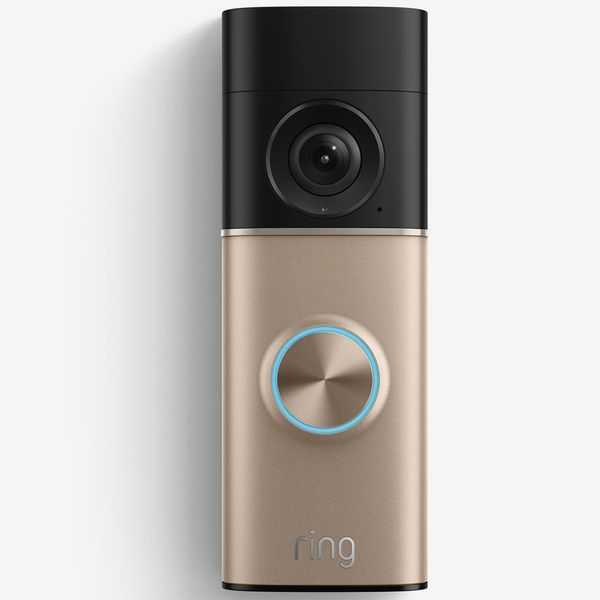
Resolution: 4K | FOV: 140-degree horizontal, 140-degree vertical head-to-toe | Power: battery or wired | Storage & fees: Cloud only; recording requires a Ring Solo plan from $4.99 per month, with up to 180 days of history; familiar face recognition, AI descriptions, and 24/7 recording require Ring Pro ($19.99 per month) | Works with: Alexa | Extras: Up to 10x zoom, color night vision, 3-D motion detection with visitor route mapping (“Bird’s Eye View”)
This is the one doorbell that multiple experts I spoke to put at the top of their lists. “The camera that I am most in love with right now — I hate to say it — is Ring’s latest Battery Doorbell Pro 4K,” Rebecca Edwards, managing editor and lead safety expert at SafeWise, told me, having tested it this spring. “Super clear video, that object identification is incredible, it just really doesn’t compare to anything else right now.” The 4K sensor is the first in a battery doorbell, and Ring’s unrivaled smart search “saves you a lot of brain power and time” by letting you quickly find “package delivered while it was raining” instead of endlessly scrolling clips.
The downside: You only get access to the advanced features with a Ring subscription, and the best ones are part of the Ring Pro plan, which costs $20 per month (out of the box you only get the live video feed, generic motion alerts, two-way talk, motion zones, and Alexa integration). “You are stuck with a subscription to really make the most of it,” Edwards says. So if you want the best of what Ring has to offer — precise AI object recognition, smart search, and up to 180 days of cloud storage — you’ll want to make sure to budget in the additional $50 to $200 per year for a subscription plan.
The best video doorbell with no subscription fee
New! You can now save this product for later.
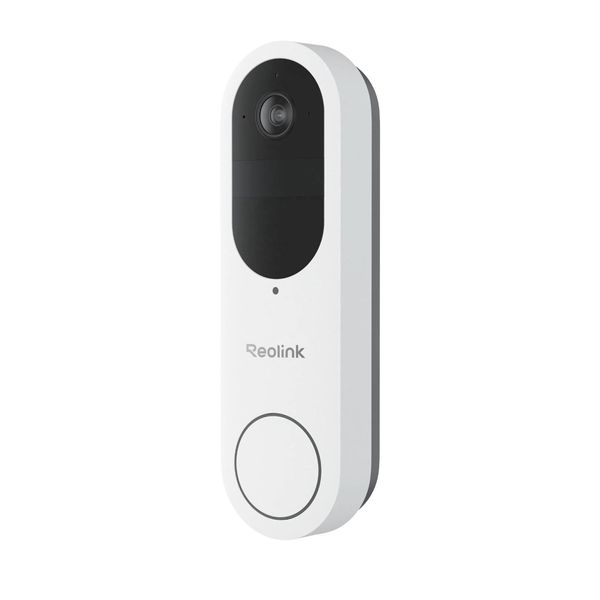
Resolution: 2K (4MP) | FOV: 180-degree diagonal, 1:1 head-to-toe | Power: Battery or wired | Storage & fees: microSD up to 512GB or Reolink Home Hub ($150), no fee; or Reolink Cloud (from $3.49 per month) | Works with: Alexa, Google (live view; no two-way talk) | Extras: Free person, vehicle, animal, and package detection; time-lapse mode; Chime Plus accessory.
Edwards ranks the Reolink highly for privacy-minded buyers, since it’s optimized for local storage, supporting cards of up 512GB on the video doorbell’s local microSD or unlimited recording to the optional Reolink Home Hub. The Reolink offers subscription-free head-to-toe AI detection of packages, people, vehicles, and pets, and with motion and size thresholds you can narrow your notifications to exactly you want to be notified about.
The Reolink offers a lot of privacy — and a $3.49-per-month cloud option for those who’d still rather not worry about their footage going up in smoke should there be a fire or other natural disaster at home. I was happy to know that I didn’t have to worry about anyone hacking into my camera, or budgeting for yet another subscription, and I’d be lying if I said I didn’t get a kick out of the fun time-lapse feature, which can make for some nifty storytelling out of a few days of visitors to my front door.
The Reolink Video Doorbell wasn’t the easiest to set up, however. It took me about 45 minutes, with a hard-to-find USB charging port the instructions didn’t really map out, a fussy Wi-Fi configuration, and a sensitive tamper siren (which might give you peace of mind once installed) that went off during setup and was hard to silence.
The best less-expensive video doorbell
New! You can now save this product for later.
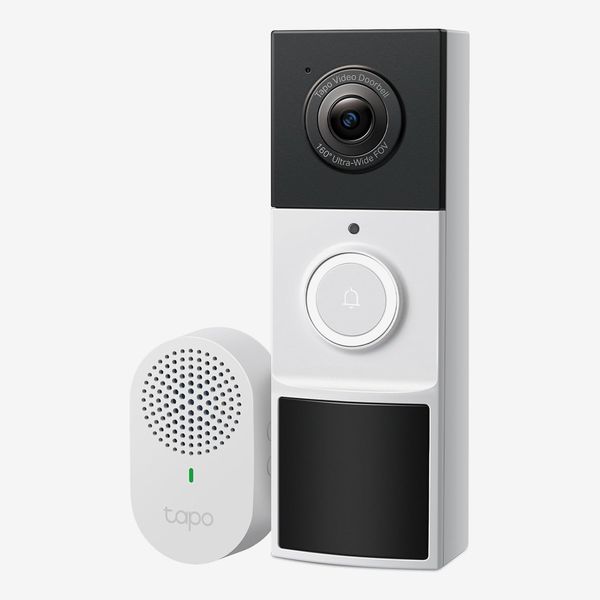
Resolution: 2K (3MP) | Field of view: 160-degree diagonal | Power: Battery | Storage & fees: microSD up to 512GB, no fee; optional Tapo Care cloud storage from $3.49 per month | Works with: Alexa, Google Home (live view and announcements; no two-way talk through third-party apps), Siri | Extras: Ring Call (a press rings your phone like a call), color night vision with spotlight, wedge mount included, IP65 water- and dust-resistance, chime accessory included
I’ve been living with the budget TP-Link Tapo D210 and can vouch for its app, painless setup, and the nifty feature all the Tapo cameras share: Ring Call, which turns a doorbell press into a phone call instead of another notification. The first time my phone rang, I genuinely thought someone was calling me — briefly confusing, then freeing, because answering the door no longer means opening an app. That app “works better than almost anybody’s,” says Steinberg, plus the company really stands behind the product. “TP-Link probably has the best support of anybody … there’s actual people you can talk to,” he says. You get the option of local storage to a microSD card, or cloud storage with the basic $3.49-per-month Tapo Care subscription.
The Tapo D210 doesn’t do package detection or head-to-toe vertical views, but if you don’t need those things, it’s a great basic video doorbell and a state-of-the-art starter gateway to some of TP-Link’s more premium smart security cameras, sensors, locks, and alarms.
The best-value video doorbell subscription
New! You can now save this product for later.
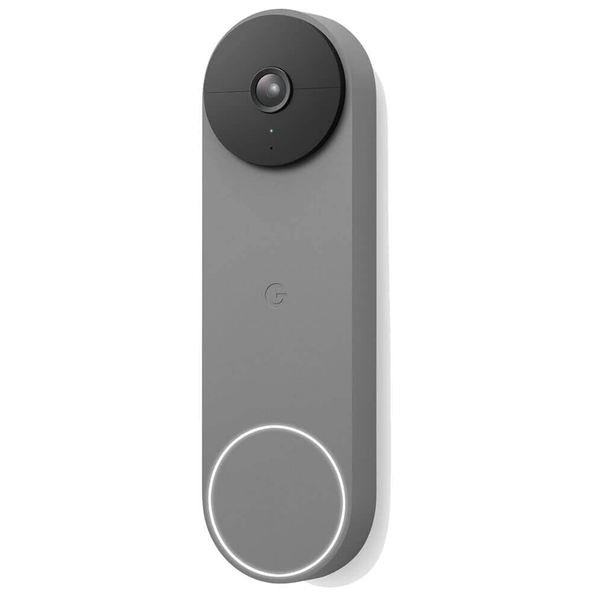
Resolution: 960×1280 (3:4) | FOV: 145-degree diagonal | Power: Battery or wired | Storage & fees: 3 hours of recorded event history free; Nest Aware subscriptions include familiar face recognition, detailed motion and object notifications, and full Google Gemini compatibility from $10 per month (included with Google AI Pro and Ultra subscriptions) | Works with: Google Home; Alexa (live view and two-way talk via Alexa Google Nest Skill) | Extras: Free on-device generic person, package, car, and animal detection; up to one hour of local backup recording if Wi-Fi drops
Most of the high-end video doorbells offer solid hardware features at this point — the differences are in what cloud-based offers are available at the various subscription tiers, which range from a few dollars per month up to around $20 per month at the top end. And of the doorbells backed by the big tech companies, Google’s Nest Doorbell gives you the most for the least — in fact, you get a lot of useful features even at the free tier. “If you wanted a high-quality camera that you can get away without a subscription that’s still pretty high-end,” says Edwards, “I would go with Google Nest.”
That free tier includes genuinely smart object recognition — person, package, car, animal — plus three hours of rolling cloud storage and activity zones. Paying adds familiar-face alerts, 24/7 recording in the wired doorbell (saved for up to ten days), and up to two months of event history, but the point is you don’t have to. You don’t get the absolute highest-resolution video, but that may not be a real downside, considering that Google’s processing makes the most of it. And if you’re already in the Google ecosystem in any way, either through Google Home, Gemini, or an Android phone, then setup and operation couldn’t be more seamless.
The best video doorbell for Apple households

New! You can now save this product for later.
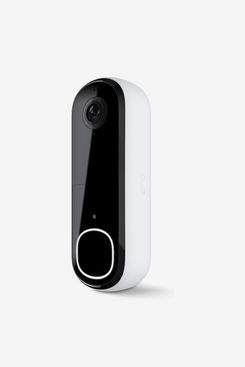
Resolution: 2K (1944×1944) HDR | Field of view: 180-degree diagonal, 1:1 head-to-toe | Power: Battery or wired | Storage & fees: Cloud only; history and AI detection require Arlo Secure from $7.99 per month | Works with: Alexa, Google Home, Apple Home (via Arlo SmartHub) | Extras: Built-in siren can be triggered remotely, IP65 water- and dust-resistance
For Apple users, the second-generation Arlo Video Doorbell 2K is an easy pick. It’s our only recommendation that connects to Apple Home (though you’ll need to purchase the Arlo Pro SmartHub, which brings the overall price more in line with other high-end video doorbells, though if you’re building a full secuity system, the SmartHub does support multiple Arlo devices).
But the Arlo isn’t just for Apple users — it’s the bang-for-the-buck model Steinberg typically recommends, with an app that “works pretty darn well” and made by a company whose support “has gotten a lot better.” Rebecca Edwards likes Arlo for its cross-platform compatibility. “You’re not restricted to better usage with Alexa or with Google,” she says. “It’s more of a ‘plays with everybody’ kind of situation.” One honest caveat from Steinberg: The claimed four-month battery life assumes a quiet stoop. Lots of activity in front of your door means constant triggers and faster drain, though the hardwired option solves this.
Best video doorbell with professional monitoring
New! You can now save this product for later.
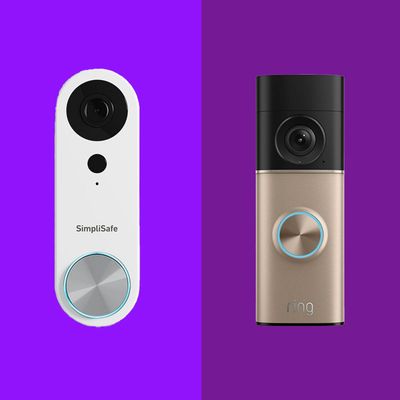
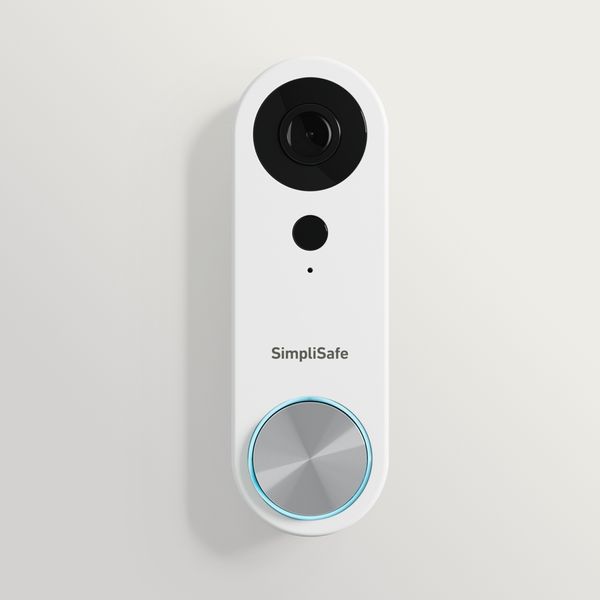
Resolution: 1080p HDR | FOV: 162-degree | Power: Wired only | Storage & fees: Recording requires a subscription, from the $9.99 per month. Self-monitoring with camera recordings plan to professional-monitoring tiers (Core, Pro, and Pro Plus) that add 24/7 monitoring and emergency dispatch, topping out at $79.99 per month, where live agents can see, speak, and intervene in real time | Works with: SimpliSafe system; Alexa and Google voice commands can arm the system and check status only (no camera streaming to smart displays, and no voice disarm) | Extras: Dual-sensor person detection
SimpliSafe’s Video Doorbell Pro isn’t just a video doorbell — it’s part of a full security system, with the option of professional monitoring. The catch is that those benefits only kick in if you use the Video Doorbell Pro as part of a home security system. As a standalone device, it doesn’t do much more than deliver live video streaming and basic push alerts, and it can’t save video locally or to the cloud.
Once you add at least a base station, keypad, and some motion and/or entry sensors (SimpliSafe has a vast catalog of indoor and outdoor cameras, sensors, and smoke and CO detectors), or add it to a SimpliSafe system you already own, you get access to unlimited recordings and (if you want it) 24/7 real-time monitoring by trained agents. Petrino recommends SimpliSafe from experience: he ran a monitored SimpliSafe system in his own home. “It’s a reliable system that’s easy to use,” he says. “I don’t have anything bad to say about it at all.”
Best dual-camera video doorbell for catching porch pirates
New! You can now save this product for later.
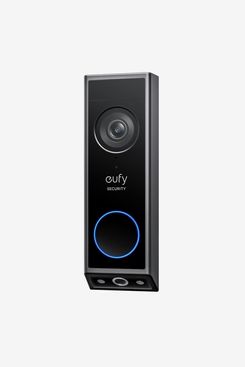
Resolution: Dual cameras: 2K front and 1080p downward | Field of view: 160-degree (front) | Power: Battery or wired (battery must stay installed) | Storage & fees: 8GB onboard, expandable to 16TB via HomeBase 3 (sold separately), no fee | Works with: Alexa, Google | Extras: Color night vision with spotlight; on-device face recognition for up to 10 saved faces (full BionicMind face recognition requires HomeBase 3)
The problem of package theft is what drives most interest in video doorbells, says Petrino, and the Eufy E340 is our experts’ pick for a doorbell with a second camera pointed straight down at your doormat, which is exactly where packages go.
“You get a full view of the delivery person,” says Steinberg, “and of the floor right in front of the camera, so wherever they put the package, you can really see it.” So instead of just knowing that a package is actually there, you can see details like its size, who it’s from, and, as a result, how quickly you might need to intercept it (especially if it’s perishable). Add face recognition for regulars — and clear face capture for strangers — and 60 days of onboard recordings with no fee, and it’s the most complete answer here to the package-theft problem.
Best video doorbell with AI features
New! You can now save this product for later.
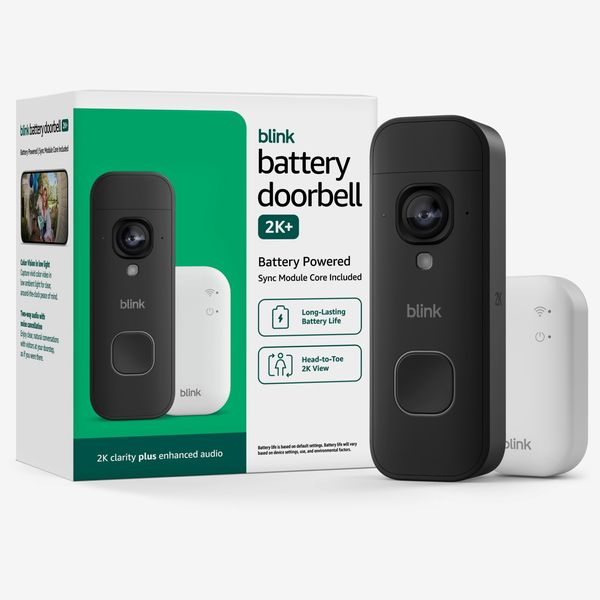
Resolution: 1920p, 1:1 head-to-toe | FOV: 140-degree horizontal, 173-degree diagonal | Power: Battery | Storage & fees: Sync Module required (included in the $79.99 bundle); the bundled module is cloud-only (from $3.99 per month); local storage requires the separately sold Sync Module XR with USB | Works with: Alexa only | Extras: IP65, wedge and corner mounts available, 33-foot motion range
Stott doesn’t just recommend Blink — he lives in it, running cameras and the doorbell across his whole house. What’s kept him loyal is how far the cheap stuff has come. Thanks to seamless Alexa integration and AI smarts — Amazon acquired Blink in 2017 — the notifications are sharp enough to tell a FedEx box from a grocery drop, though to get that level of detail, you’ll need to pay $6.99 per month for a Basic AI plan (covers just your video doorbell, or one device, while $20 a month covers unlimited devices). Still, nothing rivals that level of detail at that monthly price for one device, even from also-Amazon-owned Ring. Besides, the Blink ecosystem is cleverly designed. Case in point. One indoor Blink camera doubles as the chime: “If someone presses it and you don’t have your notifications on your phone, you can still hear a ding from the indoor camera” (an Echo Show works, too).
What’s more, the Battery Doorbell 2K+ can even tap into your existing doorbell wiring if you want that traditional ding on top of mobile-phone notifications (though, curiously, the slightly cheaper Blink Wired Doorbell 2K+ won’t connect to your doorbell, even though your home’s electrical system powers it). The Battery Doorbell ships with a cloud-only Sync Module, but those with privacy concerns have an out, too. The separately sold Sync Module XR offers network-attached local storage so that you can avoid Blink/Amazon’s cloud servers entirely. Just remember the trade-off: Since those clips can’t “go up and be analyzed,” you’ll lose the detailed AI-written notifications.
Our experts
• Rebecca Edwards, managing editor and lead safety expert at SafeWise
• Gene Petrino, lead security advisor at Security.org, retired SWAT commander, and author of Guardian Awareness
• Barak Ron, CEO and owner of Vertex Security, a New York security-integration firm
* Mark Steinberg, senior technologist at B&H Photo
• Rob Stott, editor-in-chief of Connected Design
The Strategist is designed to surface the most useful, expert recommendations for things to buy across the vast e-commerce landscape. Some of our latest conquests include the best acne treatments, rolling luggage, pillows for side sleepers, natural anxiety remedies, and bath towels. We update links when possible, but note that deals can expire and all prices are subject to change.