The Boox Note Air 5C Is the Best Digital Notebook That Isn’t Just a Notebook

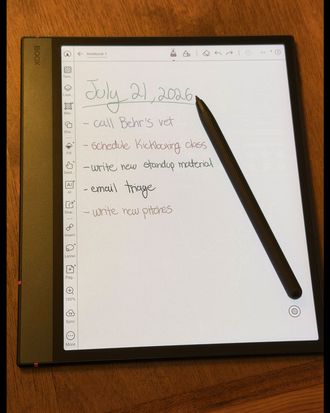
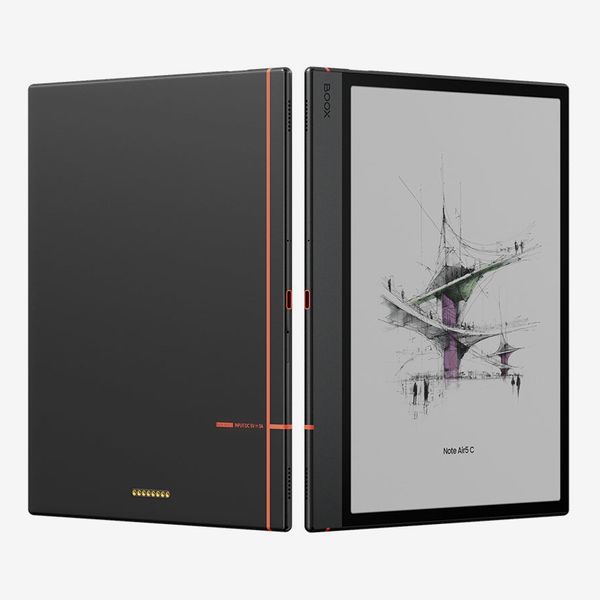
If you’re in the market for a digital notebook, there’s no shortage of available options. Amazon, reMarkable, and Kobo all have a variety of models with black-and-white or color screens in different sizes to suit your needs. But of all the companies with e-ink notebooks available, none makes more than Onyx. They come in all sorts of shapes and screen sizes, and run Android so you can install and run third-party apps, unlike the devices from other companies. Of the large e-ink digital notebooks I’ve tested — including the Kindle Scribe Colorsoft — the Boox Note Air 5C is the most flexible. It’s large enough to write on, yet small and light enough to carry, and has a color screen for detailed note taking.
New! You can now save this product for later.
Android is its greatest strength
If all you want is a straightforward e-ink tablet with the ability to take notes and read books, you’ll be better off with a Kindle Scribe Colorsoft or Kobo Elipsa 2E. But running Android means the Note Air 5C — the most portable of Boox’s large-screen Note tablets that have an optional keyboard cover — supports third-party apps via the Google Play Store. That allows you to install any note-taking app of your choice, including cross-platform options like Microsoft OneNote. There’s also a full-blown web browser if you want to read articles online, though it’s not responsive enough for things like watching videos.
Running Android also means that if you don’t like Onyx’s built-in ebook reader, which is limited in customization compared to alternatives, you can install your own. I chose the Moon+ Reader Pro, as it has more options for syncing highlights and managing your library. There are plenty of other third-party apps, too, such as the Kindle app, or KOReader and Readest for cross-platform syncing. It may take some time to find the one that’s best for you, but that’s part of the fun of Android: You’re not limited to what comes in the box.
Because Android is so customizable, Onyx’s version has tons of options for tweaking the settings of the tablet’s display and how the device operates. For instance, you can change the screen’s pixel density, how often it refreshes, and its color contrast, all from the device’s control center (accessible by swiping down from the top-right corner). You can even run apps in split-screen mode if you want to take notes as you read.
It’s a great note taker
The Note Air 5C’s note-taking capabilities go beyond just scribbling on a blank screen. There’s a feature called FreeMark that allows you to use the included stylus to write over third-party apps that wouldn’t otherwise support pen input. Once you’re done writing, it’ll save the page as a PDF that you can access from the Boox’s files app. That’s far more convenient than taking a screenshot and going into another app to mark it up, or saving a document as a PDF before transferring it to a Kindle or Kobo device. I’ve found myself using it quite a bit when researching for any projects I’m working on.
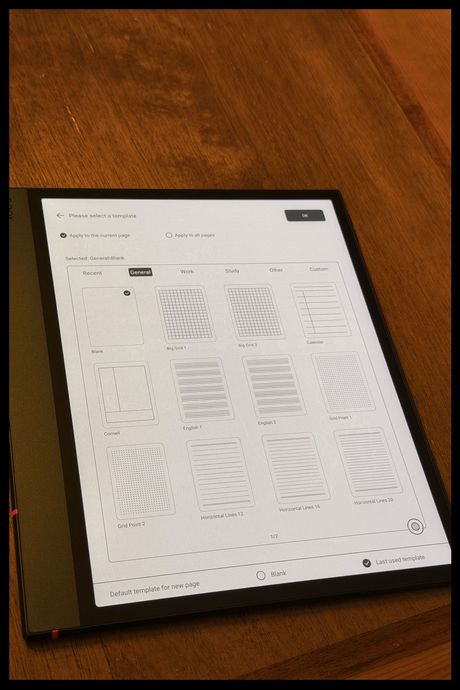
The included note-taking app is quite good, too. It has 45 templates to choose from, including several for taking notes, writing music, and even a four-panel comic-strip option. And if none of those options cover your needs, you can load a PDF with any template you want (Etsy has a ton of options). The app also supports layers, plus the ability to insert images, attachments, and links to files or websites. That’s all far more powerful than the note-taking capabilities of most other e-ink tablets you can get, and it’s all included.
As for actually writing on the Boox, the matte display feels nice when using the included stylus, though it’s not quite as close to writing on paper as the reMarkable Paper Pure. The stylus has both pressure and tilt sensitivity, so it’ll accurately replicate each pen stroke. When you’re not using it, you can magnetically attach the stylus to the right side of the tablet just like with an iPad. Frustratingly, though, the magnet is pretty weak, so it’s easy for the stylus to fall off. The stylus also rests just below the volume controls, making them difficult to press when the stylus is attached.
Other than that, the rest of the device feels great: It’s made of a sleek aluminum that’s light enough to hold in one hand, with a thick bezel on the left-hand side for grabbing without obstructing the screen.
If you prefer to take your notes via keyboard, you can also get a keyboard cover that allows it to work just like an iPad with a keyboard. There’s no track pad, but the touchscreen is responsive enough that it should work for things like moving your cursor when editing text in an app like Obsidian or Notion. Although I haven’t tested the keyboard case for this particular model, I’ve tried them on several other Boox tablets; they’re both light and comfortable to type on.
Its display isn’t bright enough for all environments
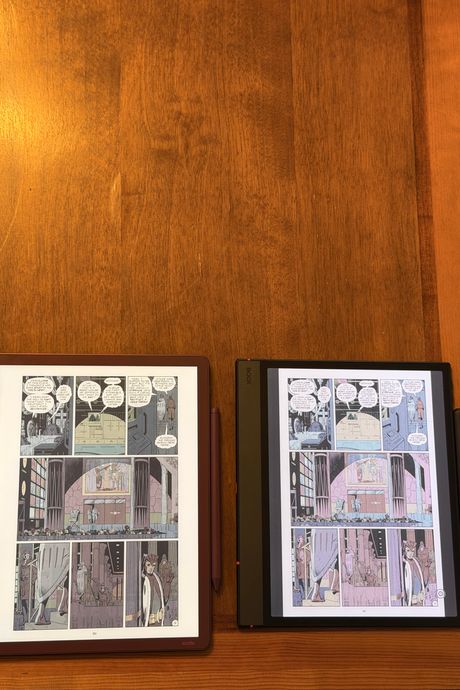
E-ink screens aren’t just great for taking notes: Their crisp text and front-lit displays (easier on the eyes than backlights) make them great for reading books, too. But because the Boox uses a Kaleido 3 color e-ink screen, it doesn’t get as bright as black-and-white e-readers. That’s because in order to produce color, there’s an additional layer of colored ink atop the regular e-ink screen, which prevents some light from passing through. At 50 percent brightness, it’s visible in poorly lit settings, but at 100 percent brightness, it’s noticeably dimmer than regular e-ink screens or even the Kindle Scribe Colorsoft (which uses a modified version of Kaleido 3).
Likewise, the display has more distortion than the Colorsoft. Compared to Amazon’s tablet, text in graphic novels such as Watchmen looked more fuzzy, and I had to squint to read text on smaller panels. That’s thanks to the cut in resolution when viewing things in color: You’re limited to 150 pixels per inch, versus the 300 you get when viewing text in black and white. There — as in e-books or articles — text looks crisp. Even then, though, the Kaleido 3 filter causes a bit of distortion that prevents the screen from ever looking totally clear.
That aside, I’m glad the Note Air 5C has a color display. It’s not as vibrant as an OLED display — it’s more like a newspaper with color — but it’s colorful enough for taking detailed notes. You can make highlights in multiple colors when reading books, write in different colors to color-code your planner, or just add a splash of color to your page.
It’s a great note taker but lacks as an e-reader
Android-powered e-ink tablets like the Note Air 5C offer a flexibility that devices like the Scribe Colorsoft or Elipsa 2E can’t match. If the tablet can’t do something, there’s probably an app that has you covered. And its color screen allows you to add more details to your notes than a black-and-white screen would. But that comes with a slightly distorted display that’ll never look truly paperlike and makes text in graphic novels difficult to read. Even so, the Note Air 5C is cheaper than the Scribe Colorsoft, while providing enough functionality to serve college students or anyone else who’s eager to take all their notes on a tablet.
Other digital notebooks and tablets we recommend
New! You can now save this product for later.
New! You can now save this product for later.
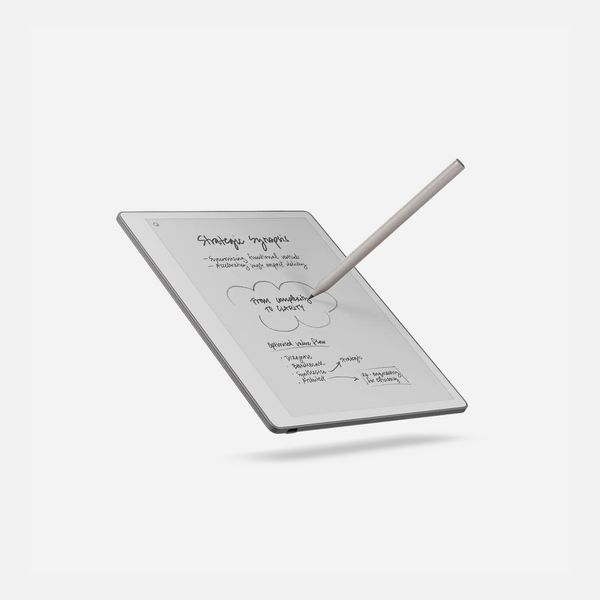
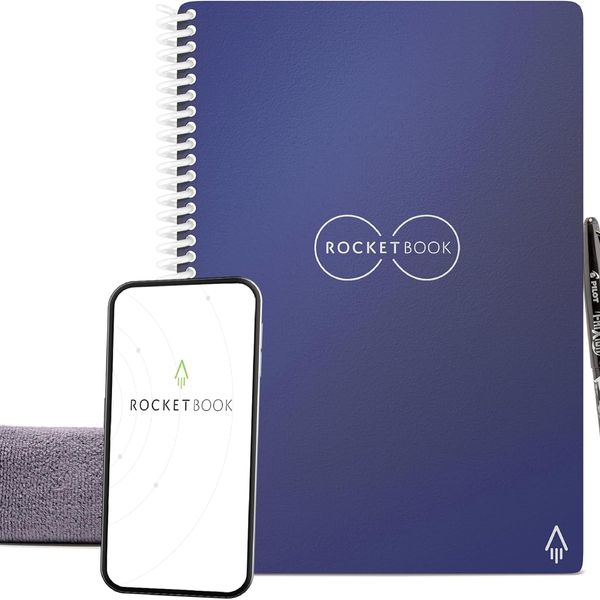
An analog, but still digital, notebook.
New! You can now save this product for later.
More From The Strategist
- Hark, the Advent Calendars Arrived (Very) Early This Year
- The Best Things Strategist Editors Have Bought This Year (So Far)
- 63 Things You Should Never Buy Full Price
- The Strategist Fall 100
The Strategist is designed to surface useful, expert recommendations for things to buy across the vast e-commerce landscape. Every product is independently selected by our team of editors, whom you can read about here. We update links when possible, but note that deals can expire and all prices are subject to change.