The Best Tablets
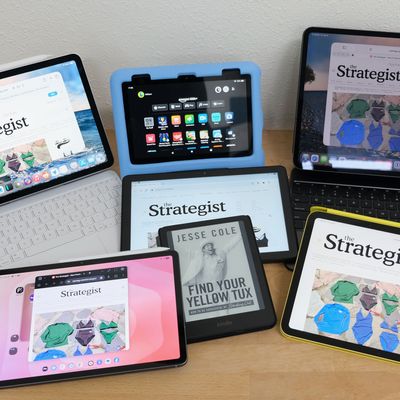
A tablet, these days, can be anything you want it to be. You can dedicate it to reading, watching movies, or gaming; tap and swipe your way around for work or play; or even connect it to an external display, keyboard, and mouse and use it in place of a laptop — which is what I do day to day.
In this article
Over the course of several weeks, I’ve been putting multiple tablets through their paces to figure out which one is the best for different scenarios. If you’re a pro who wants a tablet to work on, I got you. If you just need one to keep your kid entertained with educational apps, I got you, too. What if you just want the best overall tablet? Don’t worry — I got you.
Our top picks
New! You can now save this product for later.
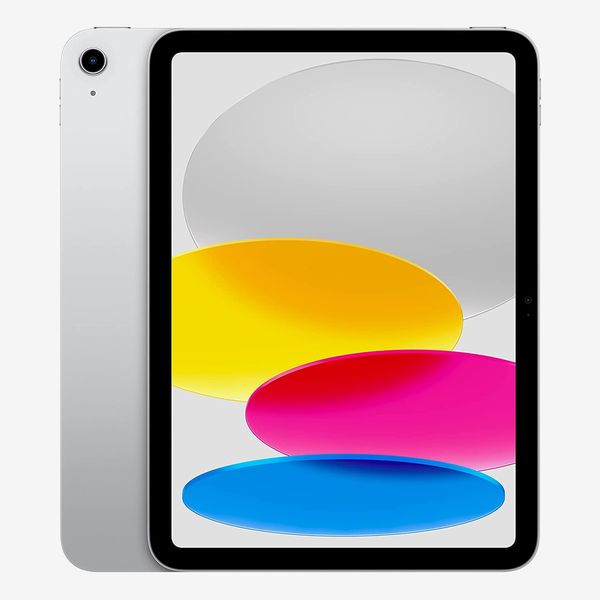
The best tablet overall, with access to the best apps, and enough power to handle almost any task.
New! You can now save this product for later.
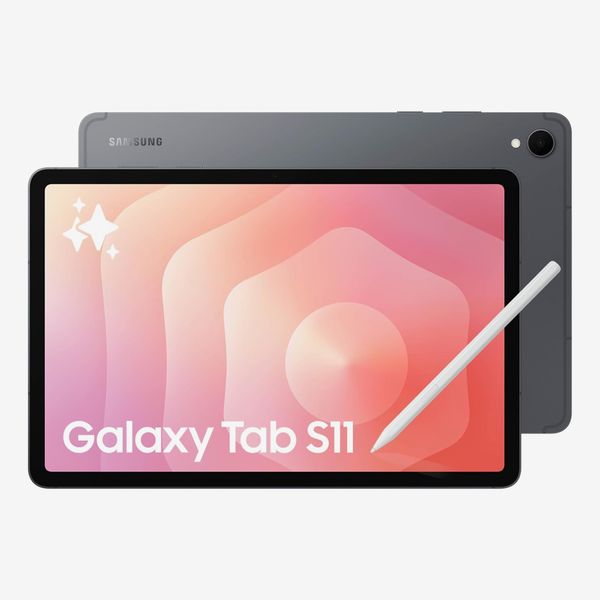
The best Android tablet has better multitasking than any iPad and the power to replace your desktop.
New! You can now save this product for later.
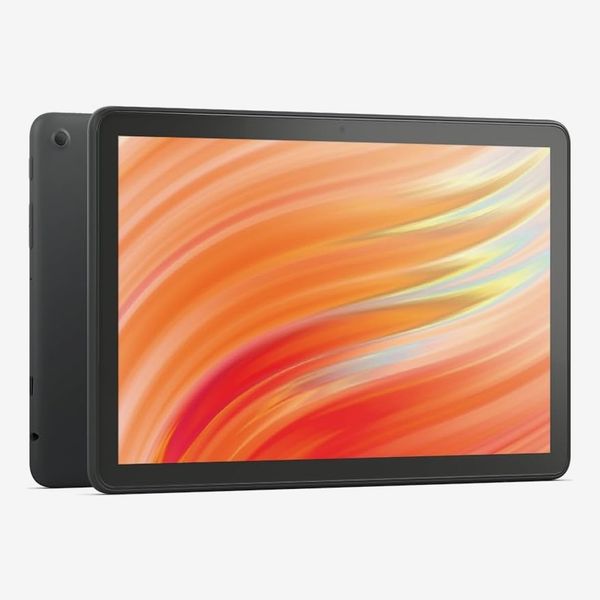
The best less-expensive tablet, Amazon's Fire HD, has just the basics — and may be all you need.
What we’re looking for
Operating system
There aren’t many operating systems to choose from when it comes to tablets: Apple’s iPadOS, Google’s Android, or Amazon’s Fire OS. Each one has its pros and cons. Overall app availability is heavily reliant on the operating system, with iPadOS leading the way in overall quality and selection. Android tablet app support has caught up, while Amazon’s Fire OS lags behind, though it makes up for it in some ways with access to Amazon’s media library and full Kindle book support.
If you’re thinking of a tablet as a general-purpose replacement for a computer, keeping it in the family when you choose a tablet can let you share accounts and apps easily with your other devices, so if you’re using mostly Apple products, for instance, an iPad might be the way to go.
Screen size
Tablets are available with screens ranging from seven to 13 inches. Smaller screens make for a more portable device that’s easier to hold in the hand while reading books or watching videos while traveling; larger screens allow for multitasking and other laptoplike tasks, from gaming to editing photos or video.
Display quality
If you’re going to be using the tablet primarily for browsing the web, reading books, checking email, and watching the occasional video, then you’d be fine with a lower-resolution display. However, if you’re going to be using your tablet as your main computer, especially if you need it to edit photos and video, then a higher-quality display is something to consider.
Storage
The amount of storage you need depends on what you’ll be using the tablet for, of course, but for most people 256GB is a good starting point if you’re planning to download lots of apps, games, and videos. For e-readers, even 16GB of storage is more than enough to store thousands of books.
Most tablets come with a minimum of 128GB of storage, and you’ll find capacities up to 2TB in some powerful models meant to replace a laptop. Amazon’s Fire tablets come with either 32GB or 64GB, though they allow for expandable storage via a microSD slot. If you need occasional access to more storage, you can use external storage devices over USB-C.
Battery life
Battery life for nearly all tablets ranges from ten to 18 hours of continuous use (battery life is typically measured while continually either watching videos or browsing the web). Longer battery life is something I think we can all agree is a good thing, but any tablet will get you through the day even if you’re a heavy user. Unless you live on your tablet, the current battery-life standard among tablets is more than likely good enough.
Connectivity
All of the tablets we looked at connect over Wi-Fi; for many, 5G cellular is available as an option if you’re interested in a stand-alone workstation or just want to be able to connect on the go without having to tether to a phone.
The best tablet overall
New! You can now save this product for later.
Operating system: iPadOS | Display: 11-inch (2,360 x 1,640) | Storage: 128GB, 256GB, 512GB | External storage: USB-C | Battery life: 10 hours | Cellular: Optional 5G
It’s crazy to think Apple’s released 11 generations of the base iPad, and it’s still setting the standard for all tablets. Apple — routinely refining the overall design and software each year — still provides the best all-around tablet experience, especially when you consider the affordable price tag of the entry-level model.
The base iPad — which does just about everything you might need from a tablet — is available in four fun colors: silver, blue, pink, and yellow. It’s equipped with an 11-inch, 2,360-by-1,640-pixel display that’s big and sharp enough for bingeing the latest Netflix documentary or catching up on your Facebook feed and emails.
It’s available with 128GB, 256GB, or 512GB of storage, and if you plan on using it on the go often, you can even opt for a 5G-equipped model for constant connectivity.
With ten hours of battery life, you’re able to watch a movie or two on a cross-country flight, or keep the kids entertained with extended gaming sessions. That said, if you regularly face long-haul travel, you’ll want to take along a USB-C battery pack: It doesn’t come close to the 18-hour battery life of Samsung’s Galaxy Tab S11.
Even when using iPadOS 26’s multitasking feature, which enables the use of multiple apps, in smaller windows, at the same time, the iPad’s Apple A16 processor is more than capable of handling everything I ask of it. I routinely have a YouTube video streaming in picture-in-picture mode, with Safari, Mail, Slack, and Ivory open, and I bounce between each window without any performance hiccups. It does feel a bit cramped compared to the iPad Pro’s larger 13-inch display, though.
If you’re planning on doing a lot of typing or want to use the tablet for taking notes, it supports Apple’s Magic Keyboard Folio as well as the vast majority of Bluetooth keyboards and both the first-generation Apple Pencil and the newer Apple Pencil (USB-C), if you’re interested in drawing or handwritten note-taking.
The best Android tablet
New! You can now save this product for later.
Operating system: Android | Display: 11-inch AMOLED 2X (2,560 x 1,600) | Storage: 128GB, 256GB, 512GB | External storage: microSD up to 2TB, USB-C | Battery life: 18 hours | Cellular: None
Samsung’s Galaxy Tab lineup has gotten pretty good in recent years as Samsung has continued to improve and add to the overall Android tablet experience with its own software tweaks, while packing its tablets full of the latest tech that, in many ways, outpaces Apple’s iPad lineup.
What makes the Tab S11 the best Android tablet is Samsung’s own software tweaks to improve upon the tablet experience, specifically DeX (Desktop eXperience), which lets you multitask as you would on a computer by resizing app windows, placing them anywhere on the screen, and using up to five at the same time instead of simply being stuck with Android phone apps that are stretched across the screen. Apple has since introduced multiple app windows with iPadOS 26, but DeX goes much further — you can set up multiple workspaces with different apps or even hook up an external monitor to your Tab and use it as the heart of a desktop system, something you can’t really do with an iPad.
The Tab S11 boasts an 11-inch display with a slightly higher resolution than the standard iPad, at 2,560 by 1,600. However, instead of an LED display, the S11 is equipped with an Amoled 2X display that’s up to three times brighter than the iPad’s screen and features more saturated colors.
The best part about the S11 is how thin it feels. It’s only 5.5-mm. thick, which doesn’t sound like much compared to the iPad’s seven-mm. thickness, but it’s a noticeable difference when you’re holding it.
The S11 has storage options of 128GB, 256GB, or 512GB, which you can add to via the microSD card slot that accepts cards up to 2TB in size. Samsung puts battery life on the S11 at an impressive 18 hours of constant video playback. That’s a full eight hours longer than any of Apple’s iPads and five hours longer than Amazon’s Fire tablets.
Included with the S11 is Samsung’s S Pen stylus for sketching and note-taking tasks. For those who want a keyboard to hammer out longer emails or reports, Samsung’s Book Cover Keyboard Slim adds just that, along with an extra layer of protection.
The Tab S11’s biggest downside is price. You’ll pay a premium over Apple’s standard iPad and even the iPad Air. But that’s the price you pay for the best Android tablet experience currently available.
The best less-expensive tablet
New! You can now save this product for later.
Operating system: Fire OS | Display: 10.1-inch (1080p) | Storage: 32GB, 64GB | External storage: microSD up to 1TB, USB-C | Battery life: 13 hours | Cellular: None
Amazon’s Fire tablets are some of the most affordable available, but don’t let the price fool you —the Fire HD 10 excels at doing routine tasks you’d expect to carry out on a tablet, like browsing the internet, shopping on Amazon (natch), streaming a new show (Prime or otherwise), and even playing a game or three. You can even use it to manage your inbox or even review a spreadsheet — but don’t expect to be blown away by its overall performance.
It runs Fire OS, Amazon’s proprietary operating system, which forgoes any sort of Google integrations. That means you won’t find the Play Store and all its familiar Android apps, or any of Google’s own apps for that matter, available on the Fire HD 10. Instead, you have to use the Amazon Appstore and its far more limited app selection. However, a lot of the bigger tech companies have made their apps available on Amazon’s tablets. Apps like Facebook, TikTok, Netflix, HBO Max, and even Microsoft 365’s suite of apps like Outlook, Word, and Teams. If the latter apps are of interest, you can pair the tablet with a keyboard . Or if note-taking is more your thing, there’s a stylus.
The Fire HD 10 was last updated in 2023 and has been unchanged since, largely because they got it right. It’s equipped with an eight-core processor, 3GB of memory, 32GB or 64GB of storage, and a 10.1-inch 1080p display. You can expand storage via its microSD slot up to 1TB. With 13 hours of battery life, the Fire HD 10 will easily last through a full day of use — or a couple of nights of streaming your new obsession.
None of that will stand out on a spec sheet when comparing it to more expensive tablets, but don’t let that fool you: It’s more than capable for everyday use. And at the price, it can’t be beat.
The best gaming tablet
New! You can now save this product for later.
Operating system: iPadOS | Display: 11-inch or 13-inch | Storage: 128GB, 256GB, 512GB, 1TB | External storage: USB-C | Battery life: 10 hours | Cellular: Optional 5G
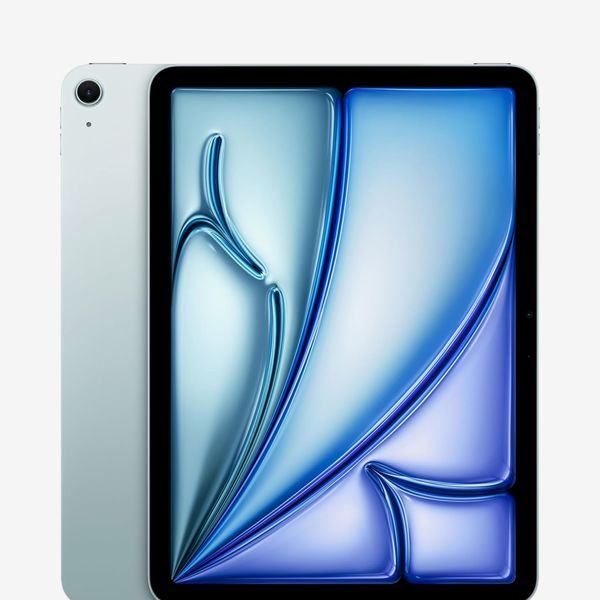
Apple’s iPad Air sits between the base model and the more powerful (and expensive) iPad Pro in Apple’s tablet lineup. It’s available in two different sizes: 11 inches and 13 inches, the latter being a fairly recent addition to the iPad Air lineup.
What makes this tablet our top pick for gaming is its Apple M4 processor. That’s the same chip Apple has used in its MacBook lineup, giving you Mac-like power in a tablet form. Add in the fact that the App Store is full of games like Minecraft, Fortnite, Roblox, and Among Us — on top of the Apple Arcade’s extensive (and entertaining) catalogue of games — and you have a massive library of games to choose from. Most games support using a third-party controller from Xbox or PlayStation, adding to the overall gaming experience.
When you’re not gaming, the addition of the Magic Keyboard and an Apple Pencil turn the iPad Air into a device you can get work done on, especially in combination with iPadOS 26’s multitasking features to use multiple apps at the same time.
I’ve been using the 11-inch model paired with Apple’s Magic Keyboard that includes a trackpad. The smaller iPad Air’s display has the same resolution as the standard iPad but features an anti-reflective coating to cut down on reflections and is capable of displaying more vibrant colors.
It’s available in four somewhat subdued colors: blue, purple, Starlight, and Space Gray. Storage options cover the standard 128GB, 256GB, 512GB, and 1TB. Battery life for the iPad Air is ten hours, which is enough for an all-night gaming session.
Between the M4 processor and the performance boost it brings, the mid-range price point, and the App Store’s breadth of games available — the iPad Air is an easy choice for anyone looking for the best gaming tablet.
The best professional tablet

New! You can now save this product for later.
Operating system: iPadOS | Display: 11-inch or 13-inch OLED | Storage: 256GB, 512GB, 1TB, 2TB | External storage: USB-C| Battery life: 10 hours | Cellular: Optional 5G
Apple’s iPad Pro tablet lives up to its name by offering the best laptop-replacement experience you can get on an Apple tablet, bar none. Powering the iPad Pro is Apple’s current-generation M5 processor, also found in the MacBook Pro and MacBook Air lineup.
A 13-inch iPad Pro has long been my travel computer, having taken the previous-generation M4 model around the world with me, and I’d have no qualms with swapping it out for the M5 upgrade thanks to the boost in performance. I use it connected to a Magic Keyboard 95 percent of the time and spend the rest of the time using it in my lap along with an Apple Pencil Pro to edit photos. That versatility is something you can’t even get from a Mac (no Apple computer offers a touchscreen), which is why the iPad Pro is the best tablet for professionals.
I’ve been using the 512GB 13-inch model, but Apple offers storage allotments up to 2TB — with 1TB and 2TB models getting a bump up from 12GB of memory to 16GB.
The OLED display’s resolution of 2,752 by 2,064, along with an adaptive refresh rate that goes from 10Hz to 120Hz and a maximum of 1,600 nits brightness, begs to be used for editing photos or videos. You can get the Pro with standard glass or pay a few hundred dollars more for nano-texture glass, which cuts down on reflectivity and, to some, looks better overall.
The downside? You’re going to pay a premium for the laptoplike experience: a laptoplike price as much or more than what what you’d pay for a MacBook Air — especially if you opt for a fully loaded 13-inch iPad Pro, which will set you back more than $2,000.
The best tablet for young kids
New! You can now save this product for later.
Operating system: Fire OS | Display: 8-inch | Storage: 32GB, 64GB | External storage: microSD up to 1TB, USB-C | Battery life: 13 hours | Cellular: None
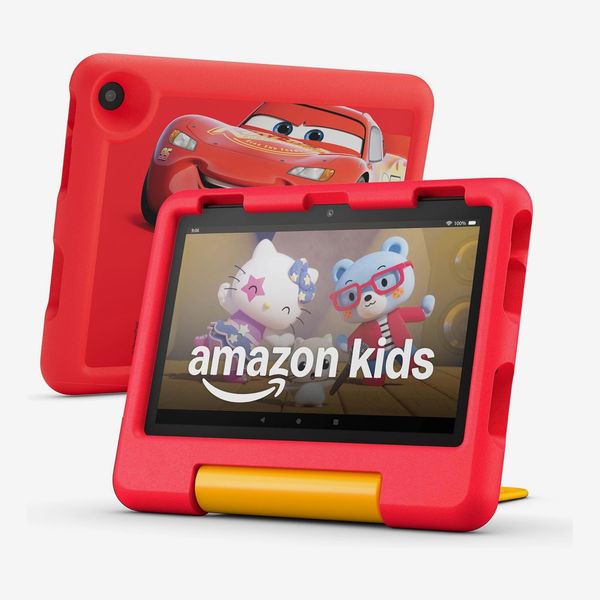
Take everything I said about the Fire HD 10 and apply it to a device built specifically for young kids. Amazon’s Fire HD 8 is super-affordable, comes with a case, and even includes a year of Kids+, Amazon’s parental controls and programming service.
The included case is built to withstand a beating, and in the event that your kid does break the tablet — be it by dropping it, smashing the screen, or any other scenario a kid can create — Amazon will replace it for free as part of its two-year worry-free guarantee. Plus, the case doubles as a kickstand. You can pick from case designs and colors that include Disney Pixar Cars or Disney Princess and solid blue or purple.
Amazon’s Kids+ service gives you complete control and insights into your kid’s tablet use, along with access to a library of games, books, videos, and other kid-friendly content from the likes of Disney and Nickelodeon.
The $159 Fire HD 8 Kids has an eight-inch display, 32GB or 64GB of storage, a microSD card slot for adding up to 1TB of storage, and up to 13 hours of battery life — plenty of performance for the intended audience (the HD 8 Kids is meant for kids ages 3 to 7). If you have older kids and want to test the waters with a tablet instead of diving straight into an iPad, Amazon’s Fire HD 8 Kids Pro and Fire HD 10 Kids Pro feature smaller cases and include content geared toward kids ages 6 to 12.
When you take into account the included case, curated content, and parental controls, along with the worry-free guarantee to replace a broken tablet no questions asked — it’s easy to pick the Fire HD 8 Kids as the best tablet for kids.
The best tablet for reading
New! You can now save this product for later.
Kindle Paperwhite - 16 GB
Operating system: Kindle firmware | Display: 7-inch (300 ppi) | Storage: 16GB | External storage: None | Battery life: 12 weeks | Cellular: None
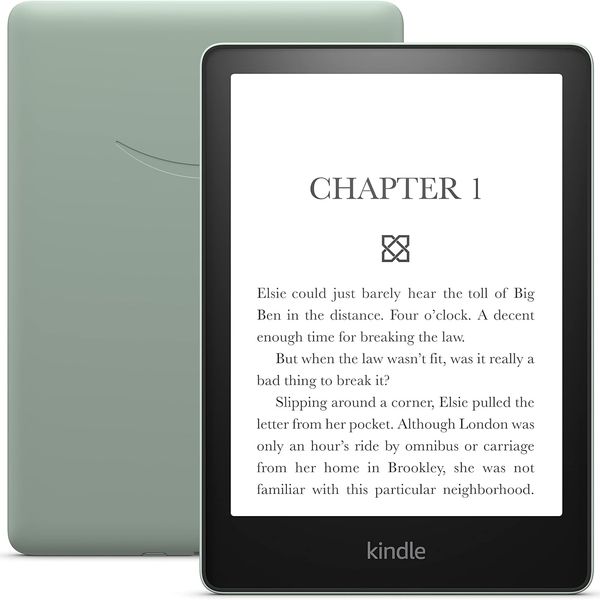
Amazon’s Kindle line arguably paved the way for the entire e-reader industry. And the current version of the Kindle Paperwhite is the best table for reading. With the most important features for reading packaged at an attractive price, and with full access to the massive Kindle library at your fingertips, it’s an easy choice for all bookworms.
The Paperwhite has a seven-inch display with a resolution of 300 pixels per inch. That means text will look clear and sharp, instead of you seeing each pixel around the edges of letters. And the adjustable backlight allows you to change brightness and color based on your preferences and environment, so you can read almost anywhere. But my favorite part of using the Paperwhite is how fast and responsive turning pages or browsing the Kindle store feels. I have a very old Kindle, and it’s painfully slow. The Paperwhite feels a lot more like other modern tablets.
It comes with 16GB of storage, which may not seem like a lot by comparison with general-purpose tablets, but it is more than enough to hold thousands of books. Amazon puts the battery life at 12 weeks, based on 30 minutes of reading per day. If you have more time to read each day than that, then I envy you.
Amazon has several Kindle models, from the basic Kindle and Kindle Paperwhite to the Kindle Colorsoft and Kindle Scribe. Each one has its own selling points. The Colorsoft has (as you’d expect from the name) a color display, while the Scribe is bigger and doubles as a note-taking tablet.
More From The Strategist
- Hark, the Advent Calendars Arrived (Very) Early This Year
- The Best Things Strategist Editors Have Bought This Year (So Far)
- 63 Things You Should Never Buy Full Price
- The Strategist Fall 100
The Strategist is designed to surface useful, expert recommendations for things to buy across the vast e-commerce landscape. Every product is independently selected by our team of editors, whom you can read about here. We update links when possible, but note that deals can expire and all prices are subject to change.