The Best 4K Blu-ray Players
While viewers nowadays rely overwhelmingly on streaming services for their home-entertainment fix, the 4K Blu-ray disc format has proved surprisingly resilient. Skeptical? In its 2025 annual report, the Digital Entertainment Group, an outfit that tracks sales of digital media in the U.S., noted a 12 percent increase in 4K Blu-ray disc sales over the previous year, even as total sales for video disc formats, including regular Blu-ray and DVD, dipped around 10 percent. Clearly there is something special about the 4K Blu-ray format that accounts for its appeal, not just for specialist collectors but general movie fans as well.
A big part of that appeal is that movies on 4K Blu-ray just look better than they do on streaming. The high video resolution of 4K Blu-ray is an exact match for the 3,840 by 2,160 pixel count of 4K TVs, and the format’s high data-storage capacity allows for images with low digital compression, along with fully uncompressed audio. Streaming services, in contrast, use high compression levels to route video and audio data from their remote servers to your home’s Wi-Fi, and, when you compare the two, movies on 4K Blu-ray come across as visually and audibly superior to streaming. And with discs, you’re never at the mercy of your wireless connection.
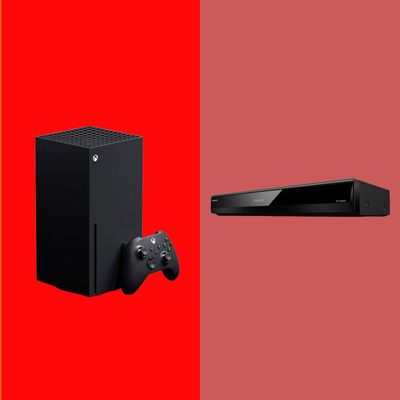
The 4K Blu-ray disc format may be thriving, but the 4K Blu-ray player market has contracted. When the format first arrived in 2016, a range of electronics manufacturers launched players to support it. But since, brands like Samsung, LG, Pioneer, and Oppo have ceased player production, leaving just Panasonic and Sony to carry the 4K Blu-ray player torch. Game consoles such as the XBox Series X and PlayStation 5 provide yet another 4K Blu-ray disc playback option, though Sony’s recent announcement that it will end disc production of games starting in 2028 indicates waning support for physical media from the company’s PlayStation wing.
The limited number of 4K Blu-ray players available still offer a diverse range of features and capabilities (though with the rise of smart TVs and dedicated streaming devices, few of them have extensive streaming features), so it’s important to know exactly what you’re expecting from a player before buying. From high dynamic range, or HDR, and disc format support to audio features and connections, the three players presented here are aimed at different users, so read on to find out which one will suit your needs.
Our top picks
New! You can now save this product for later.
Exceptional picture quality and every feature you might want in a Blu-ray disc player.
New! You can now save this product for later.
Great picture quality for a lot less, at the expense of a few missing features like Wi-Fi.
New! You can now save this product for later.
For dedicated gamers who want access to Blu-ray movies in a single device.
What we’re looking for
Disc format support
It’s a given that any 4K Blu-ray player will handle the 4K Blu-ray format, but what other disc types do you expect it to play? All current players will also play regular Blu-ray discs and DVDs. But not all players support the playback of Blu-ray 3-D, which continues to be an available disc format even as 3-D TVs have long since disappeared. (Projector support for 3-D display has kept the flame alive for 3-D movie fans.)
Audio CD playback is supported on most players, but when it comes to gaming consoles, only the Xbox Series X supports the CD format. Sony players additionally support playback of SACD (or Super Audio CD) discs, a high-resolution, audiophile format that, like 3-D Blu-ray, stubbornly refuses to completely disappear.
HDR support
HDR, which is supported not just on 4K Blu-ray but also on streaming services, allows for a movie’s director to use a wider range of image brightness steps in postproduction, resulting in pictures with deeper blacks and more detailed highlights. All 4K players (and 4K TVs) support the basic HDR10 format, while some add support for Dolby Vision and HDR10+, both of which are “dynamic” HDR formats that can be applied on a scene-by-scene basis during postproduction to further enhance picture contrast.
With Dolby Vision and HDR10+, the dynamic range of images is scaled down to accommodate TVs and projectors with lower brightness capabilities in a process called tone mapping. Panasonic players take tone mapping a step further using a feature called HDR Optimizer that gives additional control via customizable presets that let viewers match the dynamic range of images to the brightness level of their viewing room.
Audio
A typical 4K Blu-ray player will process a basic range of Dolby and DTS soundtrack formats and pass “immersive” Dolby Atmos and DTS:X soundtracks over an HDMI connection for decoding by an outboard audio component such as an AV receiver or soundbar. For most viewers, this basic level of audio capability will be sufficient, but music enthusiasts may also want their player to support playback of high-resolution audio files stored on a USB drive.
If the latter applies, you’ll want to check the player’s audio-format support. High-resolution PCM and WAV format files are supported by most players, but not all models support playback of DSD, which is the same format used for SACD discs.
Streaming media features
Built-in streaming is a feature that’s largely disappeared from 4K Blu-ray players as dedicated media-streaming devices and smart TVs have stepped up to fill that role. Some players still provide streaming capability, though the app selection is highly limited compared to the typical streaming device like an Apple TV 4K or Roku stick. Gaming consoles like the Xbox Series X and PlayStation 5, in contrast, offer a wide range of streaming apps, making them a one-stop shop for gaming, streaming, and disc playback.
For streaming, you’ll need a player with Wi-Fi support. Players with built-in Wi-Fi also feature an Ethernet port for a hardwired network connection, which generally will provide more reliable streaming capability.
Connections
Connectivity is an important 4K Blu-ray player consideration, especially if your setup plans involve anything beyond simply using an HDMI cable to plug the player into a TV. Some players provide dual HDMI outputs, one to pass audio and video, and the second audio-only, and this configuration will be particularly useful for setups where you want to send video directly to a projector, and the audio separately to an AV receiver.
Analog audio outputs in a player aren’t a must-have feature, but they are necessary for systems with older audio components that lack HDMI connections. Along the same lines, optical and digital audio outputs let you connect players to legacy audio components that don’t feature HDMI.
The best 4K Blu-ray player overall
New! You can now save this product for later.
Disc formats: 4K Blu-ray, Blu-ray, Blu-ray 3-D, DVD, CD | HDR support: Dolby Vision, HDR10+, HDR10, HLG | Audio formats: AAC, AIFF, ALAC, DSD, FLAC, MP3, WMA, and WAV | Wi-Fi: Yes | Connections: 2 x HDMI (audio/video and audio-only), 7.1-channel analog audio output, optical digital audio output, Ethernet, USB 2.0 (front), USB 3.0 (rear)
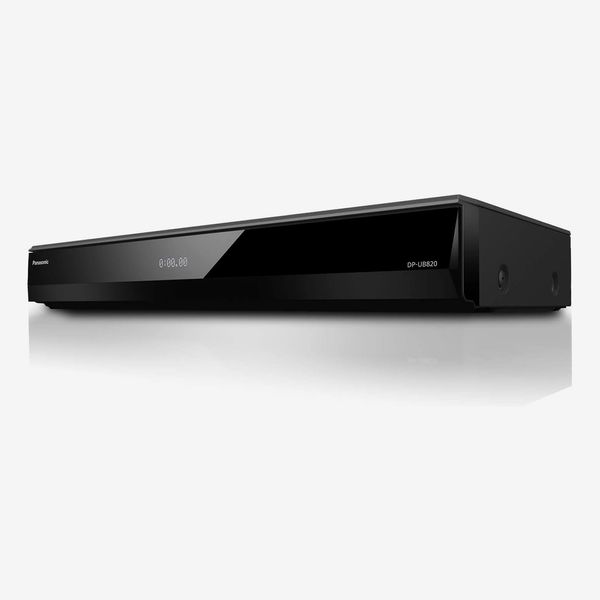
The Panasonic DP-UB820-K is a 4K Blu-ray player that I strongly recommend based on its performance, build quality, HDR format support, and connection options. At $650, it’s priced well above my budget choice, the Sony UBP-X700U, but this Panasonic player’s comprehensive feature set and overall usability make it the one to pick for the long haul if you’re a 4K Blu-ray fan.
Panasonic’s player supports all the expected disc formats — from 4K Blu-ray to audio CD — and also provides multiple USB ports for playing regular and high-res audio files stored on external drives. It has the most comprehensive HDR support of the three players in this guide, with Dolby Vision, HDR10+, HDR10, and even the less-common HLG format, accounted for, and its built-inWi-Fi enables streaming from Netflix, Amazon Prime Video, and YouTube.
The Panasonic has a standard A/V component width so it will fit in with your other home-theater gear, and its build quality is more substantial than cheaper Blu-ray player options. Importantly, it features a front-panel alphanumeric LED display and a full-scale remote control — both of which I appreciated when watching movies in a dark room. Connection options include dual HDMI outputs for making separate connections to a TV or projector and an external audio system, and there are also 7.1-channel analog outputs for linking to legacy audio components that lack HDMI and other digital ports.
This player’s exceptional picture quality extends not just to 4K Blu-ray discs but also to the DVD format, which it upscales to 4K resolution with impressive clarity. Along with evaluating the DP-UB820-K’s picture on an LG OLED TV, I used it with a projector, and the player’s multiple HDR tone-mapping presets and HDR Optimizer feature helped greatly to customize pictures for the projector’s lower brightness compared to the OLED TV.
I’ve been using the same, now-discontinued, Oppo 4K Blu-ray disc player since the format first launched, and the Panasonic DP-UB820 is the first player I’ve tested that I’d consider as a replacement for that workhorse model. Its price is a big step above more basic models, but in this case paying more will be worth it.
The best less-expensive 4K Blu-ray player
New! You can now save this product for later.
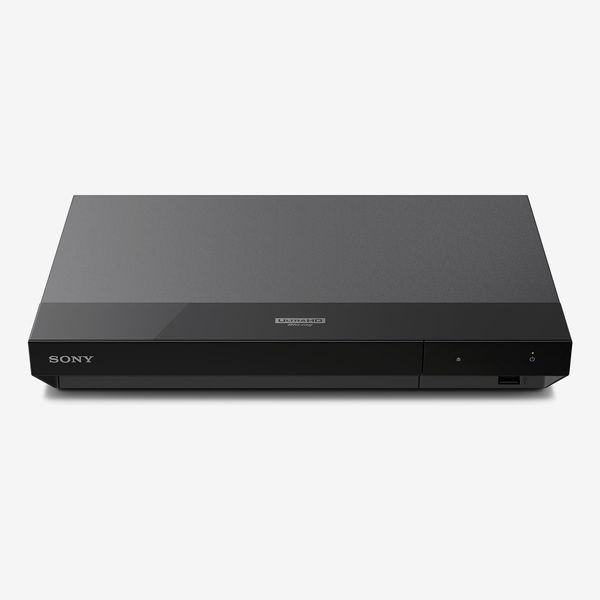
Disc formats: 4K Blu-ray, Blu-ray, Blu-ray 3-D, DVD, CD, SACD | HDR support: Dolby Vision, HDR10, HLG | Audio formats: AAC, AIFF, ALAC, DSD, FLAC, MP3, WMA, and WAV | Wi-Fi: No | Connections: 2 x HDMI (audio/video and audio-only), coaxial digital audio output, Ethernet (firmware updates only), USB 2.0 (front)
Sony’s lone 4K Blu-ray player offering is surprisingly full-featured for its budget price. The UBP-X700U provides comprehensive disc and audio format support, and its connection options let it integrate easily with most A/V setups. This Sony player’s big shortcoming is its near-toylike build quality, but if you’re looking for a basic, budget player that delivers what matters most, the UBP-X700U will fit the bill.
Sony’s player can handle most any disc format, including the audiophile-oriented SACD, and it also features a front-facing USB port to play regular and high-res audio files on external drives. Its HDR format support is limited to Dolby Vision and HDR10, but that will cover most disc playback use cases. Unlike the Panasonic DP-UB820-K, the Sony does not provide built-in Wi-Fi for streaming, but most viewers are unlikely to require that feature from a 4K Blu-ray player.
Build quality is where the UBP-X700U reveals its budget-player status. The casing is compact and lightweight, the disc tray has a flimsy feel, and an external wall wart is used for power. There’s no front-panel LED display, and Sony’s equally compact remote control is a challenge to use in a dark movie-viewing environment. The player provides all the connection options needed for modern systems, however, and that includes dual HDMI ports for a separate video hookup to a TV or projector and audio output to a soundbar or AV receiver.
I found little to complain about when it came to the UBP-X700U’s picture quality. Even DVD discs looked good when upscaled to 4K resolution by the player, and I was impressed that it would let me watch Blu-ray 3-D discs on the projector I used for testing. Overall video and HDR adjustment options are limited compared to the Panasonic DP-UB820, with only a single video output setting that lets you select between a TV or projector as a display. But if you’re simply using the Sony player with a TV, that should be all the adjustment capability you’ll need.
With its Dolby Vision HDR support, clean video upscaling, and solid connection options, I highly recommend the Sony UBP-X700U as a budget 4K Blu-ray player. I wish its build quality was equally solid, but then again, you can’t expect everything at this price.
The best 4K Blu-ray player for gamers
New! You can now save this product for later.
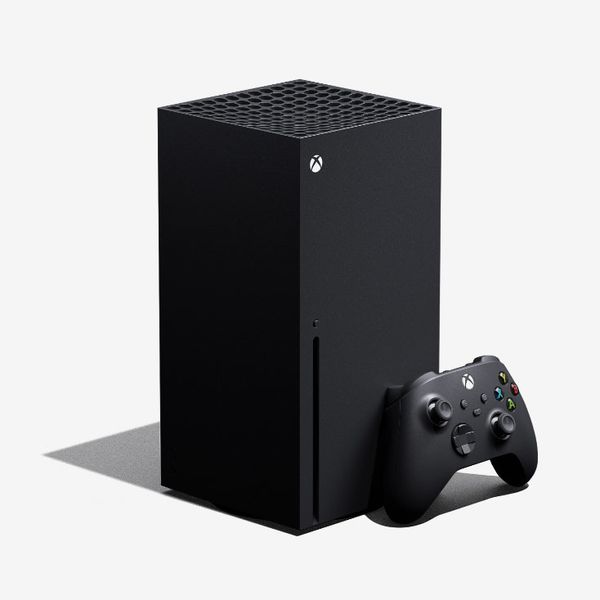
Disc formats: 4K Blu-ray, Blu-ray, DVD, CD| HDR support: Dolby Vision (games and streaming only), HDR10 | Audio formats: AAC, MP3, MPEG1, and WMV | Wi-Fi: Yes | Connections: HDMI, Ethernet, USB 3.0 x 2
If you’re into gaming but also want to play movies on disc, an Xbox Series X game console has everything you need to watch 4K Blu-ray, regular Blu-ray, and DVDs. The Xbox Series X can also handle audio CDs, and you can even use it to play music files on a connected USB drive. With extensive free streaming apps available for download on the Microsoft store, the Xbox Series X is a one-box solution for gaming, movies, and music.
Playing discs and files on the XBox Series X requires that you first download the Xbox Blu-ray player, Audio CD player, and Media Player apps. For audio format support, you’ll additionally need to download the Dolby Atmos and DTS apps. Downloading and installing them is a quick and easy process, however, and the Dolby Atmos and DTS apps offer a wireless headphone support option for a nominal fee.
There’s nothing at all flimsy about the Xbox Series X console, which has been designed to accommodate horizontal or vertical installation. (Horizontal will be your best bet for reliable playback of discs.) You’ll need to visit the settings menu to configure the optimal video and audio format output for your TV and external speakers, but the console’s settings are clearly labeled and easy to navigate. A single HDMI output on the Xbox Series X keeps the installation process simple and there are dual USB 3.0 ports for connecting drives for external media playback.
If you’re not a gamer, using the Xbox wireless controller to control disc playback will take some getting used to. You’ll find most of the basic controls provided on standard remotes, however, and there are also third-party “media remotes” available that offer a more typical disc-player remote-control experience.
As for performance, movies on 4K and regular Blu-ray disc look and sound great when played on the Xbox Series X. I found DVD picture quality to be a notch below the Panasonic and Sony players featured in this guide, with movies having a slightly soft and flat look in comparison. But considering all that the Xbox Series X can do, I think its less than stellar performance with DVDs can be forgiven.
Gamers may be wondering why I’ve recommended the Xbox Series X over Sony’s PlayStation 5 console here, and there are good reasons for that. The PlayStation 5 supports only Dolby Atmos audio for games, and not for movies, and Sony’s console further omits support for the DTS soundtrack formats used for many Imax movies on disc as well as the numerous DTS:X-encoded movies on the Disney+ streaming service. PlayStation 5 consoles also won’t play CDs, which is a surprising omission given that Sony was a co-developer of the audio CD disc format. Equally anxiety-provoking is the company’s recent announcement that it will soon be abandoning support for games on disc, which could lead to a full abandonment of disc playback on future consoles, and limited technical-support updates on current ones.
More From The Strategist
- Ask a Picky Guy: Stain-Hiding Duds for Dads
- The Best Things Strategist Editors Have Bought This Year (So Far)
- Hark, the Advent Calendars Arrived (Very) Early This Year
- 63 Things You Should Never Buy Full Price
The Strategist is designed to surface useful, expert recommendations for things to buy across the vast e-commerce landscape. Every product is independently selected by our team of editors, whom you can read about here. We update links when possible, but note that deals can expire and all prices are subject to change.