This Kindle Is Almost a Replacement for My Notebooks, But Not Quite

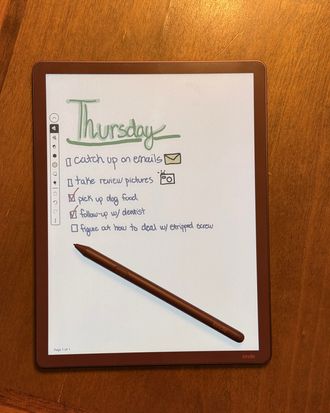
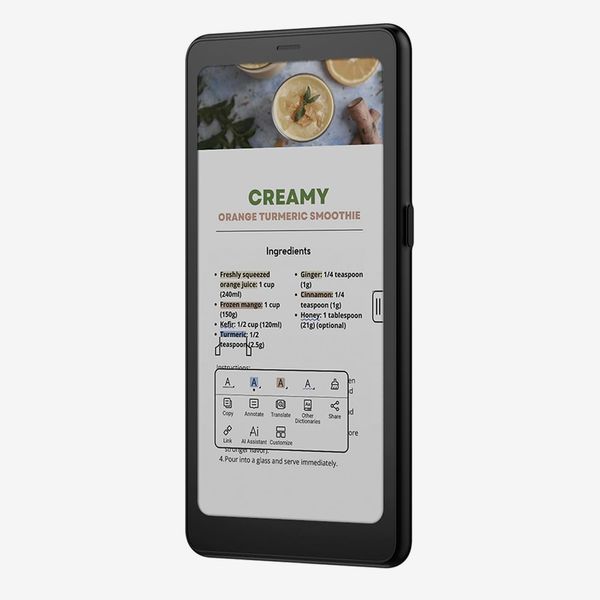
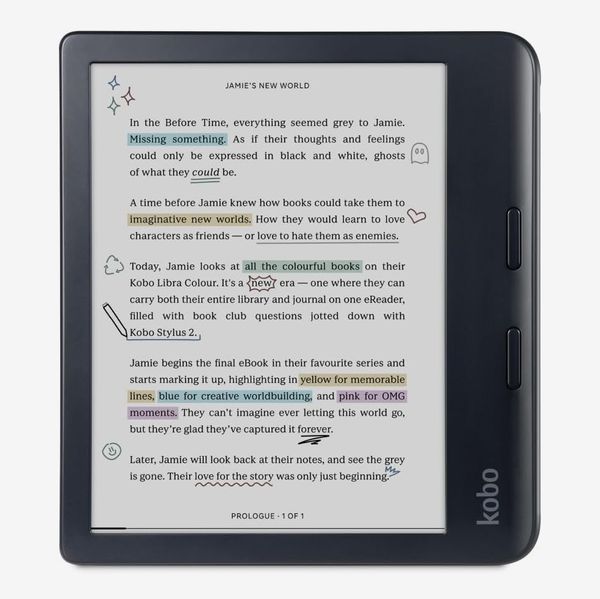
I have been longing for an all-in-one e-ink device with a screen that’s easy on the eyes for reading all my books, plus a paperlike experience for writing notes that will free me from having to carry three notebooks (one each for quotes, brainstorming, and tasks) at all times. That has been available in a black-and-white device for several years now, but I prefer one with color e-ink that lets me get more detailed with highlighting and color-coding text. The reMarkable Paper Pro Move comes close, but it’s lacking as an e-reader. More portable e-ink devices like the Onyx Boox Palma 2 Pro and Kobo’s Libra Colour excel at storing all your books on the go but are too small to take more than quick notes.
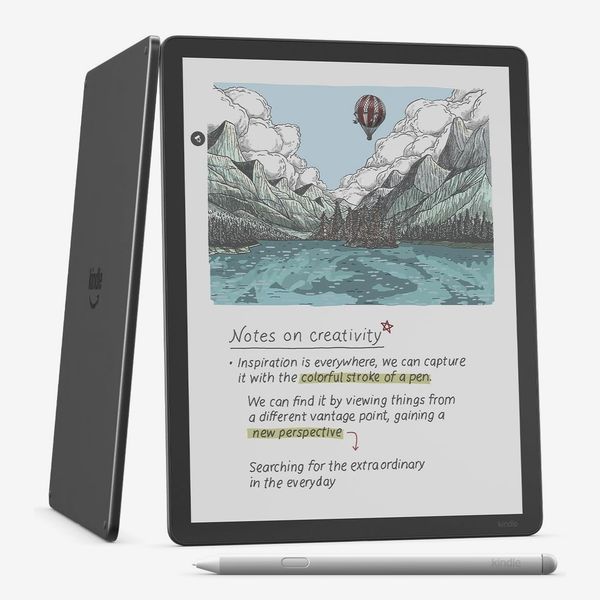
Until now, Amazon’s only color device was the Colorsoft, which lacked stylus support and didn’t have the black-and-white Scribe’s note-taking capabilities. The new Scribe Colorsoft is the first big-screened Kindle to feature a color display. Because it’s a Kindle, it’s a great e-reader, and its expanded writing-friendly features were compelling enough that I got one to test. I’ve been using it to read a nonfiction book and a graphic novel for the past week.
New! You can now save this product for later.
The big color screen is great for taking notes
Aside from a change in bezels — they’re now uniform instead of having one thicker side to serve as a handle — there isn’t much that’s new about the Scribe Colorsoft’s design. Its 11-inch screen has plenty of room for writing thorough notes, and it’s thin and light enough to tuck into a bag. The right-hand side of the Scribe has magnets for attaching the pen when not in use, though I’ve found they’re not strong enough to keep it in place when the tablet’s in a bag.
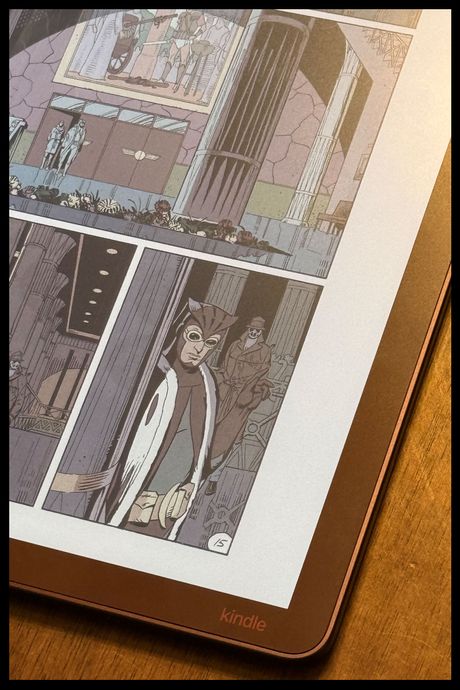
Most noteworthy, though, is the addition of a color screen. As with other color e-ink screens, it’s not as flashy as the LCD or OLED screen of an iPad or as sharp as a page in a magazine, but it looks similar to a high-quality newspaper. That’s not ideal for reading something like Watchmen, but it’s great for producing more detailed notes. For instance, there are ten colors you can use for pens and pencils and two new color templates — a legal pad and meeting notes — as well as 28 other templates, including a variety of ruled and dotted papers, checklists, and planners. It doesn’t look as good as using pen or markers on actual paper, but I also don’t need to carry as many things in my bag when I’ve got the Scribe.
Similarly, those colors come in handy when you’re reading. I read a lot of nonfiction and tend to spend time highlighting useful facts and compelling pieces of writing. On black-and-white e-readers, I’d have to rely on context to know why I highlighted something. Fine when I’m sitting down and looking over everything in detail, but not as quick to discern at a glance. With the Colorsoft, I have designated yellow for good quotes, green for useful facts, and blue for things I want to look into more.
If you want a tablet for in-depth illustrations and graphics work, you’re better off with an iPad. The limitations of e-ink prevent images from looking as vibrant or detailed as they could on a pixel-dense screen like that of an iPad Pro. Additionally, because you only get ten colors and a few pens to choose from, your drawings won’t be nearly as detailed.
The stylus has thoughtfully designed features
While it doesn’t feel as much like writing on paper as reMarkable’s tablets do, I’m a fan of the stylus Amazon’s included with the Scribe Colorsoft. It’s totally cylindrical and more comfortable to hold than many styluses, which are often round with one flat side for magnetically attaching to the tablet. Despite that difference in shape, this pen is just as quick to snap to the Scribe as an Apple Pencil is to an iPad Pro.
Unlike the Apple Pencil, though, this stylus has a handy shortcut button on it. By default, it’s set up to trigger the Kindle’s highlighting feature. I’m an avid highlighter, so I’ve kept that as its function, but you can also reprogram it to switch to the pen, fountain pen, marker, pencil, or eraser options if you do more writing than highlighting. There are also a few options for things like lasso-selecting items in your notes or creating sticky notes.
Its software could be more useful
The upper-left corner of the Scribe’s main menu has a space for jotting down quick notes. If the design were more intuitive, you’d be able to write directly on it from the home screen, but that’s not the case. Instead, you have to tap on it to open your Notes app, then start scribbling. It’s one tap quicker than accessing a notebook from the dedicated notebooks section and useful for things like writing quick tasks or notes during a meeting, but not much else. I do like that you can see a preview of the note right on the Scribe’s main screen, but for a tablet this costly, it’s disappointing that it lacks a fairly simple feature that would make the tablet a lot more convenient to use.
That said, the Scribe Colorsoft does have plenty of tricks up its sleeve. The notebooks tab is now called “Workspace,” and you can connect it to your Google Drive or OneDrive account to mark up your documents. When you write text on a PDF you’ve imported, it’ll automatically get placed alongside the document’s existing text. If you like to underline when you edit, simply drawing a scribble underneath a word or sentence will create a tidy red underline once you lift the stylus. One catch: You can’t actually edit the files like you can with the reMarkable. Instead, you have to import a copy of the document and then export it by sending another copy to your email or syncing directly with Google Docs. If you do the latter, a Google Doc will be converted into a PDF before being uploaded to a dedicated folder in your drive. It’s definitely clunky.
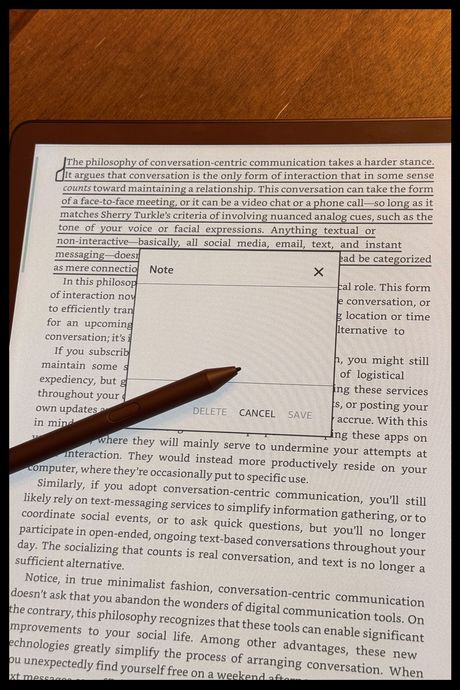
My biggest frustration with this Kindle is the fact that you still can’t jot your notes down right over text in e-books like you’ve been able to on Kobo’s stylus-equipped e-readers for years. You can, however, use the stylus to write handwritten notes into sticky-style notes that go over your highlights, though that handwriting then gets transcribed into virtual text. Again, useful, but limited compared to what you can do on similar devices, and it sort of kills part of the charm of writing by hand.
You’re locked into Amazon’s ecosystem
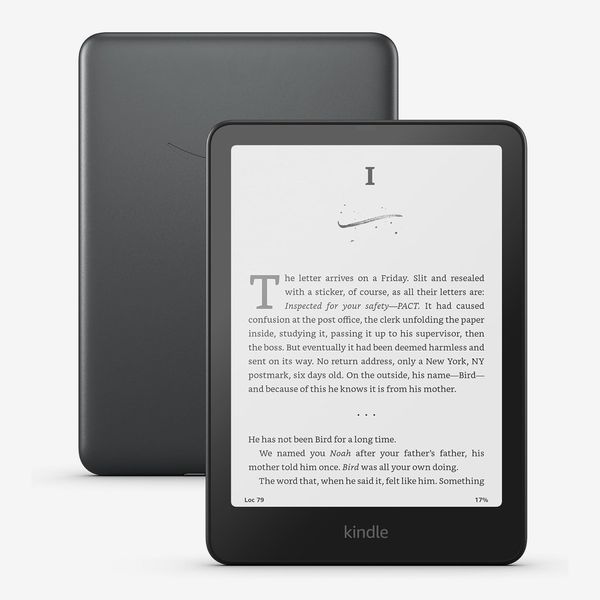
Like all other Kindle devices, the Scribe Colorsoft works best when used with content you buy through Amazon. When you do that, everything just works. Books show up on your home screen, cover art and all, with no hitches or bugs. If you want to work with content from outside the Kindle store — e-books you get directly from publishers or third-party stores — the Kindle starts to feel lacking. Certain features, like Active Canvas, only work in e-books you’ve bought through the Kindle store. When you write text inside a Kindle book, the book’s text will automatically get repositioned around your writing. While that’s more useful than the Scribe’s sticky-note feature, you can’t do things like underline or write notes directly above text — everything forces a rearrangement. With non-Kindle books, that’s not an option at all.
Also, books you’ve obtained from outside the Kindle store don’t look as good on the home screen. Instead of showing the cover of those books, you get a plain cover with the title of the book on it. While that’s not a loss in functionality, it doesn’t look as appealing as a home screen full of book covers and feels like a petty form of ecosystem lock-in. That said, the cover of whatever book you last opened does become your screensaver, even if it doesn’t show up on the home screen. That’s a nice touch as it costs $20 to remove screensaver ads on other Kindles.
You should get this if you want to take notes on your Kindle
For the price, I wish that the Scribe Colorsoft were better for taking notes. Kobos with stylus support have had the ability to take notes right over text in e-books for several years, while Amazon still hasn’t added it. And although I enjoy writing on the Scribe, it’s nowhere near as paperlike as writing on the reMarkable Paper Pro. That said, there’s no better e-reader for most people than a Kindle. You can get nearly any book you want through the Kindle store, and they all look great on the Scribe Colorsoft’s large, colorful screen. It may not be as effective for a notebook as reMarkable or Kobo’s offerings, but it strikes a good balance for Kindle devotees who want something that lets them do more than just read books.
Other e-readers we like …
More From The Strategist
- Hark, the Advent Calendars Arrived (Very) Early This Year
- The Best Things Strategist Editors Have Bought This Year (So Far)
- 63 Things You Should Never Buy Full Price
- The Strategist Fall 100
The Strategist is designed to surface useful, expert recommendations for things to buy across the vast e-commerce landscape. Every product is independently selected by our team of editors, whom you can read about here. We update links when possible, but note that deals can expire and all prices are subject to change.