The Best Webcams, According to Tech Experts and Streamers
While we all got used to video calls working from home during the pandemic (interest in webcams “exploded for us during COVID,” says Mark Steinberg, lead technologist for B&H Photo in New York), many of us still depend on webcams for socializing, connecting, keeping in touch with family, and making a living — and all of us want to look our best, no matter why we’re online. And sometimes the built-in camera on your laptop just doesn’t cut it.
Whether you’re a content creator fine-tuning your image or just want to make a better impression on your morning Zoom call, an external webcam can help. Whether you’re upgrading from a low-resolution laptop camera for calls with friends or need a wider field of view and more camera-placement options to give your channel a more professional look, the best webcams today give you better optics, sensors, and features, even at entry-level prices — and throw in some great added features to give you more polished results.
If you only use your computer for occasional video calls in good lighting, the built-in camera on recent laptops can be perfectly adequate. But for anybody who wants better image quality, works using an external monitor, or just wants more consistent results — and that includes content creators, streamers, podcasters, and anyone who appears on-camera regularly — an external webcam offers greater control over your image, better performance in changing light, and more consistent results. We talked to the experts to find the best webcams to help you look your best whenever you connected.
Our top webcam recommendations
New! You can now save this product for later.
A feature-packed webcam that gives great results in almost any light.
New! You can now save this product for later.
Get the features of high-end webcams at a budget price.
New! You can now save this product for later.
A motorized mount keeps you in the center of the shot as you move.
What we’re looking for
Resolution and sensor size
External webcams generally have larger image sensors, higher-quality lenses, and better image processing than laptop webcams. The result is sharper video, more natural colors, and less digital noise. Just how much better an image depends on the sensor used.
“Even 1080p is better than what’s built into a ton of laptops, which are still 720p,” says Steinberg. 1080p is sufficient for most streaming, video calls, and basic content creation; 4K provides more detail and, importantly, gives creators room to crop or reframe without losing as much quality. Resolution alone, however, doesn’t guarantee a good picture. One of the most important and often overlooked specs is sensor size. Generally, a larger sensor captures more light, improving low-light performance, dynamic range, detail, and noise. “Sensor size can make a big difference — bigger is better — but the individual webcam manufacturer’s optimizations and settings matter a lot here,” says Taylor.
Florence Ion, a longtime tech journalist and senior writer at PCMag, adds, “Don’t obsess over the resolution. You don’t need to start at 4K. Back in the day, people were starting out with 480p! Don’t go that low either. Look at the webcam sensor, not the resolution. That will tell you how low it can go and whether it will help light you up in a dimly lit home office.”
Low-light performance
Compared to your laptop’s built-in camera, an external webcam will give you better low-light performance and sharper autofocus in dim conditions (and, frankly, most of our home offices and living rooms aren’t lit perfectly for video production). Sensor size, aperture, processing, and noise reduction all contribute to a camera’s low-light abilities.
That said, no matter how good your webcam, it still pays to improve your lighting. It’s important to note, as Adam Taylor of the YouTube channel EposVox does, that a better webcam is not a replacement for good lighting: “Honestly, the most important thing to consider when choosing a webcam is just balancing your budget investment versus what you get out of it. No webcam is going to look great if you don’t have good, reliable lighting.”
Software
Don’t overlook software when choosing a webcam: Look for software that gives you manual control over exposure, white balance, focus, brightness, contrast, and field of view rather than relying on automatic settings. The best apps also let you save presets for different lighting conditions or shooting setups and provide easy access to firmware updates.
It’s also vitally important that the software performs well. “There’s nothing worse than incredible camera hardware paired with a bloated companion app that drags it down,” says Ion.
“Cameras are improving all the time,” says Steinberg. “The software is just getting better. So even for these lower-priced cameras, they’re showing features that put these cameras in the $200 range only three to four years ago.” More sophisticated webcams may now add AI-powered auto-framing and subject tracking, background effects, digital zoom, portrait orientation, or controls for multiple cameras.
Modern webcams have lots of impressive-sounding specs and features, but it’s critical to check out each camera’s output. Taylor says, “It’s critical to watch multiple different reviews or sample videos with any given webcam from a diverse group of users to make sure the webcam looks up to your standards or expectations before buying. Nothing on a spec sheet will tell you if it’s good enough.”
Mounting
Mounting options are easy to overlook when shopping for a webcam, but they can make a big difference in how easily you can achieve a flattering, professional-looking shot. Most webcams include a clip or folding mount designed to sit on top of a laptop or monitor, but creators should also look for a standard 1/4-inch tripod thread, which allows the camera to be attached to a tripod, desk stand, articulating arm, or other photography equipment. A mount with tilt, swivel, or rotation adjustments provides even more flexibility. Being able to position the camera independently of the monitor is a big advantage for content creation.
Security
The most important security feature is a privacy shutter that physically covers the lens when not in use. Privacy-conscious buyers should favor a physical shutter over a software-only “camera off” indicator. Steinberg says, “I try to look for models with privacy shutters that are built in, that don’t have a separate cap. You’d be surprised how many customers won’t buy the camera unless it has privacy shutters.”
It’s also worth noting that a lens shutter doesn’t disable the webcam’s microphones. If the webcam has built-in mics, look for a mute function or use the operating system’s microphone permissions. It is also worth being diligent about keeping software up-to-date, since they often contain timely security fixes.
Microphone and audio
Built-in microphones are extremely convenient but not necessarily appropriate for making professional-looking content. A creator serious enough to buy a premium webcam will usually get much better sound from a separate USB or XLR microphone. But for everyday users, the built-in mic can be a step up from your laptop’s onboard audio, and many of the best webcams we checked out offer multiple audio modes that can let you capture better sound — which makes for better video.
The best webcam overall
New! You can now save this product for later.
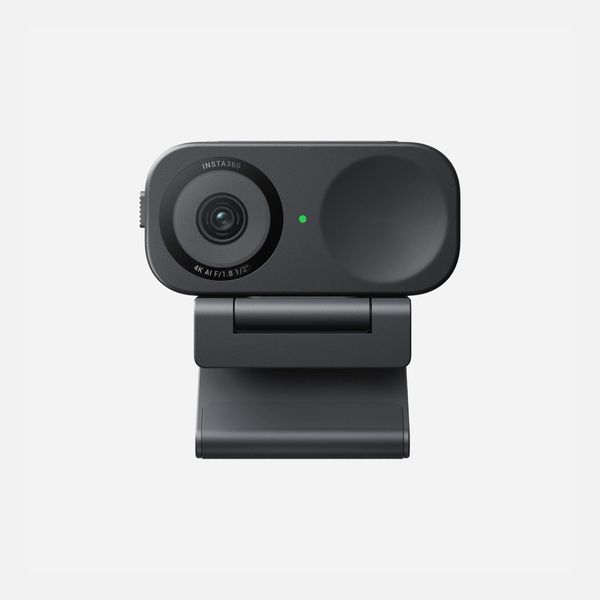
Resolution and sensor size: UHD 4k, 1/2” 8MP CMOS I Low light performance: Excellent I Software: Windows / macOS I Mounting: Clip I Security: Privacy Shutter I Microphone: AI Noise-Canceling Mics
Insta360 has “become a leader in this area almost out of nowhere,” says Steinberg. The 2c has “a good bunch of features and a very small form factor. This is my No. 1 recommendation for people who say they want to spend around $100.” It costs a little more than entry-level models, but the Link 2c’s combination of image quality and smart automation makes it one of the most versatile webcams available.
The Insta360 Link 2c combines excellent image quality with intelligent AI-powered shooting modes. It captures sharp 4K video using a relatively large 1/2-inch sensor, which helps produce cleaner images and better low-light performance than many competing webcams. “Even in low light, it does a very nice job without auxiliary light,” says Steinberg.
If you don’t want to sit in one place, the Insta360 Link 2c will smoothly follow your movements. “The auto-tracking capabilities of cameras like the Insta360 Link 2 or OBSBOT Tail 2 are incredibly convenient as someone who likes to film while up and moving around in my space,” says Taylor.
Standout features include subject tracking that keeps you centered as you move around the frame, automatic framing, gesture controls, and specialized modes for whiteboards, overhead demonstrations, and portrait video. And the software is relatively easy to use, which multiple experts noted has been a problem with some cheaper models. “Whatever you get, make sure the software is open and accommodating,” says Ion. “There’s nothing worse than incredible camera hardware paired with a bloated companion app that drags it down. It’s partly why I left Logitech and switched to Insta360 for my podcast webcam.”
The best less-expensive webcam
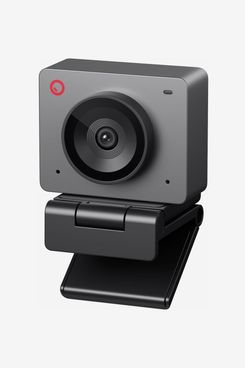
New! You can now save this product for later.
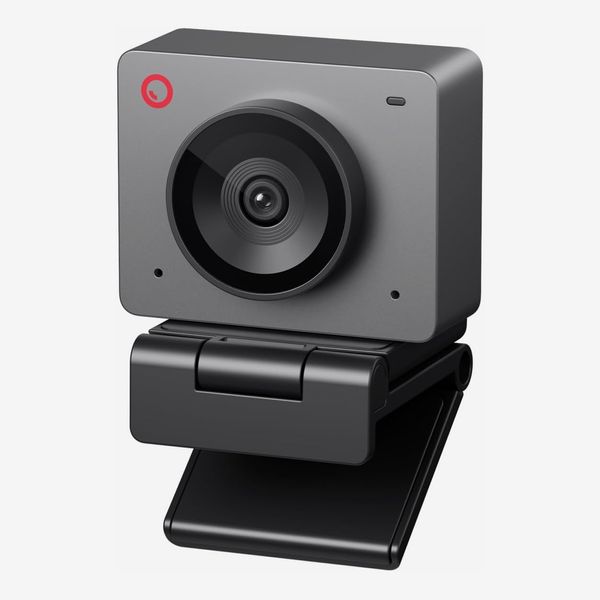
Resolution and sensor size: 1080p, 1/2.8” 2MP CMOS I Software: Windows / macOS I Low light performance: Good I Mounting: Clip, Tripod I Security: Privacy shutter I Microphone: Noise canceling single microphone
The OBSBOT Meet SE packs a strong set of features into an affordable, compact webcam, making it particularly appealing to streamers and content creators who value smooth video. It uses a 2-megapixel, 1/2.8-inch sensor with a bright f/1.8 aperture and captures 1080p video at up to 100 fps—or 720p at up to 150 fps. The camera has a 78-degree field of view (great for head-and-shoulders framing), autofocus, and 4x digital zoom, plus HDR and dual-native ISO (basically separate circuits to handle high and low lighting conditions) designed to improve image quality in challenging lighting.
The Meet SE also offers several smart features that can make getting good results simpler, including AI auto-framing, gesture controls, and portrait shooting simply by rotating the camera vertically. A built-in noise-reducing microphone, USB-C connectivity, standard 1/4-inch tripod mount, magnetic monitor mount, and physical privacy cover sweeten the deal. “It’s a lot of camera for the money,” says Steinberg. “A lot of folks might take this with them and carry it along in their laptop bag or just bring it with them to use with somebody else’s computer.”
The best webcam for content creators
New! You can now save this product for later.
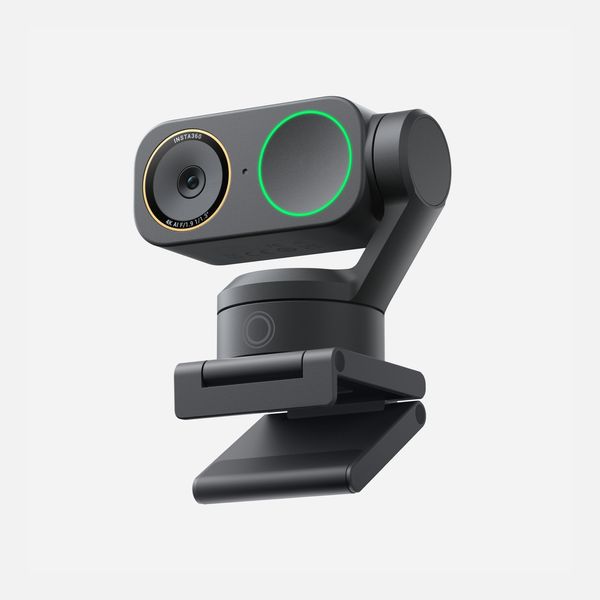
Resolution and sensor size: UHD 4k, 1/3” 8MP CMOS I Low light performance: Excellent I Software: Windows / macOS I Mounting: Clip I Security: No Privacy Shutter I Microphone: AI Noise-Canceling Mics
“This little camera has everything,” says Steinberg. While the Link 2C gives you most of the core smart-webcam experience, the Link 2 Pro is the one to choose if image quality, especially in imperfect lighting, is the priority. Plus it adds motorized tracking features that basic models just can’t match.
“You have a two-axis gimbal, so it will track you laterally,” Steinberg says. Rather than using software to track you as you move around, the Link 2 Pro’s motorized mount moves the whole camera to follow you during tracking shots. It looks more natural, and you don’t sacrifice any resolution. Plus the Link 2 Pro makes it easy to capture video for desktop and phones. “It has a vertical portrait mode,” says Steinberg. “And there are a lot of creators now who want that portrait mode.”
Ion currently uses the Insta360 Link, the precursor of the Link 2: “Even the first-generation version has a physical gimbal that follows you around, so you can sprout up and make content from your desk.” The gimbal adds value because, as Ion says, “there’s a smoothness to the recording you wouldn’t get with a webcam flopping on the hood of your monitor.”
The Link 2C Pro’s 1/1.3-inch sensor is substantially larger than the Link 2C’s 1/2-inch sensor, and dual-native ISO delivers better dynamic range and less noisy video in poor lighting. The 2 Pro also gets a meaningful microphone upgrade over the 2C’s single omnidirectional mic, with directional and omnidirectional microphones plus four pickup modes (Standard, Wide, Focus, and Original).
The best webcam with built-in ring light
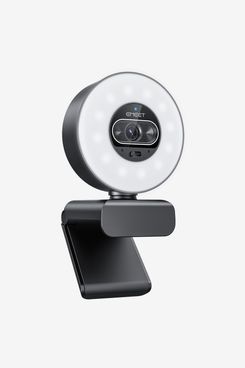
New! You can now save this product for later.
Resolution and sensor size: UHD 4k, 1/2” 8MP CMOS I Low light performance: Excellent I Software: Windows / macOS I Mounting: Clip, Tripod I Security: Privacy ShutterI Microphone: Dual microphones
“Decent lighting gear is pretty affordable these days, but you have to account for it if you’re actually chasing an improved image for content creation” says Taylor. Popular with streaming gamers, the EMEET SmartCam S600L is a 4K webcam designed for those who want to improve both their camera and their lighting without adding more gear to their desk.
It uses a relatively large 1/2-inch sensor paired with a bright f/1.8 aperture and can record at up to 4K at 30 fps or 1080p at 60 fps. Its most distinctive feature is the built-in ring light, which offers adjustable brightness along with warm, cool, and mixed color temperatures. The S600L also has fast phase-detection autofocus, a relatively tight 73-degree field of view that works well for head-and-shoulders framing, dual built-in microphones, a physical privacy shutter, USB-C connectivity, and a standard 1/4-inch tripod mount.
“This is a nice option for those people who need more lighting on their face or the room lighting, and the room is very harsh. This gives you a nice, soft glow,” says Steinberg.
The best high-end webcam for professional results
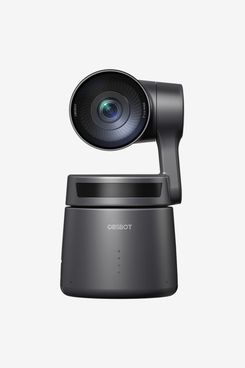
New! You can now save this product for later.
Resolution and sensor size: UHD 4k, 1/1.8” 8.4MP CMOS I Low light performance: Excellent I Software: Windows / macOS I Mounting: Tripod I Security: Privacy Shutter I Microphone: Stereo
“You could look at it as an expensive webcam or a very inexpensive production camera,” says Steinberg, who suggests the OBSBOT Tail Air for applications like conference presentations and cooking shows. A compact 4K camera with a motorized pan-and-tilt system designed for livestreaming and solo-content production, it uses a large 8.4-megapixel, 1/1.8-inch sensor and bright f/1.8 lens, and recording up to 4K at 30 fps or 1080p at 60 fps.
The really compelling feature of the Tail Air is its AI-powered human, animal, and object tracking, which allows the camera to follow a subject as they move around the room. Those capabilities make it a compelling option for livestreamers, instructors, presenters, and other creators who want a camera capable of following them without requiring a separate camera operator.
And beyond automatic tracking, if you prefer a little more directorial control, you can use an optional external remote or just use hand gestures to get hands-free control over tracking, zoom, and recording, and the camera can connect over USB-C for use as a webcam, output video through micro-HDMI to work with video recorders, or even record to a microSD card. You can use the internal stero microphone or connect external microphones via a 3.5mm microphone input. More advanced creators can also take advantage of Wi-Fi and optional Ethernet and PoE connectivity (including NDI|HX3 support to transmit video over networks), and multi-camera production features to sync up several Tail Air cameras for professional multi-camera shoots.
Our experts
- Florence Ion, tech journalist and senior writer at PCMag
- Adam Taylor, of the YouTube channel EposVox
- Mark Steinberg, lead technologist at B&H Photo Video
The Strategist is designed to surface the most useful, expert recommendations for things to buy across the vast e-commerce landscape. Some of our latest conquests include the best acne treatments, rolling luggage, pillows for side sleepers, natural anxiety remedies, and bath towels. We update links when possible, but note that deals can expire and all prices are subject to change.