The Best Ergonomic Keyboards and Mouses to Prevent Wrist Pain
Save this article to read it later.
Find this story in your account’s ‘Saved for Later’ section.
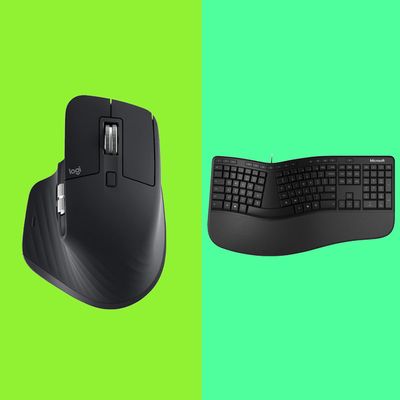
If you spend most of the workday staring at a screen, chances are you’ve developed tech neck or, even worse, a bad back. And the constant clacking on a keyboard or clicking on a mouse doesn’t help matters much, either. In fact, Dr. Scott Weiss, a physical therapist and board-certified athletic trainer, says, “The wrong mouse-and-keyboard setup can wreak physical havoc on your hand, wrist, and forearm.” There are plenty of potentially severe side effects to the wrong wrist position. Take, for example, carpal tunnel syndrome, which can cause tingling in the side of your hand, explains Dr. Gbolahan Okubadejo, a spinal and orthopedic surgeon. Or a weak grip, which “is tied to shoulder stability, or lack thereof, in turn leading to tightness in the upper traps and neck,” according to chiropractor Dr. Emily Kiberd of the Urban Wellness Clinic. “Too much wrist flexion” — a fancy way of saying bending — “can undoubtedly cause pain and nerve compression,” Weiss says, adding that a movement as simple as reaching your pinky too far out over your keyboard or mouse can, over time, damage cartilage in your wrist.
The good news is that these long-term office injuries from typing can be prevented, especially with the rightergonomic desk setup. Still, you should probably understand the proper position for your wrists in the first place. Many of us using laptops tend to hover our hands over the keyboard, wrists extended, says physiotherapist Lyndsay Hirst, but the best way is to rest them instead. Hirst adds that this isn’t always possible with the way most mouses on laptops are set up, however. That’s why a wireless keyboard or Bluetooth mouse (or both) might be a necessary work-from-home accessory. “Your keyboard should be positioned in a way that keeps the wrist pointed straight and does not make the wrists face duck-footed outward or pigeon-toed inward,” Okubadejo recommends. Joseph Santillo, director of industrial medicine at ReLive Physical Therapy, thinks finding a mouse that you can use with either hand can help take off some of the strain. With a new keyboard or mouse, consider the advice of Carrie Schmitz, a wellness-and-ergonomic research manager at Ergotron:“What you need to do is position the equipment in relation to your body in such a way that you’re not in some sort of an awkward posture.”
While there are a lot of products on the market that are branded as ergonomic — promising to maintain your posture while you type away — not all of them are that effective. So we spoke to all sorts of experts — ranging from physical therapists to trainers and ergonomists to help you findsupportive office gear to prevent wrist pain (and avoid carpal tunnel) including ergonomic keyboards, vertical mouses, and more.
Best ergonomic keyboards
New! You can now save this product for later.
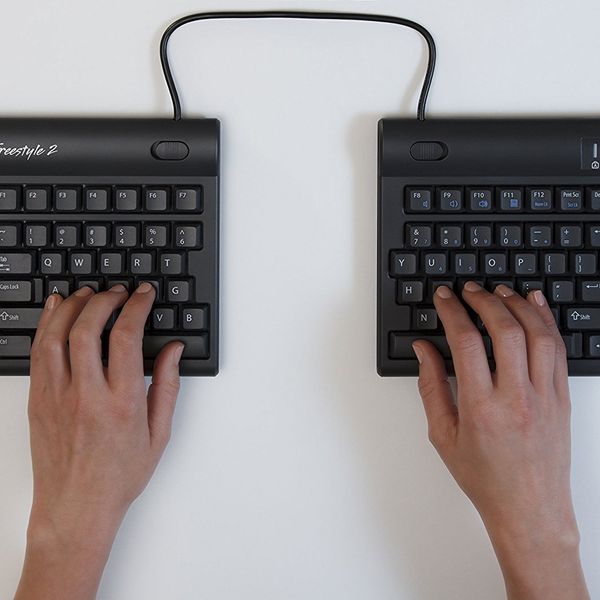
It’s a little strange-looking, but Weiss says a split keyboard helps maintain your natural alignment. Because you want to keep your shoulder in line with your wrists, this keyboard lets you adjust your hand position according to the width of your shoulders. “The last thing you want is to have your shoulders curled inward for extended periods of time, as that can cause many issues and lead to chronic pain,” he says.
[Editor’s note: While this keyboard has limited availability on Amazon right now, you can find it for slightly more at Office Depot.]
New! You can now save this product for later.
Here’s another slightly strange-looking one: Okubadejo praises this keyboard for its ability to change configurations both vertically and horizontally, which can help reduce discomfort during the day. “The V-shape of the keyboard always places less stress on the wrists,” Okubadejo says. He recommends you find a keyboard that has an adjustable angle, suggesting that the best ergonomic ones will have a split keyboard design, which “allows for a more natural position for the arms.”
New! You can now save this product for later.
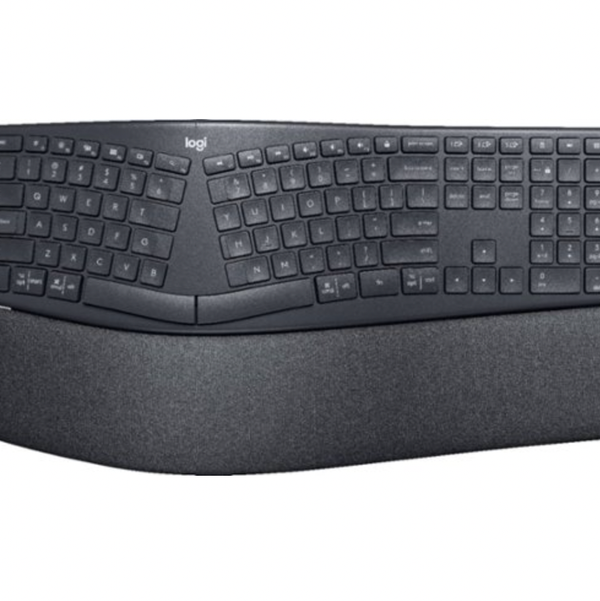
Okubadejo, Kiberd, and Hirst recommend this Logitech keyboard, which our tech writer Jordan Bowman previously called “a great budget pick for a high-end keyboard.” So what makes it special? Okubadejo points out that its curved keyframe can help improve your typing posture since your forearms, fingers, and wrists would be in a much more natural position. “There is also a wrist rest that provides wrist support and it contains asymmetrical keys that make it easier to find your way around the keyboard,” he says.
New! You can now save this product for later.
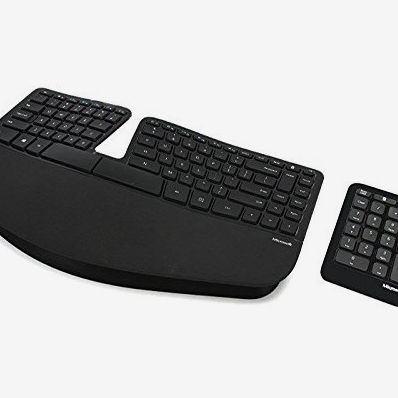
If you’re using an external keyboard and mouse, you may run into the issue of having to move your mouse farther out to the right (assuming you’re using your right hand on the mouse) to accommodate the keyboard’s number pad, which forces you to extend your right elbow. “What happens with mouse use, for many of us, is that over minutes and hours and days and weeks and years, we can have quite a lot of injury happening to the right arm because we’ve thrown our right arm farther over to the side,” says Schmitz. “The farther away from the waist your arm is, the more risk that you’re going to be exposed to.” While not all keyboards have number pads these days, if you regularly use one for work, Schmitz recommends looking for a keyboard with a separate number pad, like this one.
New! You can now save this product for later.
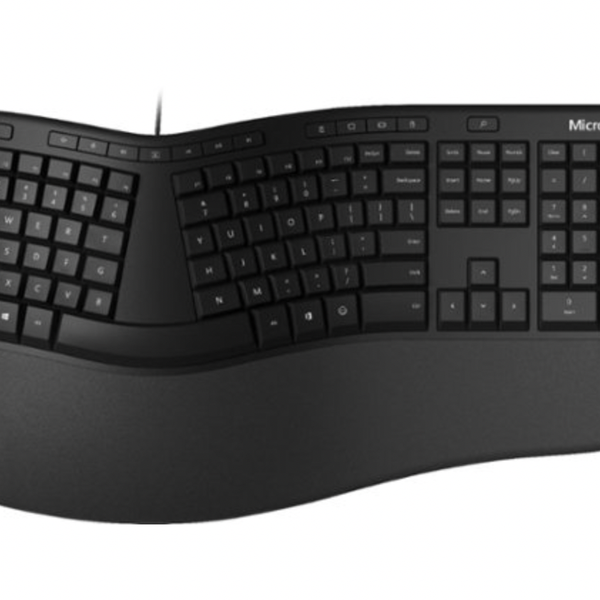
Santillo’s advice? The right keyboard will keep your wrists straight and in a neutral position — and allow you to raise or lower it in order to keep that stance. This keyboard fits the bill, plus it features a cushioned palm rest.

New! You can now save this product for later.
Apple purists don’t have to give up their minimalist aesthetic to achieve good ergonomics. Tyler Stalman, a photographer and podcaster, says that with the Magic Keyboard (a favorite of other creative types), “the angle of my wrist feels right,” so it’s less tiring to type.
Best ergonomic mouses
New! You can now save this product for later.
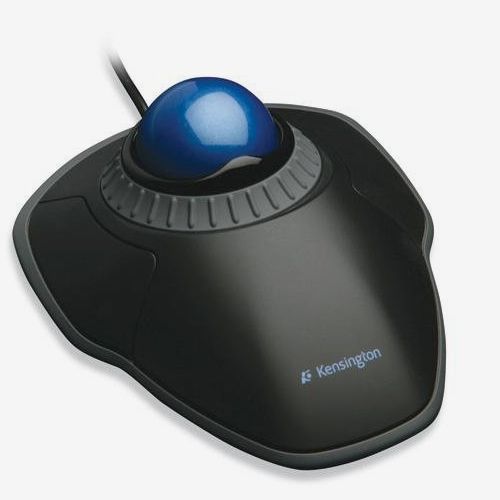
“Mice that allow for the natural internal rotation of the hand are best,” says Alice Holland, a physical therapist at Stride Strong Physical Therapy. If you have limited desk space, she likes this one, which features a large trackball for easy scrolling and a detachable wrist rest for comfort.
New! You can now save this product for later.
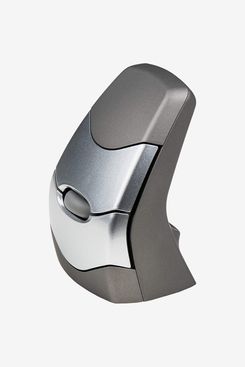
This is Okubadejo’s pick for the best ergonomic mouse. Okubadejo recommends searching for a mouse that doesn’t actually fit your entire hand, saying that you want to avoid ones that force you to push your shoulders forward (thus, creating much more pressure on them). He agrees with Santillo’s earlier point that a mouse that allows you to switch between your right and left hands is probably better. This mouse does just that. “It’s small enough that it will spread the load of the moving to the hand and arm, which will reduce loading on the shoulder,” Okubadejo says.
New! You can now save this product for later.
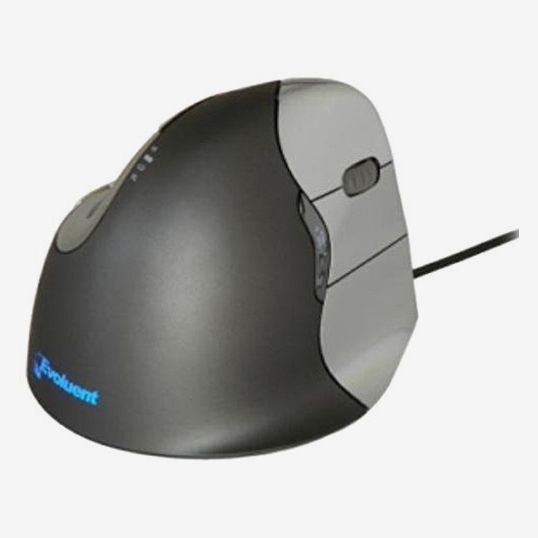
Holland says that this mouse, which comes in right- and left-handed versions, “allows the hand to be rotated to a comfortable angle.” It’s actually oriented vertically, with your hand in a handshake position that prevents any unnatural twisting of the wrist or arm. Kiberd told us that her patients prefer another version of this mouse, which has similar features but is slightly more expensive.
New! You can now save this product for later.
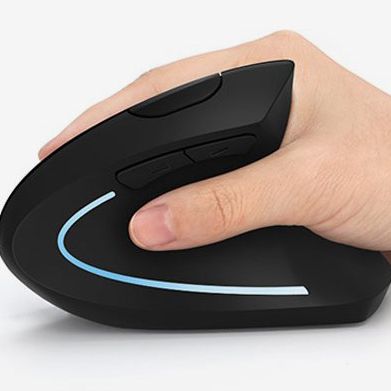
Here’s another vertical mouse that’s less expensive but equally beloved among Amazon reviewers. As one writes, “This is how the mouse should have been designed from the beginning. It places the wrist and arm in so much more of a natural and comfortable position.” Like the Evoluent, it’s also available for lefties.
New! You can now save this product for later.
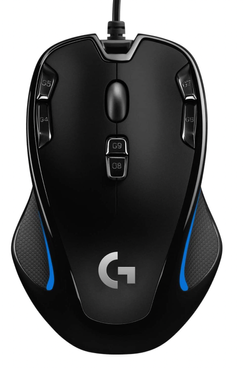
Santillo also recommends a mouse designed for gaming (ones from Logitech were popular among experts as well). As Santillo mentioned above, an ambidextrous mouse can “distribute the force” between your two hands. “It might take two to four weeks before you get accustomed to using it with your non-dominant, but once you do, you will notice a difference,” Santillo says.
New! You can now save this product for later.
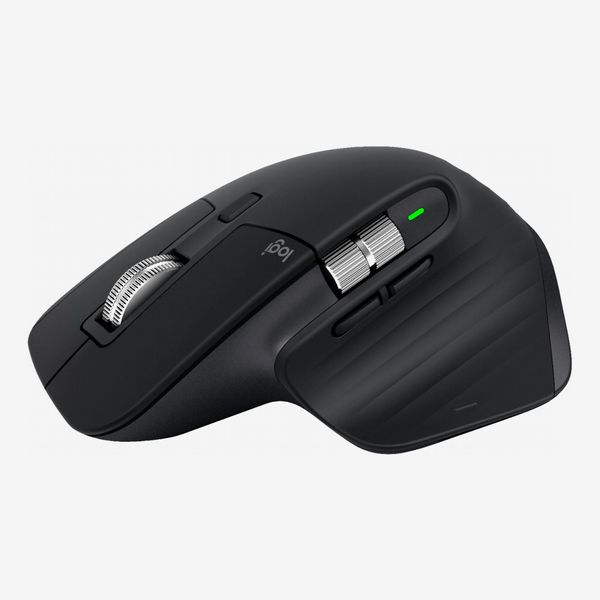
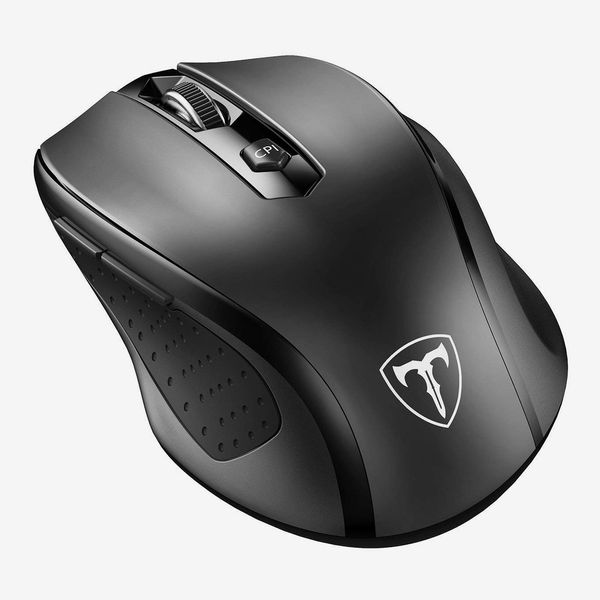
Okay, we did say that Logitech was popular. This pick was recommended by four experts as the best overall wireless mouse. One feature that particularly earned praise is the customizable (and comfortable) thumb Scroll Wheel. “Having that horizontal scroll to move throughout a video timeline is huge for me, but for the average person who is in Excel spreadsheets or editing web pages, it’s actually extremely helpful. It’s a big mouse that doesn’t feel cramped, like an Apple Magic Mouse,” says tech YouTuber and video creator Sara Dietschy.
New! You can now save this product for later.
This budget-friendly mouse is popular among gamers, but it’d be a good pick for anyone looking for a comfortable, affordable mouse. As one reviewer writes, “It is super comfortable in the hand, it’s large enough to provide good support to help prevent hand fatigue, and has grooves for [resting] your thumb and ring and pinky fingers.”
[Editor’s note: This mouse is currently sold out on Amazon and you can only buy it through a third-party seller at Walmart.]
Best ergonomic keyboard and mouse accessories
New! You can now save this product for later.
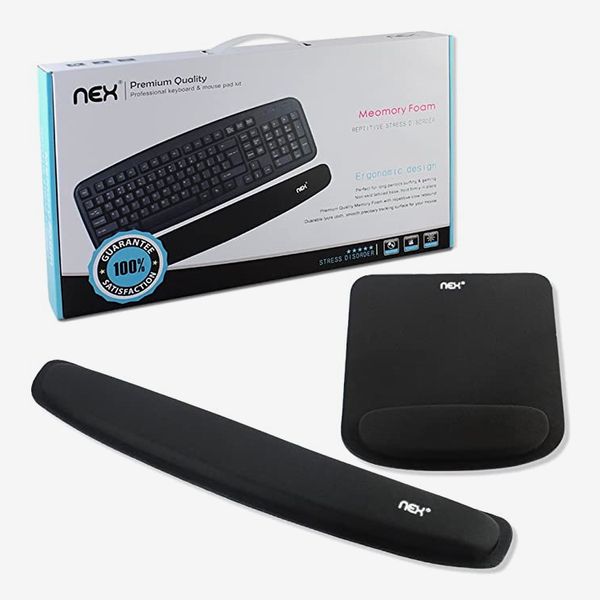
For a cheap way to boost the comfort of whichever mouse and keyboard you’re using, Holland recommends supportive memory-foam wrist pads. She says she bought this set “for my husband, who was complaining of carpal tunnel syndrome,” and it “works great.”
New! You can now save this product for later.
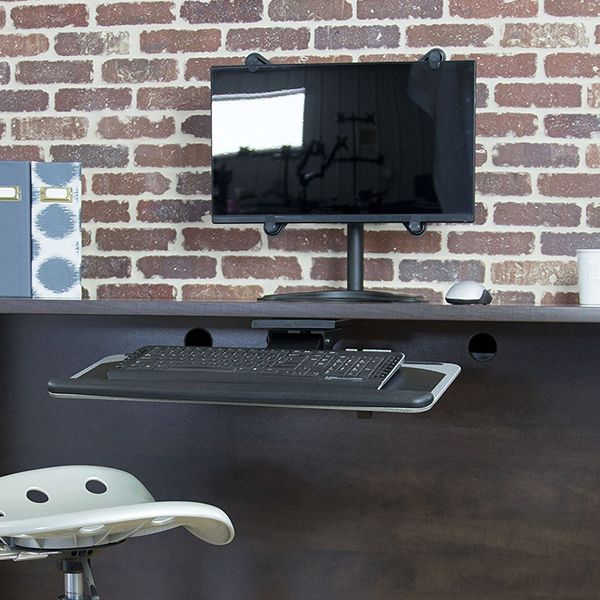
Vivo Adjustable Computer Keyboard & Mouse Platform Tray
When it comes to ergonomics, the position of your mouse and keyboard matters just as much as, if not more than, the specific equipment you use. “Your elbows need to be about the same height as your keyboard, and your arms should be hanging comfortably from the side of your body,” says Schmitz. “Your shoulders should be relaxed. Your wrists should not bend up or down or on either side during keyboard use.” She says you may need a keyboard tray to achieve this alignment and bring your wrists in line with your elbows. This one has built-in wrist padding and allows you to adjust the angle for perfect positioning.
The Strategist is designed to surface the most useful, expert recommendations for things to buy across the vast e-commerce landscape. Some of our latest conquests include the best women’s jeans, rolling luggage, pillows for side sleepers, ultra-flattering pants, and bath towels. We update links when possible, but note that deals can expire and all prices are subject to change.
Every editorial product is independently selected. If you buy something through our links, New York may earn an affiliate commission.