The Best Wi-Fi Routers
In this article
Whether your kids are upset because they can’t stream a show or are struggling with their favorite game, or you work from home and are frustrated that your connection continuously drops during video calls, a horrible home Wi-Fi connection is one of modern life’s worst everyday annoyances. A reliable network is a must, and if your current router is aging or isn’t up to the task of handling all of your devices, it’s time to look for something new.
Complicating the matter is the Federal Communications Commission’s recent ban on foreign-made routers. Nearly all routers are foreign-made, as is the case with most electronics. However, the FCC has said any already-approved routers aren’t impacted, and the agency has started issuing conditional approvals to companies such as Netgear and Eero (complete list here).
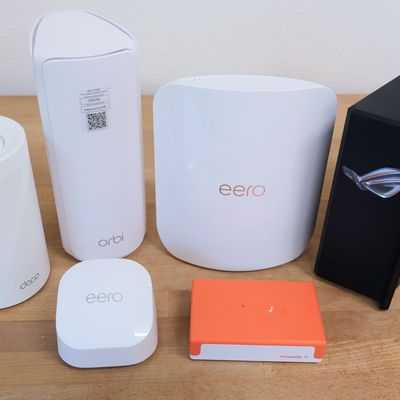
So if you’ve been putting off upgrading your home network, now’s a good time to take the plunge before the FCC changes its mind. We tested Wi-Fi routers and mesh systems from the leading manufacturers (two of which have conditional approvals to keep making new routers, so availability shouldn’t be an issue). Our focus was on models that meet the latest standards, so if you choose one of these, you shouldn’t have to upgrade again for the lifetime of the devices you own now. Read on for our top picks.
What we’re looking for
Wi-Fi standard
Keeping up with Wi-Fi standards and protocols is confusing. When curating our list of devices to test, we focused mainly on Wi-Fi routers that offered compatibility with Wi-Fi 7, the latest standard, even though most of the devices you currently own — the majority of phones, tablets, streaming boxes, and the like — currently lack support for it.
Why? Prices for these routers are comparable to those of systems that still only support older standards, and buying a Wi-Fi 7 router now is a way to futureproof your home network as more devices are released that support the latest standard. It’s a better investment in the long run.
That said, you’ll notice our budget recommendation, the Eero 6+, lacks Wi-Fi 7 support. Even if the Eero isn’t as futureproof as our other recommendations, it should last you the life of the devices you own now, and it’s ease of use and inexpensive subscription make it a solid deal.
Dual or tri-band
One important aspect to consider when choosing a Wi-Fi router — and a mesh system in particular — is how many bands the system supports. Every system we tested supports 2.4 GHz and 5 GHz, making them dual-band. However, some systems also support the newer 6 GHz spectrum, which acts as a connection between the nodes, making them tri-band. A tri-band system avoids using that extra lane for communication between the nodes, so it frees up bandwidth, avoiding congestion.
While a stand-alone dual-band router is fine for small spaces, a dual-band mesh system can suffer bottlenecks when passing data between nodes, which are sharing the same wireless “highway” with your devices. That’s not to say a dual-band mesh system is bad — you’re just likely to experience some bottlenecks during high usage, and all else being equal, choosing a router that supports the newer standards can help you avoid network traffic jams down the line. Plus, newer Wi-Fi 6E and Wi-Fi 7 devices can connect directly to the 6 GHz band for better performance.
Mesh network support
You’re bound to find dead spots in in your Wi-Fi coverage, especially if you’re using a single router. No matter how powerful a router is, it can only cover so much range. That’s where mesh systems enter the conversation. If you really need to get coverage in those dead spots or across a large home, these systems let you add additional units, or nodes, to extend your system’s overall range. You can even position the units to get Wi-Fi around obstacles like brick, metal, and lath-and-plaster walls that signal can struggle to get through.
I took a look at dedicated mesh systems, but I also took into account whether additional routers can be added to expand your system. Many of the routers on the market today can be expanded into a mesh network with other devices from the same manufacturer, so you can start small and build a system to suit your network and space as your needs grow.
Coverage area
Every Wi-Fi system advertises an estimated coverage area, measured in square feet. There’s an emphasis on estimates simply because there are far too many factors that impact Wi-Fi’s overall range and performance. I didn’t pull out a tape measure and calculator to figure out the exact square footage each unit covered, but I paid close attention to signal strength and performance in multiple locations throughout my office and house.
Subscription costs
It’s a sad truth, but most Wi-Fi systems now require a monthly or yearly subscription to get full access to their features. Some systems offer a single subscription to use security and parental control features, while others require two separate subscriptions. I looked closely at what each system requires, what the subscription includes, and the overall cost.
Ports
Most home networks these days are incredibly simple, with every device relying on a wireless connection to your router. But some users — gamers, for instance — have more complicated setups, using Ethernet runs or switches to hard wire various gadgets to their internet connection for maximum speeds. The number and speed of any additional ports is an important factor to consider if you’re in the latter camp. Additionally, USB ports on Wi-Fi routers offer all sorts of additional functionality, ranging from backup internet service via phone tethering or adding network storage by hooking up a hard drive.
Ease of setup and use
Managing your Wi-Fi network shouldn’t feel like a complicated task you need advanced training for — unless, of course, you’re into that kind of thing. I paid close attention to several key factors related to a system’s setup process and daily use. How easy is a system to set up? How easy is it to expand? How much effort does it take to manage devices, user profiles, and any additional security features?
Best Wi-Fi router overall

New! You can now save this product for later.
Wi-Fi Standard: Wi-Fi 7 | Bands: Tri-band | Mesh: Yes | Range: 3,100 sq. ft. (One node); 8,100 sq. ft. (Three nodes) | Subscriptions required? Parental controls, security, antivirus | Ports: Ethernet (Three), USB (One)
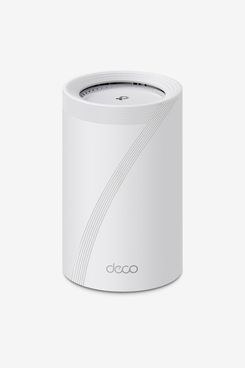
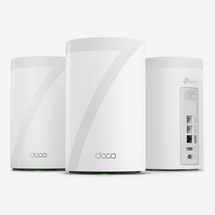
The TP-Link Deco 7 Pro BE14000 not only has a mouthful of a name, it’s also our pick for the best overall Wi-Fi router.
As the device is designed as a mesh Wi-Fi system with multiple access points in mind, we found that you don’t have to expand beyond a single node. That’s enough to cover most spaces, as a single Deco 7 Pro unit covers up to 3,100 square feet. (If you find you need more coverage, a three-pack can blanket a home of up to 8,100 square feet in tri-band Wi-Fi 7 coverage.)
Setup was a breeze in our testing. Just plug in the main node (or the single unit if you’re only buying one), follow the prompts in the Deco app, and give your network a name and password. If you’re setting up a mesh system, you assign that node to a room and add any extra nodes if you have them.
Performance and range were consistent and reliable when testing on our 1.3 Gbps connection. Speed held steady as we roamed around, completing tests and using our devices as we normally would.
Each Deco 7 Pro unit has three Ethernet ports and a USB port. The USB port is a welcome feature, as it allows you to connect a hard drive for network storage, making it handy for backing up your computer to or sharing a media drive.
One downside to the Deco 7 Pro, as is the case with almost all Wi-Fi routers, is that advanced features such as parental controls, security, and even antivirus protection are mostly hidden behind subscriptions. You only get basic access to these features for free (without a subscription to parental controls, for example, you can create profiles, assign devices, block websites, create filters, and set a bedtime, but you can’t block specific apps or set app time limits), and if you want fuller control and insight into your system after the 30-day free trial, you’ll need to pay anywhere from $18 to $130 a year, depending on your needs.
That being said, the TP-Link Deco 7 Pro BE14000 offers a mix of features, performance, ease of use, and futureproofing at a welcoming price.
Need more coverage?
New! You can now save this product for later.
Best less-expensive Wi-Fi router
New! You can now save this product for later.
Wi-Fi Standard: Wi-Fi 6 | Bands: Dual-band | Mesh: Yes | Range: 1,500 sq. ft. (One node); 4,500 sq. ft. (Three nodes) | Subscriptions required? Parental controls, security| Ports: Ethernet (Two)
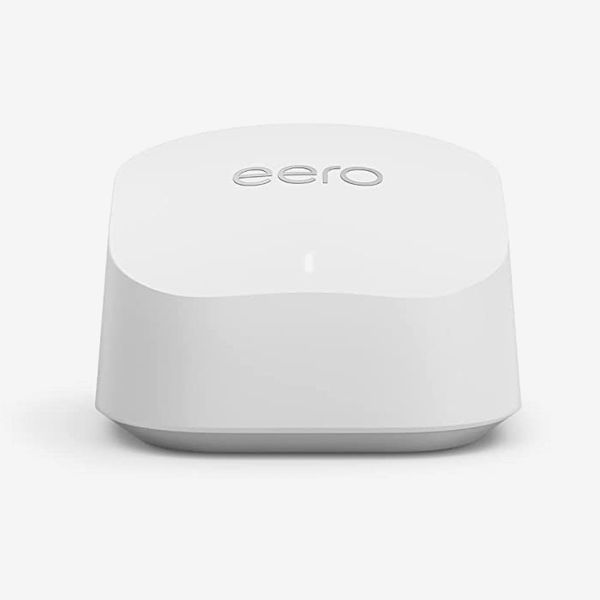
The Eero 6+ is another mesh system that can be used on its own or expanded with more access points to cover your home. The 6+’s affordability, ease of use, and low subscription cost earned it our pick as the best budget Wi-Fi router.
You don’t get quite as much range from a single Eero 6+ unit as you do from the TP-Link Deco 7 Pro — a single node covers up to 1,500 square feet, while a three-pack triples the square footage. The Eero 6+ is also limited to 1 Gbps, though that is still faster than most people’s home connections, and it only provides dual-band Wi-Fi 6.
But for most people, Wi-Fi 6 is more than enough, since the majority of devices we have in our homes — smart plugs, streaming boxes, phones, and even laptops — aren’t compatible with Wi-Fi 7. Until you upgrade those devices to newer models that offer support, you don’t need a Wi-Fi 7 router, so we think it’s a worthwhile tradeoff, given the lower price of the Eero 6+.
You’ll get a free month of Eero Plus when setting up the 6+, after which you can pay $10 a month or $100 a year for the service — cheaper than any of the competition. Eero Plus gives you the ability to view stats like network activity or security scan results. Additionally, you’ll get full access to parental controls, where you can set time or age limits for each user. Eero Plus pretty much pays for itself, however, with the inclusion of a 1Password Families subscription (for a total of five users), which would otherwise cost $54 a year on its own.
Where Eero really shines, however, is the ease of setup and use. Setup takes just a couple of minutes, even if you’re setting up multiple nodes — all you have to do is connect your modem to the main node, plug in extra nodes when appropriate, and name your network. The app takes care of any software updates and other odds and ends for you.
The Eero app is the most intuitive to use of the lot as well. You can easily create device groups and user profiles or adjust settings without having to guess where each option is hidden.
The Eero 6+ is as affordable as it is capable. While it doesn’t futureproof your home with Wi-Fi 7 or ultrahigh speeds, if it’s been several years since you last upgraded your home network, the 6+ is a big leap forward.
Need more coverage?
New! You can now save this product for later.
New! You can now save this product for later.
Best mesh Wi-Fi system
New! You can now save this product for later.
Wi-Fi Standard: Wi-Fi 7 | Bands: Tri-band | Mesh: Yes | Range: 2,750 sq. ft. (One node); 8,000 sq. ft. (Three nodes) | Subscriptions required? Parental controls, security | Ports: Ethernet (Two)
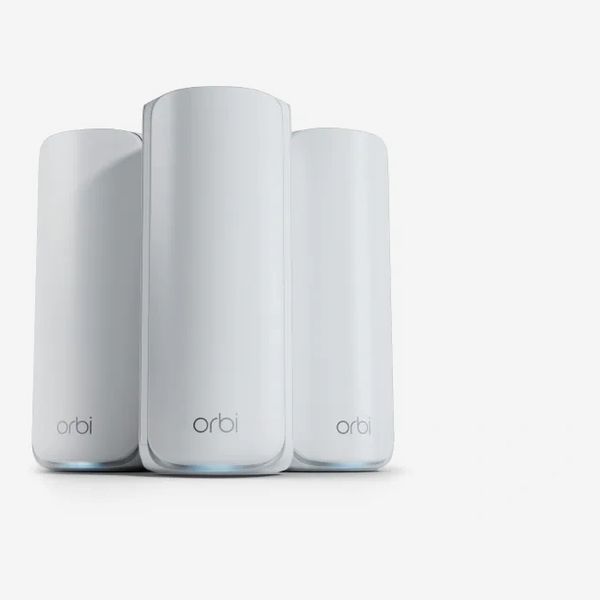
If you already know you need a mesh system — say you have a large home with a ton of devices — we think the Orbi 770 is a solid choice.
Netgear’s Orbi line of mesh Wi-Fi systems is frequently cited as the best in the business, and this particular system is in the sweet spot of the lineup. It offers a healthy mix of features, capabilities, and coverage at a reasonable cost — not even close to the Orbi 970’s $2,000 price tag for a three-pack. That is why, even though several of the systems we’re recommending support mesh operation, we’ve selected this as the best mesh Wi-Fi router.
Three Orbi 770s will cover up to 8,000 square feet with tri-band Wi-Fi 7 and combined wireless speeds of up to 11 Gbps. The 770 also supports multi-link operation (MLO), which allows compatible devices and the access points to use both the 5 GHz and 6 GHz bands at the same time to ensure a fast, stable connection.
The initial setup was very smooth. After plugging in the main access point (it’s labeled in the box) and connecting it to a modem, you’ll enter an admin password for managing your network, followed by a network name and password. To set up additional nodes, you simply plug them in and the app takes care of the rest.
The Orbi app is basic, showing only a handful of tiles for things like viewing security and overall network settings, running speed tests, and adjusting parental controls. For more advanced features, you’ll need to access an online portal (and use that aforementioned admin password to sign in).
As for any subscriptions, Netgear has two options. There’s Netgear Armor, which is either $100 a year for standard or $150 for Plus, and a parental-control subscription that will run you $70 a year. Armor is the security subscription that protects the devices and personal information connected to your Wi-Fi network, provides on-the-go security through a VPN, and includes an extended warranty and priority tech support. The parental-control subscription allows you to set schedules and limits, block inappropriate websites, and bar any app you want.
The Orbi 770’s range and speed were near the top of the pack in our testing, reaching nearly every corner of our home and yard without huge performance hits at the edges.
The Orbi 770 packs a punch, keeping pace with its far more expensive sibling, the Orbi 970, for a third of the cost. It’s a mesh Wi-Fi system that’s sure to keep your home network going well into the future — just be ready to take on yet another subscription (or two) if you want to take full advantage of it.
Best high-performance Wi-Fi router
New! You can now save this product for later.
Wi-Fi Standard: Wi-Fi 7 | Bands: Tri-band | Mesh: Yes | Range: 2,500 sq. ft. (One node); 7,500 sq. ft. (Three nodes) | Subscriptions required? Parental controls, security | Ports: Ethernet (Four)
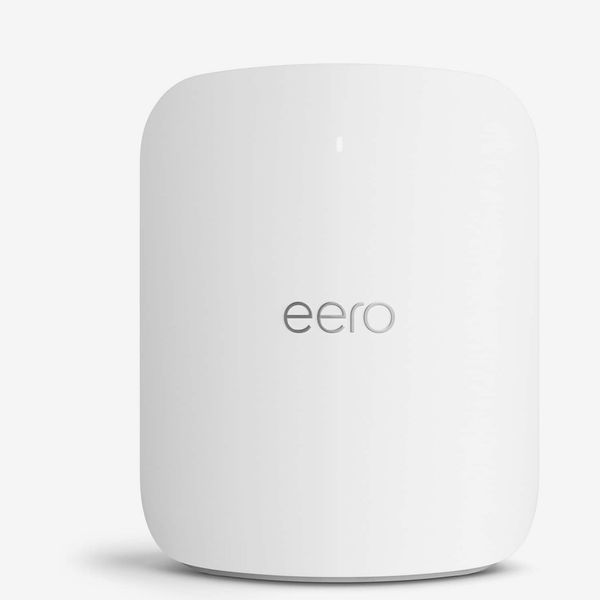
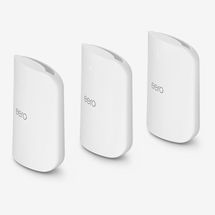
I have personally used the Eero Max 7 since its release in October 2023 and have experienced almost no issues with its coverage, performance, or speeds. A trio of units covers 7,500 square feet with tri-band Wi-Fi 7 and offers combined wireless speeds of up to 9.4 Gbps. The system has routinely delivered expected speeds all over my home and yard, matching both Orbi systems I tested — plus, the Eero system is cheaper and easier to use. It’s an easy recommendation if you’re looking for the best high-performance router.
As with the Eero 6+, setup was as easy as it gets for a mesh system — and the same goes for using the app alongside the Eero Plus subscription. If you skipped that section, here’s a quick recap: $100 a year gets you security and parental controls as well as access to additional services like 1Password Families to secure your passwords and private info. The app is super simple to use to boot.
With a slightly lower price, lesser subscription cost, similar performance, and better ease of use, the Max 7 is our high-end pick over the Orbi 970. Paying $170 a year for Netgear’s subscription just doesn’t sit right after shelling out the equivalent of a house payment for the hardware. If you’re looking for a high-end Wi-Fi system that hits all the right notes, then the Eero Max 7 is where it’s at.
Need more coverage?
New! You can now save this product for later.
Best Wi-Fi router for gamers
New! You can now save this product for later.
Wi-Fi Standard: Wi-Fi 7 | Bands: Tri-band | Mesh: Yes | Range: 3.000 sq. ft. | Subscriptions required? None | Ports: Ethernet (Nine)
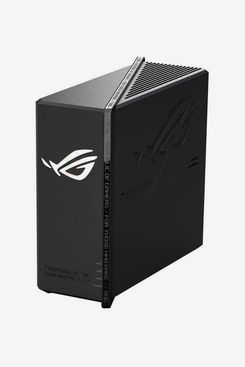
The Asus ROG Strix GS-BE12000 is our top pick for the best gaming Wi-Fi router — and not just because it looks every bit the part, carrying the Asus Republic of Gamers (ROG) branding, complete with an RGB LED logo that you have total control over in the Asus Router app. And even though it’s well known that the more RGBs you have, the better you’ll be at games, that doesn’t tell the whole story for this router.
The GS-BE12000 boasts tri-band Wi-Fi 7 with coverage of up to 3,000 square feet. It has a total bandwidth of 12 Gbps, multi-link operation, and a staggering eight 2.5 Gbps Ethernet ports — one reserved for your internet connection and seven for connecting all of your gaming devices if you’re looking for the absolute fastest speeds. There’s also a USB port that can be used for network storage or connecting your smartphone to the router for use as a backup internet source during an outage.
A single GS-BE12000 covered our test area with ease, forgoing the need to tack on another access point. If you do need to add another access point to the GS-BE12000, you can extend your range with any Asus AiMesh-compatible devices.
My favorite part of the entire Asus Wi-Fi ecosystem is that there are zero subscription fees. All you do is buy the equipment — you don’t have to worry about paying for additional security or parental-control features. In addition to those features being standard, the GS-BE12000 also has settings to optimize its performance based on your needs. If you’re using it for gaming, you can tell it to prioritize gaming traffic. If you’re working from home and joining video calls all day long, you can tell it to prioritize that traffic. Better yet, changing between modes just requires a few taps in the app.
Speaking of the app, if you have a gaming PC and use any of the optimization apps associated with it, you’ll feel right at home using the familiar ROG-skinned Asus Router app. Setup was simple, with the GS-BE12000 even automatically creating a standalone network for IoT devices to keep all your smart home devices on their own network, but still easily accessible.
If you’re looking for a dedicated gaming Wi-Fi router, you can’t go wrong with this pick.
Best Wi-Fi router for network security and parental controls
New! You can now save this product for later.
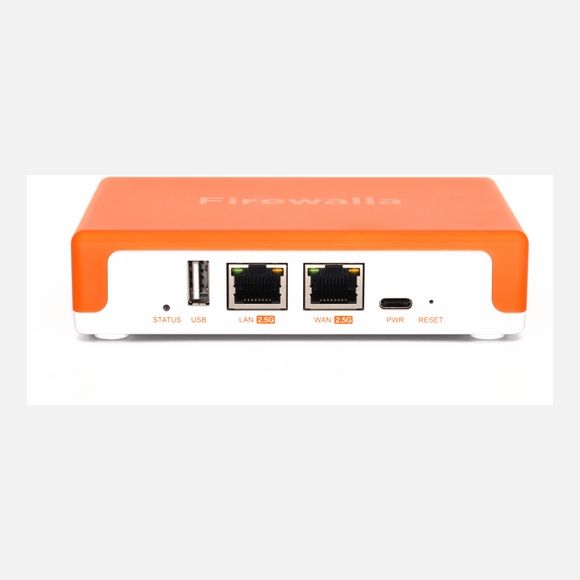
Firewalla Orange Firewall & Router With Wi-Fi 7
Wi-Fi Standard: Wi-Fi 7 | Bands: Tri-band | Mesh: No | Range: 1,500 sq. ft. | Subscriptions required? None | Ports: Ethernet (Two)
At around $400, the Firewalla Orange is one of the more expensive single-node Wi-Fi routers I’ve tested — but you’re not just paying for a simple Wi-Fi router.
Firewalla isn’t shy about the fact that its products are designed for the prosumer who wants improved network security along with granular control over their network (the company specializes in stand-alone firewall devices). The Firewalla Orange gives you all of that, with the added bonus of bringing the same level of security and control to the Wi-Fi network it broadcasts.
For that price, you get dual-band Wi-Fi 7 support and up to 1,500 square feet of coverage at up to 2 Gbps speeds. After initial setup, you get instant access to built-in parental controls, security features and native ad blocking. Firewalla doesn’t charge a subscription fee for its security, parental, or ad-blocking features. You pay a premium for the device, and that’s it.
For parental controls, you can set up a user profile and assign devices to it. This allows you to quickly and easily set time limits for specific apps or services, such as YouTube. Once the time limit is reached, you can either completely cut off the connection or use Disturb mode, which causes videos to randomly stop and buffer, mimicking a poor internet connection. It’s a brilliant way to frustrate someone to the point they put the screen down. My kids don’t know it, but I’ve been using this feature on them for a few months now. Their frustration makes me laugh inside while also promising I’ll look into why the internet randomly slows to a crawl.
The Orange has two 2.5G ports on the rear of the housing, but one of them is taken up by a connection to your modem, so you’ll want to get a network switch if you need more hardwired connections.
The downside? The Firewalla Orange has a relatively steep learning curve compared with using something like an Orbi or Eero router or even a mesh system, and getting the most out of it means learning more about networking.
If you’re looking for a way to level up your home-network-security game or have use for very advanced parental controls and are open to learning more about networking while also upgrading your home Wi-Fi, then the Firewalla Orange is meant for you.
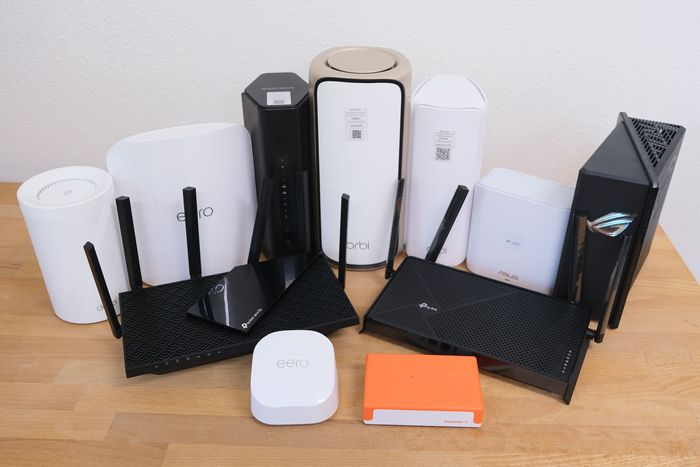
Other Wi-Fi routers I tested
New! You can now save this product for later.
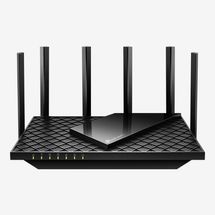
The popular TP-Link Archer AXE75 supports tri-band Wi-Fi 6E and had good signal strength and speeds in our testing. But it lacks support for Wi-Fi 7 for futureproofing and it sticks with 1 Gbps Ethernet ports, so we recommend looking at the TP-Link Deco 7 Pro for performance or the Eero 6+ as a less-expensive choice.
New! You can now save this product for later.
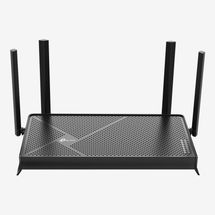
The Archer BE230 is a great budget router, priced under $100, featuring dual-band Wi-Fi 7 and with 2.5 Gbps ports for hardwired connections. But the Eero 6+ is easier to use and has cheaper subscription costs.
New! You can now save this product for later.
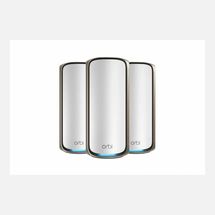
With quad-band Wi-Fi 7, an extra dedicated backhaul channel, and a 10 Gbps port, the Orbi 970 is a beast. You’ll have zero issues with this system if you’re inclined to splurge, but you’ll need be ready to pay for the hardware and the expensive subscription to take full advantage of the system. We think it’s too expensive, even among ultra-high-performance systems, and the Eero Max 7 is cheaper over time, given its lower subscription costs.
New! You can now save this product for later.
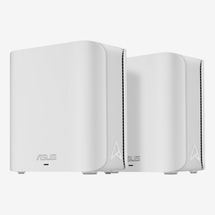
Like other Asus routers, the ZenWiFi BD5 doesn’t require any subscriptions, which is a big selling point in the subscription-first model of its competitors. Setup and ease of use were also pluses with this system. However, it’s a dual-band Wi-Fi 7 system lacking the 6 GHz band, so it can’t take advantage of Wi-Fi 7’s performance gains.
New! You can now save this product for later.
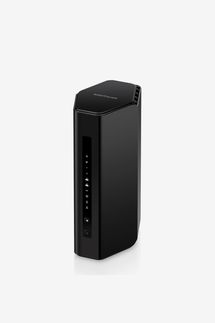
The Nighthawk RS300 is a tri-band Wi-Fi router with speeds up to 9.3 Gbps and a handful of fast ports on the back. However, it lacks the ability to expand its reach by making it the centerpiece of a mesh network, and at this price, we think a mesh-capable device is a better long-term investment.
The Strategist is designed to surface the most useful, expert recommendations for things to buy across the vast e-commerce landscape. Some of our latest conquests include the best women’s jeans, rolling luggage, pillows for side sleepers, ultra-flattering pants, and bath towels. We update links when possible, but note that deals can expire and all prices are subject to change.
Every editorial product is independently selected. If you buy something through our links, New York may earn an affiliate commission.