The Best Home-Security Cameras
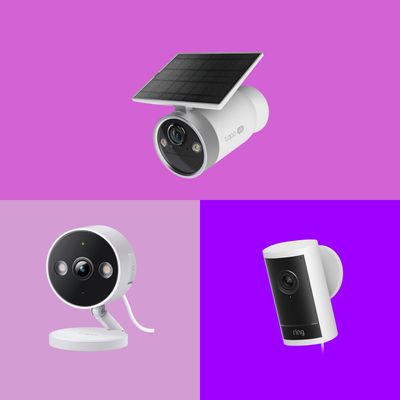
It’s easier than ever to keep an eye on your home while you’re not there. Yet the selection of cameras and bevy of available features makes finding the right one a challenge. You want something reliable, simple to use, and unimposing. Thankfully, the range of options guarantees that you can invest only in what’s necessary for your needs, without turning your home into a prison yard.
In this article
As a veteran techie and video professional, I know what to look for in recording devices. I have been on the front lines of gadget testing and imaging tech since the early 2010s, when I reviewed devices and produced videos for Gizmodo. I’ve also been using home-security cameras personally for years, accumulating perspective on what is useful and what isn’t. For this guide, I tested the most popular home-security cameras to find the best choices for the most typical home-monitoring scenarios.
Our top picks
New! You can now save this product for later.
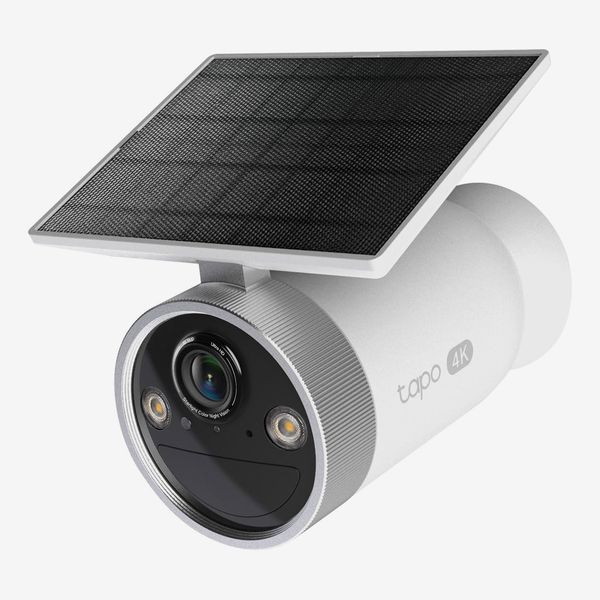
The most well-rounded camera we tested, with great features and solar power for easy placement.
New! You can now save this product for later.
A great wired camera for indoors or out, with solid quality and features for a low price.
New! You can now save this product for later.
The best video quality and sensitive motion detection make sure you don't miss a thing.
What we’re looking for.
Storage options and privacy
Since you’re unlikely to be watching at the moment trouble strikes, recordings made by security cameras need to be stored somewhere. Most devices either rely on a cloud storage service (which will cost a monthly fee) or use internal storage where you insert your own microSD card where footage lives. You can forgo storage altogether and just use your camera as a live video feed, but being able to look back on recorded events is the main use of these devices.
Paying for cloud storage has advantages despite the added cost; you don’t have to worry about purchasing memory cards for each camera or dealing with those cards’ limited capacity (or the current sky-high prices for memory chips). You can access clips from other devices and outside your home Wi-Fi network. Cloud subscriptions also come with advanced features that make the fee worth it, such as AI-powered recognition tools or search functions. On the other hand, you may have privacy concerns with video clips of your property living in the cloud where they are potentially subject to data leaks or server hacks, so we looked out for models that offered the option of recording locally.
Subscription value
If you elect to purchase a subscription, it should provide a meaningful set of features at a low cost. Companies will market a laundry list of bells and whistles, but only a few are genuinely helpful. The ability to record and store clips that you can revisit after they take place is the primary use of a subscription and one that I would consider essential for any home-security camera. The other common subscription feature that I found useful is AI-powered descriptions of events. While imperfect, AI descriptions let you easily get a sense of what’s happening just by glancing at your phone notification.
Getting key info by glancing at a text notification that tells you more or less what’s going on at home is always preferable to opening an app and viewing a video clip to decipher what might be happening. Unfortunately, this feature is usually stuck behind more expensive subscription tiers.
Video quality
While most modern security cameras are capable of delivering a decent image, an extra level of detail can turn out to be extremely helpful when you need to distinguish the identifying features of a person or vehicle, or even the difference between a rat and a chipmunk!
Resolution, usually either 2k or 4k, makes a big difference. In most cases, 2K will serve you just fine, but in my testing, I did appreciate the added detail of 4K recordings, though they usually come at a cost. Determining quality, however, is not always as simple as checking the camera’s specs. Each camera has its own way of processing video (compressing it so it takes up less storage space or can be streamed over an internet connection), which can affect the details you can make out. So we paid attention to what actual video clips captured by each camera looked like.
In terms of nighttime recording, you can ignore most features marketed as color night vision. In my testing, they don’t work as well as a traditional infrared setting, which was always more useful in dark conditions across the board.
Ease of use
Cutting-edge tech and advanced feature sets don’t mean much if using them is a nightmare.
Getting up and running with a new security camera shouldn’t require a ton of effort. We looked for setup procedures that required a few simple steps and a fluid connection process.
A user-friendly app will provide an easy path to locating clips and changing settings when you need to. Frustrating navigation and confusing options will leave you exhausted. When testing, I was on the lookout for an app that featured quick access to the most important settings, intuitive navigation, and customizability.
Motion detection
I quickly discovered when testing multiple cameras in the same spot, monitoring the same activity, that not all of them react the same. Some cameras missed very clear events going in in front of them, while others alerted me consistently every time. I also noticed that the speed at which a camera could detect an event and alert me varied. If something is happening on your property that you need to respond to quickly, a delay between when the camera sees something and when it notifies you can be a major hindrance. It’s important to note that no camera was perfect in my testing, and the way these cameras behave can be unpredictable. Motion events that are quick and small in size will get missed here or there. For example, I tested sensitivity by rolling a tennis ball in front of my camera rig, and none of the cameras I had set up detected it. More common subjects (people, pets, vehicles) that linger on the scene will get detected with greater consistency.
Power and placement
Establishing a power source is a big consideration. Battery-powered cameras can be placed anywhere at all but must be recharged occasionally. Solar-powered cameras are similarly flexible, and save you the trouble of recharging, though they can be larger and more difficult to place discreetly. Hardwired cameras don’t need recharging but must be located near an outlet, and the cables may be unattractive if you don’t have a way to conceal them. And build and design of the device also matters. It should be easily adjustable and look discreet. You don’t want your property sending “surveillance state” vibes to visitors.
Best home-security camera overall
New! You can now save this product for later.
Resolution: 4K | Storage: Cloud or microSD | Base subscription cost: $3.50 / month for base plan |
Power: Nonremovable solar panel
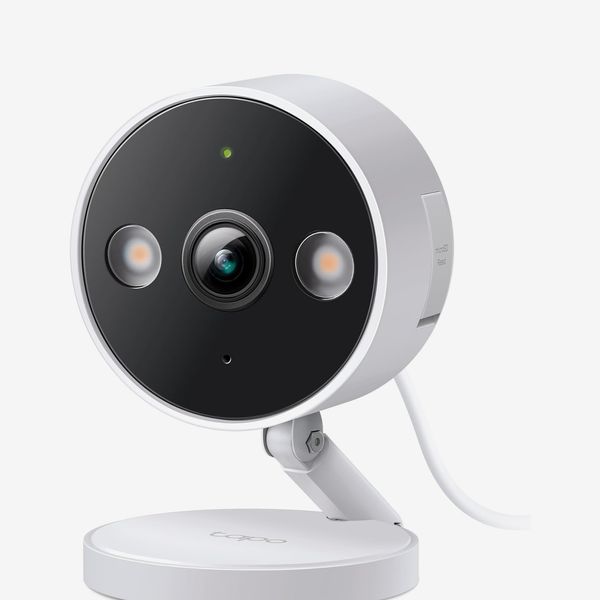
TP-Link’s Tapo MagCam 4K C465 is the most well-rounded camera at a decent price for those who want a simple, reliable system for outdoor monitoring. The Tapo is easy to set up, and thanks to its affixed solar panel, you don’t have to worry about draining batteries or placing it near a power outlet. The solar panel does make this device not the prettiest thing to look at, but I think the added convenience is worth it. If the larger footprint is an issue or you want to place the camera somewhere unsuited to solar, other Tapo models that offer similar performance are either battery powered or can be wired to an outlet, and they cost less.
Where the Tapo stands out is in getting the basics just right: It provides dependable motion detection and offers useful features for a low subscription fee. The Tapo performed very well at the fundamental task of always detecting common subjects in the camera’s viewable area. It was consistent and fast in alerting me to motion events, like the arrival of people and vehicles, sending an alert to my phone within a few seconds of the event. Some cheaper competitors were erratic in when they chose to detect very obvious motion events.
The Tapo also excels in its storage options. Where the Nest has no internal storage option, the Tapo has a microSD card slot allowing you to forgo a subscription for event recording (you must purchase the microSD cards). This is a great option that makes the Tapo system flexible for those who don’t want to pay more and are uncomfortable with their recordings living in the cloud.
The app is pleasant and straightforward to navigate, though it does lack a feature I appreciated on other apps which is an immediate way to snooze motion alerts without clicking through menus. Tapo offers a subscription that costs $3.50 per month, per camera, which unlocks 30-day event recording, richer notifications that include video thumbnails, and sorting of your recorded clips with basic tags (person, vehicle, etc.). None of these features are available if you stick to local storage, but the subscription cost is low, especially compared to Nest, which charges $10 per month — nearly three times as much — for the lowest tier of service.
Tapo also offers a $20-per-month subscription tier via its new Aireal AI service, which gets you humanlike video descriptions. As of this publication, this subscription is only available for a few models, including the C645, though TP-Link says it will be rolling out the features to more models later this year.
Whether AI descriptions are important to you, or if you’re comfortable with AI in general, is up to you, but in testing I found the AI video descriptions genuinely useful if sometimes inaccurate. They can provide descriptive notifications such as “Michael is lifting a trash can on the driveway” or “An adult and child exit a parked SUV.” Still, I can’t see many people needing them enough to justify spending $20 per month. The only camera I tested that provides AI descriptions at a lower cost is the Arlo Cam ($8 per month).
The Tapo does fall behind on some features. The mobile notifications it sends to your phone are cluttered.They display the time of the recorded event in military time. This is not changeable in the settings. The motion detection sometimes fails to record a single clip of continuous motion, instead triggering multiple alerts within a few seconds for a single subject.
While the Tapo’s 4K resolution is handy for making out fine detail, the compression did create fair amounts of artifacting, and sometimes its exposure was not balanced, blowing out bright sunlit regions of the frame. In contrast, the Ring Cam Pro, which also boasts 4K resolution, looked better overall. I didn’t experience the Tapo’s video quality actually hindering what I saw, but I could imagine scenarios where it might, such as being able to make out the logo on someone’s clothing.
The best less-expensive home-security camera
New! You can now save this product for later.
Resolution: 2K | Storage: Cloud or internal microSD card | Base subscription cost: $3.50 / month | Power: AC power
The TP-Link Tapo C120 indoor-outdoor camera is a great choice if you want to spend as little as possible for a dependable camera. It shares the consistent detection and pleasant app experience of the more expensive Tapo models, and it can be used anywhere in your home where there’s access to power, inside or out.
The lower price does mean a more rudimentary mounting system and less adjustability. It also must be plugged into AC power. I found the Wi-Fi range on this camera more limited than more expensive models. If your camera placement is far from your Wi-Fi router and you don’t want to extend it or plan to move up to a mesh system, you may want to consider upgrading to one of TP-Link’s higher-end Tapo cameras. Other cheaper options that I tested — the Wyze Cam v4 and the Eufy C35 — had better connectivity, but they had a less seamless user experience, were more difficult to set up, had more limited compatibility, and lacked key features.
The best home-security camera for video quality
New! You can now save this product for later.
Ring Outdoor Cam Pro
Resolution: 4K | Storage: Cloud only with subscription | Base subscription cost: $5 / month for base plan | Power: AC power
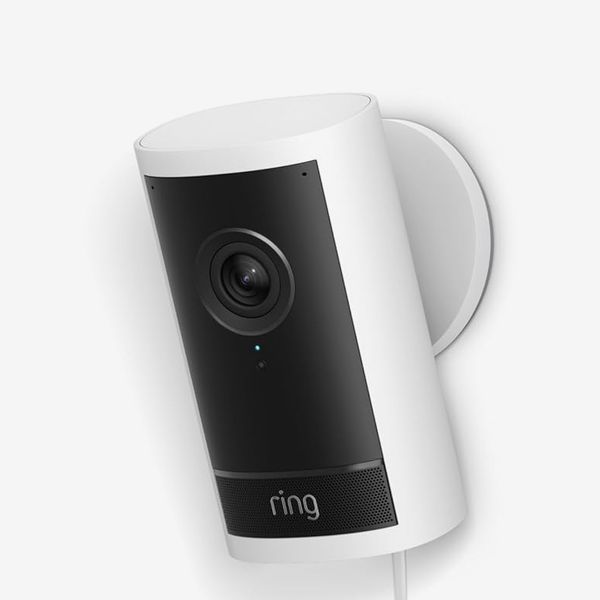
The Ring Outdoor Cam Pro is our pick if you value detailed, high-quality video above all else. This camera is more expensive than most, mainly due to the 4k resolution it offers. In comparing clips, the Ring was significantly more detailed than the lower resolution cams I tested, and bested the Tapo C465’s 4k quality as well. The difference when viewing on your phone isn’t all that apparent at first, but if you start zooming into an image and trying to make out small objects or text, it becomes clear. I also liked the extra-wide field of view the Ring provided. The good news is that if you spend the extra money for the Outdoor Cam Pro, the rest of the Ring experience is very good. Its motion detection was consistent and among the most sensitive cameras of the bunch I tested. The Ring ecosystem is robust, and its mobile app gives you a plethora of settings and options if you want to go deep on customization.
The cheapest Ring subscription is $5 per month, slightly more expensive than the TP-Link Tapo’s basic subscription, and unlocks the ability to view clips for 180 days, compared to the Tapo’s 30 days. Ring does offer AI video descriptions, which I found quite useful, but as with the Tapo, you must cough up $20 per month for the Pro plan, which is extremely expensive for the amount of utility provided. The only other flaw I found with Ring cameras was a bit of a long loading time when you receive a motion alert and click on it to open the video feed.
The best home-security camera for ease of use
New! You can now save this product for later.
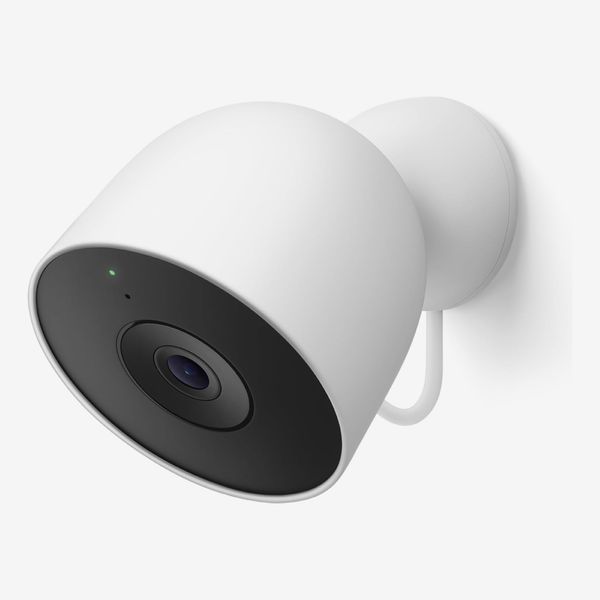
Google Nest Cam Outdoor - Wired, 2nd Gen
Resolution: 2K | Storage: Cloud only with subscription | Base subscription cost: $10 / month for base plan | Power: AC power
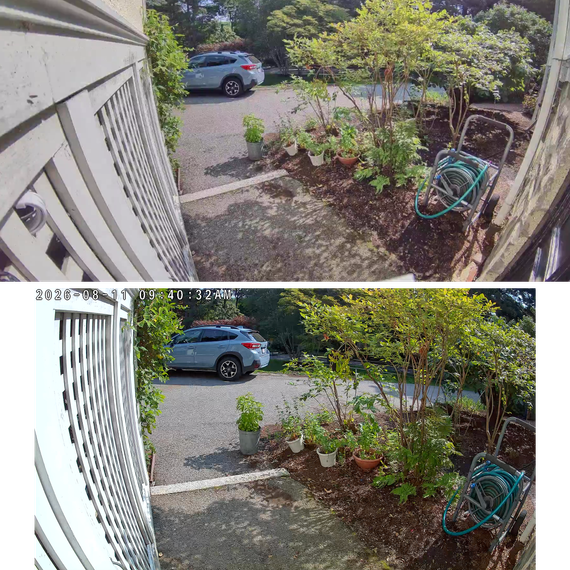
Google’s Nest Cam was the most consistent and responsive detector of motion out of all the cameras I tested. When running many cameras in the same spot, it always was the first to deliver a notification to my phone, it rarely missed an event, and it did all of this without me having to fuss with settings. The setup is easy, it is arguably the most attractive camera of the bunch, and the overall app experience is very user-friendly — just what you would expect from Google.
This model requires AC power, so if you don’t have outlet access, you are out of luck. Google’s Nest subscription is a bit of a double-edged sword. On the one hand, the basic subscription cost is a pricey $10 per month, unlocking 30-day event recording and facial recognition. This is steep compared to Tapo and Ring’s $4-$5 monthly base subscription cost. On the other hand, you can forgo a subscription entirely and still view recorded clips for three hours after they occur. This isn’t much time, but it’s better than nothing. What you cannot do is store video locally on a microSD card, unlike Tapo and Eufy — Nest is cloud only.
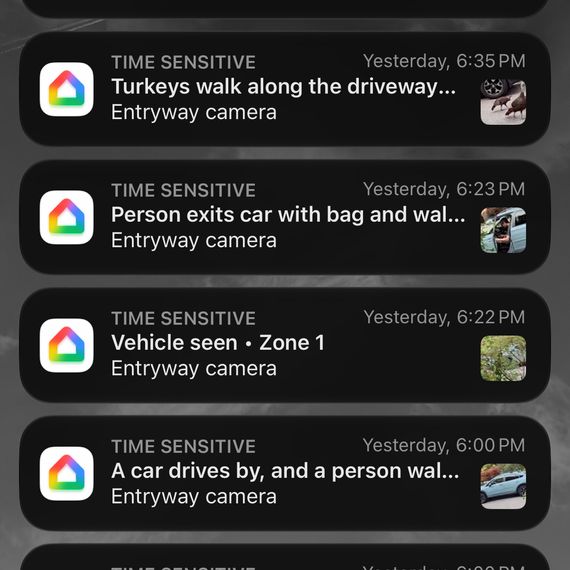
As with the TP-Link and Ring cameras, the Nest’s most useful features are only available when upgrading to a $20-per-month plan. That plan, Google Home Premium, gets you AI video descriptions, which are extremely impressive, sometimes even describing the model of vehicle that passed by my camera. You also get a searchable history of your recordings, which I found to be very useful in finding events in your history.
Overall, the Nest Cam gives you robust monitoring you can rely on but is worth it mostly if you never want to worry about app settings or clunky interfaces. For most people, the other cams we recommend do a great job for less money.
Best home-security camera for those who really don’t want to miss anything
New! You can now save this product for later.
Resolution: 4K | Storage: Cloud,i nternal microSD card, local storage with optional Homebase unit | Base subscription cost: $4 / month | Power: Solar
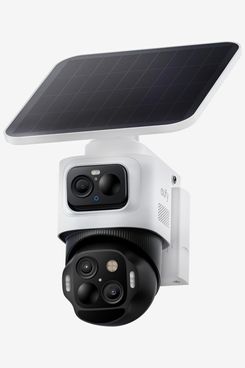
If you require the most comprehensive coverage and subject tracking from your monitoring system, consider the EufyCam S4. The S4 has a larger footprint than our other picks, including a large adjustable solar panel and two separate camera units. One is fixed and captures a wide field of view, while the other follows and hones in on a subject it detects, providing an extra layer of detail. I found the S4 to be excellent at tracking and zooming in on faces. The video feed provides both the wide view and the tracking view at the same time.
Like other EufyCam models, you have the option of recording to a microSD card, or to the cloud for $4 per month or $30 per year for a single camera. Eufy also offers a Homebase unit that provides ample local storage, facial recognition, and security features such as a loud alarm. The Homebase usually sells for $140-$200, making sense only if you have a need for robust storage across multiple cameras.
For a similar style of monitoring but with large, bright floodlights that fill a wide area, the Eufy E340 is a powerful choice, though it must be connected to AC power, making placement more difficult. Still, if you value detailed monitoring of very dark areas and you want to place it somewhere unsuitable for a solar panel, it might be the better choice.
Other home-security cameras we tested
New! You can now save this product for later.
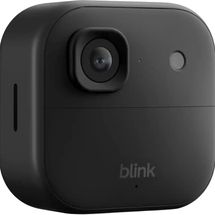
This camera, while inexpensive and offering one of the cheapest full-featured subscription plans (it includes AI video descriptions at $7 per month), gave me a fair amount of trouble during setup and operation. You must use the camera with the Blink Sync Module — a separate device to plug in nearby. During testing, the Blink kept going offline and coming back, as if searching for a Wi-Fi signal, despite being placed in the same spot as my other units. Furthermore, it simply did not detect many of the clear motion events taking place in front of the camera.
New! You can now save this product for later.
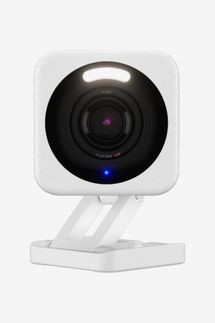
The Wyze is another simple, user-friendly, budget-oriented camera. When setting up the Wyze, I experienced persistent failures connecting the camera to Wi-Fi. Finally, it did after about ten tries and worked fine after that. I also had issues when I added the camera as a new device to my existing Wyze account that ran older Wyze devices. Once I did, I stopped receiving notifications of motion alerts on my phone, and the only way I found to fix the issue was opening an entirely new account. Wyze also lacks as robust a device ecosystem as Tapo. If you are going to get a cheap camera, it might as well be one that is easy to upgrade down the road. Tapo gives you many options to expand your security setup and also has great devices in related smart-home categories like doorbells and lighting
New! You can now save this product for later.
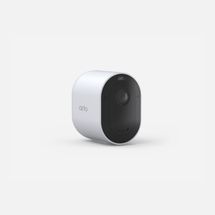
The midrange Arlo Pro does not offer an internal storage option like the Tapo, and I found its mounting system to be rudimentary, relying on a basic ballhead and thumb-screw for adjusting — more finicky than elegant magnet-based mounts. Arlo does offer a subscription tier with AI video descriptions for a reasonable $8 per month, cheaper than all of our top picks, which require a $20-per-month tier for that feature.
New! You can now save this product for later.
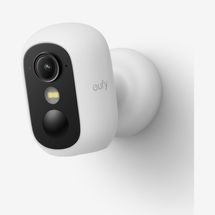
The Eufy C35 is a solid middle-of-the-road contender: It is battery powered with a pleasant app experience and robust ecosystem of Eufy products. But the Tapo MagCam 2k+ (C425) is similarly priced to the Eufy, and its subscription service offers more for the money. I also experienced setup issues with the Eufy when adding it as a new device to an existing account with older devices. Similar to the Wyze camera, I stopped receiving motion alerts on my phone and had to set up a new account to fix the issue.
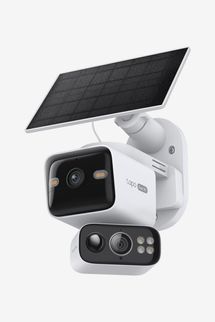
New! You can now save this product for later.
While similar to the EufyCam S4 in that it features two camera units that record simultaneously, the Tapo kit does not automatically track moving subjects with the second camera, which is the most useful feature of such systems. It’s cheaper but doesn’t offer the same level of functionality.
The Strategist is designed to surface the most useful, expert recommendations for things to buy across the vast e-commerce landscape. Some of our latest conquests include the best women’s jeans, rolling luggage, pillows for side sleepers, ultra-flattering pants, and bath towels. We update links when possible, but note that deals can expire and all prices are subject to change.
Every editorial product is independently selected. If you buy something through our links, New York may earn an affiliate commission.